
Dear Bosses,
Hello everyone ! We’ve noticed that some bosses using Windows 11 are experiencing a black screen issue when launching Furry Company. Our technical team has identified the cause and implemented a fix. Please follow the steps below in order to resolve the issue and restore your gaming experience:
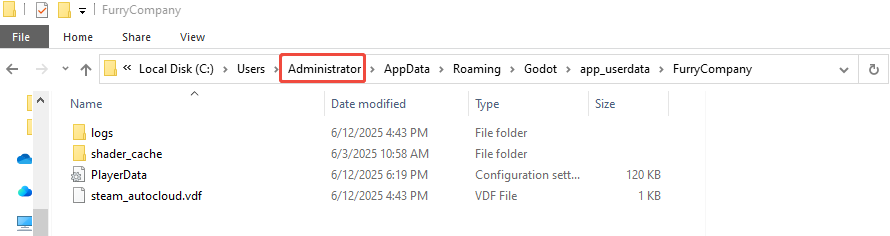
● In "This PC", search for the file at the following path (Note: the “pc” shown in the image refers to your actual user name on your computer) .
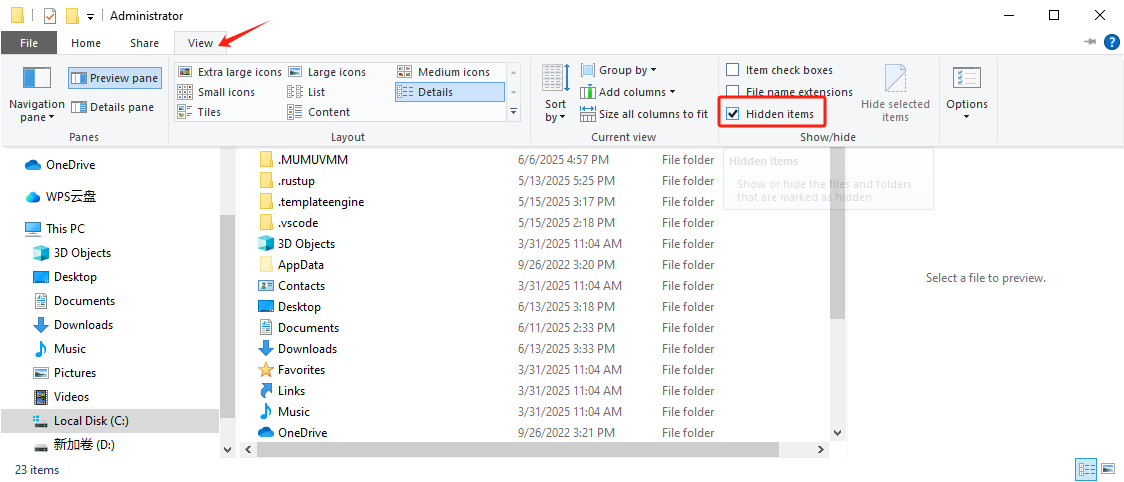
● If the file doesn't appear, please enable the "Hidden items" option in the View settings .
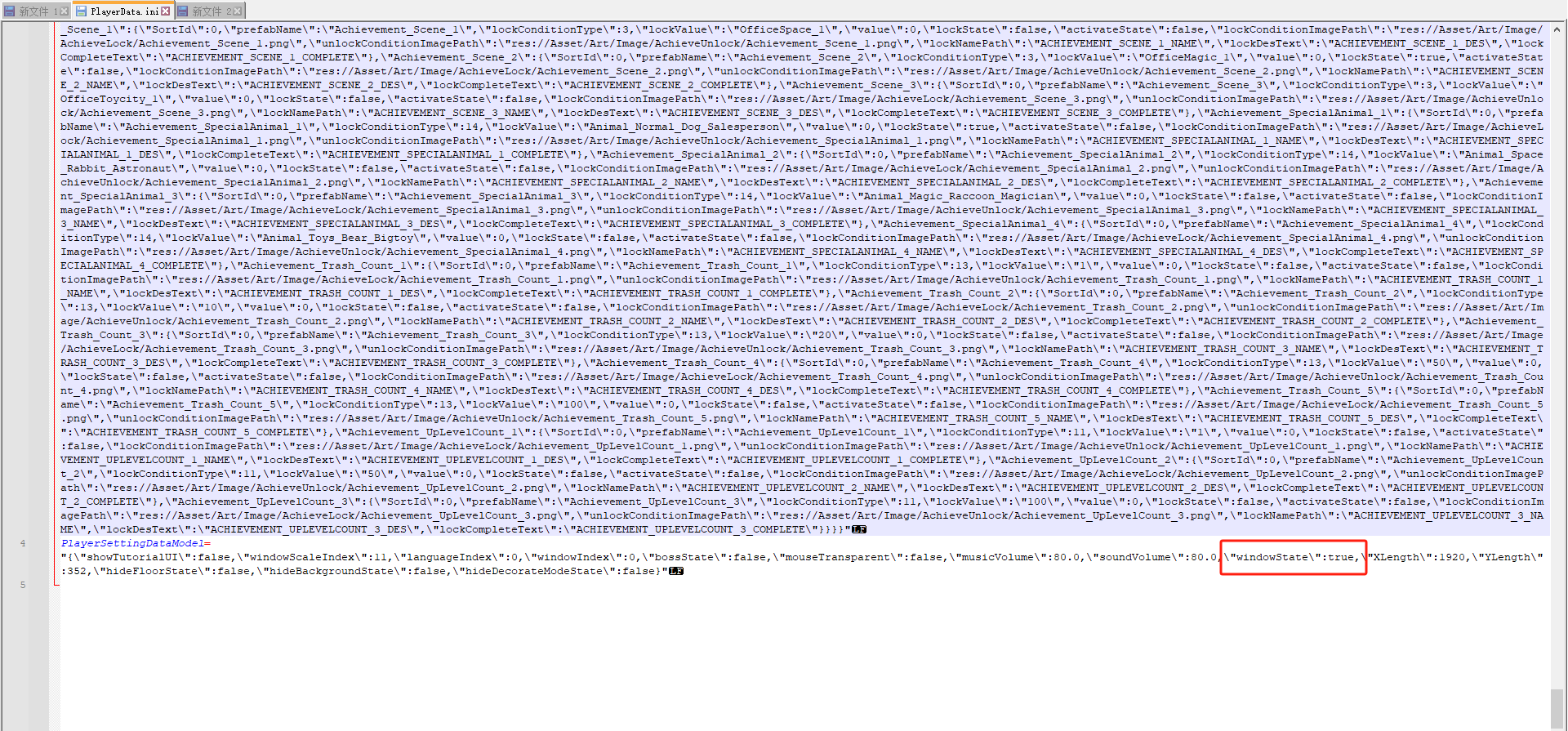
● Open the file and change the value shown below from "windowState": false to "windowState": true.
● Save the file and exit.
● Restart the game to test whether the issue has been resolved.
Thank you for your understanding and patience! If you have any questions, join our discord channel and feel free to report them in the channel #bug-report or directly contact us @Admin.
Happy gaming!