
Hey Vibers,
Unwise here! 🎧 I’ve been heads-down working on the next FVC playtest, but I wanted to take a break to show you some visual updates that make the game feel more alive.
First up: The Belts.
In most automation games, conveyor belts are just infrastructure. Utilitarian. Mechanical. Usually the real-world version: rubber loops dragging items from A to B.
But Future Vibe Check is also about music. In music, flow is everything. I wanted our belts to reflect that. Instead of a purely mechanical feel, I wanted them to feel organic and synced to the music you make.
To achieve this “water-like” motion without melting your GPU, we couldn’t just slap a texture on a cube. We built a custom procedural shader from scratch.
1) The Primer: What is a Shader, anyway?
If you aren’t a graphics programmer, “shader” might sound like magic. Simply put: a shader is a small program that runs on your graphics card (GPU) that tells pixels what color to be.
Vertex Shader: Transforms (and optionally deforms) the object’s mesh — the 3D points — before it’s drawn.
Fragment Shader: Computes the final color for each pixel on that mesh.
In many games, the fragment shader mostly says: “sample this texture and paste it here.” In FVC, we do something different. We use math to generate the look in real time.
 .
.
2) The Technical Showdown: Texture vs Procedural
Why go through the trouble of writing a custom shader? Here’s what the genre usually does:
Method A: Scrolling Textures (The Standard)
Most games use a static arrow texture and slide the UVs over time.
The problem: it’s inherently resolution-bound. Zoom in and it can pixelate or just feel “flat.” And changing the look means authoring new textures.
Method B: Physical Geometry
Some games model real conveyor mechanics: rollers, grooves, physical tracks.
The problem: Expensive. Rendering thousands of little geometry details eats performance we’d rather spend on simulation and music systems.
Method C: The FVC Procedural Shader
We generate the visuals using procedural UV math and trigonometric motion.
The win: We build the chevrons using procedural masks (UV math + smoothstep) instead of a texture. That means the design stays crisp across zoom levels (no texture blur), and we can tweak speed, density, thickness, glow, and layers instantly.
3) Deconstructing the “Vibe” Shader
Here’s how we stack the math to create that deep, cyberpunk river effect:
🌊 The Vertex Wave (Physical Flow)
Scrolling pixels wasn’t enough. We wanted the belt to feel like it had motion in its body. So, the vertex shader applies a sine-based displacement to the belt mesh.
This physically ripples the geometry up and down as it flows. It breaks up rigid factory lines and makes the entire belt network feel like it’s gently breathing.
✨ Holographic Depth (Layered Chevrons)
A flat river is boring. We wanted volume.
So instead of one chevron pass, we composite multiple chevron layers, each moving at a different speed and offset in time. It’s still one surface — but the layered motion tricks your brain into reading “depth.
Layer 1: bright + fast
Layer 2 & 3: dimmer + slower (feels “deeper”)
The result is this holographic tunnel-of-light vibe inside the belt, even though it’s just math.
📺 Scan Lines (The Retro-Future Touch)
To ground the aesthetic in that lo-fi / cyberpunk vibe, we added subtle procedural scanlines. It’s basically a high-frequency sine wave that scrolls over the UVs and gently modulates brightness.
That adds just enough texture and interference to make the belt feel less “perfect” and more like raw energy moving through a system.
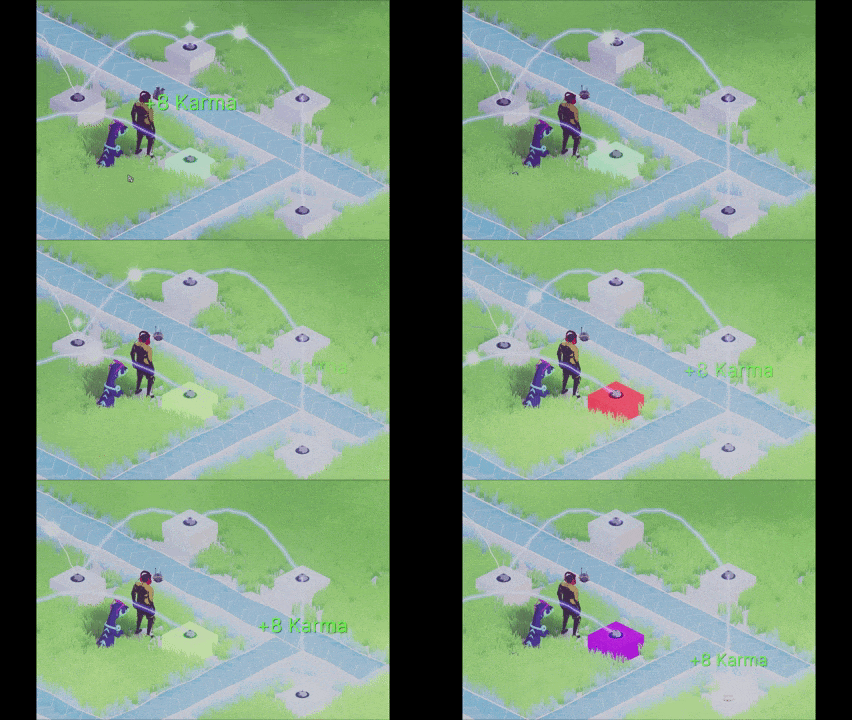
🎹 Beat Reactivity (Belts That Groove)
Finally, we made the belts groove.
On each beat, we push a “last beat time” value into the belt material. The shader converts that into a decaying pulse, which widens the glowing rails and adds a subtle edge glow.
So the belts react on-beat. Your factory starts to feel musically locked-in.
The Result: Immersion Through Flow
When you look at your factory in Future Vibe Check, I want you to see the rhythm of your song visualized in real time.
We can’t wait for you to see (and hear) it in motion during the next playtest.
Peace, Love ✌️
Unwise