
Workshop Support Now On Testing Phase!
I finally got workshop support to work.* Try it out and let me know what you all think. Please read down below to get more information about the workshop support and how it works.
DISCLAIMER!
The Workshop is currently in a testing phase. This means that it is missing A LOT of features. There WILL be issues that you encounter. The workshop support is only available for users that are on the private test build version of the game. Please know that the workshop will change in the future. I am sharing the workshop support to get bug reports and to make it the best I can before full public release.
How To Upload A Level To The Workshop
Uploading levels to the Steam Workshop is super easy. All you have to do is go to the level editor, test you level and reach the finish. You should see the finish screen with a button saying "Upload Level To Workshop"
Once clicked, you should see this screen.
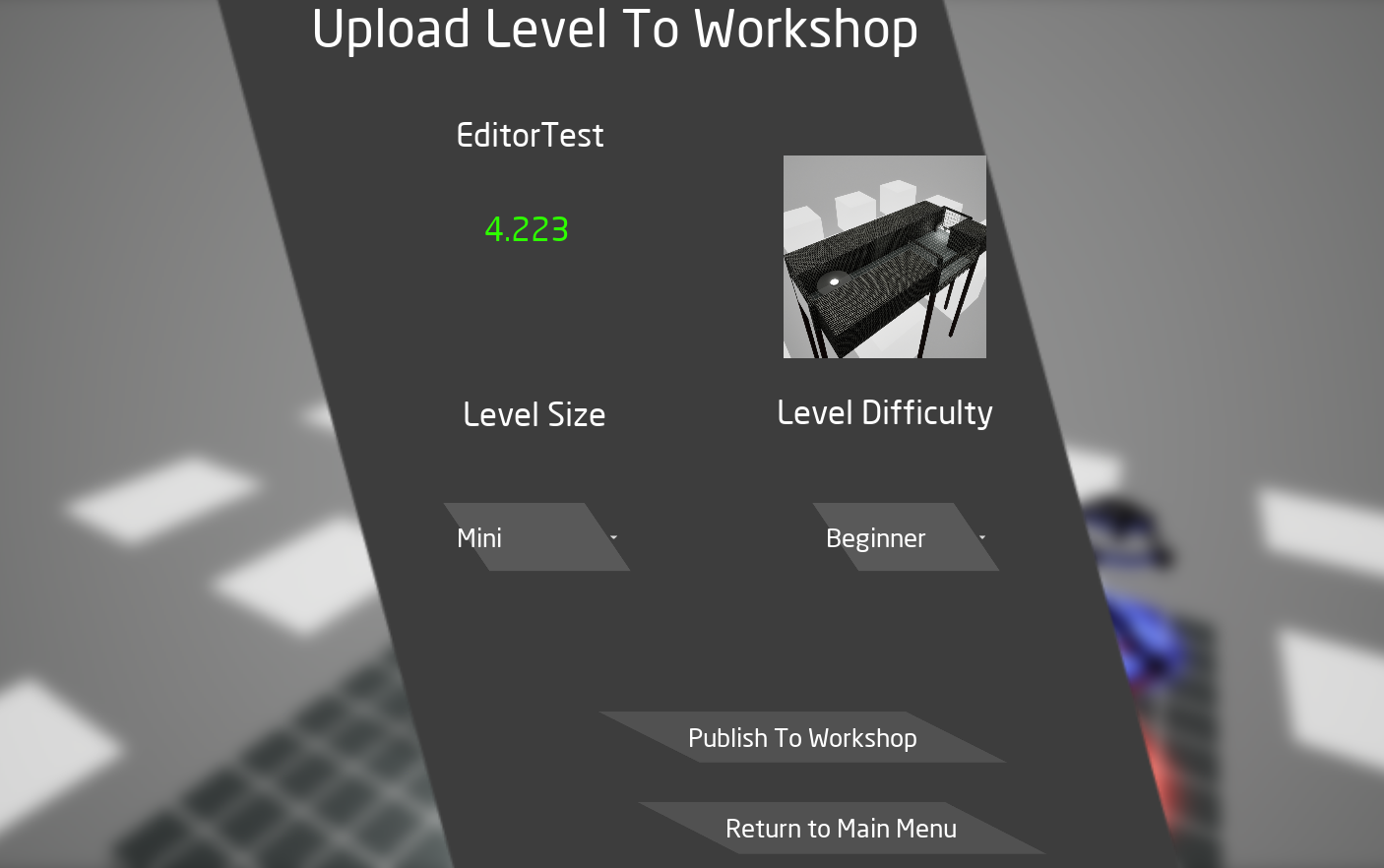
- "Editor Test"
This is where your level's name will be. You can change the name of your level under the finish device settings.
- "Image"
The image on the right side of the menu is the image for your level. You can always change the image of your level by returning to the editor and playtesting again. Every time you click the playtest level button, it will generate a new screenshot based on your camera's location.
- "Time Challenge Time"
The green time below the title of your level is the time it took you to finish your level. This time will be used for the Time Trial Time. You can get a different time by restarting your level and playing your level again. Note that this time DOES NOT SAVE. If you restart your level to try and get a better time, it will not save your best time. Make sure to only retry your level if you know you can do it better.
- "Level Size"
This is used for the workshop filter so people can know what to expect from your level. There are 5 different Level Sizes. Please know that these are not rules. Feel free to tag your level whatever feels right to you.
Mini - Super short levels ; Usually anywhere between 10-30 second long levels.
Small - Levels that while being longer, usually not long enough for there to be any checkpoints. Usually anywhere between 30-45 seconds long.
Average - Levels that can feature different challenging checkpoints. Usually anywhere between 45-60 seconds long.
Long - Levels that are more for experienced players. Usually expecting to be minutes long.
Nuclear - The ultimate endurance runs. Usually expecting to be hours long.
- "Level Difficulty"
This is used for the workshop filter so people can know what to expect from your level. There are 5 different Level Difficulties to chose from. Please know that these are not rules. Feel free to tag your level to whatever feels right to you.
Beginner - Levels that new players can enjoy!
Intermediate - Levels that new players can enjoy while still offering some challenges. Can sometimes feature checkpoints.
Professional - Levels made for experienced players. Levels can feature several challenges without any checkpoints.
Nuclear - Levels for more experienced players. Levels can feature several different challenges with checkpoints.
Expert - The ultimate challenge for the most dedicated players.
Once you have all the information you want for your level, click the "Publish to Workshop" button. You should be brought to a loading screen and after a few seconds, it should say "Upload Success". CONGRATS! you now have your own level published into the workshop!
How To Play Workshop Levels
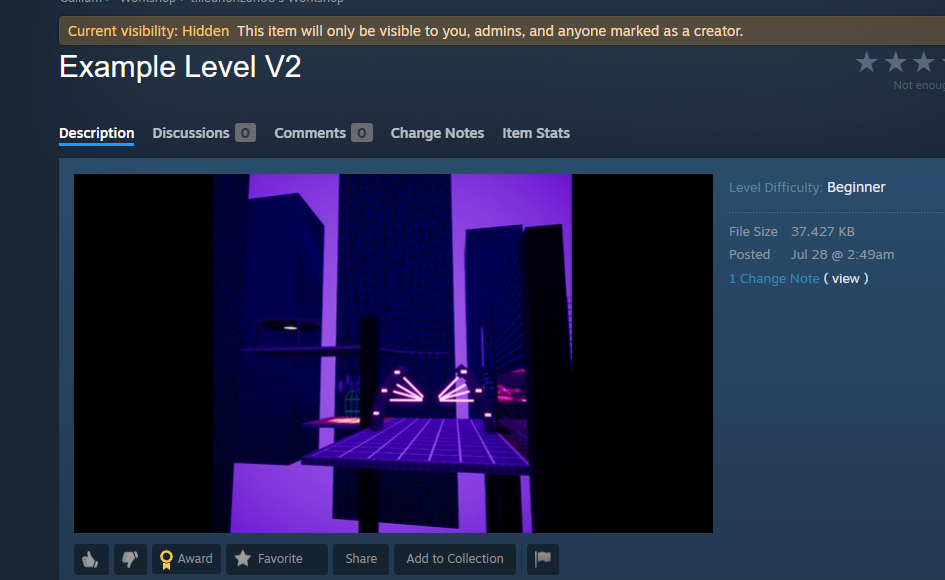
Playing workshop levels requires no effort. Go to the workshop and subscribe to whatever levels you want to play. Now launch the game and open up the "Custom Levels" Menu. Click "Play". All of your workshop levels are now on your screen and you can click play on any level you want to play!
What Problems May I Encounter?
As told earlier, this is currently in the Testing Phase. This means that there will be issues and there will be changes. I made this list so people can know what to expect if you were to use the workshop during its testing phase.
Uploading levels can sometimes fail. This can happen if you have not accepted Steam's Workshop EULA. Sometimes it can fail for no reason, in which give it another try.
Your time will not be saved when playing workshop levels. This is a feature I am still working on. I am also working on getting the finish screen to sync the Level Finish and Time Trial Icon.
Workshop may be updated to have more data for levels. If this happens, your level will no longer be visible and/or manually edited to be up to date.
While your level Image will be available on the workshop item, it will show it in game.
Pausing the game while playing a workshop level will not showcase the level's name or image.
If you encounter any other issues with the workshop, please feel free to let me know. I am a solo developer and I have never done workshop support before. I know that the workshop support is not super great at the moment and I apologize for it. It took me so long to get this to work that I wanted to share my progress on it to show that I am still working on the game and am not abandoning it.
I'm Not On The Private Test Build Version Though.
While you cannot play or upload levels onto the workshop, you can still share your level through the official discord server.
How Can I Get The Private Test Build Version?
You can get the private test build version by contacting me through our official discord server. Please note that if you use the private test build version of the game, you should expect to see several issues. The private test build version of the game will also be updated a lot and can show super experimental features.
Why Should I Upload My Level?
I am currently still collecting levels from the community to add into the "Secret Levels" Section. If you share your level either to the official discord server and/or the Steam Workshop, I may add your level to the game officially as a secret level. I will let you know if I have done this though. If you wish to not have your level be into the game officially, feel free to edit the description of your level to state that. I will also add your name to the credits of the game. This can either be your discord name and/or steam profile name.
Thank You For Reading This And I Hope You Have Fun!
Please again remember that I am a solo developer and the Steam Workshop has been causing a lot of problems for me. This has caused me to not be able to update the game for the games 1 year anniversary. I do apologize for this and I hope you accept my apologies. Thank you everyone for the small, but dedicated community to make this game great. I hope to see you all for the next update!