Source: Steam Community (opens in a new tab)
News
- Enemies and towers are bigger and more detailed
- The movement of enemies is smoother.
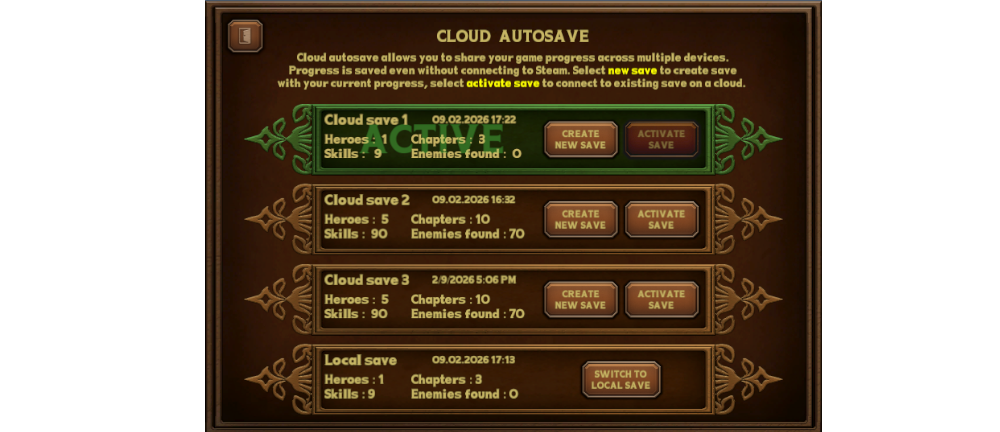
- Cloud saves - You can choose one of three slots where you will save your progress.
- Checkmark on an enemy card indicates a defeated enemy (preparation for later achievements)
Fixed
- Increased hero level cap
- Elf hero animation
- Enemy cards only rotates when a new enemy is discovered
Balance
- Adjusted the difficulty of higher levels in endless mode
How to use cloud autosave
- Enter settings menu - button Cloud settings
- Select a storage position and click on Create new save (it'll save your current progress, previous save in this slot will be overwritten)
- Click on activate button to set storage as default
- To synchronize on other device click on activate button of the same storage position
- You can also use this storage offline