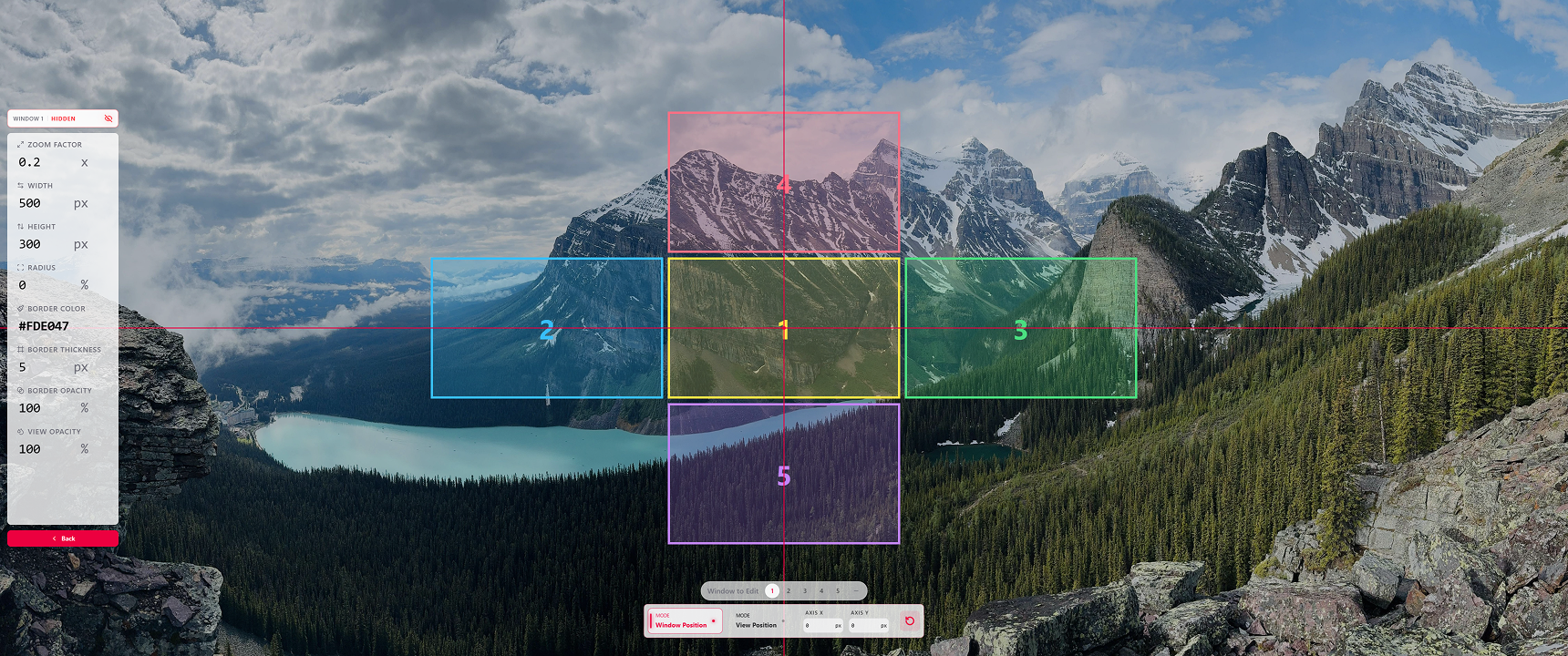
Multiple Floating Windows: The magnifier floating window now supports up to five windows at once. Add or remove them as needed—each one can be shown and adjusted independently.
Per-Window Settings: Customize zoom, size, position, border style, and the new view opacity for each window—so different viewing areas can be fine-tuned on their own.
Target Windows: Choose which floating windows respond to zoom, show/hide, and color controls. Windows you leave unchecked keep their own settings and don’t interfere with one another.
More Intuitive Visual Editing: The floating-window editor now includes window selection and a live preview. Switching the window you are editing feels more intuitive, and you can see each border at a glance while you adjust.
Tip: From any page, press the Toggle Edit Mode shortcut—or use Alt + Tab—to jump straight back into your game. No need to exit the current screen first.