
Core Rework: New UI, Deep Customization, and Performance Optimization
Hello everyone, we are excited to announce that Game Widgets has just launched a major update—a core rework of the application. As the title suggests, we're bringing you a brand-new user interface, deeper customization options, and significant performance optimizations. We can't wait for you to experience these major improvements. Here are the details of this update.
🎨 A Brand-New Menu Interface
The entire menu interface has been completely rebuilt. We've introduced brand-new Light and Dark themes and have significantly optimized multi-language support, resolving previous UI layout and display issues across different languages. You can now enjoy a more beautiful and unified interface.
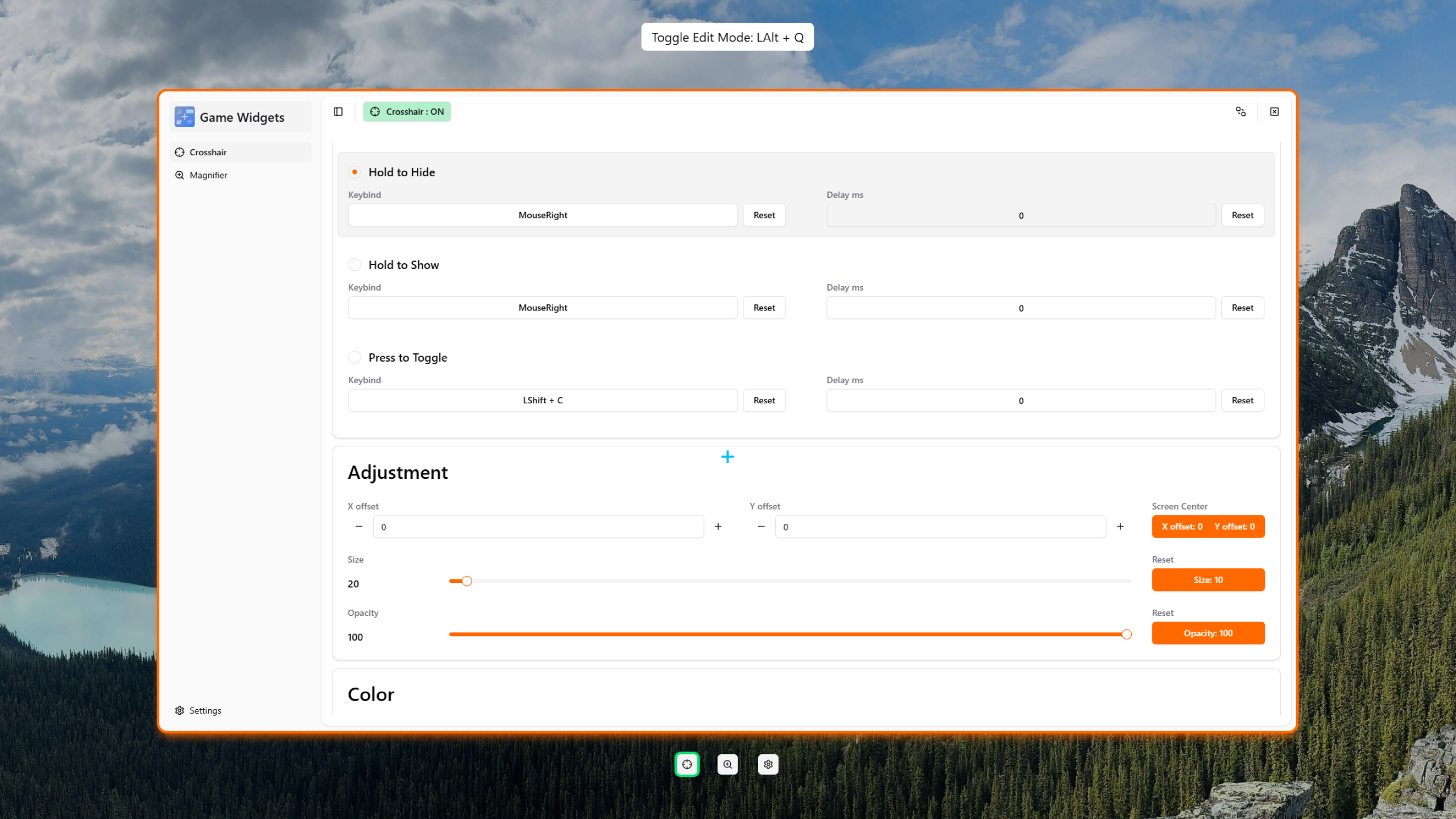
🛠️ Richer Settings Panel
Crosshair Feature
We've added several new default crosshair styles and enabled color customization for them. A more powerful "custom crosshair" editor is also in development and will be released in a future update.
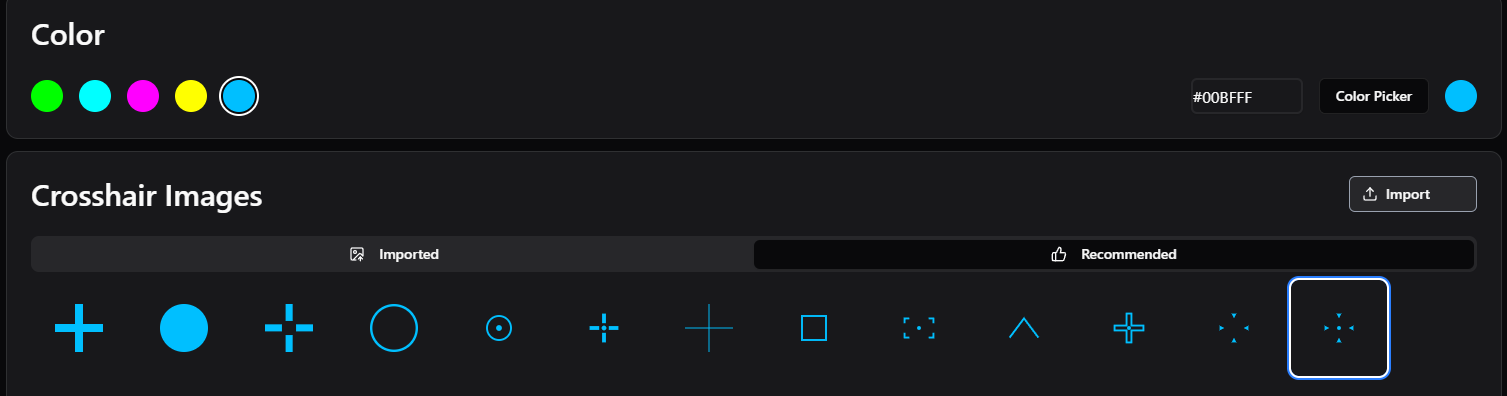
Full-Screen Magnifier Feature
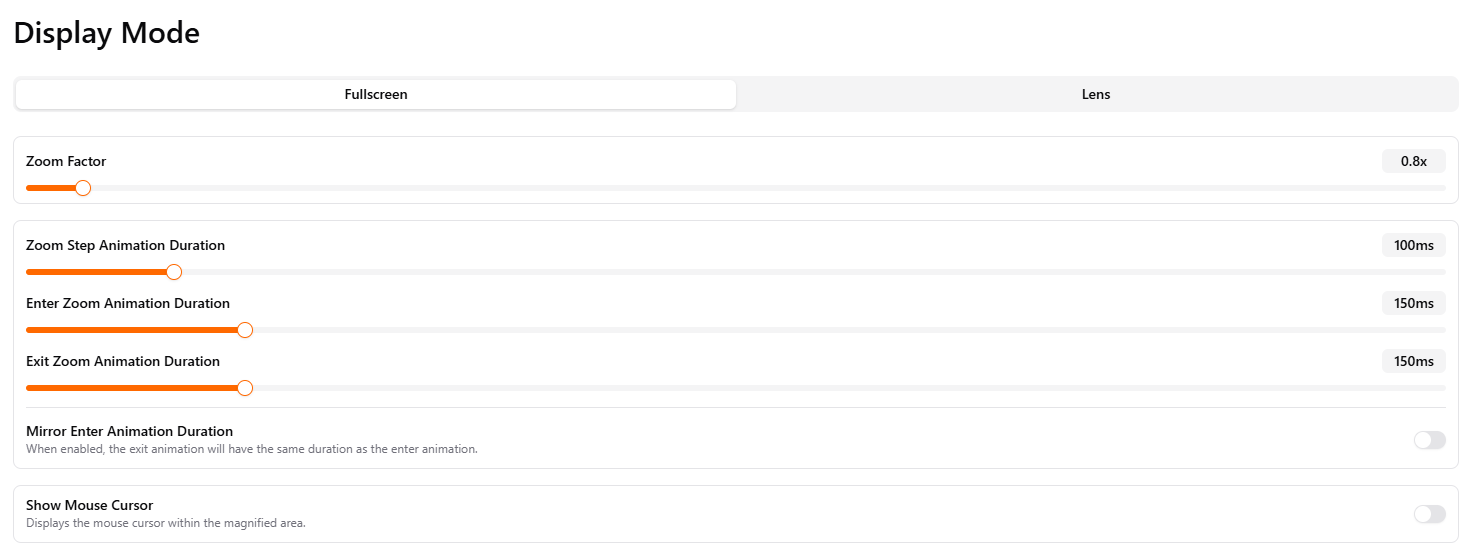
New "Zoom Out" Feature: As shown below, you can now set the "zoom factor" to less than 1 (e.g., 0.8x) to achieve a unique global "zoom out" effect.
Comprehensive Transition Animations: To make the visual experience "silkier," we've added smooth transition animations for "zooming in," "zooming out," and "stepping" between magnifications.
As you can see in the settings, all animation durations are fully customizable. If you prefer an instant, crisp switch, simply set the duration to 0ms to disable animations.
Lens Magnifier Feature
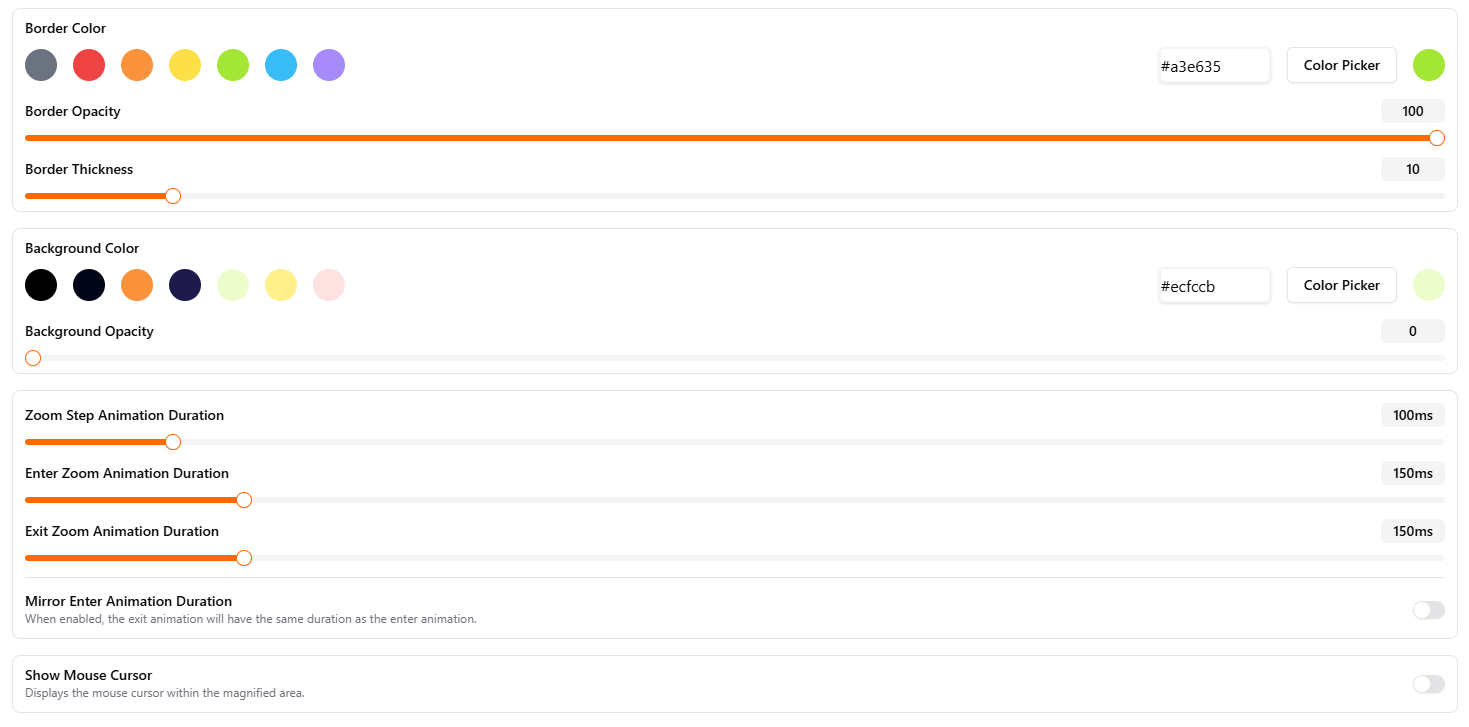
In addition to the familiar "border color" and "thickness" adjustments, we have added "background color" and "background opacity" options in this version. You can now mix and match to make your lens more personalized.
Likewise, the smooth transition animations we added to the full-screen mode (including entry, exit, and stepping) have been fully synced to the lens mode, with fully customizable durations.
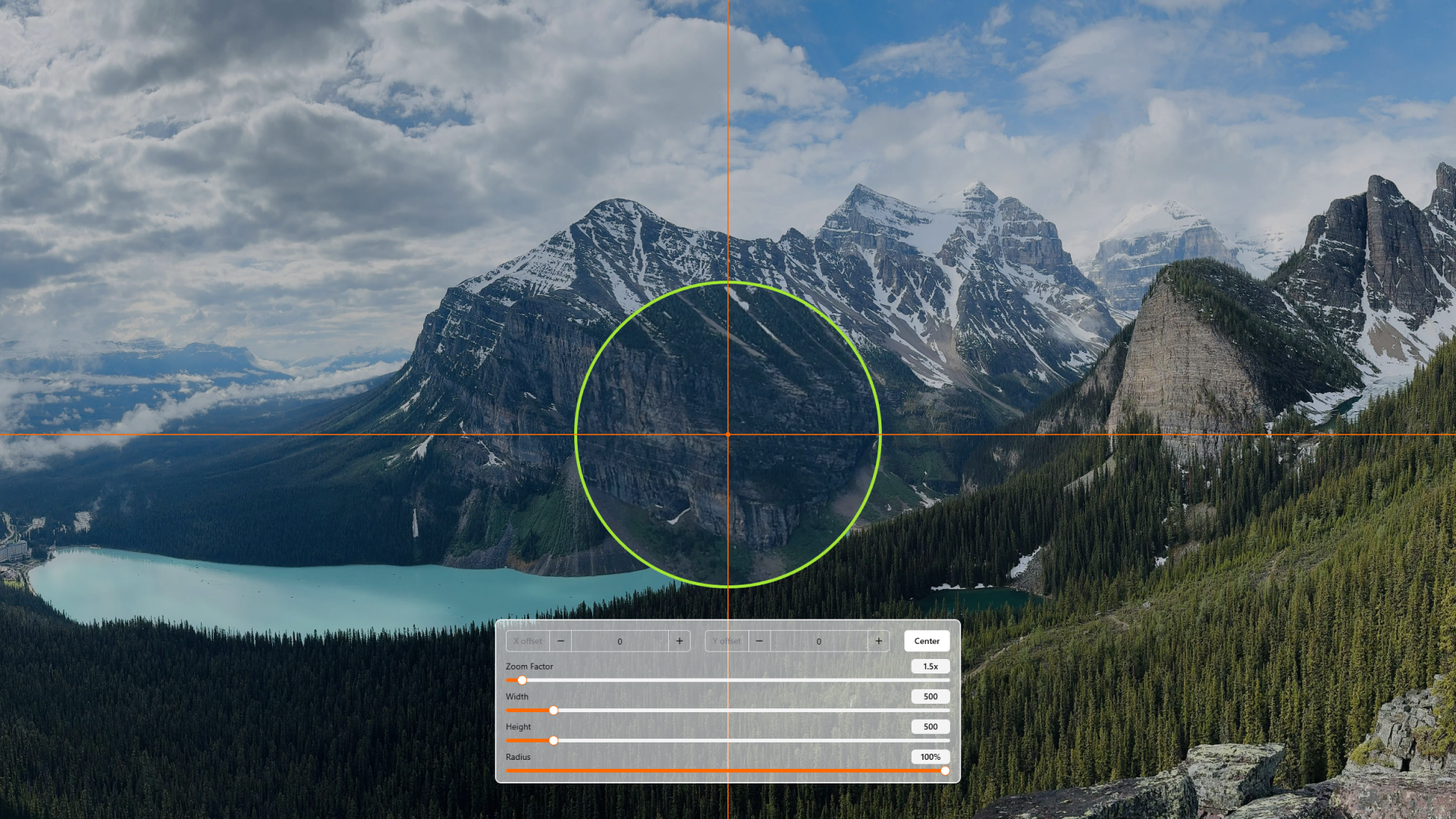
New Real-Time Adjustment Interface: To make positioning and shaping the lens more intuitive, we've introduced a new full-screen adjustment interface (shown below). Here, you can set the lens's X/Y coordinates by clicking the screen or editing the values, and adjust the width, height, and corner radius with sliders.
WYSIWYG Real-Time Preview: The core improvement of this feature is the "real-time preview." As long as your magnifier is active and "is not hidden", you can see the final effect of every change on your screen instantly as you adjust the parameters.
Finally, in addition to the main updates listed above, we've also polished many "quality-of-life" details, such as adding support for HDR displays and making the transition into "Edit Mode" much smoother.
This core rework was a massive undertaking, and we truly thank you for your long-term patience and support! It lays a solid foundation for the future of Game Widgets, and there are many more cool features on the way.
We hope you enjoy this brand-new update!