
Updates are back! :)
This is a small one. So here is the whole changelog:
added trajectory indicator
added trajectoryHit data to API
added option to have indicators on by default on spawn (extra settings panel)
added DumpOxidizer command to scripting/API
added block specific camera setups and block 1 default setup
fixed cam buttons not disappearing after removing a rocket while observing
I’ll write more about that below. But first a few words about the future of StarbaseSim and my situation.
I have one job offer now, but waiting for more that should come in any time. So I can relax a bit currently with the job search and prepare for moving and picking up the job, depending on where it will be exactly. In the meantime I can also already work on some small updates like this one.
My plan is to continue working on more or less smaller updates also when I have the job, but it will be a pure hobby project again, where I spend some of my free time on.
In any case, I want to work mostly on stuff that I’m interested in. So new features might be a bit all over the place, and as mentioned in the last report probably not too much SpaceX related stuff.
However, I will keep the early access status and price for the moment. So there might be some more money coming in that I will have to re-invest and this would probably go into 3-D models for Starbase.
Trajectory Prediction
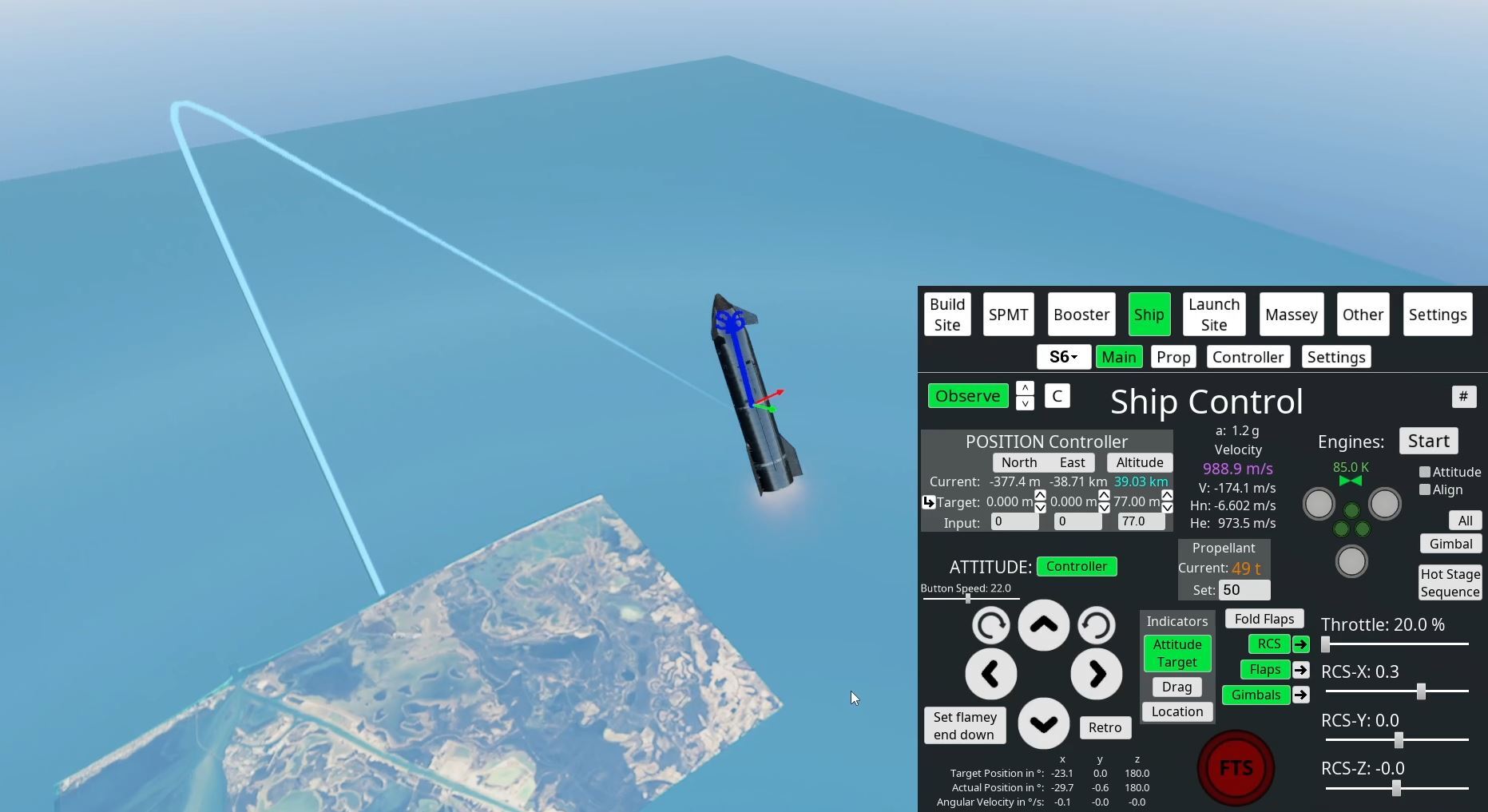
The system is very simple. It takes the current velocity, mass and orientation of the rocket and calculates the trajectory every frame taking into account forces from gravity and drag, using an adaptive time step.
The big limitation with this currently is that it uses a single orientation throughout. So for the next update I will look into a way that you can provide something like a descent profile where you define some orientations depending on altitude or something similar. This could be coupled with the controller trying to keep this profile for an automatic re-entry.
Else, there is not much more to talk about. The other points from the changelog are pretty self explanatory.
Maybe some more details about the algorithm: I tried to employ AI (Gemini) heavily for this one and it gave pretty decent advise actually for the most part. For example, this is what suggested for the time step:
if (_Altitude > 30000.0f && _DensityAir < 0.05f) dt = 2.0f;
else if (VelMag > 200.0f || _Altitude < 5000.0f) dt = 0.1f;
else dt = 0.3f;
I only adjusted the values for the time steps (dt) slightly, but else I used it as it came out. It could be improved of course, like using altitude and density as condition is pointless as just one of those would be fine, but it’s good enough overall. The most important point here is that there is a larger time step high up at bigger velocities to have the prediction go further.
Because currently there are only 2000 points predicted . So at largest time step, it would calculate the trajectory for 4000 seconds into the future. That’s enough for the current scope of the simulation. But if you see the trajectory ending somewhere in the middle of space, that’s the reason.
It’s just that I wanted to limit the amount of calculations that are done every frame. In the beginning I even used a much lower update rate for the trajectory calculations, fearing that it would cost too much CPU performance. So I asked the AI to suggest some methods to make the trajectory drawing smoothly via the GPU, but here it failed terribly. I tried for quite a while to make some optimizations like this work, but in the end I gave up and just have it calculate the trajectory every frame on the CPU, send the mesh to the GPU and it looks like the performance impact is negligible.
But the AI still helped quite a bit with the shader work, an area where I don’t have much experience, like how to make the trajectory line so that it always has same size on the screen.
Here is the final material in Unreal, most of it suggested by Gemini:
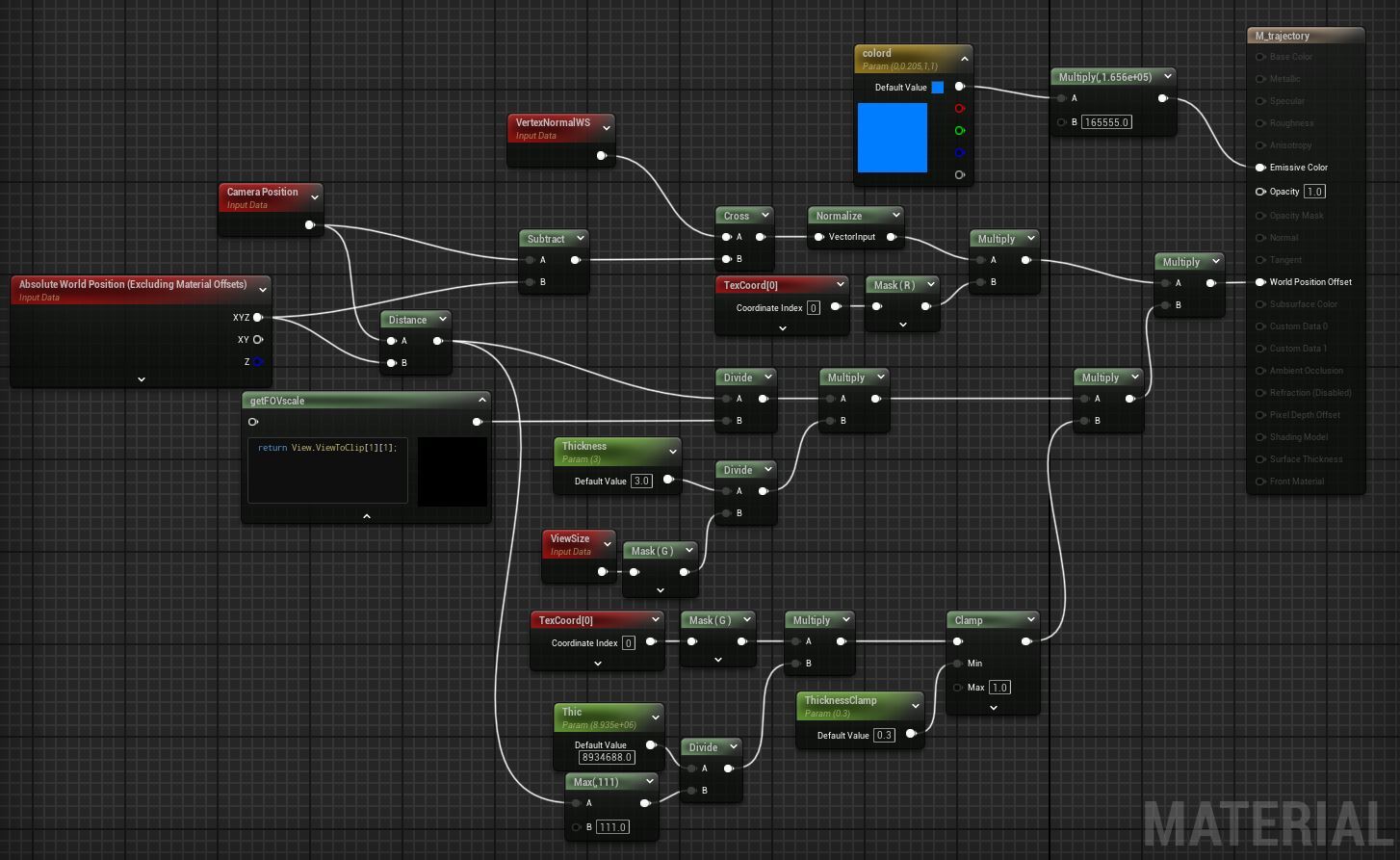
Of course, you still need to understand what it does to make corrections or to get the exact look that you want.
I’m still not 100% happy with the way it currently looks, but I guess that’s always the case. So it’s good :)
Overall I would say the AI has helped quite a lot, especially to get a head start, that you have something to work with. It had some problems to integrate some of my existing code like the drag calculations, but that might just be due to the sloppy setup of my code.
Things like creating and drawing the mesh for the trajectory line would have taken much longer for me to figure out fully by myself. The AI can be surprisingly good with the material stuff for Unreal, even though it has its problems usually with 3-d stuff. Maybe it’s just because most of it where quite common tasks actually.
Whenever I gave it bigger tasks, it rarely one-shotted the perfect solution though. So overall I had still quite a lot of work to do and you really need to understand what you are doing. But it also helped a lot. I’ll definitely use it more in the future. It should help getting more done.