
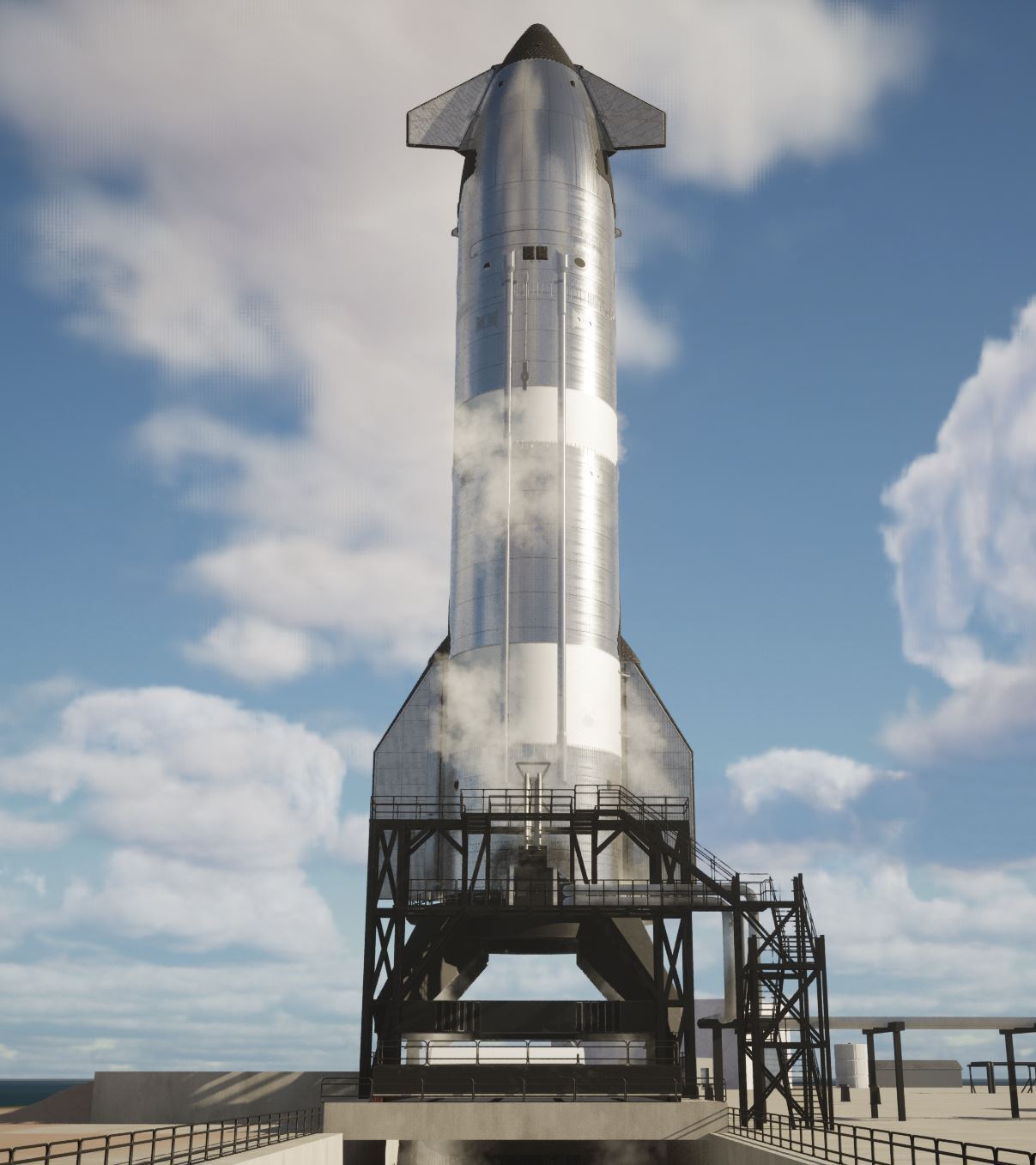
Besides the new Starship model, that has a movable payload bay door now, there are also a few general additions and fixes to the ship. Here are the major changes:
- added Starship Block 2 model by ChameleonCir
- you can select which version to spawn
- added possibility to choose from multiple onboard camera positions defined by json file (only for ship for now)
- added engine failure mode toggle to extra settings tab (also just for ship)
and some that may seem not so major, but are important changes or fixes that I'll explain below:
- added gravity toggle for ship/booster to extra settings tab
- some multiplayer fixes/changes
- fixed z attitude error not wrapping correctly between +/- 180° and the associated gimbal twitching in certain situations
- fixed RCS stuck on 1.0 input when it should go from 1 to 0
NOTE: Linux version is also available now and I'm working on Mac.
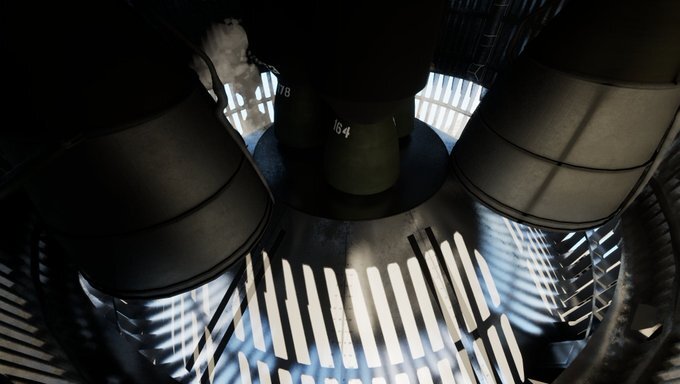
View into intersection through one of the new onboard cameras:
Performance
Before I explain everything, one remark about performance issues. I noticed that, on my system at least, there are more often now brutal frame rate drops, especially at the beginning after launching the game, but also in certain situations like when zooming in (reducing FOV). In that regard I made some changes, that should improve the situation at least a little bit. But overall the situation is getting worse and worse.
Please let me know, when you experience something similar and what's your PC specs. Also let me know, if you don't have these problems.
I think, it might be connected to the GPU memory requirements going up after adding more and more stuff and now the huge 3 million triangle Block 2 model with nanite.
I will look into this issue and see if I can include some improvements in a small patch.
Explanations
This is about the additional not so major points. Find more about the Block 2 model below.
Flying
With Block 2 the drag coefficients as well as flap controllers are now set up in such a way that it should be possible to have proper re-entry aero braking by just using flaps. However, there is still a flat earth. BUT, you can now toggle off gravity for the ship. This makes it easy to stay at an altitude or slowly adjust it by using only the flaps to change the angle of attack. So you can brake down a bit more realistically now.
For the next patch, I can also try a mode to add some force based on horizontal velocity to fake a curved trajectory.
Multiplayer
While trying out some things to fix an issue, I tried enabling Unreal Engine's new experimental predictive interpolation feature, and it is great! It reduces the high velocity glitching on clients a lot. You can actually do something now on a ship that is flying at 6 km/s! :D
There have been some major changes in the back to how things are spawned, also due to the new option to be able to select what model to spawn in case of ship. This should also fix some multiplayer issues, but it might have introduced some new. So we have to see how it goes.
Controllers
For the longest time there was this annoying z attitude error issue which led to the gimbals twitching in certain situations. I looked at it one time already and copied some code from the original Arducopter library. It improved the situation, but didn't fix it completely. So I looked at it again, and with the help of Grok, I realized that the Unreal math functions are not doing exactly the same as the math functions from the Arducopter library even though they look very similar. So I copied the functions from the library as well and now the gimbal twitching is gone. I'm very happy about this :)
The other issue with the RCS getting stuck was mostly a problem with manual control, which made that basically useless. So it's useful now, yay!
Starship Block 2
In the image below you can see Block 2 on the right next to Block 1:
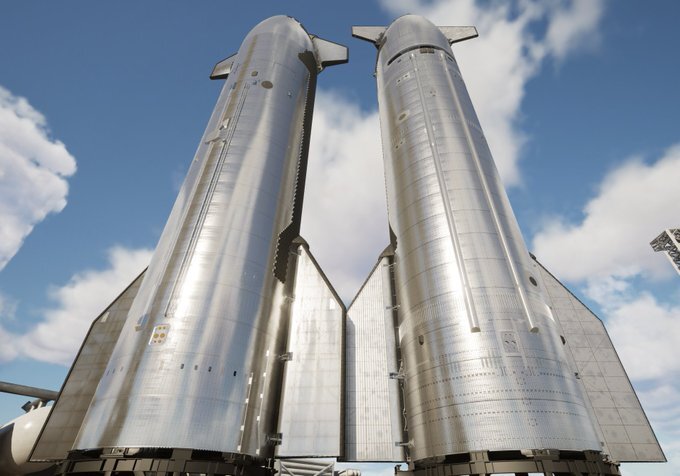
You can spawn and use both at the same time. Sounds simple, but the work in the back to make it work was not funny. At least, I have some ideas now how to make it moddable. That will require an even bigger bunch of work though.
So I spent one month adding features like this and then before that another full month to import and set up the Block 2 model from Blender. I majorly underestimated the amount of work for this, again.
There were over a thousand objects in the Blender file and you have to go through almost all of them individually to make sure modifiers are applied and they don't have an insane amount of verts, and if they have, decide which details to keep.
Then these objects are merged into single larger objects for import. This is half the work. The other half is setting up the materials in Unreal, also since Nick used some new setups for this in the Blender model. Due to the need to have it in real time, some of the Blender material nodes don't have an equivalent in Unreal and it's very difficult or outright impossible to recreate certain nodes with any reasonable amount of performance in a real time environment. At least as far as my (very) limited knowledge goes that I gathered about this during the process.
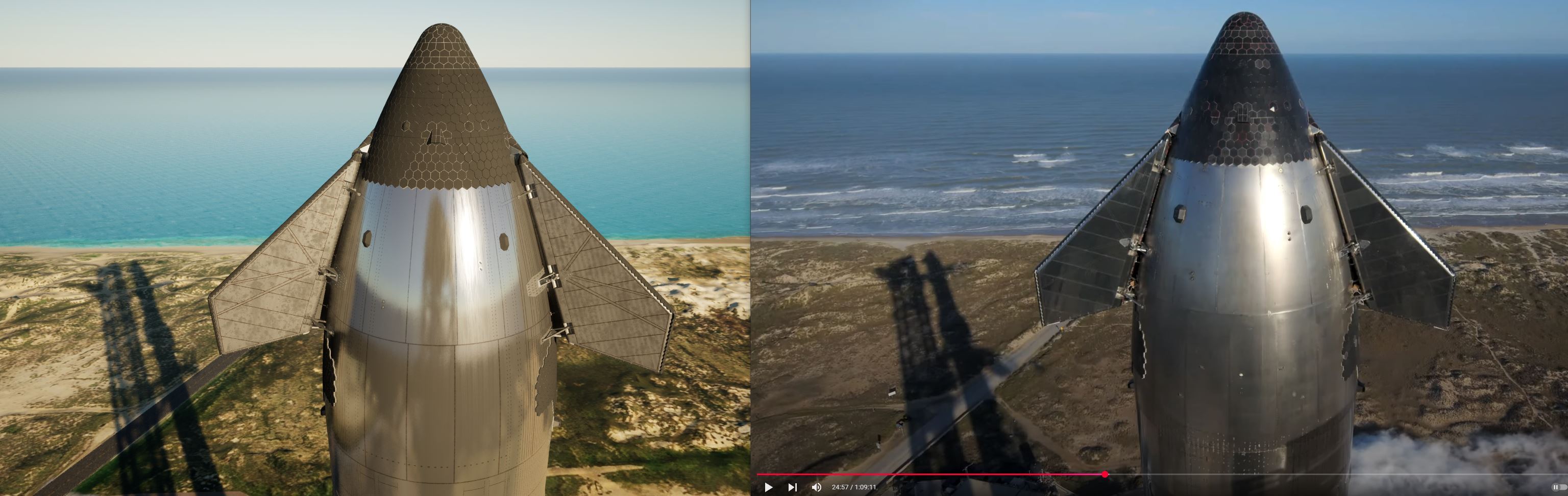
That means, in the end the imported model is not quite as detailed as the render in Blender. But I think, it is acceptable.
Also, I left in more internal parts this time around. Especially in the nose/payload area as I might make this accessible later on to walk around in, and then there will be Starlinks at some point as well, of course.
So there is much more left to do on the Ship and there will be more updates to make it even more awesome. As with everything: this is just the beginning! :)
Outlook
Since Linux version is also available now on Steam, next up is Mac version. I might set up a go-fund-me or something to help with that.
btw, there is also a Steam dev version now.
Things like cameras and engine failures will, of course, come also for the booster. But that will be part of a major overhaul of how this is set up, which will be done when upgrading the booster to the next block version. But that is further out in the future.
For the next update more launch site stuff is planned like new chopsticks and maybe some of Pad B. Then maybe also some of the features that I didn't get in before release for this update, like custom decals on ship, starlinks, or the capped test ship that appeared in Zack's latest video.
Full Changelog
"adjusted scripts for rough landing attempts for retail release",
"enabled predictive interpolation option on booster and ship (should glitch less now on clients)",
"added PopEngine, ChillValve and DumpFuel command to scripting (see scripting readme for details)",
"added very simple fuel dump mechanic (via chill valve)",
"addded spawn highbay option to extra settings tab on panel",
"booster ship clamp is now being released automatically on firing the ship",
"fixed can't open valve when rocket tank is empty and pump is running",
"fixed when 'run ship' is toggled and you spawn a new booster, it doesn't take it into account",
"fixed gridfin drag indicators not being updated"
"added engine failure effects",
"changed some things on how ship and booster are spawned so that it is hopefully more reliable now in multiplayer"
"engine toggles now change color based on engine state",
"added more and custom onboard cameras for ship",
"added first iteration of engine failure mode for ship (extra settings tab)",
"added gravity toggle for ship/booster to extra settings tab",
"fixed z attitude error not wrapping correctly between +/- 180° and the associated gimbal twitching in certain situations",
"fixed an issue with hot stage ring collider activation handling (might fix it getting stuck when detaching)"
"added 'fold' command for flaps in scripting (use instead of 'on', only works if flaps are not on)",
"changed terrain lod settings to try improving frame drop situation when zooming in (reducing fov)",
"added option to choose which ship model to spawn",
"door on block 2 can be operated now",
"made Pad B launch mount movable",
"fixed a small RCS bug, so that it won't do anything anymore below a small tank pressure"
"fixed RCS stuck on 1.0 input when it should go from 1 to 0"
"replaced Ship Block 1 with Block 2",
"added option to reduce flying speed to settings panel"