
Well the good news is, I set myself up for future success, and am now finally getting to reap the fun mathemagic my past self has sown. I've made no secret about being a color math nerd, and today I'd love to share some subtle FX techniques I've been using for MoteMancer's doodad Flora, and where it will grow to soon.
2D & 3D
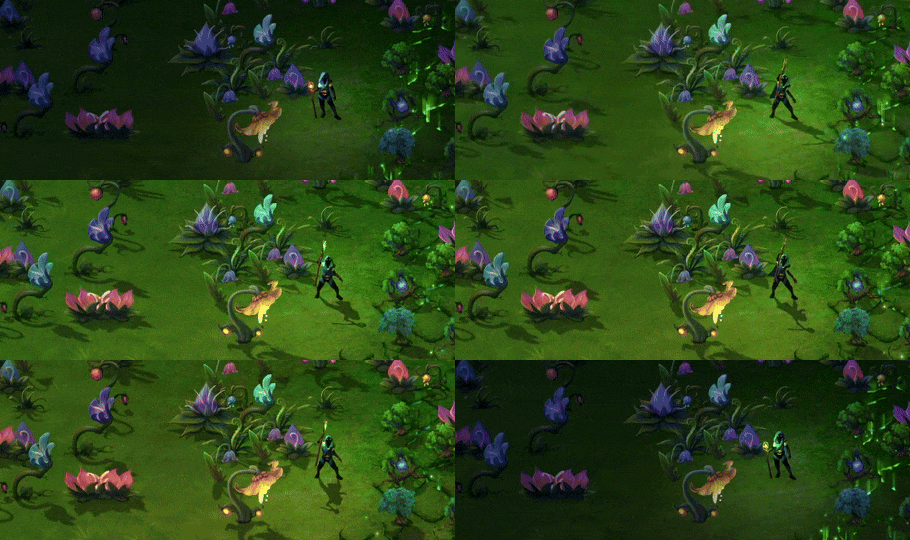
For better or worse, MoteMancer does blend 2D and 3D rendering pipelines. I'm not sure I'd repeat that in the future, but it was needed to solve specific problems, and now it's just sort of the bed I've made. The character is actually fully 3D (and I should probably devote an entire Musing to that in the future) as are the procedural terrain meshes, but most of the rest of the game is 2D. With that in mind though, faking 3D turns out to be a fun challenge for simple things like shadows. Most 2D games use static shadows that don't move during the day, but especially since you can literally move the heavens with Daycaller, I wanted to do more.

Color Math, Always Color Math
When I first saw Miguel Salek's demo reel from ages ago, it completely rewired how I thought about color. It's astounding how much you can do with a simple 0-1 data set, and I'd like to demonstrate that in the humble Tree of Life doodad here:
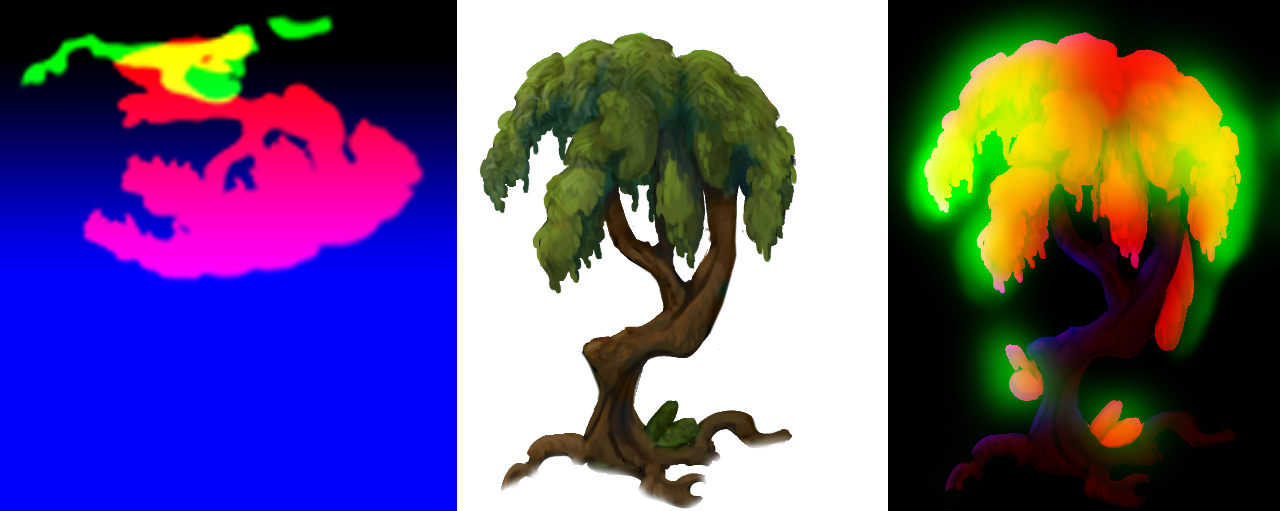
So we have the Diffuse Color pass in the middle as expected, but there are 2 RGBA textures that accompany each doodad, representing 8 things that we can do to alter the presentation of that simple image, and they are all quite different.
For the Shadow Mask on the left:
- Red for the hard shadow, you can see it traversing as the day passes, and vanishes at night.
- Green for the Ambient Occlusion (AO) that represents darkening or contact shadows, if you look up at a corner of your room right now, you'll notice that things just get a little darker where the walls meet. That's ambient light bouncing less and less, and happens whether the sun is out or not.
- Blue is the tricky one. In order to fake the shadow rotation, i am literally telling all of the Red Shadow pixels to move to the right, and then slowly come back to center and move down as the day travels, it's sort of like a part of a Sin wave. Now if i did that to the entire image, the shadow would detach from the tree, thus Blue becomes a mask for how much of that translation to do. Notice that we don't move at all near the roots and increasingly move more as we get to the 'top' of the shadow. The reason for the extra blue area on the bottom is to let the shadow grow into that space because otherwise it would get cut off by the texture bounds
- Alpha (not pictured here) will be for a soft bioluminescence pass when night time comes. I'm very much looking forward to implementing that for the December patch.
And then the upright RGBA Mask on the right:
- Red controls the hue adjustment mask, we'll get into that later when I show them all together.
- Green is a Wind Mask - I jostle the leaves around just a little bit, and the amount that they waver is controlled by how much Green is in a given spot, letting me hit leaves but not branches
- Blue in this single mask is the Sun's rim light, which is disabled in the build at the moment but will be coming back in December now that I can tune it for each plane.
- Alpha is again a bioluminescence pass for when it turns night and parts of the tree can glow.
Note that I swapped Alpha and Blue for the image above so you can see the rim light pass, in the image below Blue is the bioluminescence pass.
And with all of that technical groundwork laid we are rewarded with...
8 Dimensions of Possibilities
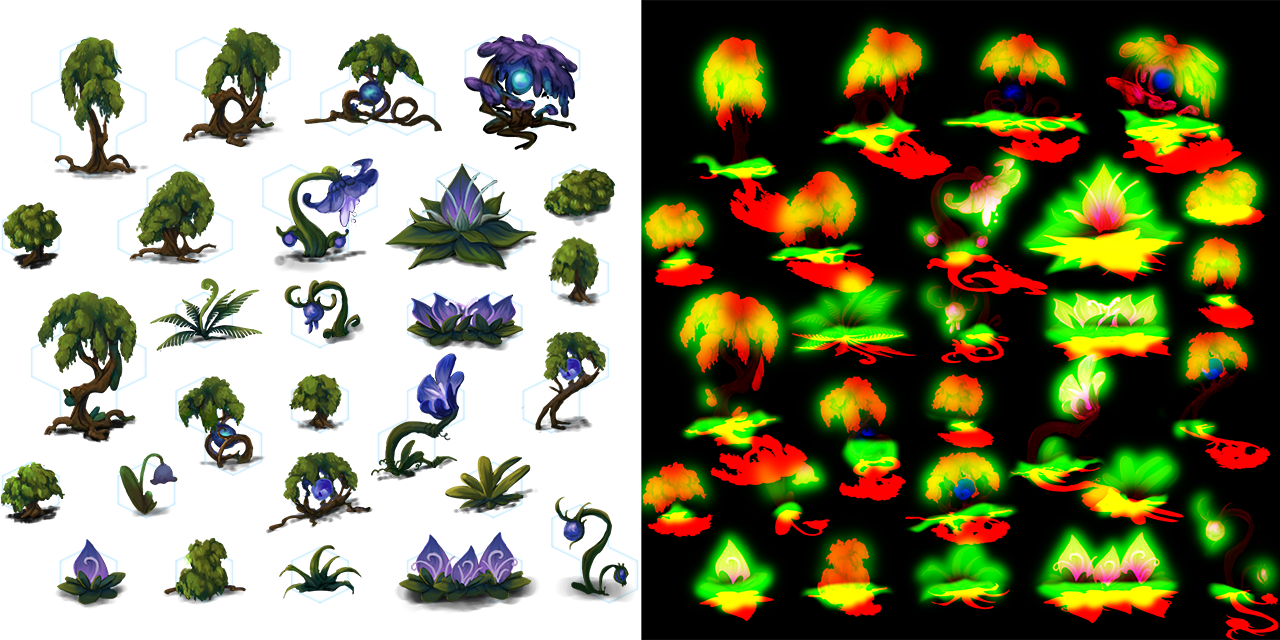
Now we can put this all together and see the anatomy of the trees both for color and the ways we manipulate it. I love this method because it's very much an exercise in "I have 8 Full Channels, how can I get the most out of them?" Every single channel has unique and contextual behavior, but it's all collapsed down to a simple image that can be easily tweaked and atlased with its siblings.
Remember that Red mask channel from before? Notice in the image above, every single flower is the same shade of indigo, but that's not what you see in the game. That's because the mask is allowing me to pick a random Hue inside that mask and shift. Flowers get a lot of hue changes, trees get some but certainly less. This also helps keep things performant because each doodad picks a value based on its position, and the shader just changes that value into something useable per channel. Funnily, this is also why nudging a doodad changes its color, the doodad's position is what drives most of the behavior as it relates to color or local wind.
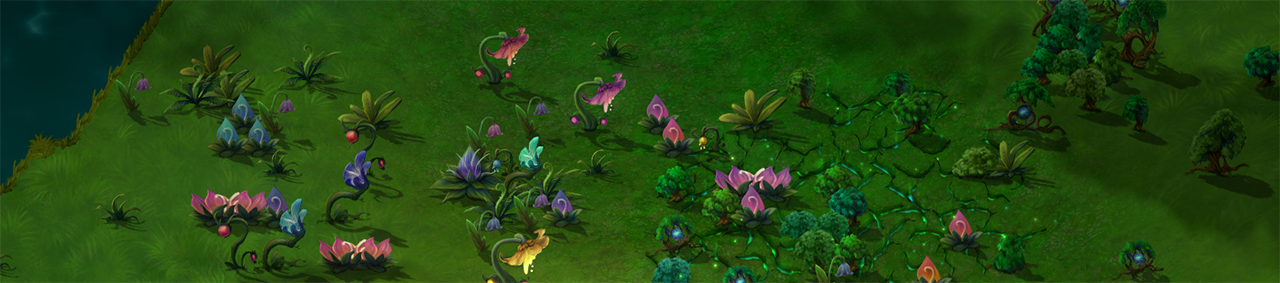
The result is subtle, but it's amazing how a little motion and variance breathes life into a game. Your brain notices a lack of motion more than subtle motion. Many Structures in the game don't have working animations yet, but they will very soon. For me it was important to make sure that the gameplay and Structure suite was proven before committing to animating them fully, and now here we are.
It's time to teach MoteMancer to dance, and with that, back to the lab 🌿
~CyanAvatar