
You can also check the update manual at the following URL.
WIN
https://altercius.sakura.ne.jp/alterciws/Instructions/SEW/SEW.htm
MAC
https://altercius.sakura.ne.jp/alterciws/Instructions/SEM/SEM.htm
【Points to note when updating】
Depending on your PC's specifications, it may take 20 to 30 minutes to complete the DLC update.
If you interrupt the update process,
you will need to uninstall the game and then reinstall it again. Please be careful.
Please allow yourself plenty of time to try this.
Save data from “Re:light” and “Re:light+” cannot be shared.
After upgrading to “Re:light+”, please overwrite the save data for “Re:light+”
without using the old save data.
【WIN版】
(1)
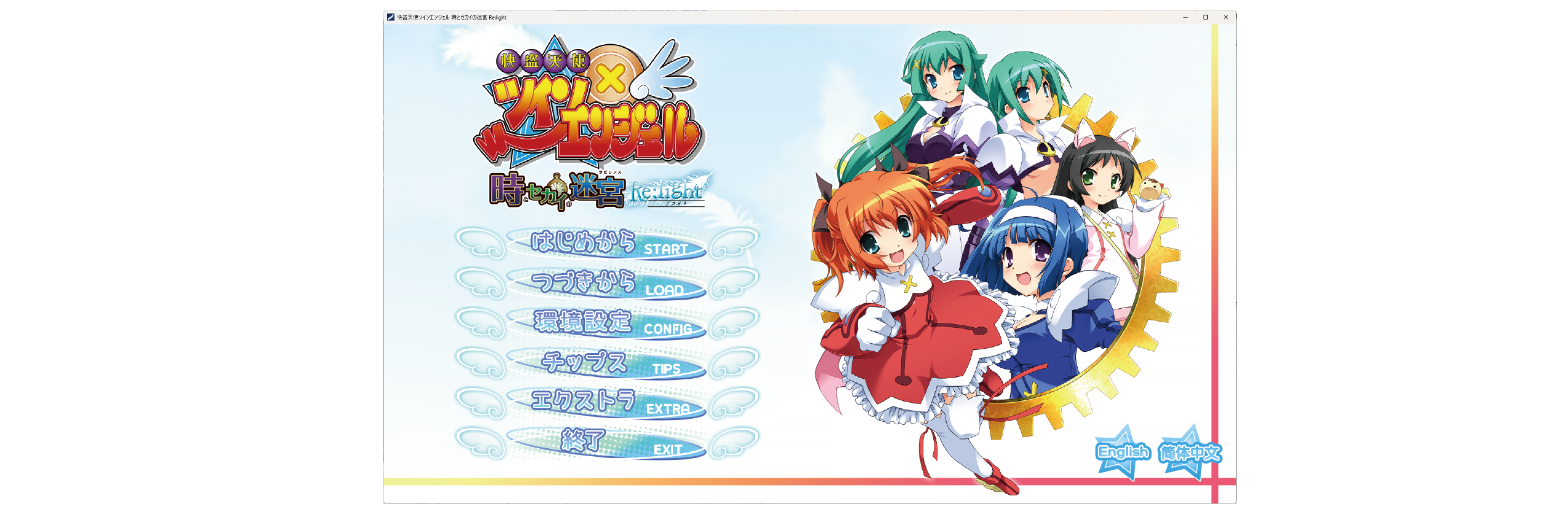
From the Steam launcher screen you have open,
please check that “Kaitou Tenshi TwinAngel Re:light” (“Re:light” )
is installed on your PC and that it starts up normally.
After checking, please be sure to close the game.
(2)
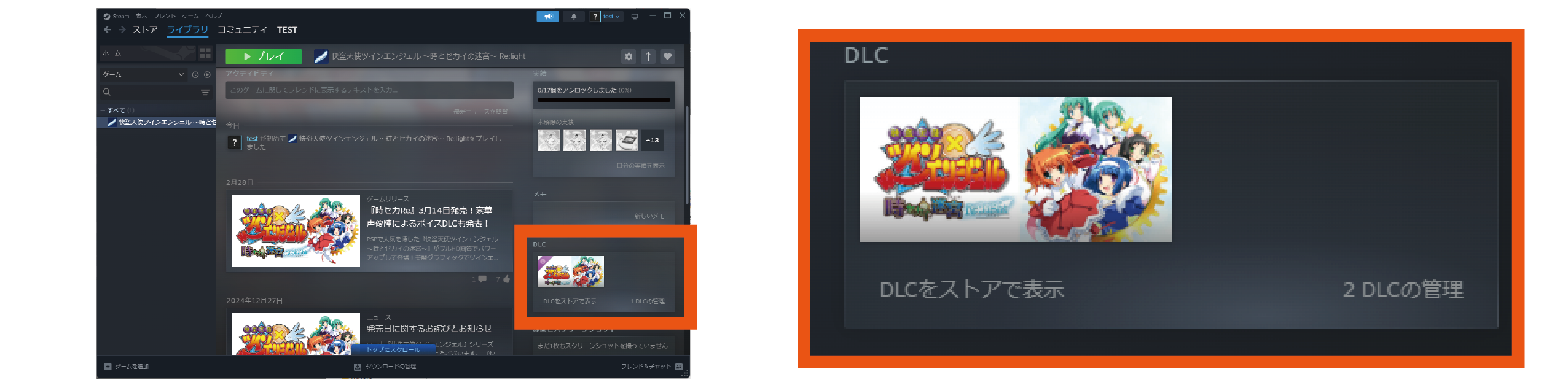
Scroll down the screen and click on the words “Manage DLC (the asterisk indicates the number of items)” in the DLC section to open a separate screen showing the DLC you have purchased.
(3)
Please check the box to the left of the item name of the DLC you have already purchased
from the list of DLC that has been downloaded.
The update will begin immediately after you check the box.
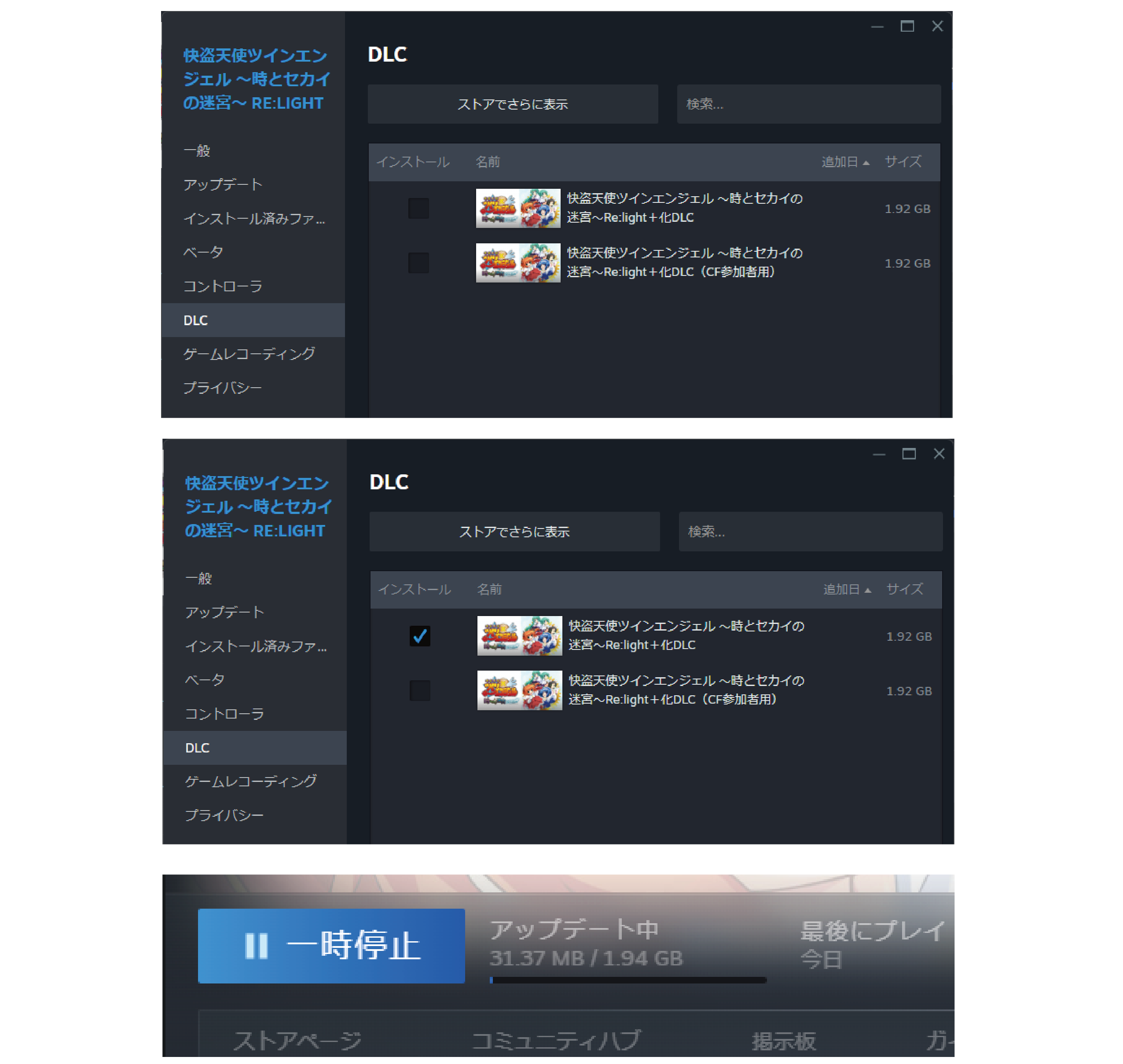
【CAUTION】
Please do not perform any operations such as unchecking the checkboxes during the update.
This may cause the game data to be corrupted, preventing the update from being performed correctly.
(4)
After confirming that the update is complete,
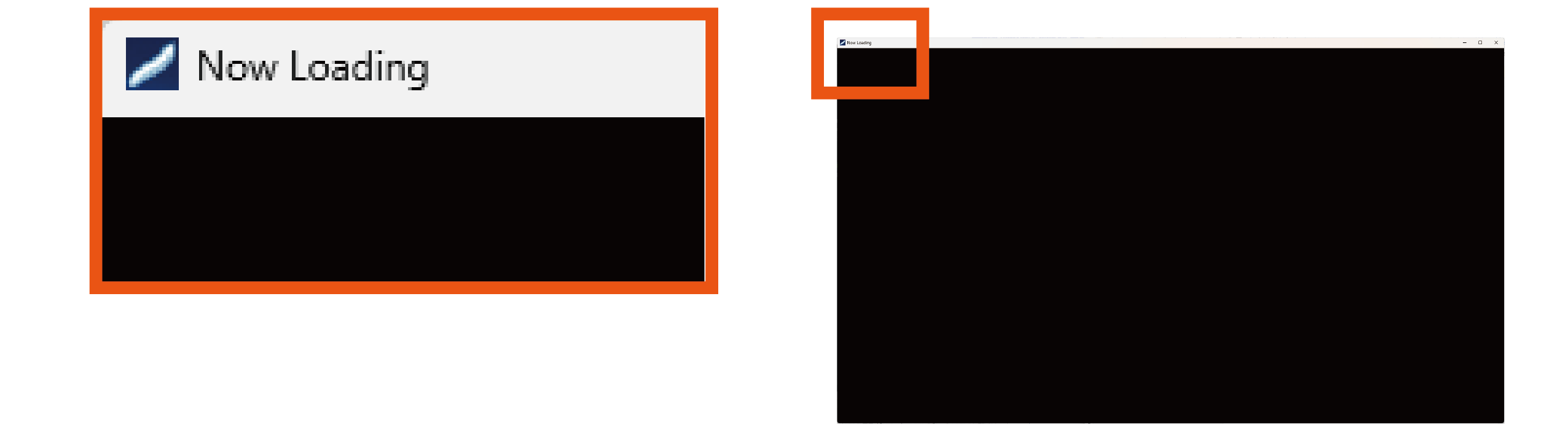
press the “Play” button to start the game, and
the words “Nowloading” will appear in the top left corner of the window
and the screen will go black with no image.
(This is not a malfunction.
Depending on the PC model, a white screen may appear before the black screen).
【CAUTION】
Normally, it will take a few minutes to 20 minutes to move on to the next operation,
but this time may vary depending on the PC's machine specifications, so
please understand in advance.
(5)
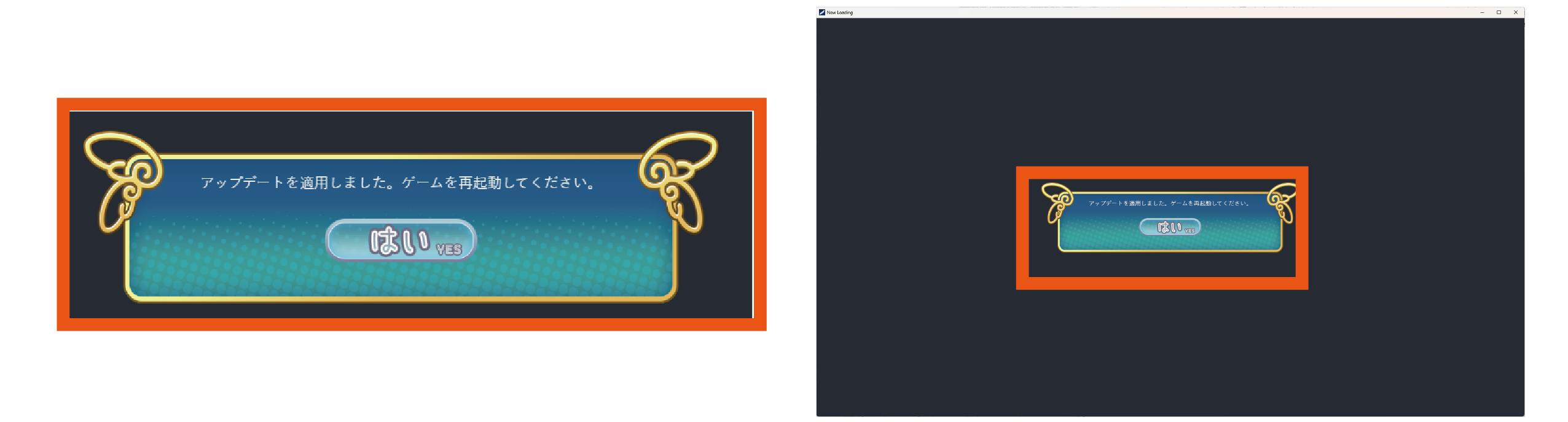
After waiting for a while, a small window will appear on the screen
and a message will appear asking you to restart.
Press the “Yes” button and wait.
"【CAUTION】
Please do not click on the screen or close the window at this point.
If you do, the game data may not be updated correctly,
and you may need to reinstall the game."
(6)
If you wait for a while, the game window will disappear, so
please press the “Play” button again from the Steam launcher to start the game.
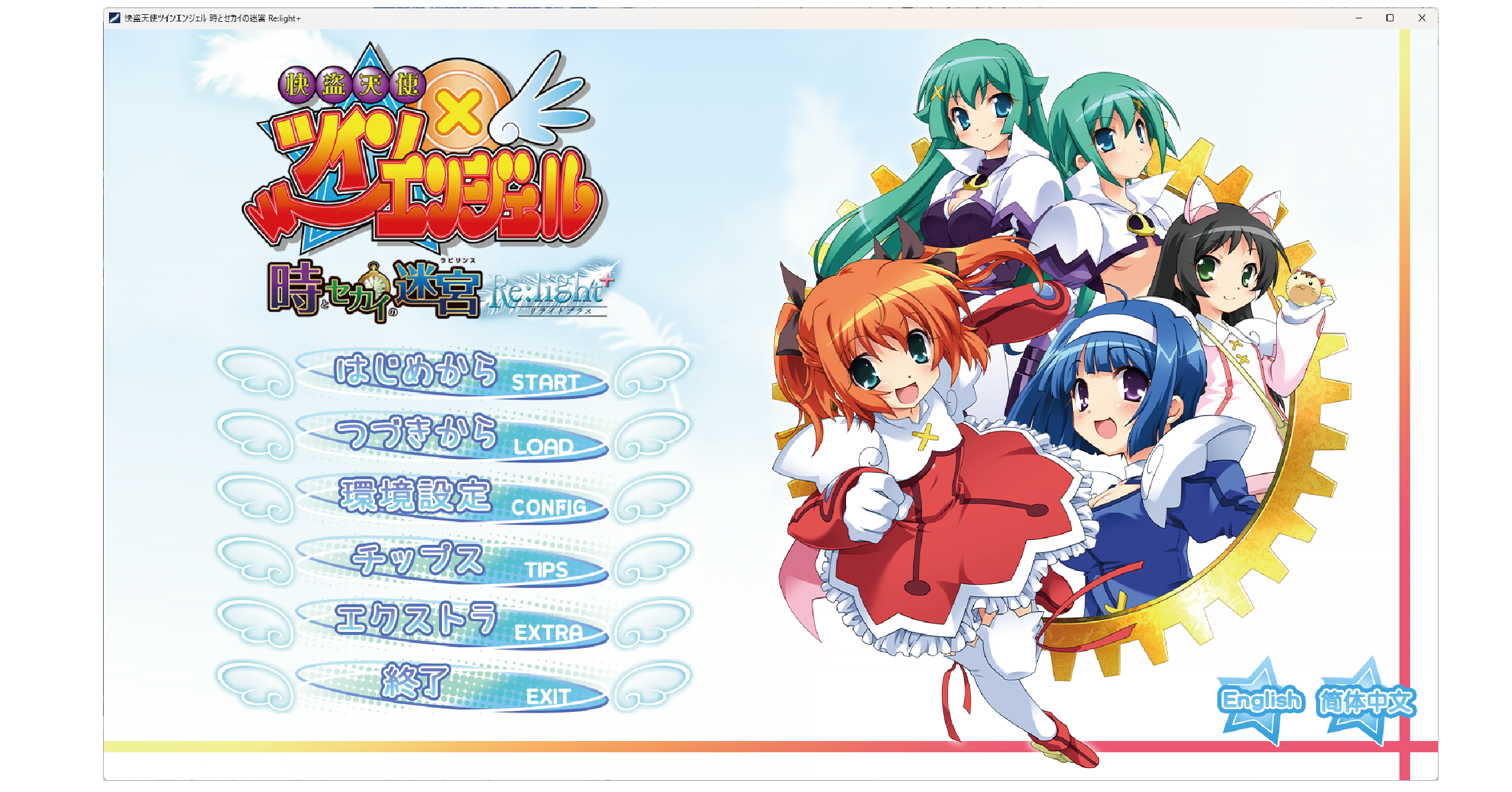
If it starts up normally and the logo on the start screen is
“Re:light+”, the update was successful.
【Mac版】
(1)
From the Steam launcher screen you have open,
please check that “Kaitou Tenshi TwinAngel Re:light” (“Re:light” )
is installed on your PC and that it starts up normally.
After checking, please be sure to close the game.
(2)
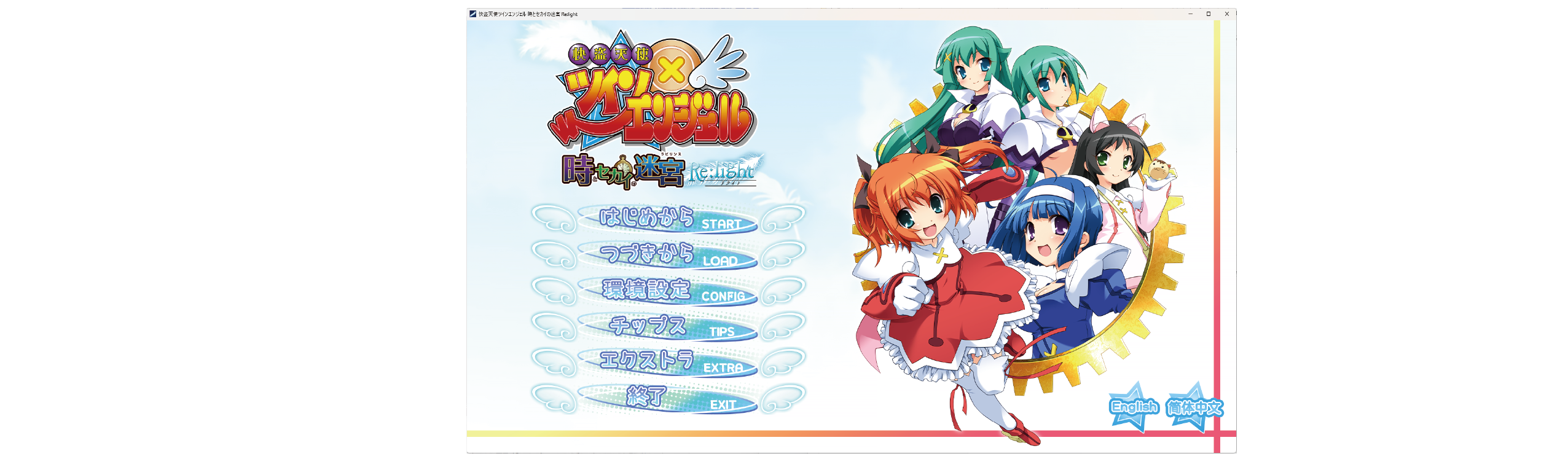
Scroll down the screen and click on the words “Manage DLC (the asterisk indicates the number of items)” in the DLC section
to open a separate screen showing the DLC you have purchased.
(3)
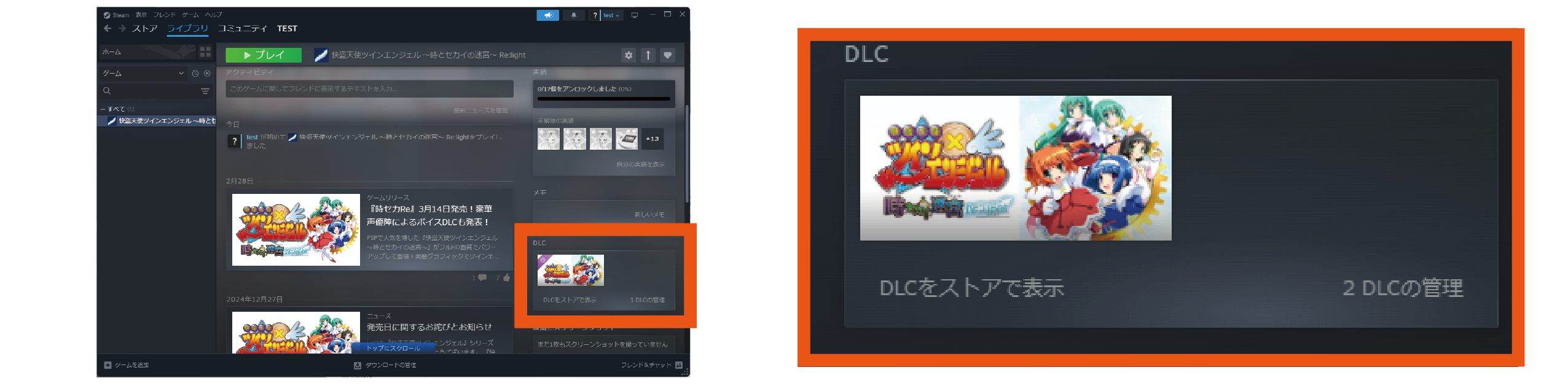
Please check the box to the left of the item name of the DLC you have already purchased
from the list of DLC that has been downloaded.
The update will begin immediately after you check the box.
【CAUTION】
Please do not perform any operations such as unchecking the checkboxes during the update.
This may cause the game data to be corrupted, preventing the update from being performed correctly.
(4)
After confirming that the update is complete,
press the “Play” button to start the game, and
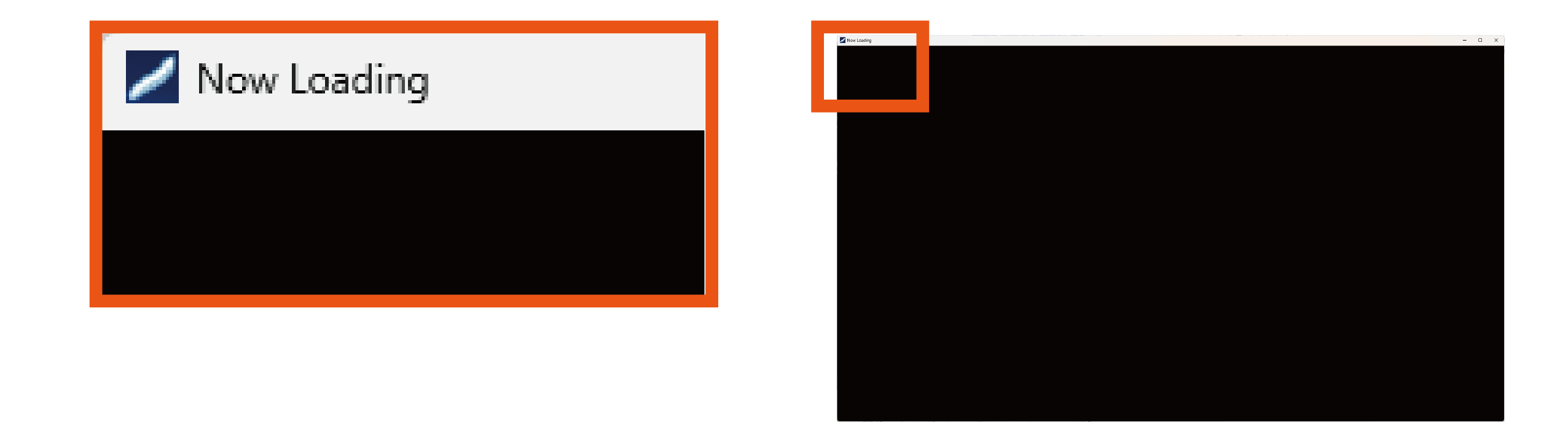
the words “Nowloading” will appear in the top left corner of the window
and the screen will go black with no image.
(This is not a malfunction.
Depending on the PC model, a white screen may appear before the black screen).
After that, a message will appear on the screen saying
“Please select the location of the game executable file (.app) to which the patch will be applied.”

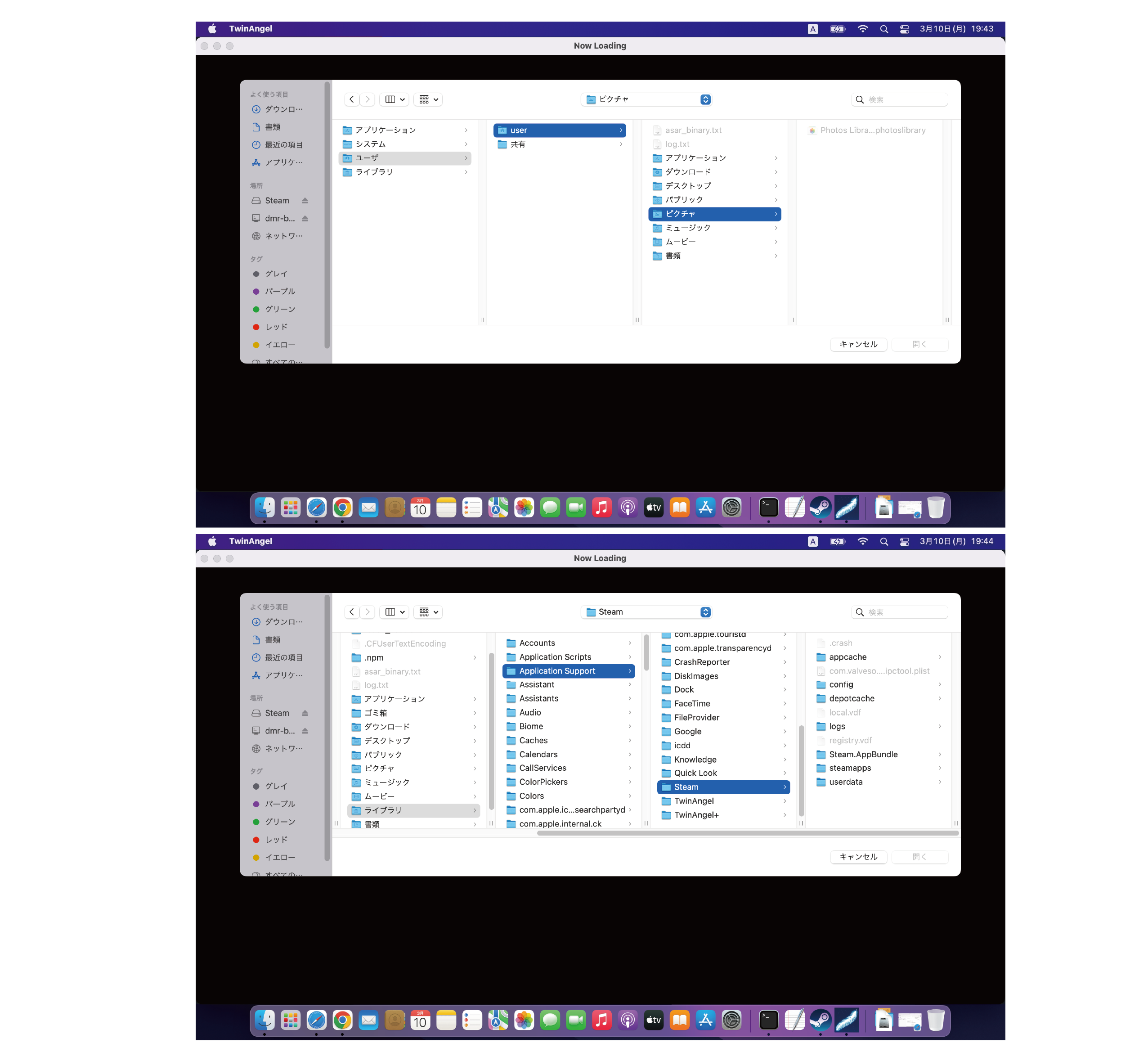
If you click the “OK” button here, you will be asked to locate the .app file, so
after confirming that the top folder is “TA Tokiseka Relight”,
click the “TwinAngel” icon and press “Open”.

(4-2)If the top folder is not “TA Tokiseka Relight”
You will need to locate the .app file. Select the main hard disk, and
click in the following order: “(e.g.) User => user => Library => Application Support => Steam => steamapps
=> common => TA Tokiseka Relight”, and then click on the “TwinAngel” icon
and press “Open”.
However, depending on the folder, there may be hidden folders that are not displayed
. In that case, press the “command” + “shift” + “.” keys to display the hidden folder.
After that, the game data will be updated, so
please wait a moment without clicking on the screen or closing the window.
【CAUTION】
Normally, it will take a few minutes to 20 minutes to move on to the next operation,
but this time may vary depending on the PC's machine specifications, so
please understand in advance.
(5)
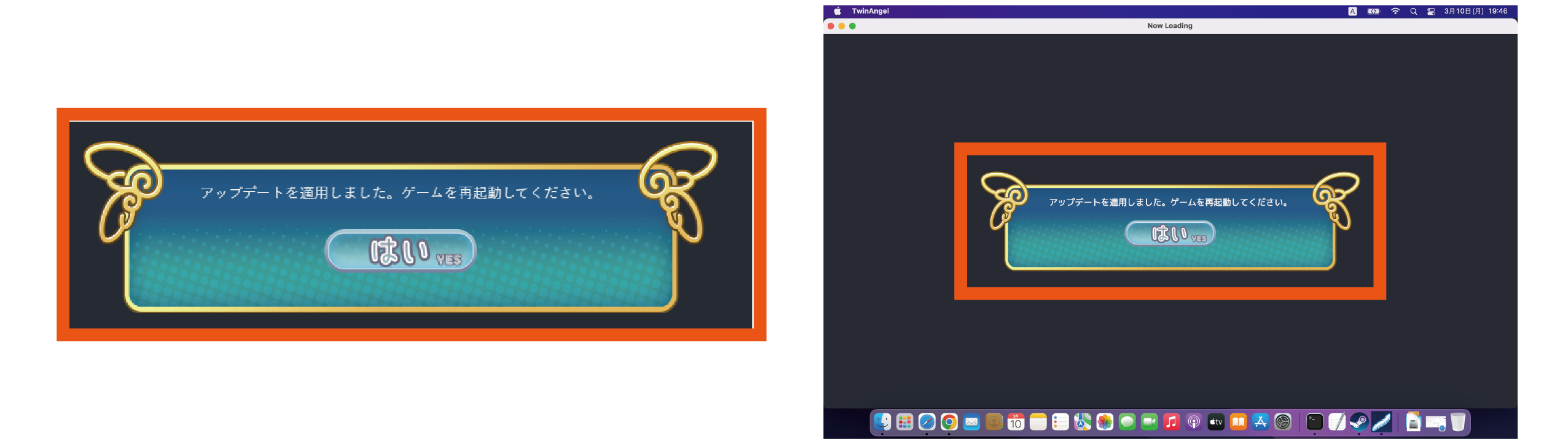
After waiting for a while, a small window will appear on the screen
and a message will appear asking you to restart.
Press the “Yes” button and wait.
【CAUTION】
Please do not click on the screen or close the window at this point.
If you do, the game data may not be updated correctly,
and you may need to reinstall the game.
(6)
If you wait for a while, the game window will disappear, so
please press the “Play” button again from the Steam launcher to start the game.
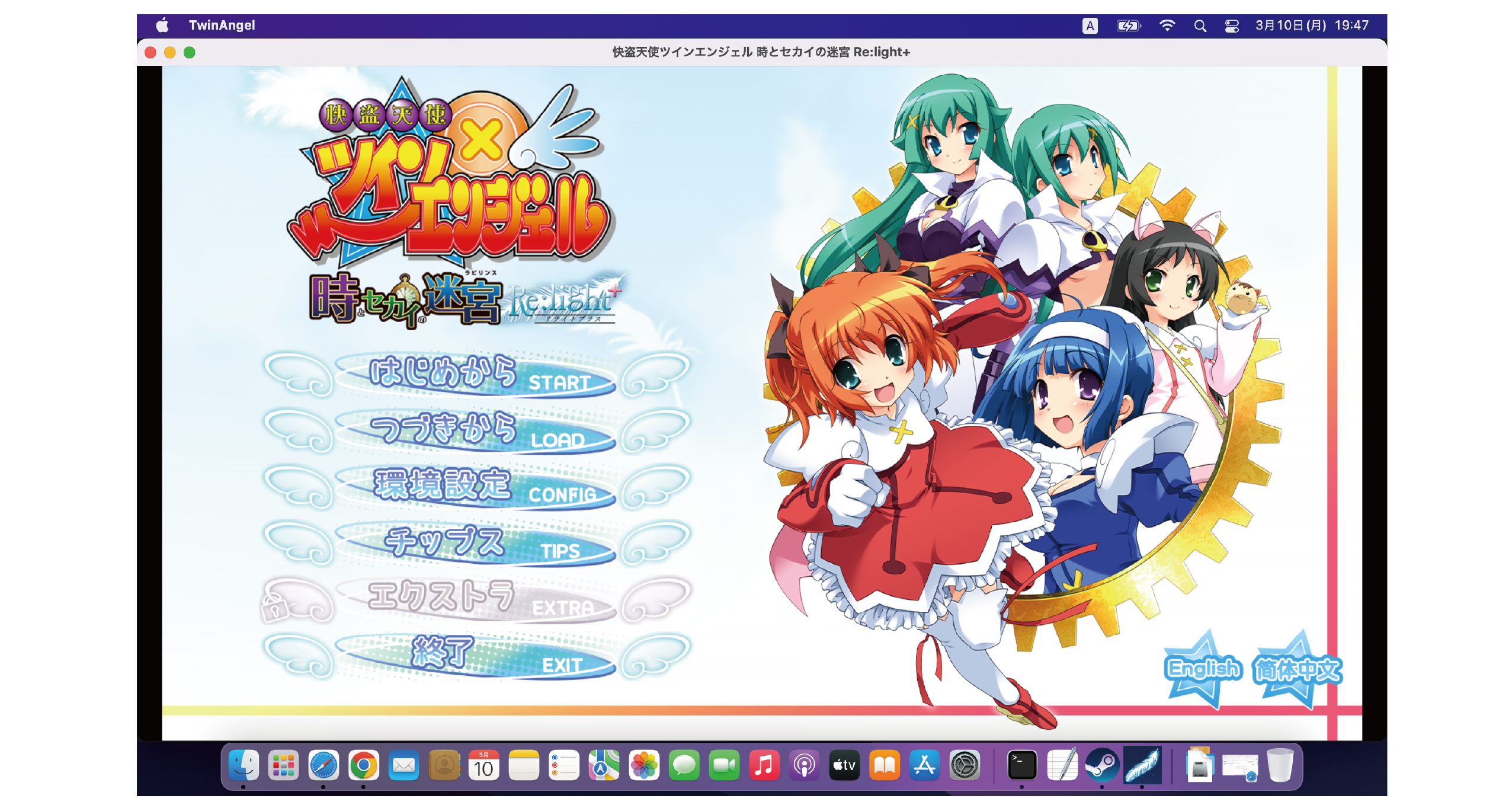
If it starts up normally and the logo on the start screen is
“Re:light+”, the update was successful.
【If the update does not complete successfully】
If the game does not start when you press the “Play” button, there is a possibility that the update did not go through correctly. In that case, we apologize for the inconvenience, but please
uninstall the game and then install the original version of “Re:light” before trying the update process again.
・If the game does not start up properly even after reinstalling, there is a possibility that some kind of problem occurred with the game data during the update process. In that case, we apologize for the inconvenience, but we would be grateful if you could contact us at the following email address.
Contact us at: [email protected]
【Other】
・The Mac version is not covered by the update operation support. Please understand.
・The use of the game software “Kaitou Tenshi Twin Angel Re:light” and DLC data
for any purpose other than game play is strictly prohibited.