
"District Editor" lets you create and share your own districts with other Steam players.
In this early access, you can create your district, which then gets copied to your PC's clipboard when you leave the editor.
Here's an example below.
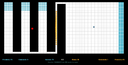
Tiny Pods Rescue - 2D Board Game Edition,DISTRICT_MAP,H4sIAAAAAAAACjPUMTAygAAdczMdYzMdD/oCvwA4xAWGjkL8Ph2caoZCuI5GwGgE0DAHgEGBXwEUgTGMhFFwGsFAYiEzsQujGYNkBdRGoAOQEjx1fUgfNXjBqJrR8CEpbXiPJqDRzANPHBF4AXXV0A0AALFuM7p9CwAA,7E9DAE723745FE2A5C331B138D89A23DEC34B05A60E8E18E322838811EBBDAF0,https://store.steampowered.com/app/3148200
The above string represents a district created with the District Editor. It is a level for beginners to practice rescuing 100% of the pods. How do you play it?
- Select the above string in its entirety and CTRL-C to copy it to your PC's clipboard
- Start the game Tiny Pods Rescue, from Steam (you must be connected to Steam)
- Select your favorite character and press your gamepad right bumper button
And that's it. You are now playing a district created by someone else!
This feature is marked as Early Access. The editor is basic. Scores for levels played from the clipboard are not stored. You need to store those strings with your own favourite text editor if you want to replay them later / not lose them.