
Artificial Nexus has now been updated to version 1.2.0! This update adds in some requested features around the Notes functionality:
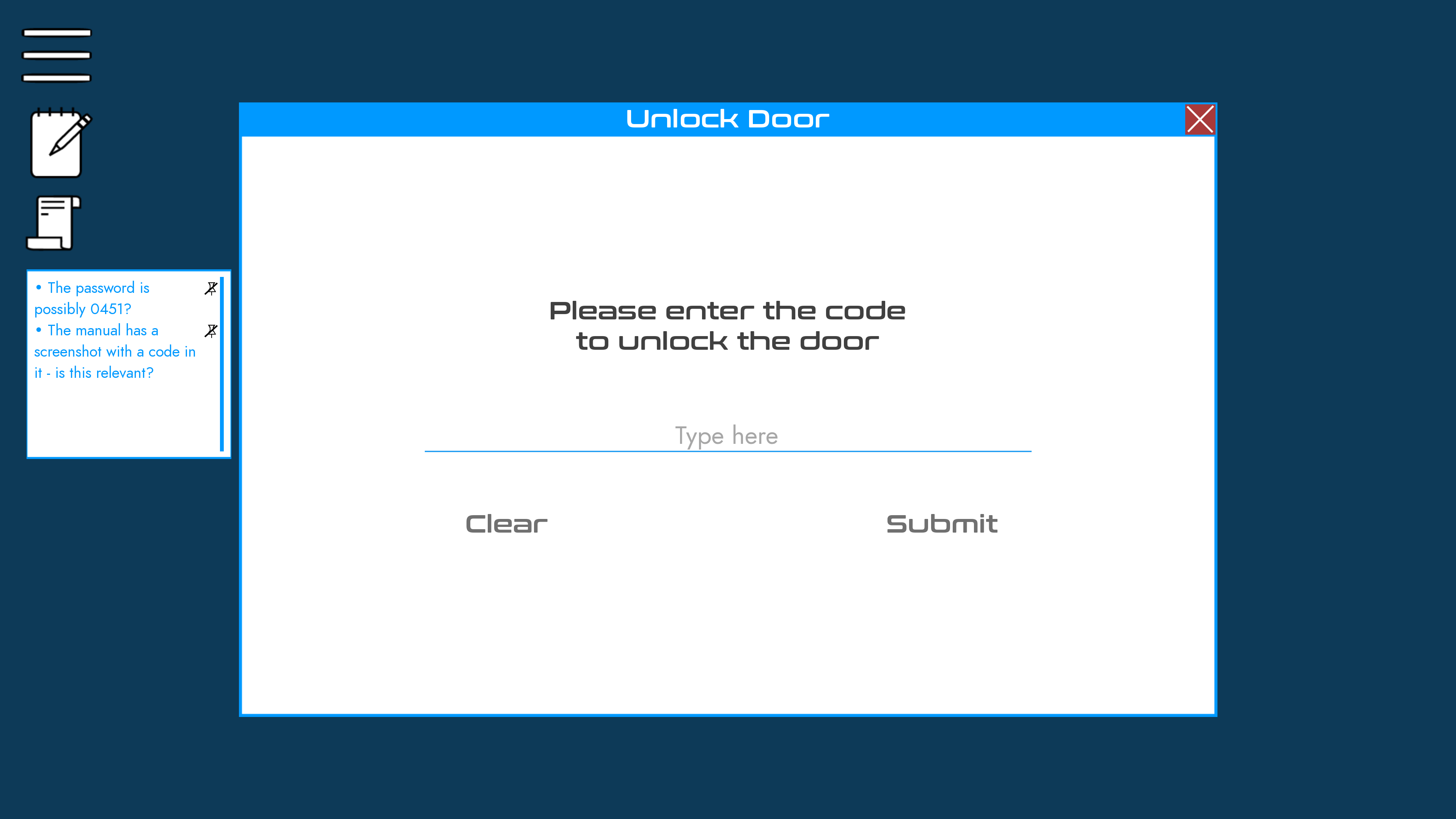
Up to three notes can now be pinned from within the Notes section of the pause menu. Any pinned notes will be displayed in a scrollable window when interacting with puzzles and elements which may require information from notes. Notes can be unpinned by clicking the icon in either the Notes menu, the scrollable window, or by using the existing functionality to mark a note as unimportant.
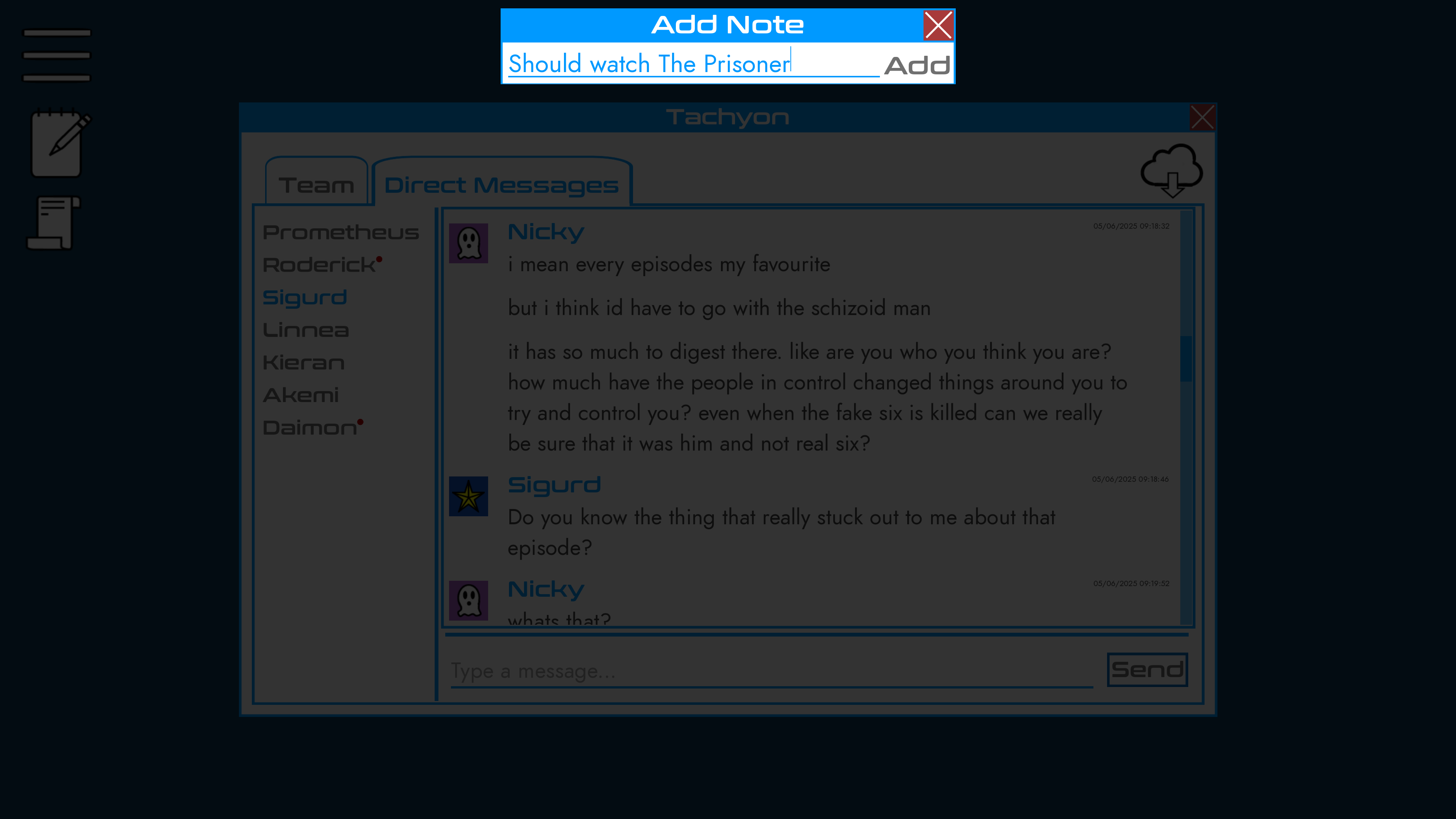
Notes can now be added quickly within the game. In order to add a quick note, click the Notes icon, and then click the plus button which appears. This will allow you to easily reference information currently on-screen.
This update also fixes the following bug:
Typing the word "exit" into a terminal could previously result in the game crashing. Instead, the game will now exit the terminal.
As always, thank you for both taking the time to read about the updates, and more importantly for playing our games! If you find any issues, please take the time to let us know via our website or on our Discord - it's the fastest way for us to find anything that we've missed, which means that we can work on a fix faster.
Thank you once again, and we hope that you enjoy the update!