
New Features
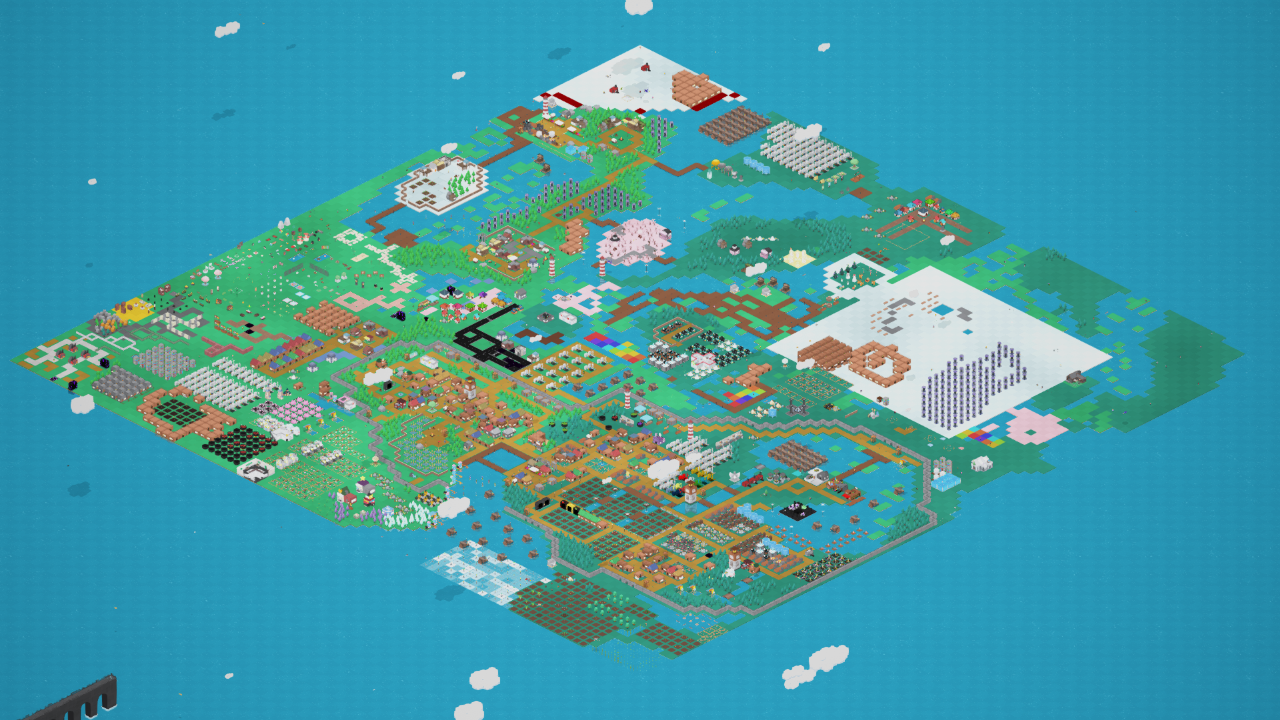 - New Rendering System
Frame rate improved by about 200%
Performance gains may vary depending on hardware specifications.
Improved object animation speed
You can see the whole world now!
Added object animations to other worlds
- Reflection Graphics Adjusted
- Tile Graphic Refresh Optimization
- High-Performance Fast Render Feature Added
+ Can be toggled in options
+ Recommended to turn off if using a low-end CPU.
- Inventory UI can now be moved
- Default object viewer design improved for readability and optimized
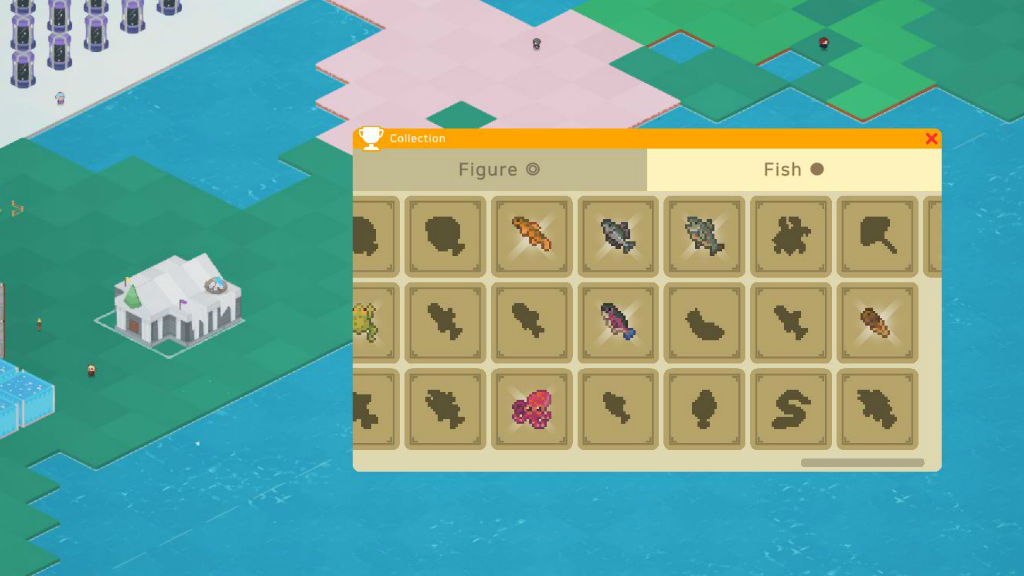 - New Museum object added
When built, it displays collectibles such as figures and fishes.
Museum icon now appears in Player Mode when a museum is built.
Museum shows spawn locations for fish.
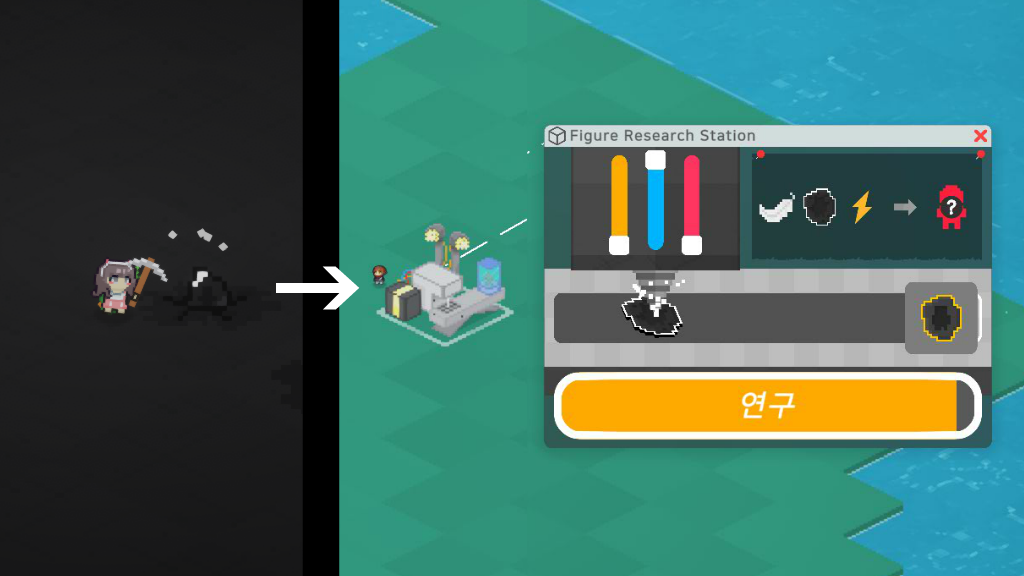 - New "Figure Research Station" object added
- New figure Research system added.
- Added Figure relic to underground
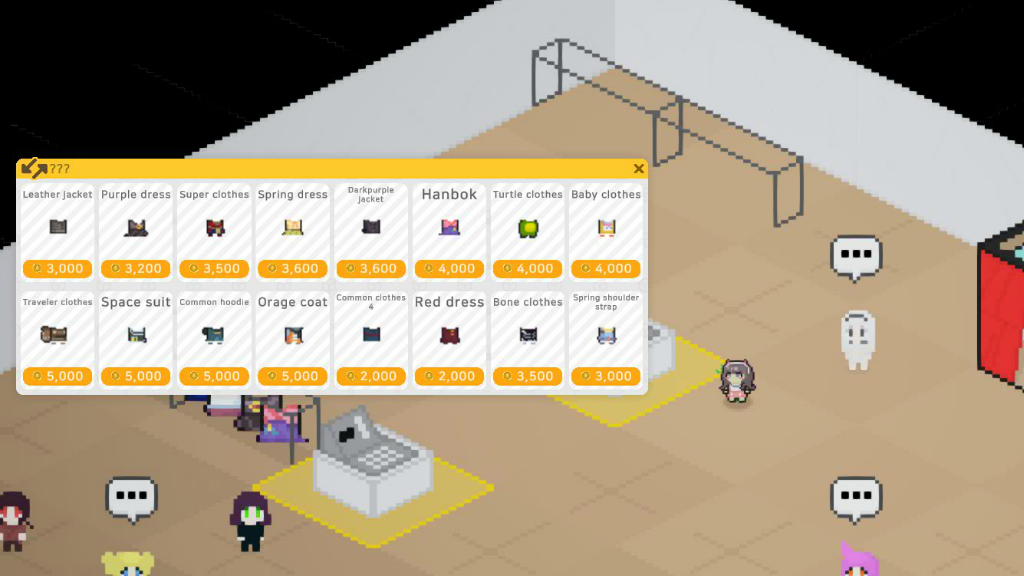 - Clothing shop added.
- New Goddess Statue object added
- Health bars added to underground monsters
- Reputation UI added at the top of the screen
- Player attack direction changed to follow mouse position
- Player rolling action added.
Balance
- Increased production speed of water objects
- Pause feature added to Curse Laboratory
- Fully grown sugarcane graphics darkened
- Salt graphics updated
- Reputation gain/loss values increased
- Underground monster limit increased from 15 to 25
- Underground monster spawn rate increased
- Fish available through fishing now vary by region.
Changed
- Statistics added to Pause Menu
- Inventory design updated
Collectibles and Profile removed from Inventory
- Main Menu Design Rework
- Pause Menu Design Rework
- Options Menu Design Rework
- Updated Bridge graphics at the bottom left of the in-game.
- Improved visibility of the mouse position indicator UI
- TREEPURY game logo updated
- Shadows added to the Object Window
- Hot air balloon (teleport) object UI updated
- Multiplayer UI readability improved
- Monster and dungeon object UI improved and optimized
- Wall objects no longer reflect in water
- Hospital UI updated
- Storybook menu removed
- Deleted Mode changed from ALT key toggle to automatically deleting the first selected object
- Fishing UI improved
- Underground wall graphics improved
- Dialogue window background darkened
- Bottom Left Reputation UI removed
- Bank building graphics updated
- Changed loading screen design and icons.
- Default camera zoom adjusted to maximum.
- Increased tooltip font size.
- Improved readability of item descriptions and gray text.
- Inventory, Profile, and Museum UI now visible in Player Mode within guild areas.
- Increased fishing range.
- Disabled crafting clothes and hairstyles at the Blacksmith.
- Hairstyles at the Hair Salon are now purchased directly instead of via recipes.
- Reduced recipe requirements and upgrade costs at the Blacksmith.
Fixes
- Fixed production objects consuming items twice without producing.
- Fixed drone pathfinding issues.
- Corrected placement errors for multi-tile objects.
- Resolved tile display errors after world transitions.
- Fixed mouse position indicator not showing.
- Updated and corrected various icons and texts.
- Fixed crafting description errors.
- Fixed multi-tile objects ignoring reflection settings.
- Pausable objects now correctly stop when paused.
- Resolved graphic glitches when moving between worlds.
- Fixed drone errors during world transitions.
- Multi-tile objects in other worlds now display correctly.
- Fixed underground monster movement bugs.
- Corrected flipped tiles when loading worlds.
- Fixed multiplayer UI showing icons of disconnected players.
- Resolved bug where dying underground while moving to surface locked player controls.
- Fixed underground minimap blocking inventory clicks.
- Added magnifier button to underground minimap (replacing full-area clicks).
- Changed minimap drag to left-click instead of right-click.
- Fixed bug where dragging and dropping items reset the inventory.
- Fixed bug where buying clothes created an extra duplicate item.
- Improved collision to prevent players from getting stuck in walls.
- Fixed data errors when placing roads.
- Optimized texture sizes.
Thank you for playing. ːGDNormalː