
Hi there!
Although playing Rusty Flesh on Steam Deck feels great, there is currently an issue that prevents players from saving their progress and coming back later. I am currently investigating the causes and potential solutions, but meanwhile, here's a workaround.
As saving on desktop works fine, you can always stream from your desktop to your Steam Deck. To do it, make sure that both are connected to the same Wi-Fi and you have Remote Play active on your Steam settings. Then, just follow these simple steps (there is a number of ways to do it, but I think this is the most straightforward):
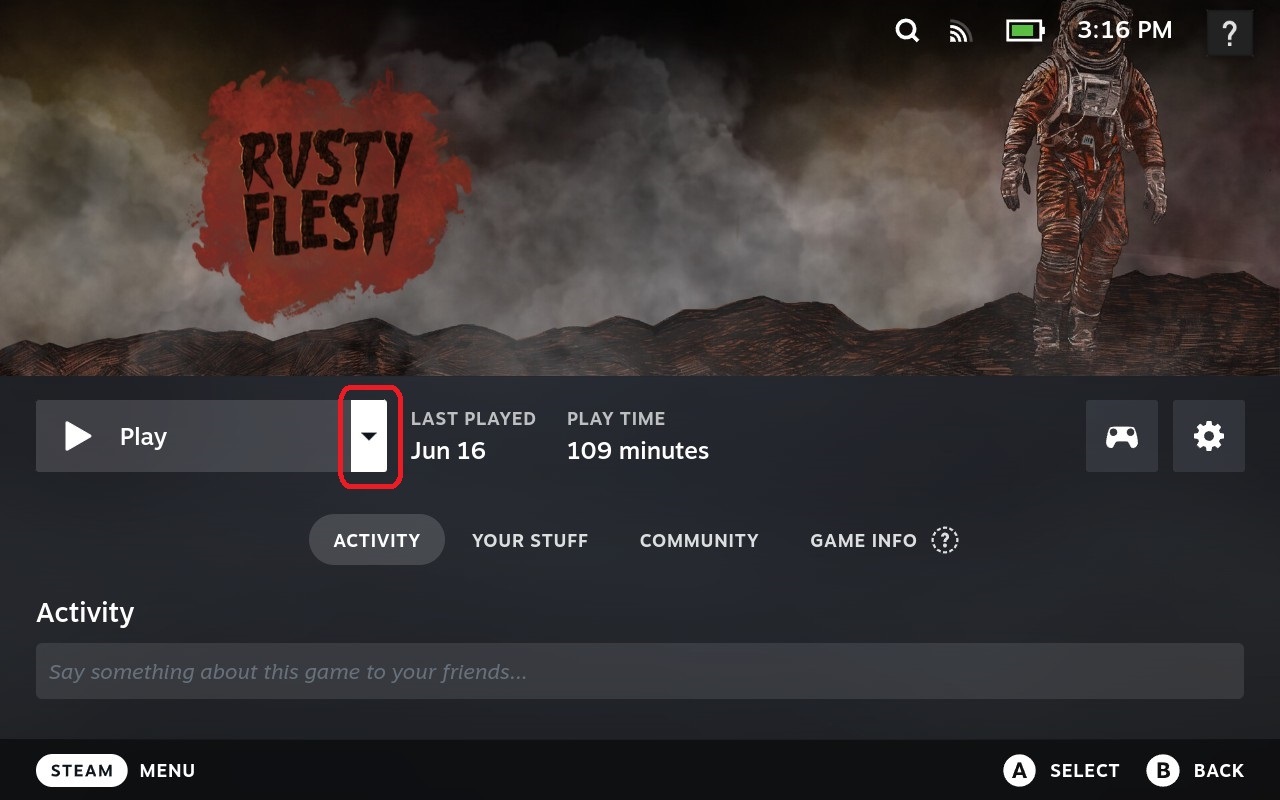
On your Steam Deck, click the dropdown on the right side of the "Play" button.
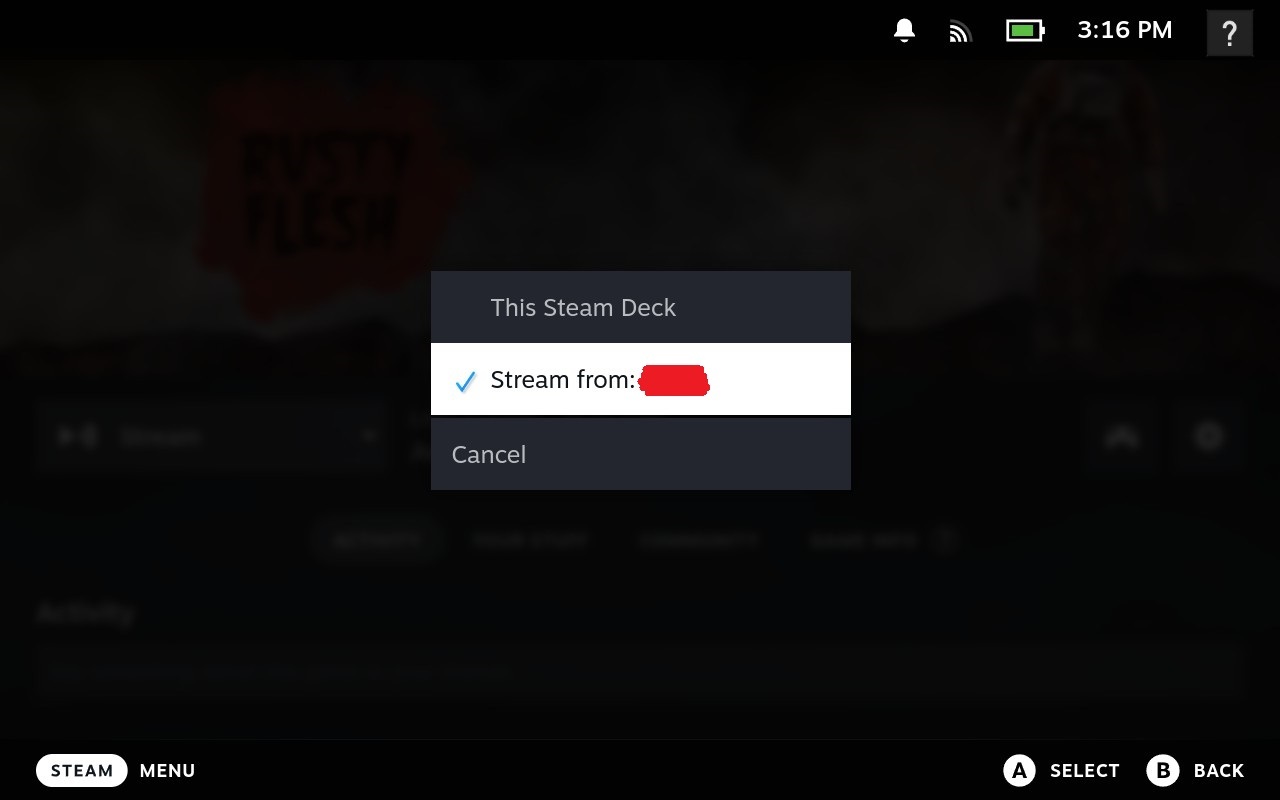
On the popup window, select "Stream from: [your PC name]".
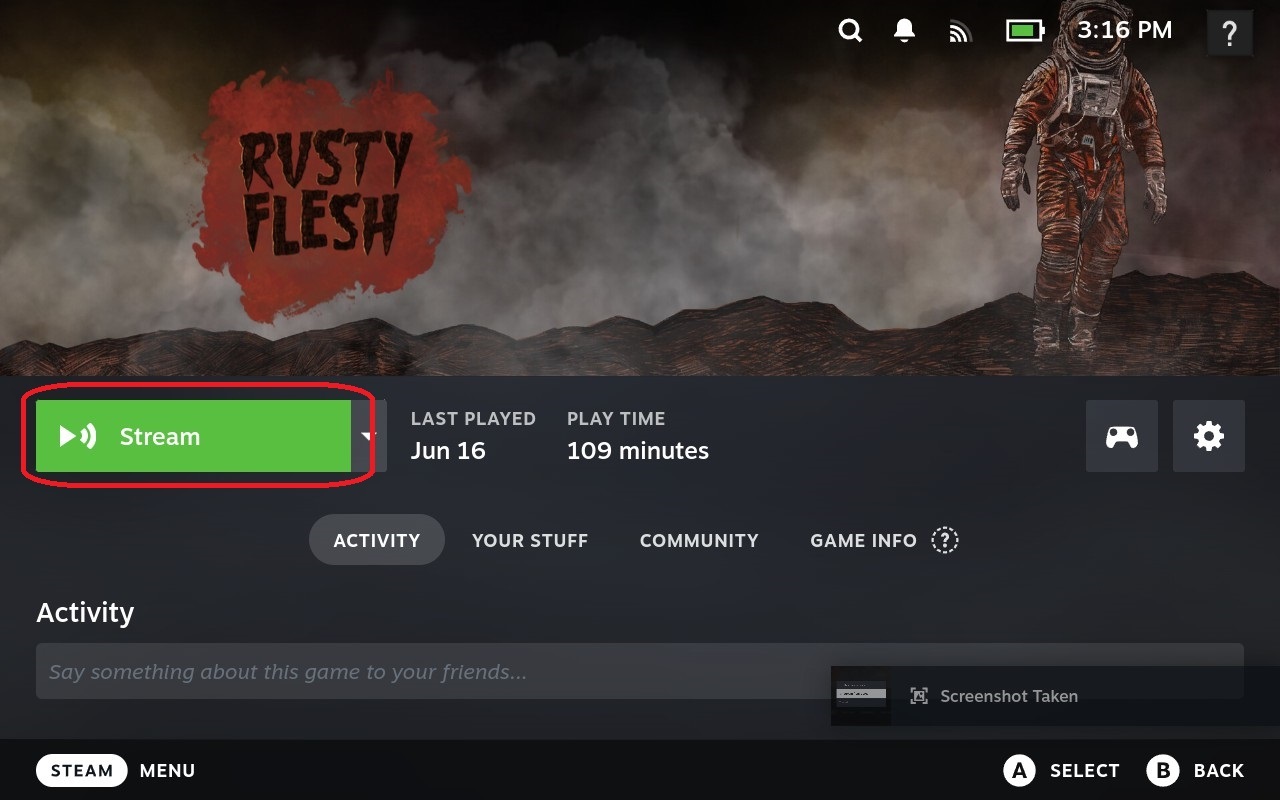
You'll see a new "Stream" button now. Just press it and start playing!
I know this is annoying and limiting (you can't play everywhere, for instance), but rest assured, I'm investigating why this is happening, and working hard to find a solution as soon as possible.
Meanwhile, sorry for the inconvenience.