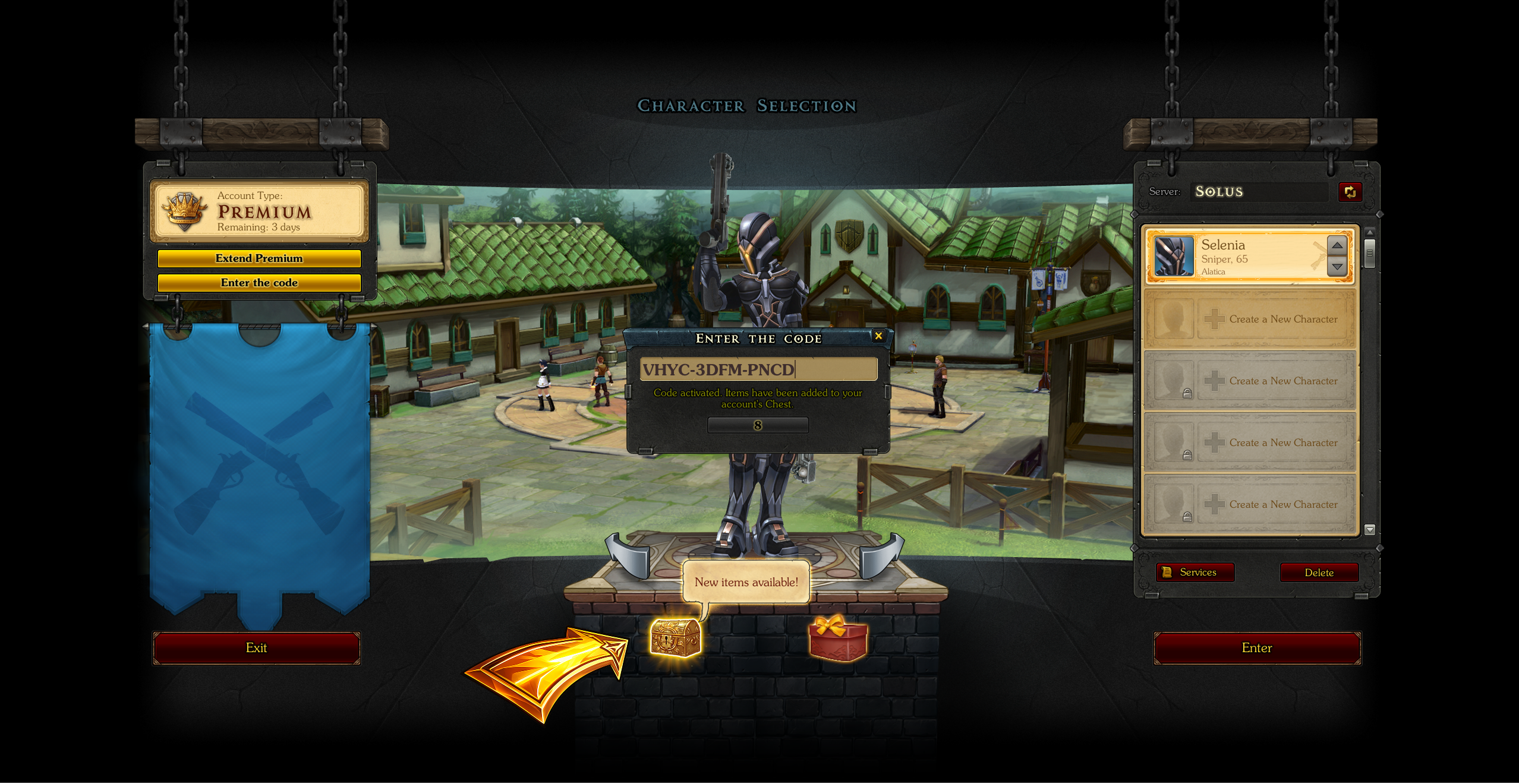
How to enter a promo code and receive a gift?
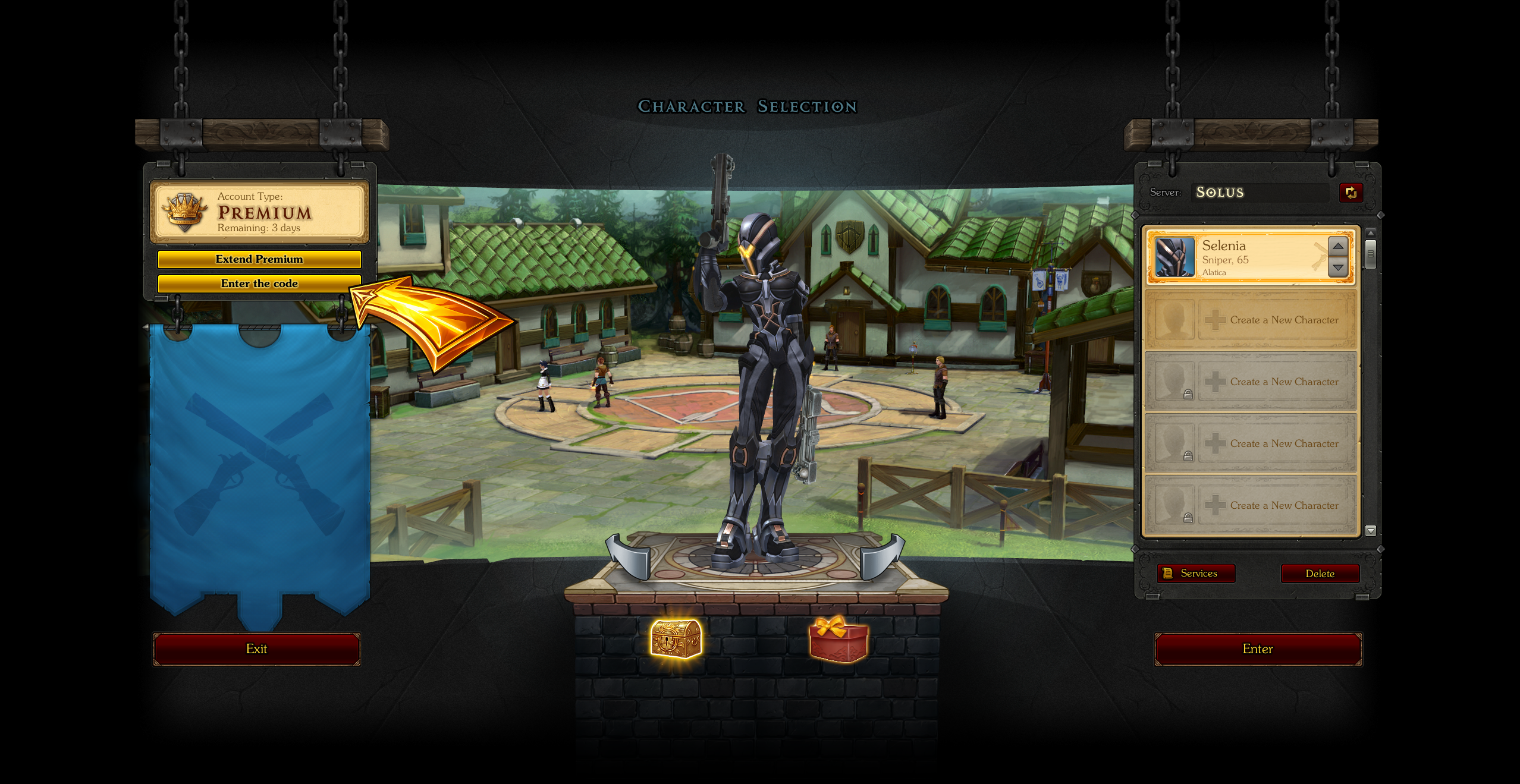
Step 1
Go to the character selection screen and click the "Enter the code" button in the top-left corner of the screen.
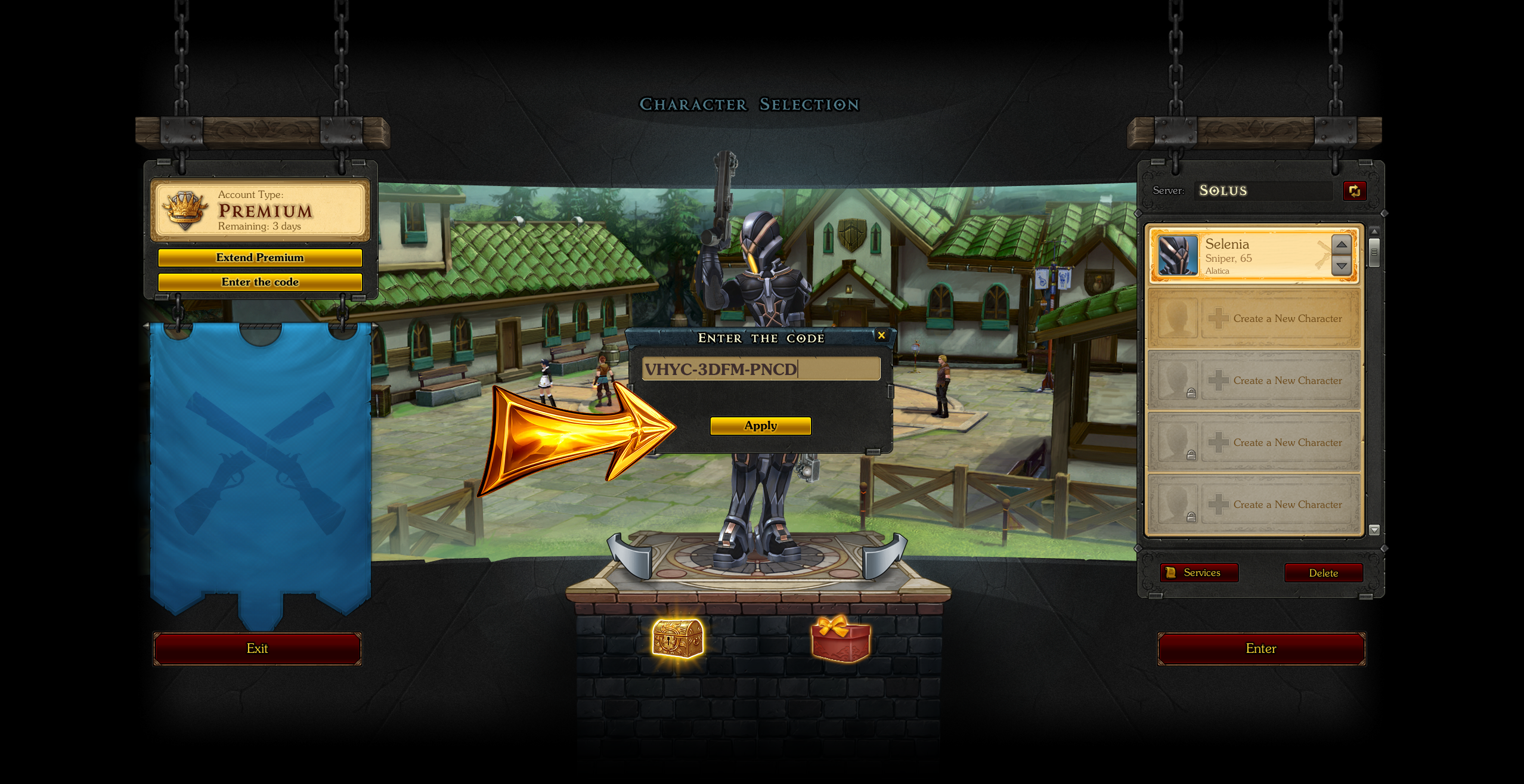
Step 2
In the window that opens, enter the promo code text and click "Apply".
Step 3
After activating the code, the in-game rewards will be waiting for you in the account's Chest on the character selection screen.