
Workshop support!
With our the Steam Workshop you can now share decks and visuals with others!
You can upload any of your decks from within AI VJ itself. Then visit the page on steam to set it public. Easy as can be! Video files are automatically included or linked (when DLC). We'd love to see your creativity!
With this we've ticked off the second of our Early Access goals. The first being multi-deck support released earlier this year.
While the Steam Workshop is often used for modding with games, we've decided to focus on sharing visuals and decks for now, as that might be easiest for most of you.
Free samples & browse DLC from within the app
You can now view all of the available DLC within AI VJ itself. Thumbnails for all the visuals are right there, so you know exactly what you get; as well as a free sample from every DLC!
These samples now make up the Deck you start with. The old free samples Deck that AI VJ started with, is now available for free at our Workshop, for those who want it:
https://steamcommunity.com/sharedfiles/filedetails/?id=3572855472
In-app DLC downloads
You can now download DLCs you've purchased directly from within the app. Making the process of preparing for a show much easier.
Color-coding of visuals, banks, and decks indicates whether you don't own a DLC yet (red), own it, but haven't installed it currently (yellow), and green borders when you have it ready to go!
Never be surprised by missing content any more! As once happened to me during a big show while I was still using the competing product...
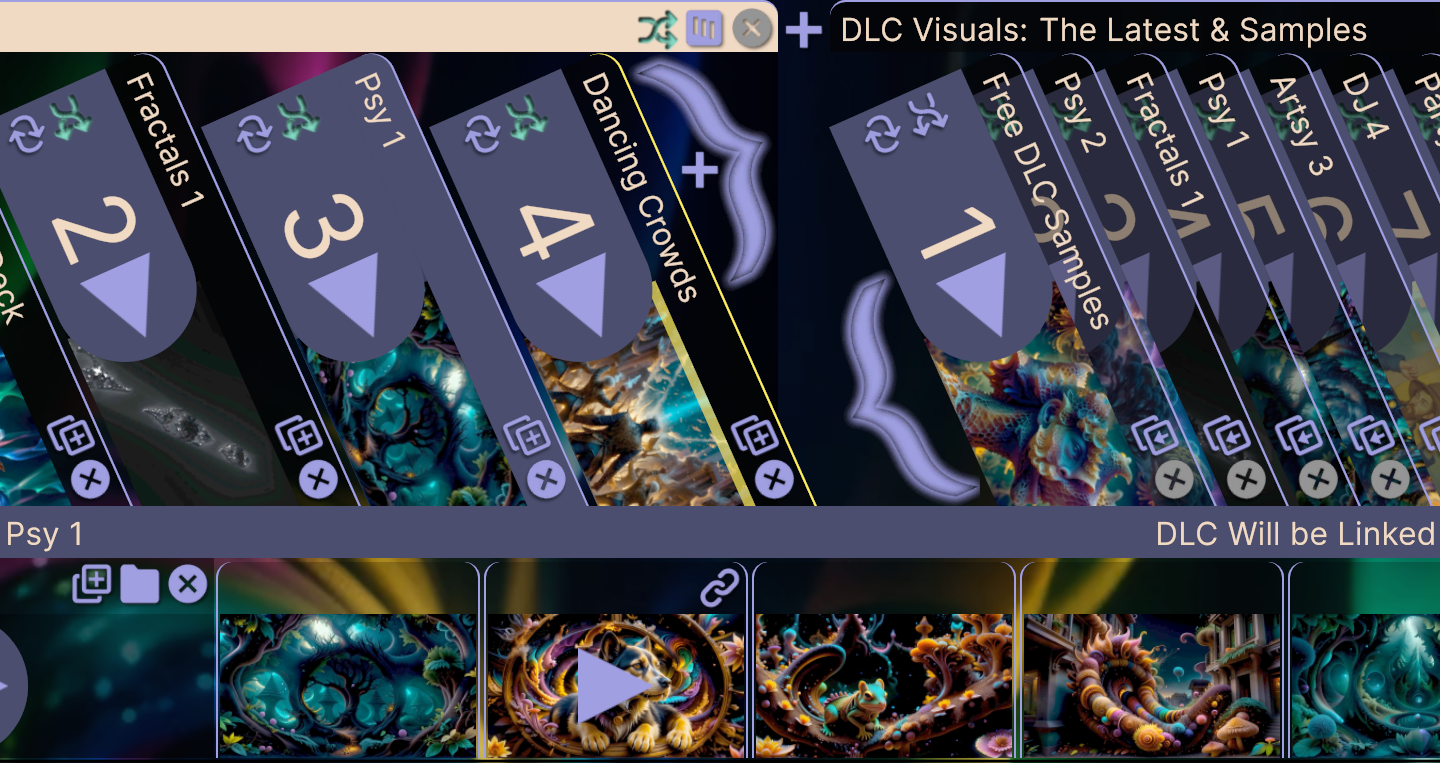
The new UI, browsing DLC
Steam sale!
It's Autumn Sale on Steam again! Most of our visuals are 20% to 30% off, and an additional 40% on top with our bundles! Lasts until October 6th:
https://store.steampowered.com/bundle/55847/Summer_of_2025/
https://store.steampowered.com/bundle/48912/Visuals_of_2024/
Settings reset
AI VJ has 2 basic kinds of save files. One is for saving your Deck layouts; either within a Set, or the whole Mixer. The other (auto) saves your AI-VJ user settings. Sadly due to the many updates, something had to be changed in this latter settings file's format that wasn't backwards compatible. Thus whenever you start AI VJ, it will start with the default settings.
Remember to go over your settings, for for example the AI-VJ flash banner.
Please bear with us that AI-VJ is still in Early Access, and while we try to minimize disruptions save-file formats can still change.
Bugs Fixed
Several more small improvements were made.
Bugs fixed:
- Worked around Unity bug that caused Shift and Ctrl select not to work
- AI VJ should now continue playing at the last visual you played
- Fixed a bug that could cause a black screen in rare circumstances
- Disk optimization: Thumbnails and images are now stored compressed
- Memory optimization: Only load thumbnails when deck is viewed
- Speed optimization: Players shared between normal Sets
- Speed optimization: Optimized Logo display code, especially for image logos
- In-app message when external site opened
- If an error with a Settings or Save file happens, it is set aside without causing a crash
If you reported (other) bugs, we're keeping a list and working through them! Please keep reports coming! We won't know if you don't tell us (best place to do so is in our Discord).
Join us on Discord!
Feature requests & bug reports are welcome. Either here or on our Discord!