

Ready to play?
The playtest is now live! Read all the tips and tricks here
We’ve gathered all the essential playtest info below to get you started. To see the game in action, tune in to our livestream with Mitch (CEO) TODAY, May 20th at 2 PM EST on Twitch!
Catch the replay later on YouTube if you miss the live broadcast!
HOW DO I BECOME A PLAYTESTER?
There are a few ways you can join in on the fun. From the Witherbloom Steam page, you can request access directly. A friend got access before you did? You’re in luck because they can invite a friend to try it too!
HOW DO I INVITE A FRIEND TO THE PLAYTEST?
From the Witherbloom Playtest page in your Steam library, you will find the mystical blue button ''Invite friends''.
Prerequisite: Users can only invite friends they have been friends with for at least 30 days.
Note that the multiplayer aspect of the game is not ready yet and won't be part of this playtest.
I GOT ACCESS, HOW DO I GET STARTED?
Finally, you got access!
Find the Witherbloom Playtest in your Steam library and press the install button to download the game on your computer.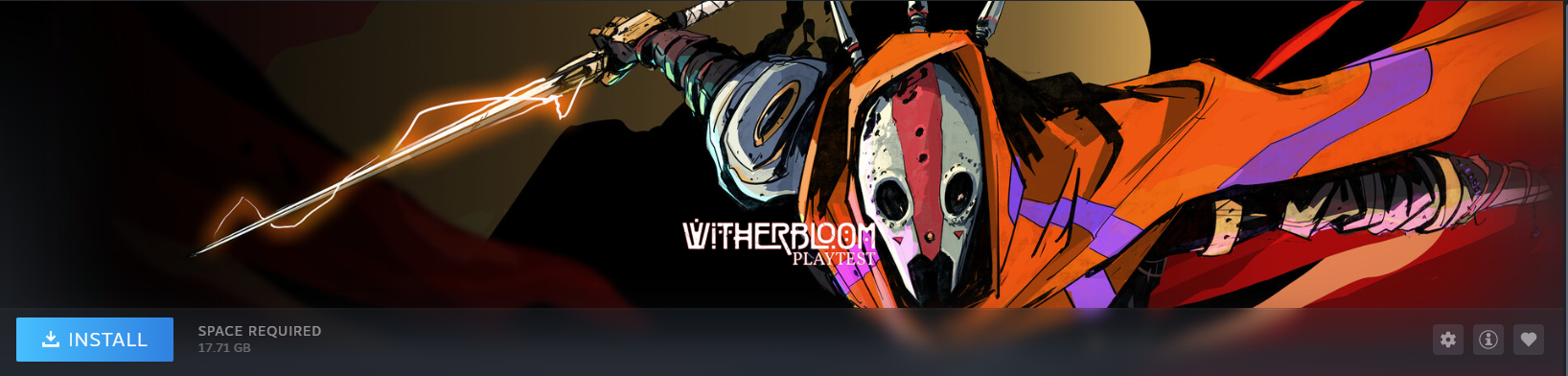
If you received a key, to activate it follow these steps.
Open Steam.
Select “Games” from the toolbar.
Select “Activate a Product on Steam”.
Enter the code you received.
Open the Library tab.
Search for “Witherbloom Playtest” in your library’s search bar.
Press Install, and press play once it is installed.
CAN I STREAM OR SHARE THE PLAYTEST CONTENT?
Yes, absolutely, there is no NDA (Non Disclosure agreement) for the playtest content.
We’d love to be tagged in the content you share online on every platform:
Make sure you also follow us on Steam!
WHEN IS THE PLAYTEST HAPPENING?
The Playtest starts on May 20th 4PM EST to June 1st 4PM EST.
WHAT ARE THE PLAYTEST OBJECTIVES?
Our top priority is testing the early game and first dungeons. We would also appreciate your feedback on the balancing. We’d love to hear your thoughts on the game’s current state on Discord, Steam or via this form. If you encounter any bugs or issues please let us know too.
CAN I USE A CONTROLLER?
Controller works for all core gameplay, however there may be some issues in menus in this version of the game. We recommend swapping to keyboard and mouse when navigating menus.
WHAT WILL I EXPERIENCE DURING THE PLAYTEST?
In this Playtest, you will be able to delve into the first three dungeons and meet 3 NPCs. Expect beautiful environments, interesting characters and lots of fun!
This Playtest is still a work-in-progress version of Witherbloom, so bugs are totally expected. You can report any bug or feedback you want to share with us in the Official Witherbloom discord server. Find the dedicated channels to share your thoughts with us!
HOW DO I REPORT A BUG?
The best way to report a bug is through our Discord Channel.
Steam is fine too. Please follow this template.
Title: Explain your issue in a single sentence.
Ex: The Iron Sword inflicts no damage
Description : Add some information just so we have an idea how it happened
EX: I was fighting a bird-like creature and noticed I was not doing any damage.
Repro steps: Add the last few things you did that you remember and think are relevant)
I found the sword in a store.
Engaged in combat with the bird in Bellowgale near Haboob.
I noticed I wasn’t doing any damage to the bird.
If you have Screenshots or a video to share it is super valuable to us.
KNOWN ISSUES
*Note: There are many bugs and issues not listed here, however we have tried to compile a list of problems you are likely to run into during this playtest.
General
Our focus has been on the first areas of the three dungeons and getting the fist 3 NPCs into the hub / Hearth. After that, the content is less fully implemented, and for this playtest only the first three dungeons are available.
There are no loading screens yet
You cannot drink when your inventory is full.
Consumables will sometimes not play their animation; their effects will be applied instantly.
Some Withering effects’ tuning may be broken in some circumstances, leading to higher or lower than expected impacts on needs.
Class skills have varying levels of completion – generally those marked as “Not Yet Implemented” only have basic functionality.
Once you select a new skill in the skill tree, you cannot undo it
Some consumable items (food, drink and potions) do not yet have full functionality.
The game is far from fully optimized, expect there to be performance issues.
Key bindings in tutorials sometimes do not display correctly.
They will not display at all in the tutorials menu.
When creating a character, it is possible to have a duplicated character /save name – doing so can cause bugs, so it is recommended to ensure you use a unique name for new characters.
Rumour updates (quest updates) will sometimes show on twice on screen
UI-bug: the Withering effect “Hollow drain” keeps showing up in the Hearth. Its effect is not applied; this is a UI issue.
It can rarely happen that attacks or ability input becomes unresponsive. If this happens, press “Delete”, or save and reload.
Sometimes items cannot be stacked.
It can happen that the damage stat of weapons increases when selecting the “One Handed Expert” skill
Items placed in an NPC’s crafting slots will sometimes become invisible.
Building
If the building menu is not available after resting, please save and reload the game, or enter a dungeon and return to the Hearth. We recommend building at night for this reason.
Some buildings / building upgrades do not have full functionality
VO/Audio
The female character has a male voice. The VO is not in game yet
There is an audio bug at the beginning of the Ingenuity / Ventilation dungeon that ducks music and sound effects – it will go away after a period.
VO mixing and pacing is not finalized yet. There may be some longer pauses or overlaps of the VO.
Opening Sequence / Hub/Hearth
The Opening Sequence is not finalized
We have a lighting bug that makes the Hearth look very dark at night.
Interacting with the Shuttle to enter the Sanctum (Harmony) can sometimes be difficult; move around the shuttle and you should find the right angle.
Sometimes the interact at the Foundry (Ingenuity) entrance where the gear needs to be placed does not show. Walk up to the elevator and use the entrance there instead.
It may happen that some NPCs disappear from the hub / Hearth. It can be fixed by saving, exiting and selecting the continue button from the main menu.
It may happen that the game crashes when reloading from the main menu. If this happens, close down the application and try again.
The Crucible of Passion – The Radiance
Due to performance issues, loading into the Crucible takes longer than any other dungeon.
We have a lighting bug that makes the Radiance look very dark in some places. You can craft a torch for better visibility.
The Foundry of Ingenuity – Ventilation
Some resources in Ventilation may not be interactive. This is limited to certain areas.
When returning to Ventilation after the Cook having joined the Hearth, he is also still in Ventilation.
The Sanctum of Harmony – The Outpouring
It is possible to fall off some ledges and get respawned in out of bounds areas.
The final two totems before the dungeon exit point in the wrong direction when having the rumour “A Place of Warmth” selected
Game Pad
The controller works for game play, but we generally recommend using mouse and keyboard for navigating menus / dialogue screens
There are sometimes issues when selecting a dialogue option. Please use the mouse instead.
There are issues with navigating the “Rumours” tab in the inventory. Best to use the mouse.
Sometimes pressing the pause button does not bring up the pause menu.
The “Sprinting” tutorial does not go away. Quickly use mouse and keyboard to sprint and it will disappear.
There may be some issues when navigating the crafting screen. Please use the mouse for easier use.
When using gamepad, the equipment slots in the inventory menu can be difficult to access, and do not update the selected item UI.
When opening the inventory with gamepad, it will sometimes fail to highlight the first item in your inventory. Swap between menu tabs and it should properly focus on inventory items.
PC SPECS
Minimum:
OS: Windows 10 (64 Bit)
PROCESSOR: INTEL CORE i5-2500 or AMD RYZEN 3 1300X
MEMORY: 8 GB RAM
GRAPHICS: NVIDIA GEFORCE GTX 1050 or AMD RADEON RX 550
DIRECTX: Version 12
Recommended:
OS: Windows 11 (64 Bit)
PROCESSOR: INTEL CORE i7-9700 or AMD RYZEN 7 PRO 1700
MEMORY: 16 GB RAM
GRAPHICS: NVIDIA GEFORCE RTX 2080 SUPER or AMD RADEON RX 6700 XT
DIRECTX: Version 12
LANGUAGES
The playtest will be in English only.
PROGRESSION
As this is an early playtest version of the game, progression will not be saved through the full game.