
This update includes the following changes:
Added FM synthesis (OPN2) versions of the music
Adjusted the sound effect volume balance
Changed the Steam Input integration method
Added RESET to the pause menu
Added a CONFIG menu to the title screen
Improved the CRT filter
Added automatic notch avoidance on macOS
Worked around keyboard input issues on macOS/Linux
Overhauled the rendering system
FM Synthesis (OPN2) Versions of the Music
In addition to the original music (VGS versions), we have added FM synthesis versions using the OPN2 sound chip.
Enjoy the game with the rich, immersive sound of the YM2612 (OPN2), part of the FM synthesis lineage found in the Sega Genesis/Mega Drive and arcade hardware.
The FM synthesis audio is not prerecorded. The highly accurate open-source ymfm emulator generates digital waveforms, which are then processed in real time by our own analog emulation system.
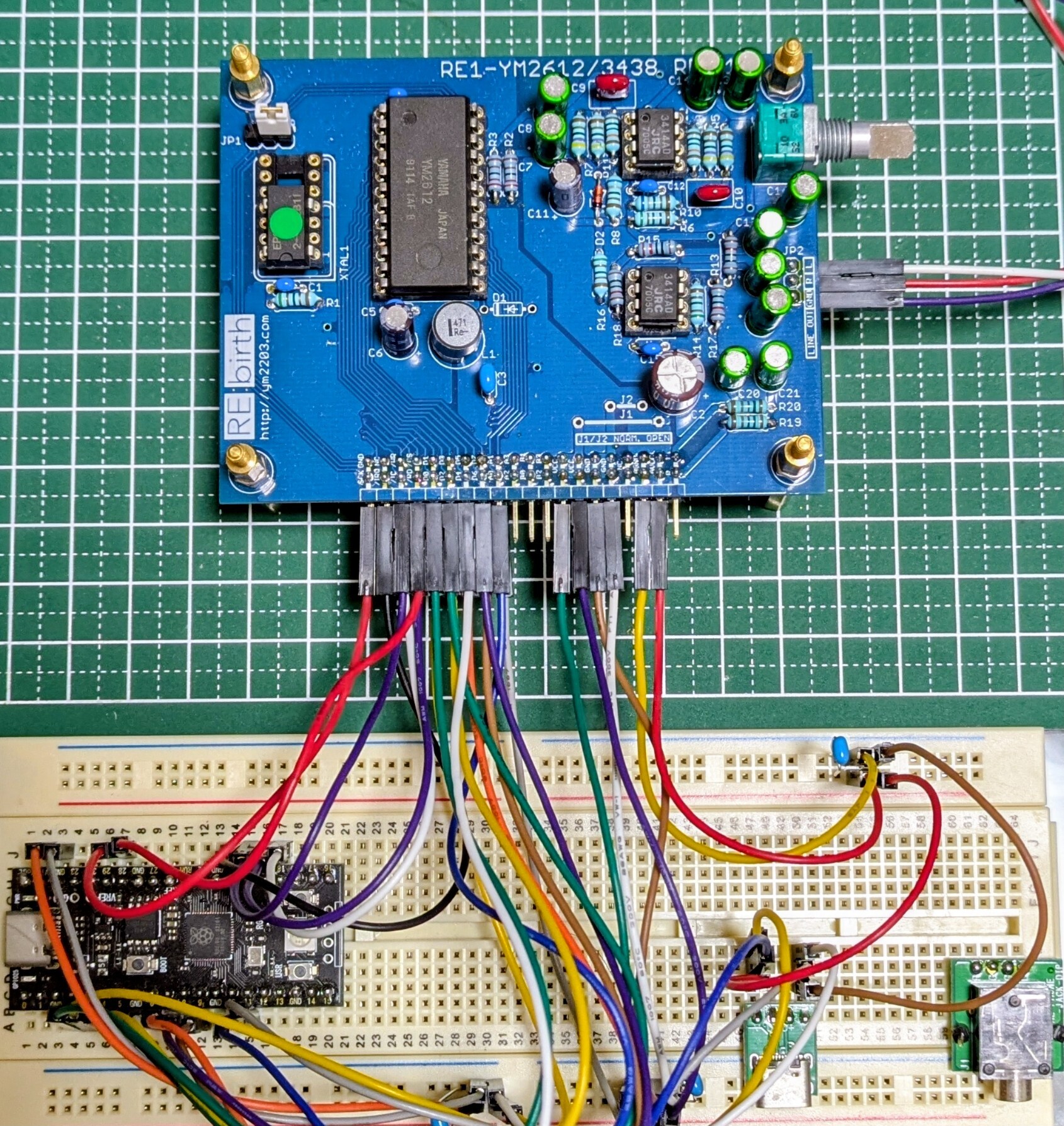
To develop this analog emulation system, we built a hardware setup around the RE1-YM2612 (RE:Birth). We thoroughly analyzed waveforms captured from it to bring the result as close as possible to the sound of real hardware.
 The OPN2 version is now the default for new installations.
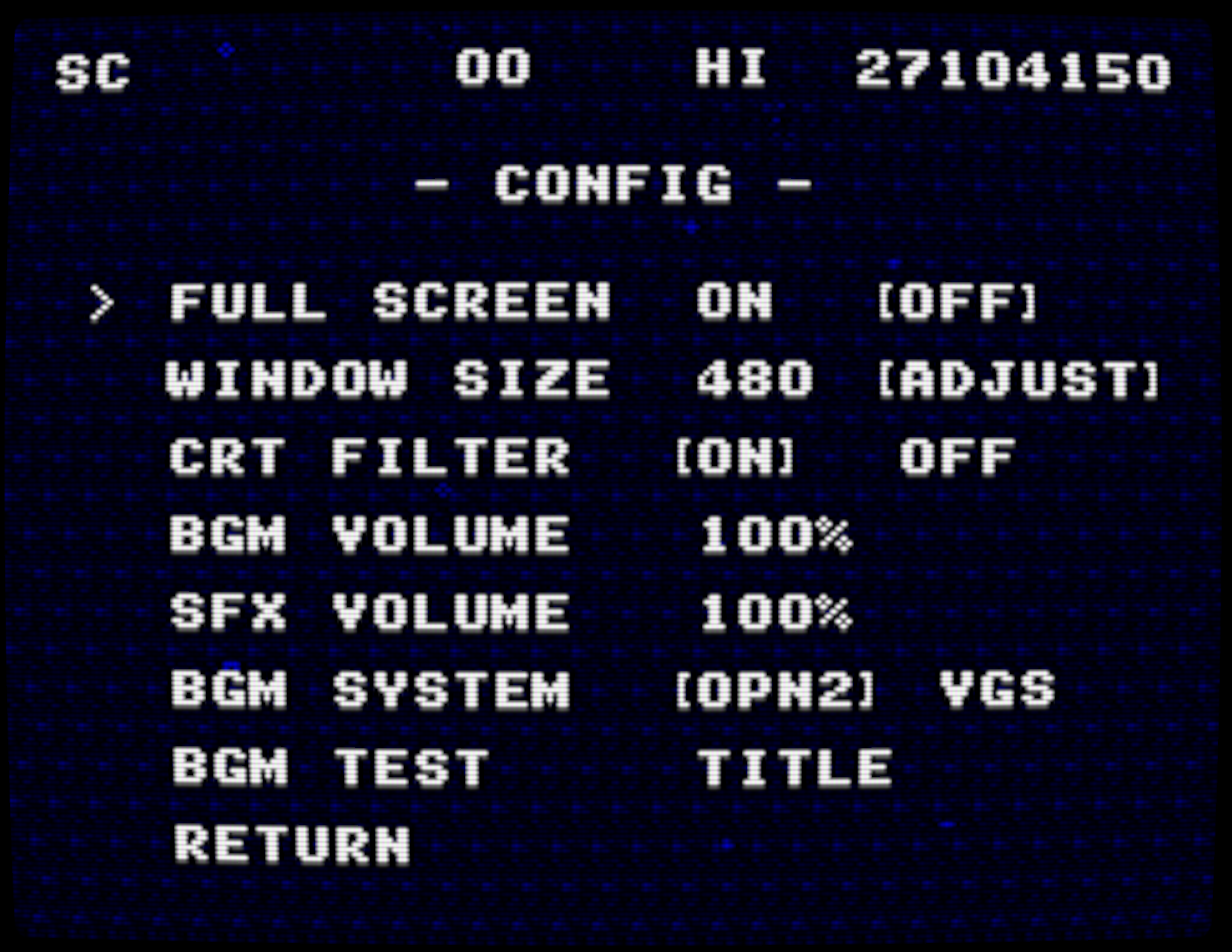
You can switch back to the original VGS version from the CONFIG menu on the title screen.
Sound Effect Volume Balance Adjustments
The sound effects were previously too loud, so we rebalanced their volume.
The CONFIG menu lets you adjust the BGM and SFX volume levels separately.
Steam Input Integration Changes
Battle Marine has fully supported Steam Input since its initial release. However, because the integration method it used is no longer recommended, we have migrated to the method currently recommended by Steamworks.
We have taken care to preserve compatibility as much as possible, but custom Steam Input configurations you previously created (such as rapid-fire button assignments) may have been reset.
If you use a custom controller layout, please reconfigure it.
(Players who used the default settings are unaffected.)
RESET Added to the Pause Menu
To make every operation possible with a game controller, we added RESET to the in-game pause menu.
CONFIG Menu
Most settings previously available through the window menu (Windows only) or config.json can now be changed from the CONFIG menu on the title screen.
CRT Filter Improvements
In previous versions, enabling the CRT filter could cause visual noise on certain display configurations. The filter has been improved for consistent display across different environments.
We have also added screen curvature and gloss effects that simulate a CRT display, creating an even more authentic arcade atmosphere.
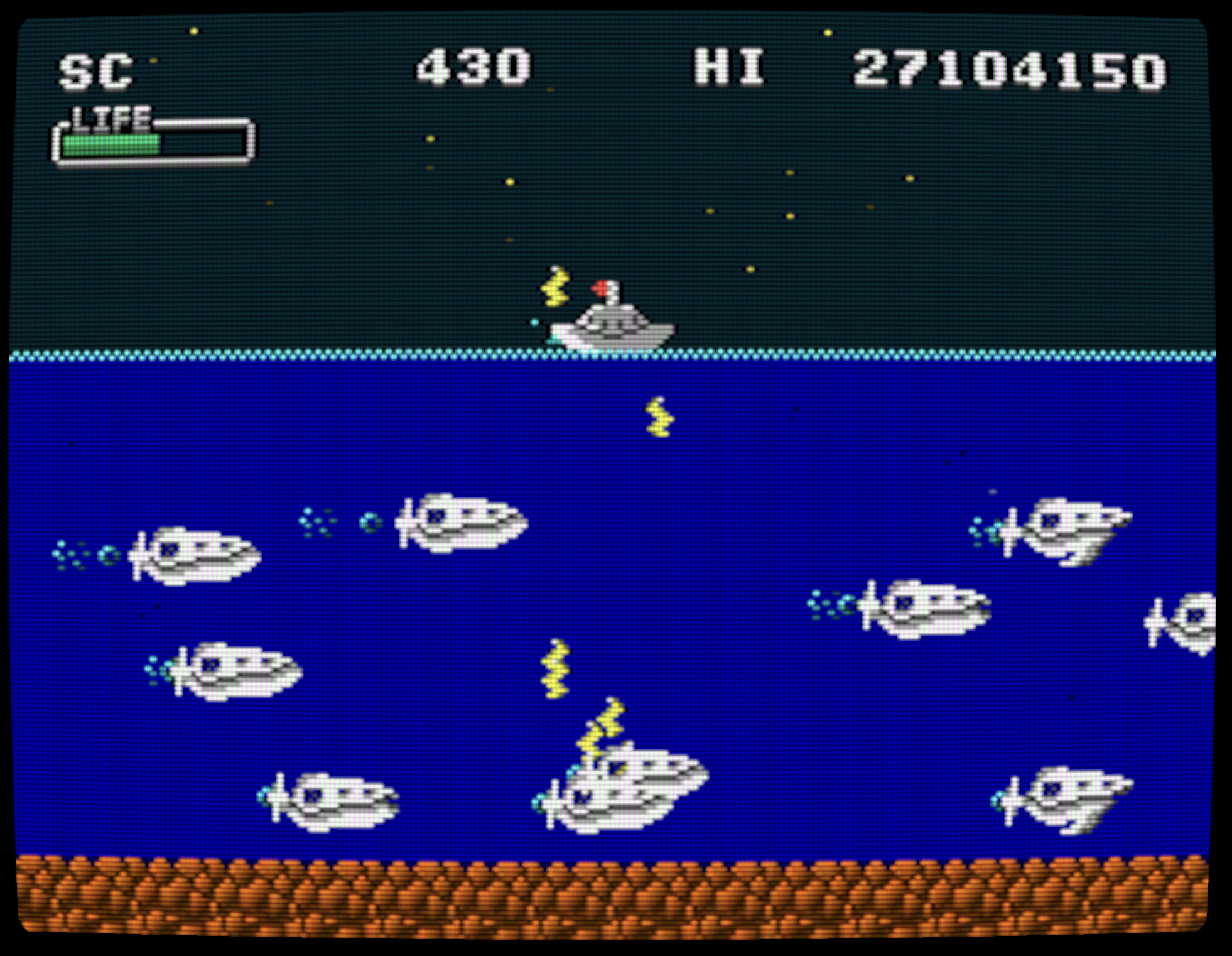 With these improvements, the CRT filter is now enabled by default for new installations.
If you update from a previous version, your current settings will be preserved. To try the improved filter, select "CRT FILTER: ON" from the CONFIG menu.
Automatic Notch Avoidance (macOS)
When playing on a MacBook with a display notch, the game now keeps the picture clear of the notch area.
Keyboard Input Workaround (macOS/Linux)
We worked around an SDL2 behavior that could cause an input assistance window to appear in certain environments when playing with a keyboard on macOS or Linux.
Rendering System Changes
The rendering system has been extensively overhauled for each supported operating system.
macOS/Linux
The game previously used SDL2 for screen rendering. To support the shader-based CRT filter, this version moves to our own rendering engine, using Metal on macOS and Vulkan on Linux.
On systems where Metal or Vulkan is unavailable, the game falls back to our OpenGL-based rendering engine.
Windows
The game continues to use Direct3D (DirectX 9.0c), but the rendering method has been changed to support the pixel-shader-based CRT filter.
Instead of rendering directly to the back buffer, the game now renders to a 240×192-pixel texture—the native resolution of VGS-Zero—and scales that texture for display. This is the same approach used by the SDL2 version.
Steam client UI elements, such as the overlay and achievement notifications, are rendered to the back buffer. This change reduces rendering conflicts with the Steam UI, allowing achievement notifications and other elements to appear more clearly than before.
Additional Notes for All Platforms
The same texture-based rendering method is used even when the CRT filter is disabled, although the shader processing differs.
Afterword
It has been a while since the last update.
The release of Battle Marine Advance! inspired this update.
View game pageIn Battle Marine Advance!, I implemented a screen filter that uses shaders to recreate CRT scanlines.
Wanting to bring comparable scanlines to this game, I first updated Battle AirForce, which is built on the same system as Battle Marine.
View game pageFor the Battle AirForce update, I also introduced analog emulation for YM2612 FM synthesis. It reproduced audio virtually indistinguishable from real hardware despite being an emulator, and I was very pleased with the result.
I want to create games that capture the feel of an arcade.
CRT emulation is one part of that presentation.
FM synthesis likewise felt like an essential part of that arcade character, so I decided to give the music in Battle Marine the FM synthesis treatment in this update.
That said, when it comes to arcade hardware, perhaps I should be talking about the YM3438 rather than the YM2612.
Note: The YM3438 is the CMOS version of the YM2612 and was used in Sega System 32 hardware and UFO Catcher machines. (Its different resistor values may also cause subtle differences in the analog output.)