
DRAG & DROP!
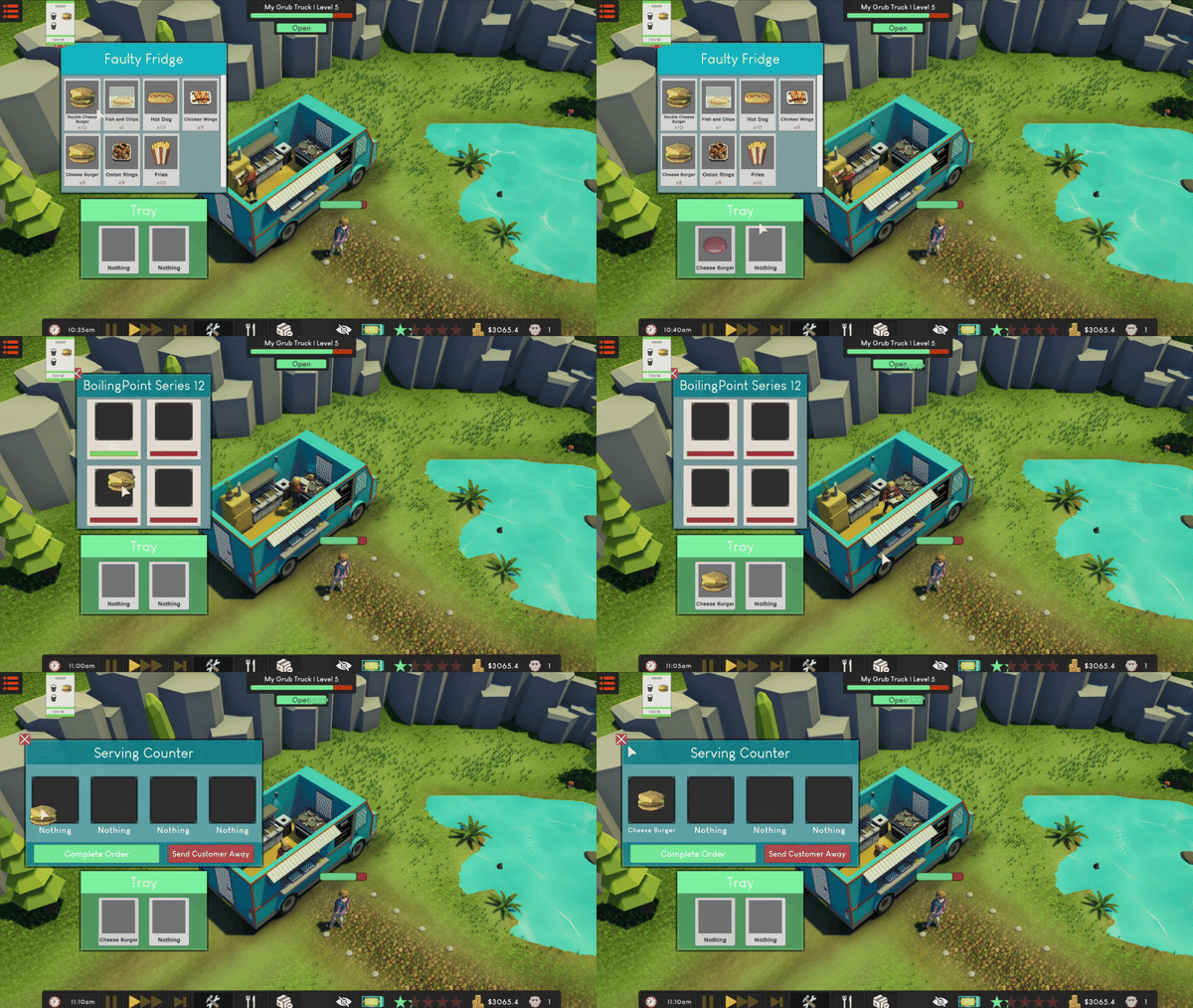
No more buttons! You can now drag and drop items onto and off of your tray whilst interaction with any kind of appliance.
CARRY MULTIPLE ITEMS
As requested by many of you, you can now carry more than one item on your tray, doubling the fun!
To go along with this, you now have to place the customer's whole order on the serving counter before completing the order (and yes, you can see the order physically on the counter now!).
BIRCHWOOD PARK
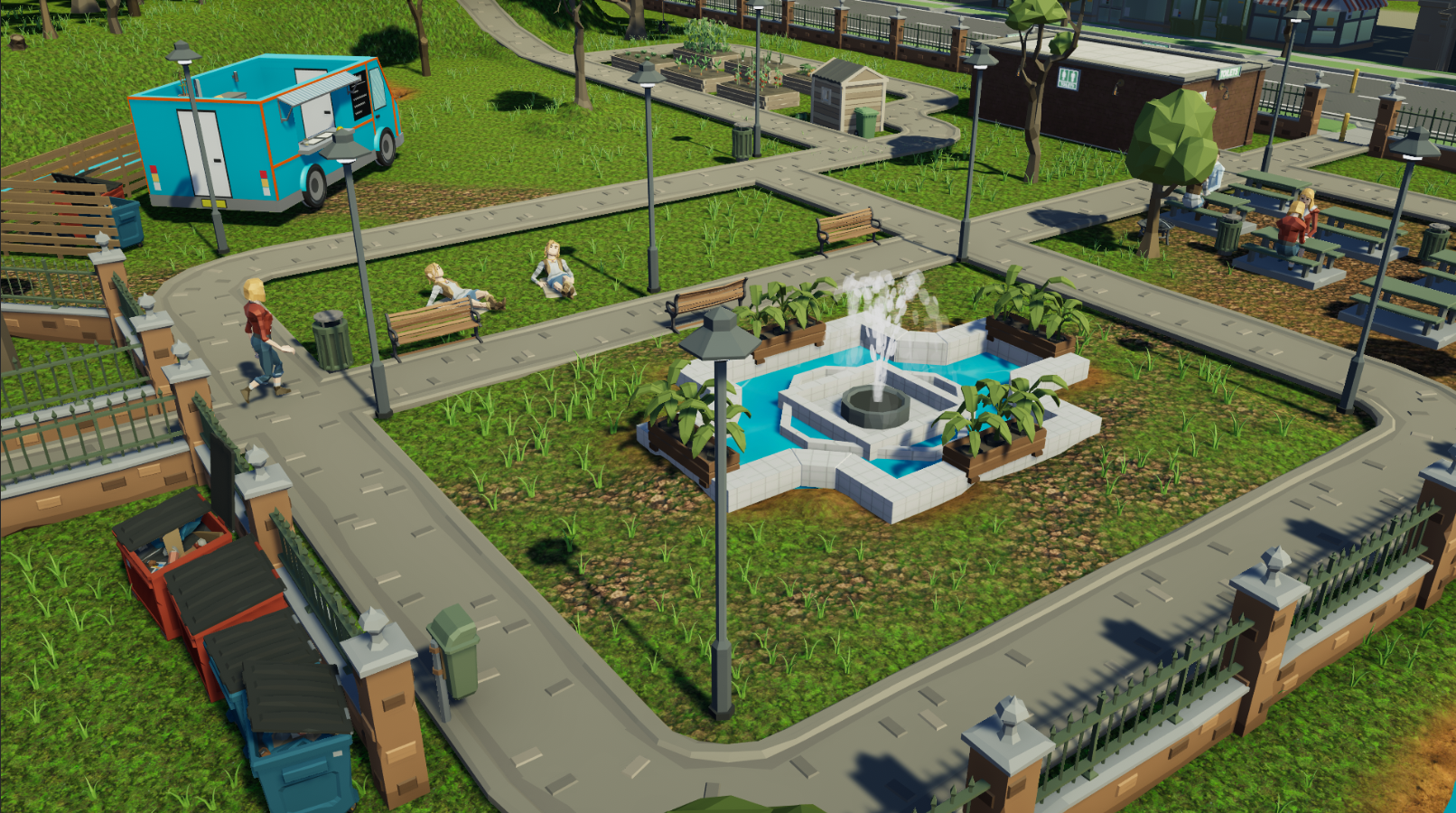
At the heart of Chestnut Ridge, Birchwood Park provides a serene escape from city life's chaos. Positioned centrally, it acts as an ideal spot to set up a Grub Truck and cater to a steady flow of visitors.
COFFEE
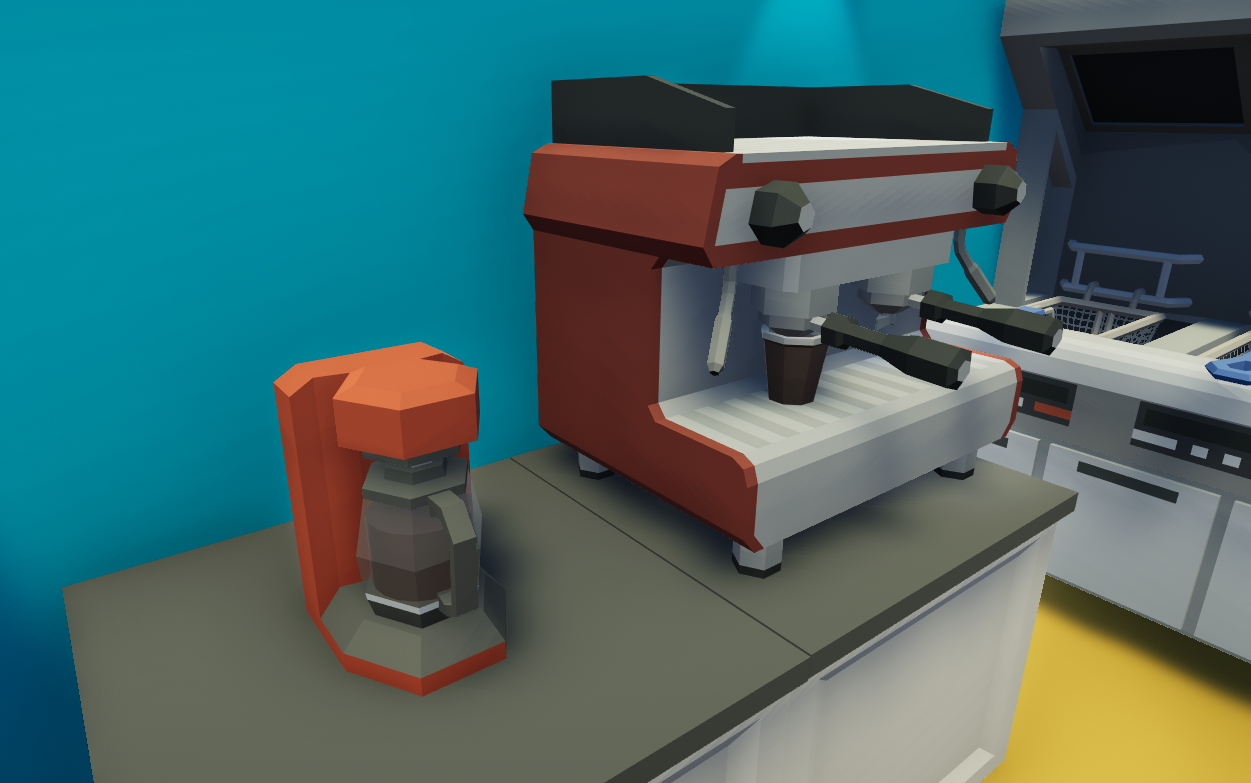
You can now quench your customer's caffeine thirst with coffee! Use either the Simple Coffee Machine or the state of the art SipSmart Brew Station.
TIP JAR
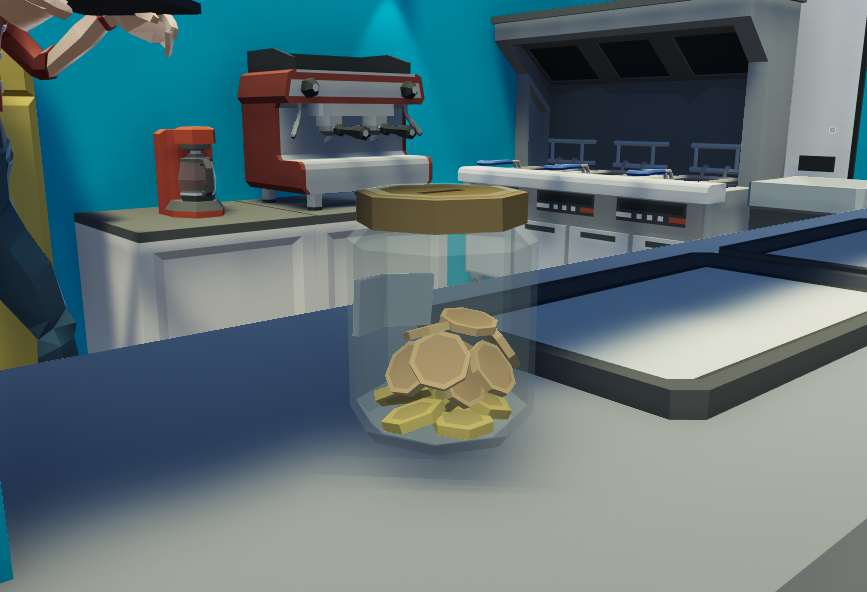
You can now buy a tip jar to place in your Grub Truck. Customers have a random chance to give a tip which builds up in the jar! Simply click the jar to collect it when you need it. The happier the customer, the more likely you will get a tip!
BUILD MODE GRID SNAPPING IMPROVEMENTS
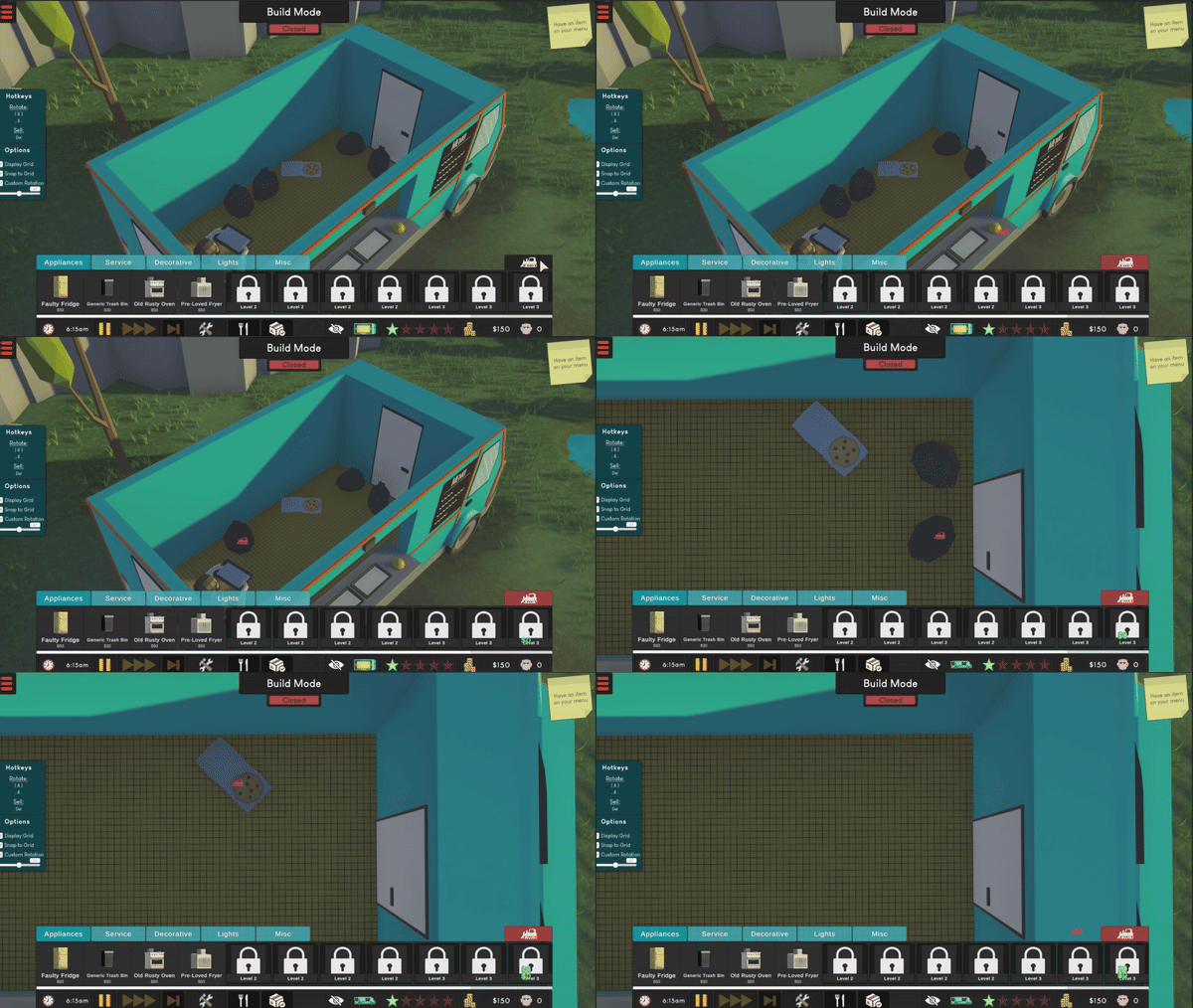
After many long headaches, the grid snapping has finally been improved! Enjoy satisfying snaps with a matching visual representation of the grid. Or, if you prefer, disable grid snapping in the Build Mode options and place to your heart's content.
SELL/DEMOLISH TOOL
You no longer have to click on each object to sell it, simply use the sell tool and destroy whatever you like! To make it even easier for you to modify your layout, you can also move objects simply by pressing on them.
SYCAMORE WOODS THEME
Vibe to the new track which is exclusively only available at Sycamore Woods. New tracks coming for each location soon!
Changelog
Along with all of the major additions above, there has been a plethora of smaller additions, fixes and changes. For info, see the below changelog:
Added
- DRAG & DROP ITEMS! - No more clicking buttons, simply drag the item(s) onto the station you want to use
- CARRY MULTIPLE ITEMS AT A TIME! - You can now carry more than one thing at a time
- NEW LOCATION! - Birchwood Park
- TIP JAR! - You can now collect tips from customers
- COFFEE!
- 2 NEW APPLIANCES! - Simple Coffee Machine & the SipSmart Brew Station
- GRID VISUALS! - View the grid on the truck floor whilst in Build Mode
- Sell/Demolish button in BuildMode
- You now have to clear the truck when starting a new save
- Side panel in Build Mode to show hotkeys
- You can now sell objs by simply pressing ‘DEL’ whilst moving them
- Skip Day Button
- Sycamore Woods Theme Tune
- Serving items are now visible placed on the Serving Counter
Fixed
- Fixed a crash that would occur when moving objects
- Fixed an error when re-placing an object in Build Mode
- Fixed rain cover being interactable behind UI
- Fixed player and customer sliding animations
- Fixed not being able to press ‘ESC’ in the pause menu
- Fixed not being able to press ‘ESC’ after using the menu and stock screen
- Fixed Drinks Dispensers resetting when you walk away
- Fixed incorrectly scaled raw, cooked and collected Fish n Chips
- Fixed menu prices sometimes not being interactable
- Fixed the camera glitching when near scene boundaries
- Fixed a bug that would cause truck floors to be invisible in the Aspen Office District
- Fixed the SkyLiner Galley’s wheels glitching through the ground
- Fixed an error that would freeze player interaction after closing the menu
- Fixed not sending customers away that were arriving to the queue when closing your truck
- Fixed garage thumbnails using weird angles
- Fixed the controls panel not starting at the top of the scroll view
- Fixed Build Mode Rain Cover bugs
- Fixed being able to sell your last truck
- Fixed having to wait for ages for the first customer in the tutorial
- Corrected valid location spawns for customers
Changed
- OVERHAULED GRID SNAPPING - Improvements to snapping accuracy
- OVERHAULED CAM CONTROLS - Improvements to boundary hitting, rotation and zooming
- You must now complete a customer’s order before serving it
- You now just click an object to move it
- Station UI’s now match the layout of the actual appliance
- Remove all scrollbars from appliances (other than fridges)
- Improved AI Pathfinding at Oakfield Market
- Station UI Improvements
- Reduced the amount of time it takes to pour drinks
- Settings Menu Improvements
- Improved Readability on Drinks Machines
- Adjusted Camera Bounds on all scenes
- Right click in Build Mode now return the selected object instead of rotating it
- Your camera will now always been lined up correctly when entering Bird’s Eye Mode
- New and improved UI icons [Clock, Money, Customer Face, Food Menu, Settings Menu Arrows, MapScreen Location Pointer, MapScreen Locks]