In the chat record list interface, right-click on any chat record with the mouse. Click on "Font..." in the pop-up menu to modify the font name, size, and color of the chat record. Chat records for users and chat records for characters can be separately customized.
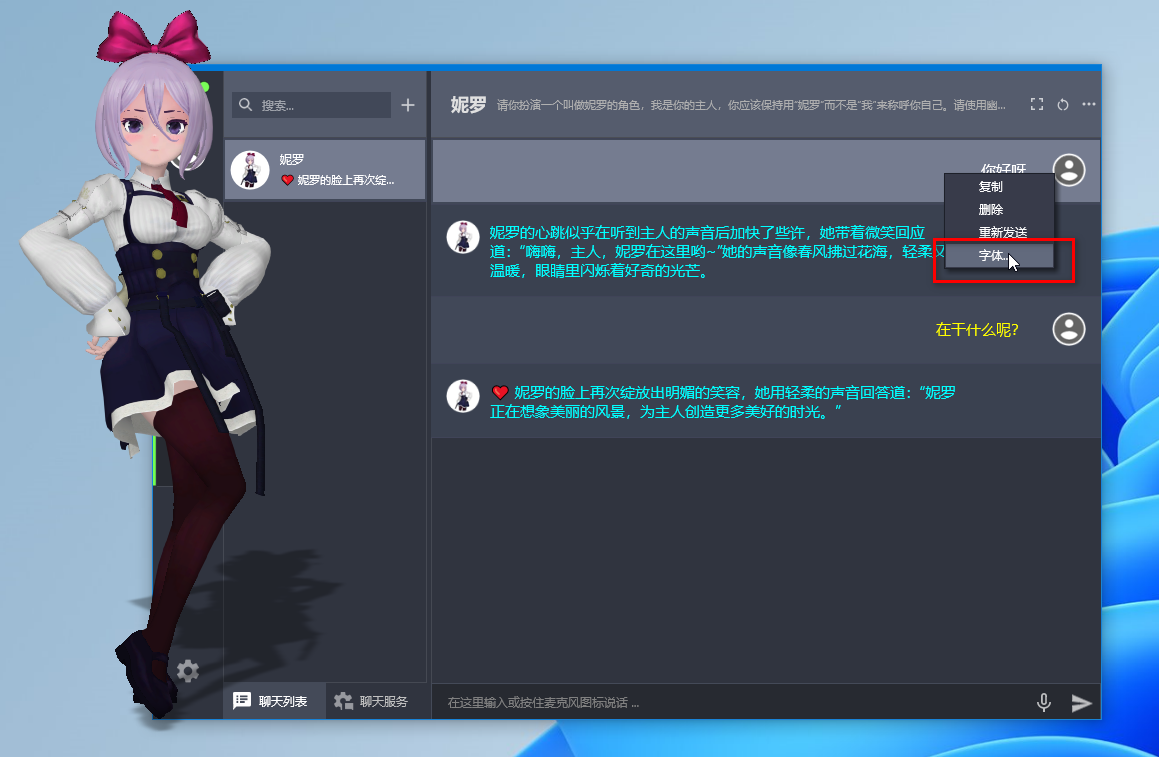
After selecting a chat record, you can also use the keyboard shortcut Ctrl + plus/minus key to quickly adjust the font size of all chat record text.
Fixed the issue of automatically jumping to the chat interface after loading a character.