
Puffer Pop 4.0 & macOS Support
I'm excited to say that, 3 years after its release, Puffer Pop has finally arrived on macOS. This has by far been the most requested feature of Mountain Peke Games (MPG), so I am happy it is finally out. Thank you to everyone who has supported Puffer Pop these three years, and an even bigger thank you to all the kind people who only have a Mac but bought Puffer Pop to support MPG. This update would not exist if not for y'all.
There's a funny history to Puffer Pop and Mac, but, before that, I want to talk about what is new in version 4.0.
New Features for All Users
It would not be fair to everyone who supported Puffer Pop on Windows if version 4.0 was just about the new Mac players. So, version 4.0 includes several quality of life changes:
Controller Support
Controller support has been back-ported from Sumo Tanks, so you can now play Puffer Pop using your controller of choice. Xbox, PlayStation, and Switch controllers are all supported. Controller support is implemented using Steam Input, so you can set up even unsupported controllers (looking at you, Steam Deck)!
Additionally, all menus are now navigable with the keyboard, so all of Puffer Pop can now be played with just a keyboard.
Achievements
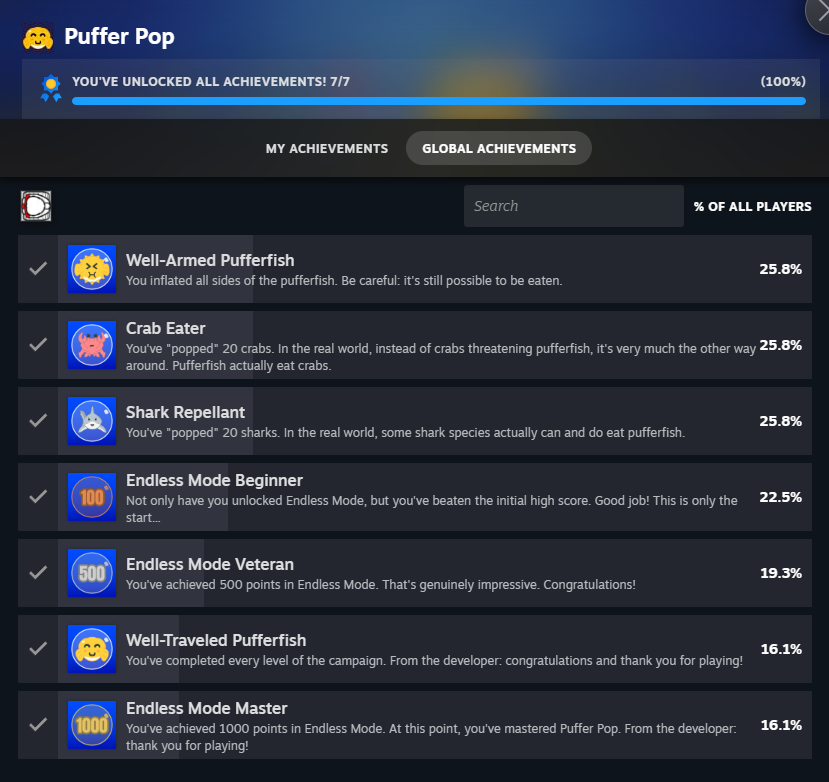
Steam Achievements have also been back-ported from Sumo Tanks and implemented in Puffer Pop. Even better than that: most of the achievements can be read from your existing saved data and will be awarded the next time you launch the game! Specifically, the high score and level progress achievements will be awarded based on your existing saved data. However, the data for "Crab Eater", "Shark Repellent", and "Well-Armed Pufferfish" was not stored in the old saved data, so you'll need to eat more bubbles and pop more enemies to unlock those.
Level Preview
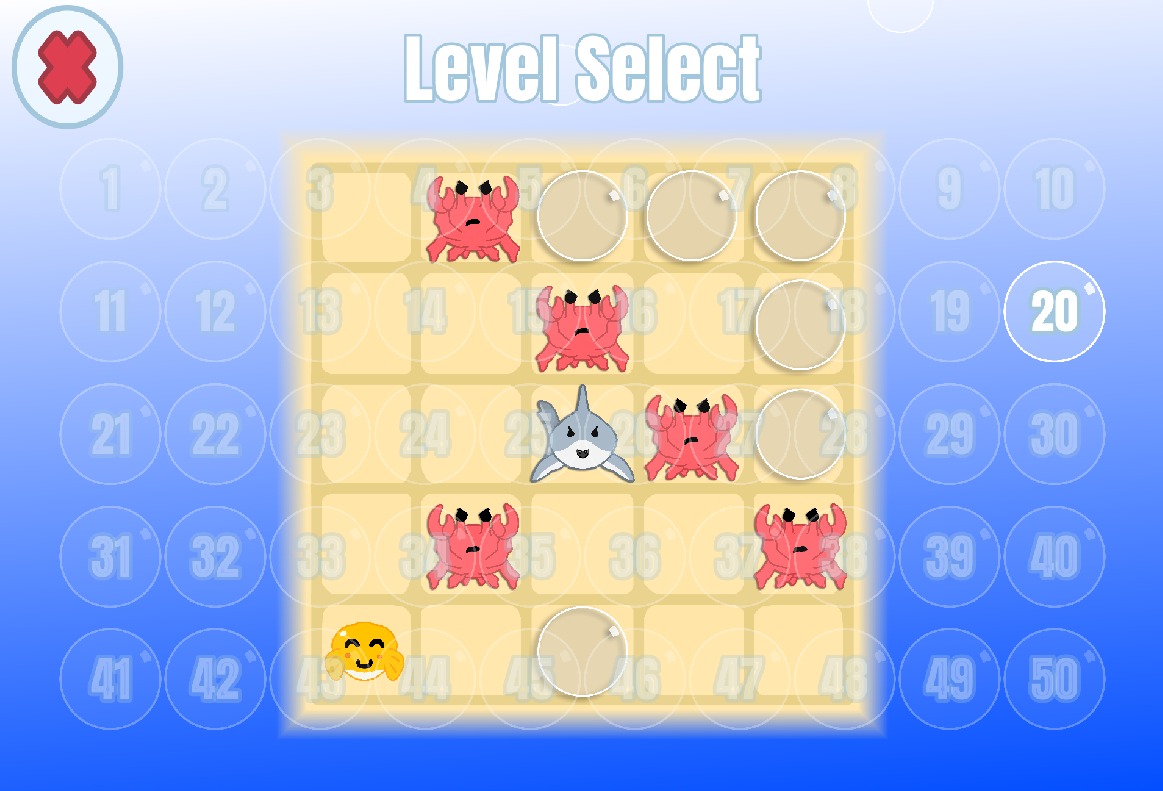
After you beat Puffer Pop, it used to be really hard to find a specific level in the full level list. It was even hard for me, the developer. So, a new level preview is now show when you hover over a level. I hope this makes it easier to find and replay levels in the future!
New Capsule Art
Thanks to the talented Crow in the Rain / Matthew Schellenberg, Puffer Pop has new capsule and library art! Speaking as the person who made the original art, I think the new art looks great on the Steam store page and in the library and is a much-needed facelift. You can also see the new logo on the main menu and on the new credits page.
Before:

After:

Settings
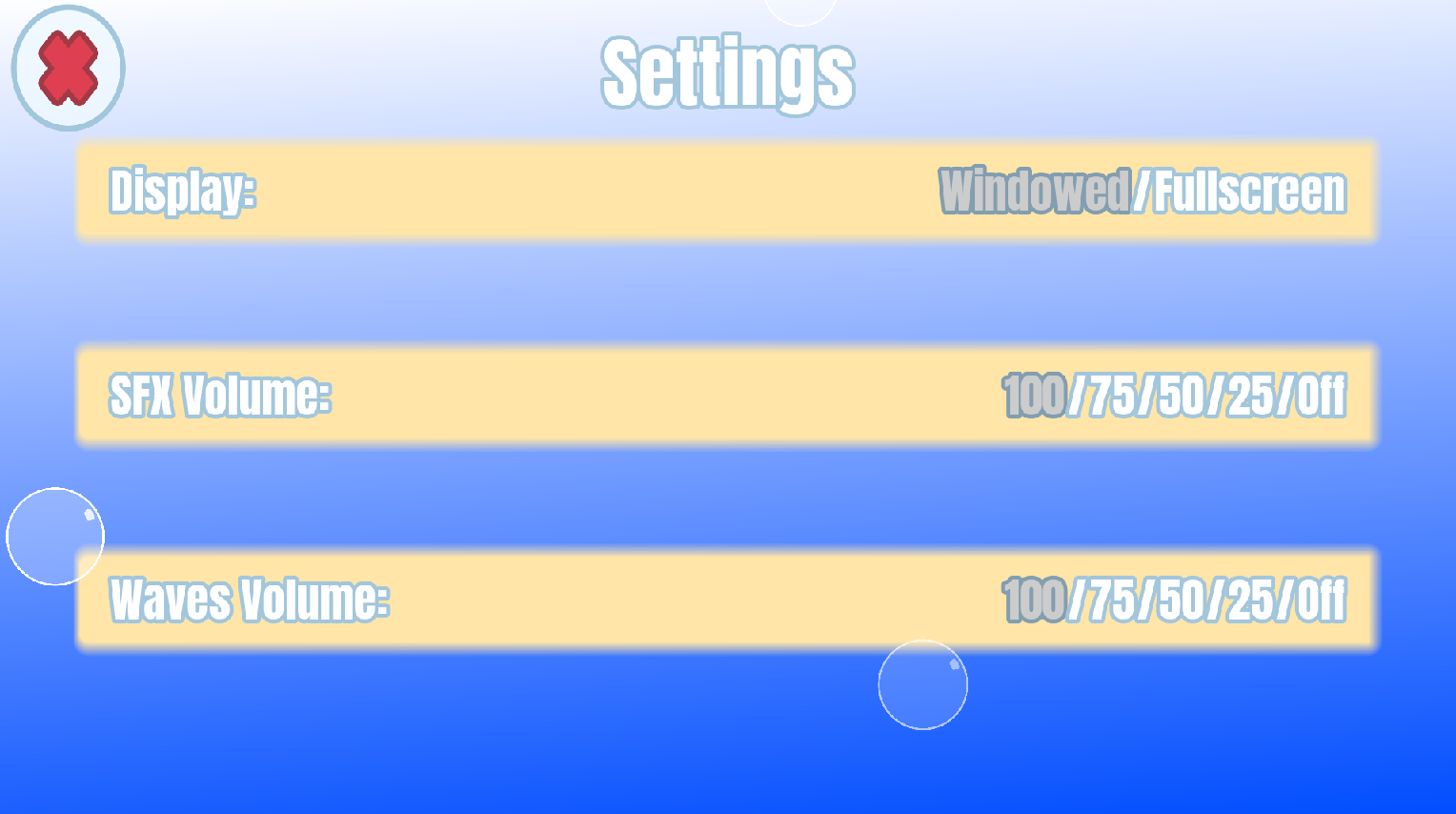
There is a new settings page accessible from the main menu. It took 3 years, but you can finally play Puffer Pop in full screen!
The History of Puffer Pop on macOS
Puffer Pop is finally on macOS 3 years after its release, yet the funny thing is Puffer Pop started development on a Mac.
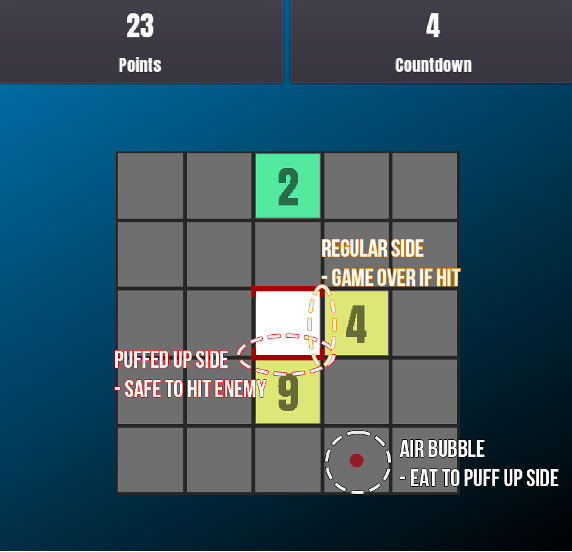
In the beginning, Puffer Pop was a simple high score game targeting mobile simply named "Grid Bash". The game was much simpler back then and only contained a single endless mode with no levels:
Throughout this period, I only owned a Mac. So, ironically, the first platform that Puffer Pop ran on was actually a Mac. As time went on, mobile was dropped in favor of the platforms I was most familiar with: macOS and Windows (which I would dual-boot since most games are for Windows).
Time continued to march on until the game was nearing completion. However, the game was still "Grid Bash" and still was planned to release on macOS. The name of the game actually changed before the target platform. I was having trouble communicating "touching the red dot makes one side of the square turn red, which allows you to bump an enemy off the grid" to players, and that single issue is why we have Puffer Pop today. I found it was a lot easier to explain the central gameplay mechanic using a real-world analogy ("Eat a bubble to make a side spike-y"), pufferfish won out against porcupines, and we ended up with Puffer Pop instead of "Porcupine Poke". I also decided to add a few short levels to explain the central gameplay mechanic. Still, at this point, Puffer Pop was targeting macOS.
However, just as I was about to make Puffer Pop's Steam page and list its supported OS, I realized I had a problem. My Mac was an Intel-based Mac and I would not be able to test on the then-new Apple silicon Macs. Worse still, my Intel-based Mac was starting to act up and needed to be replaced. I had a choice: buy a new Apple silicon iMac that would not be able to run Windows properly or buy a Windows machine and drop macOS support. Since Windows is the better platform for games, I switched to Windows. So, just months before release, macOS support was dropped before it was even announced.
Yet, friends and family kept asking me if Puffer Pop ran on Mac. I would mention Puffer Pop to coworkers and they would ask if it ran on Mac. Several times I have shown random people the Steam page and they've asked me if it runs on Mac. Apparently everyone I know is exclusively on Mac.
Last year I saved up enough to buy a low-end Mac Mini right before the AI/LLM boom destroyed the public market. And that takes us to today where Puffer Pop is finally back on macOS where it all started.
I said this at the top, but I want to say it again: this update would not have released without everyone who was kind enough to ask if this ran on Mac. From the bottom of my heart: thank you.
— Hunt, Mountain Peke Games