
Happy July!
We're closing out the month with an update to the Steam demo, a video deep-dive into our Build Set Editor and a closer look at more recent additions to Let's Build a Dungeon.
Play The Demo Update
A pretty significant demo update is now live! Please give it a try and let us know what you think using the in-game feedback form. We made a new form to keep this round of feedback separate, so even if you completed the old form, please consider telling us what you think about the latest changes.
View game pageWe reviewed all feedback from the last update (thank you!) and we're excited to be sharing the implemented changes. We overhauled how you progress through Campaign Mode, introduced new goal tracking and added new content, full details below.
Introducing Encounters
Two of the biggest changes in this update are the addition of and 'Encounters' and your new 'Rating'.
Encounters exist to guide how you approach building your MMO world. They are activities that you place in the world for your virtual players to engage with, and could be anything from an enemy to fight, or a crate to smash. They can be combined to create a series of different Encounters, so you can experiment and discover many different types in one playthrough.
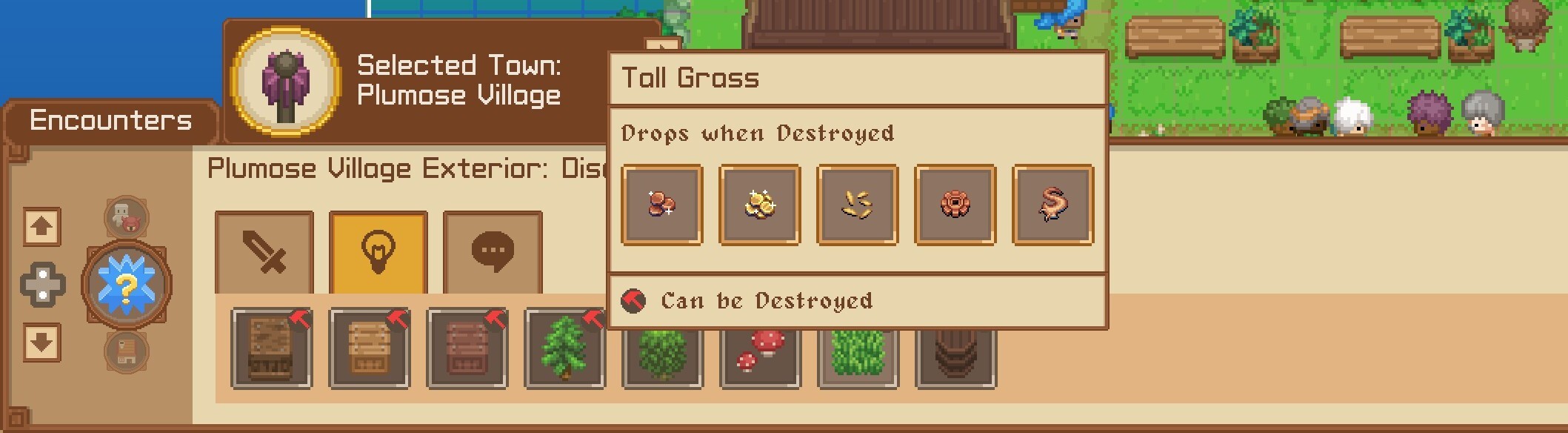
Rating System
We've also added a Rating system to make it clearer how well your MMORPG is coming together. We use 4 focused areas to calculate your game's rating: encounters, quests, composition and accessibility. Your game's performance in these four categories decides your overall rating percentage.
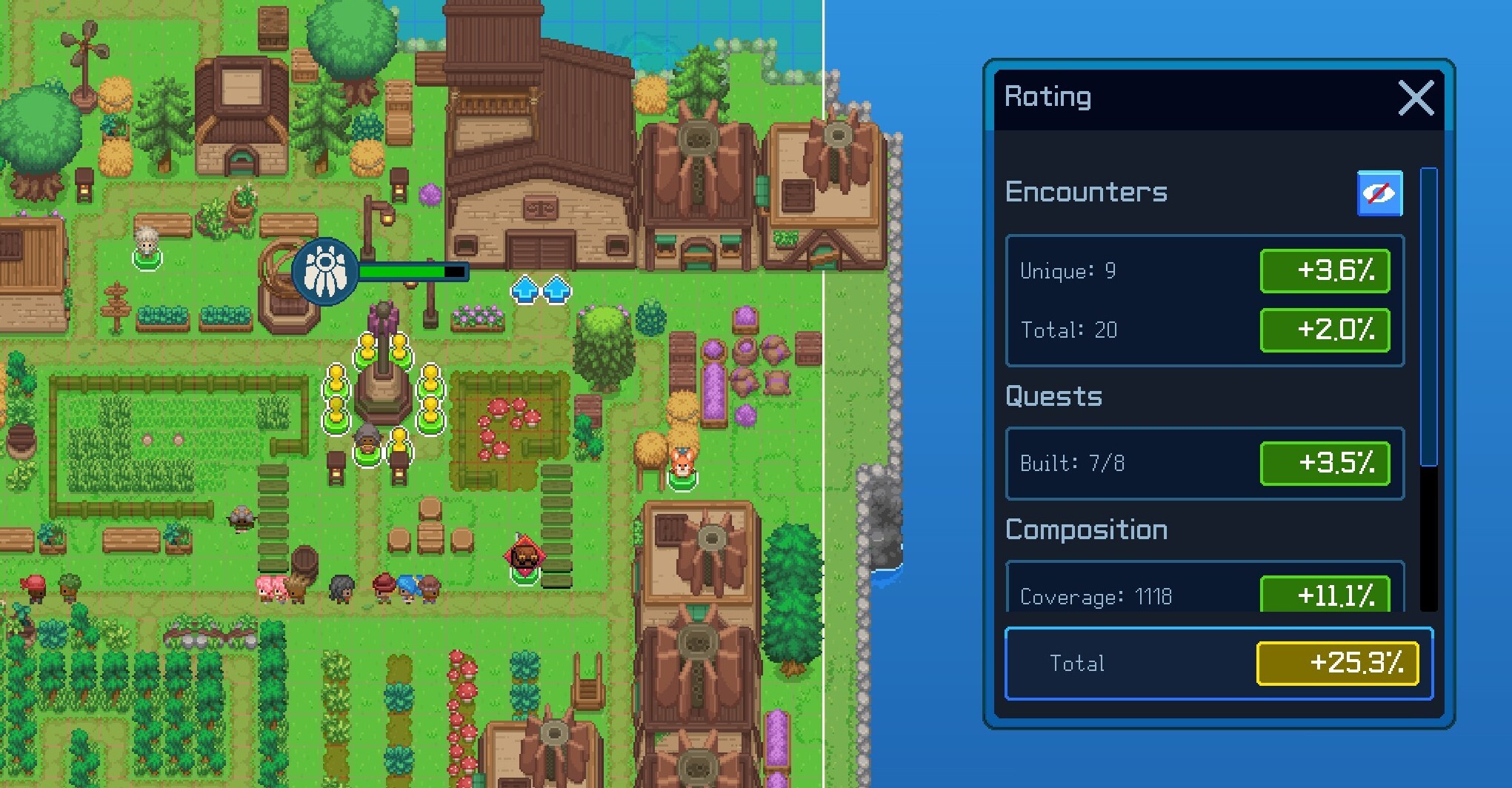
You'll need to reach certain rating thresholds to progress through Campaign Mode, and you can see the breakdown of how you're doing in each area in the Rating menu. (see above)
Our closed playtests showed that these additions made for a smoother journey when starting out building your MMO masterpiece, so we're excited to bring them to the Steam demo.
New Enemies, Items & Dialogue
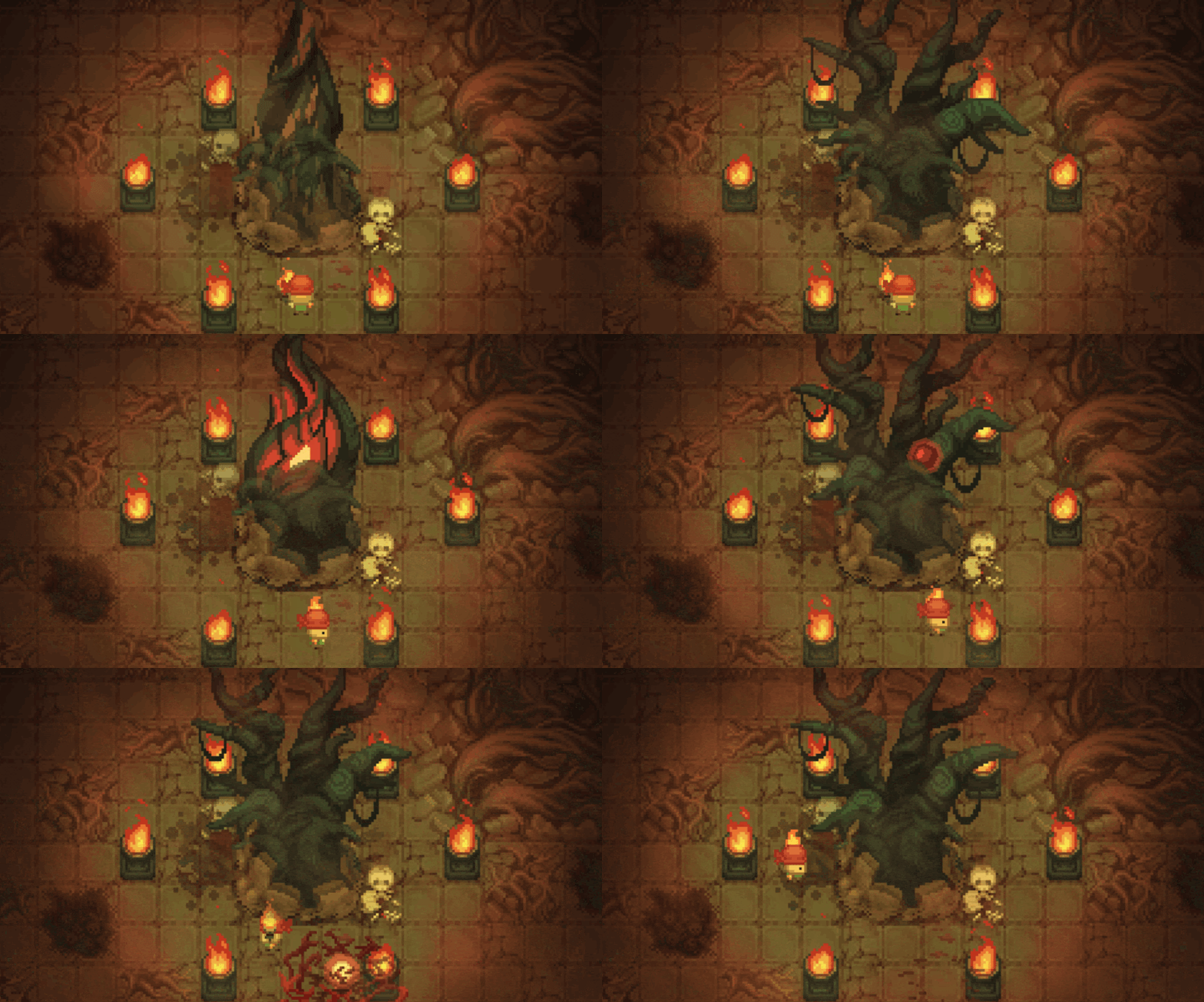
There's a bunch of additional content to uncover too - including new enemies, being able to pause time whilst building, proper water collision and a heatmap tool. Full patch notes can be found at the end of this post.
Knight Classes - Build Set Editor
We're also sharing the first episode of Knight Classes - a series that digs deeper into some of the Creative Tools in Let's Build a Dungeon. Today we're take a closer look at the Build Set Editor tool, which allows you to paint huge parts of your game world with a simple drag.
Release Date Update
Thank you for your patience as we've continued to work on implementing your feedback and adding new content to Let's Build a Dungeon. We're getting closer to being able to announce our 2026 release date, so watch this space and we'll be back with full details as soon as possible!
Thanks as always for your support.
Team Springloaded
JULY DEMO UPDATE - PATCH NOTES
We have overhauled the core progression system, introduced a new dynamic encounter framework, and added extra content. The focus is on providing you with more control, clearer feedback, and a smoother journey from the moment you place the first asset of your MMO masterpiece.
CAMPAIGN MODE:
NEW
Rating system – Town success now based on Encounters, Quests, Composition, and Accessibility.
Decoration ratings – Decorations now contribute to your town's overall Rating.
Build Bar nodes – Better categorisation for finding town pin assets.
Encounters system – New points of interest, interactions, and activity for your players.
Time pause – Pause the game clock.
More starting build options – Wider variety of buildable items available from the start, not just Quest items.
New decorations/assets – Fresh visual content added to the library.
Back button (hero wheel) – Easier navigation when selecting classes.
New Lord Richard lines – Additional reactive lines added.
New class quests – Each class now has a new, dedicated main quest.
New zone: Wilderness – External area accessible via the Build Bar.
Water floor collisions – Water tiles now have proper collision.
Floor painter layers – More layers added for detailed terrain painting.
Heatmap button – New tool added for world analysis.
New dungeon tasks – Fresh objectives added for dungeon runs.
Navigate feature – New tool to make quest completion easier in Play Mode.
Building animations – New enter/exit animations added in Play Mode.
CHANGED
Default Testers at start – You begin with active Testers from the beginning.
Tutorial guidance improved – Instructions are clearer and more direct.
Tutorial guidance improved – Smoother progression through the tutorial steps.
Build Bar navigation update – Supporting the new Encounters system.
Town pin build zone manipulation – More control over decoration placement.
Rating system introduction – Story Progress now reflects your Rating across all four metrics.
Icon updates – Several icons updated for clarity.
UI/tooltip clarity – Minor improvements to interface readability.
Interact elements – Overlapping interactions are now less confusing in Play Mode.
Omnidex UI tweaks – Minor visual updates.
CREATIVE MODE:
World Tools added.
Heatmap tools added.
Taskbar: Essential tab added.
Various bug fixes applied.
New assets added to the build browser.
Doors!
JUST BUILD:
Ratings system & Encounters – Vote Progression now based on Ratings, supported by Encounters and decorations placed.
Campaign changes – Various balance and content updates.
Terraforming vote logic – Updated.
Heatmap tools – Added.
New assets – Additional content added.
SETTINGS:
Custom resolution – Now available.