
Welcome to Dyestributor 2.0!
This update has been something we've wanted to do for a long time and we're so glad it's finally available for you guys!
This version of Dyestributor is much closer to the version we wanted to share from the start, but it took a while for us to realize it. In any case, we hope you guys love this update as much as we do, and be sure to check out all the changes below or jump in game and see them all for yourself!
The demo has been updated as well, and make sure to look out for the upcoming Steam Summer Sale!
If you're looking for a TL;DR, here it is!
Big Changes:
- Almost all screens and buttons have been visually revamped!
- Themed music has been added to every world! (You can find a playlist with all the new songs here)
- The Level Editor and Custom Level List have been majorly improved!
- Global leaderboards have been added for each level! (move count AND solve time)
- Each level will now save your lowest move count solution along with the time it took and upload it to a global leaderboard for that level (record keeping favors move count over time. This means a slow but low move count solution will be recorded overtop a fast but high move count solution).
- Almost all silver and bronze trophy limits have been lowered to account for the addition of the Undo button.
- The game now has adjustable FPS limit settings!
- And many clean-up changes so the game will run smoother than ever!
If you're looking for a comprehensive list of all the new changes, here it is!
All Changes:
- Title Screen
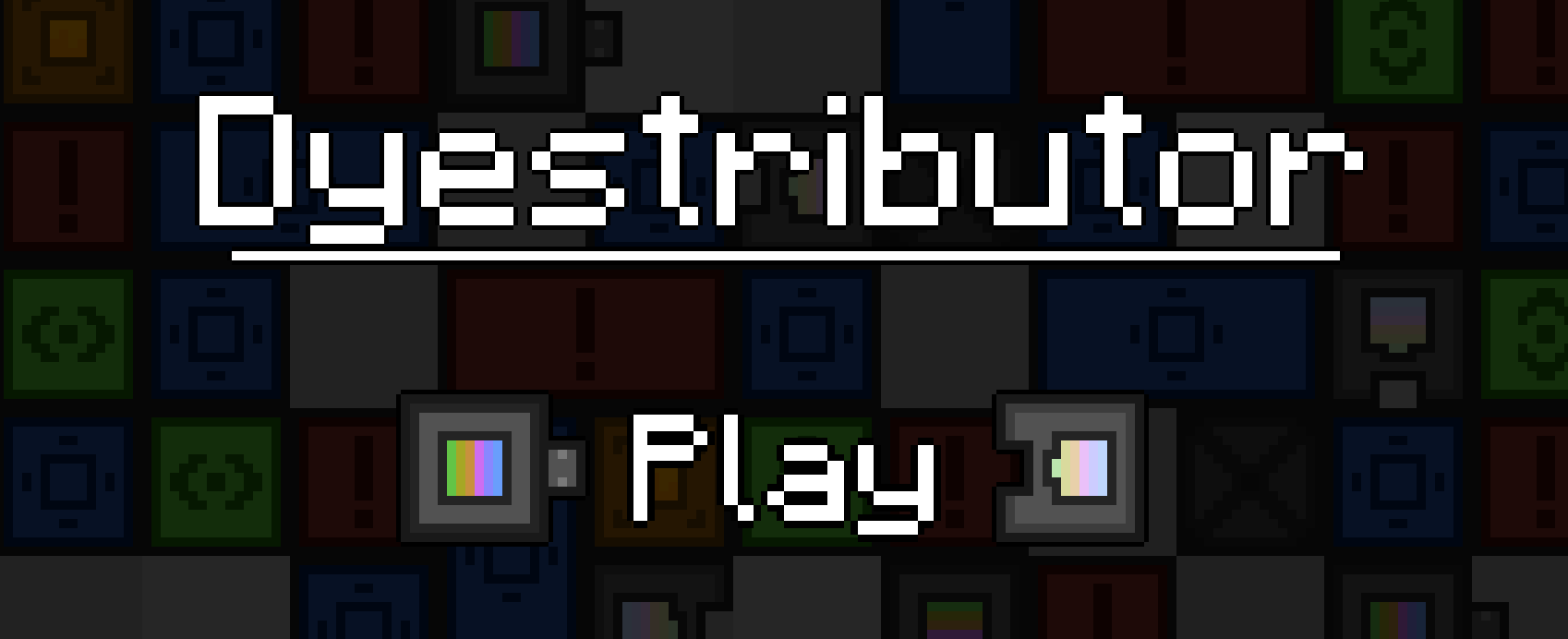
- The title screen has been visually revamped!
- Custom Level List
- The Custom Level List has been visually revamped and improved!
- Levels within the level list now have a drop-down arrow instead of a play arrow.
- Within the drop-down box, you can see the levels name, trophy limits, a screenshot of the level, and the levels creator/tags if downloaded from the Steam Workshop.
- The drop-down box also contains a Play, Edit, Upload, and Delete button.
- Custom Level Creator
- Custom Level Creation has been visually improved, and majorly cleaned up behind the scenes to squash bugs!
- Custom Level Editor
- The Level Editor has been overhauled with the following improvements and more!
- There is a new tutorial sequence when you first start editing a custom level.
- There is a new Options tab with various options to customize your level-creating experience.
- You can now playtest your custom level from directly inside the Level Editor.
- You can now edit the name and grid shape from directly inside the Level Editor.
- Many new keyboard shortcuts have been added which can all be customized in the Options tab.
- Custom Levels will now have music that matches the selected background.
- Blocks, mechanics, and backgrounds from each world are now locked until the corresponding world is unlocked.
- There is now an info box at the top of the screen that shows helpful information when hovering over certain Level Editor features.
- The Light Block light size multiplier can now be a range anywhere between 0.5x and 2.0x.
- Small visual additions that make the Level Editor feel more responsive.
- You can no longer use custom image backgrounds in Custom Levels.
- Options Menu
- There is now a 'Fast Restarting' toggle which allows the player to restart levels faster.
- There is now an option to adjust the game's FPS Limit.
- Turning on VSync will now set the game's FPS Limit to your monitor's refresh rate.
- All main options are now accessible from anywhere using buttons F4-F7.
- Hovering over an option will now show a tooltip that goes into more detail about what it does.
- Moving a volume bar will now show what percent the volume is currently being set to.
- The credits screen has been updated to be more accurate and visually appealing.
- World Select
- Various visual improvements that make buttons feel more responsive.
- World icons will now have a colored border that reflects your trophy collection for that world.
- The 'Enter World' button has been removed. You can now click on the world icon to enter the world.
- Added 'First' and 'Last' buttons that quickly take you to the start and end of the world list.
- World icons are now animated instead of static.
- Collected trophy amounts for each world are now positioned below the icon instead of inside.
- The amount of completed levels is now visible alongside the amount of collected trophies.
- Level Select
- Some visual changes have been made to make the screen more appealing in general.
- The back button now has an arrow that indicates what function it will serve.
- Updated the level select menu text to convey information more clearly.
- There are now two tabs of the sidebar when a level has been selected.
- The top tab shows info about the level and contains the 'Play' button.
- The bottom tab contains the global and friends only leaderboard for that level and shows your best time and move count.
- Many levels descriptions have been edited to be more up-to-date (and less corny).
- Inside Levels
- Many visual improvements which make level playing feel more responsive and clean.
- The Undo Button is now at the bottom of the screen and has '(Z)' text next to it to convey that fact that it can be used quickly by pressing the Z key
- Your best time and move count are now visible above your current time and move count.
- The end-of-level screen has been revamped and visually improved!
- After solving a level, you can now see your best time and move count, and whether you've set a new record.
- The end-of-level screen also now shows the global leaderboard for that level.
- Trophy Changes
- All Bronze and Silver trophy limits were lowered significantly and there were too many to document so the following will only be gold trophy changes!
- Keep in mind that you'll keep trophies that you've already earned, but you'll have to resolve the level to submit a score to the leaderboard!
- World 1 Level 5 - "The Waffle" gold trophy limit has been heightened from 15 to 17
- World 7 Level 9 - "Shortcut" gold trophy limit has been heightened from 27 to 28
- World 2 Level 6 - "Donut" gold trophy limit has been lowered from 51 to 49
- World 3 Level 5 - "Winding Path" gold trophy limit has been lowered from 55 to 49
- World 4 Level 5 - "Blocked In" gold trophy limit has been lowered from 68 to 32
- World 4 Level 6 - "Junk Pit" gold trophy limit has been lowered from 70 to 65
- World 5 Level 4 - "Peak" gold trophy limit has been lowered from 46 to 39
- World 5 Level 6 - "Forked" gold trophy limit has been lowered from 51 to 48
- World 5 Level 7 - "Deceptive Difficulty" gold trophy limit has been lowered from 95 to 86
- World 6 Level 6 - "Order of Operations" gold trophy limit has been lowered from 38 to 35
- World 6 Level 7 - "Limited Resources" gold trophy limit has been lowered from 57 to 45
- World 6 Level 8 - "Boom Tactics" gold trophy limit has been lowered from 77 to 69
- World 7 Level 5 - "Snowflake" gold trophy limit has been lowered from 23 to 21
- World 7 Level 6 - "Far Sighted" gold trophy limit has been lowered from 59 to 58
- World 7 Level 7 - "Short Sighted" gold trophy limit has been lowered from 23 to 22
- World EX Level 3 - "Wrapped" gold trophy limit has been lowered from 112 to 110
- World EX Level 4 - "Grid Begone!" gold trophy limit has been lowered from 70 to 50
- World EX Level 5 - "Blocks Begone!" gold trophy limit has been lowered from 70 to 60
- Other Additions & Changes
- Light block visuals have been improved!
- Visuals in World EX Level 9 - "Lights Out" have been overhauled and improved (with cool new sound effects)!
- You can now subscribe to levels in the Steam Workshop from the browse area.
- Added an achievement "Speedy Solver" awarded for solving any level in under one second.
- Added an achievement "Patient Planner" awarded for solving any level in over ten minutes.
Last, but certainly not least, a list of all bugs that have been squashed!
Bug Fixes:
- Fixed some consistency issues with buttons being clickable during screen transitions.
- Fixed an issue that allowed blocks to be moved before the levels timer started.
- Fixed some bugs relating to the Undo Button.
- Fixed a bug that allowed you to move blocks inside each other under certain conditions.
- Fixed a bug that prevented Custom Levels from loading.
- Fixed a bug that would reset all trophies on Custom Levels downloaded from the Steam workshop if the game was not able to connect to Steam.
- Fixed a bug where keyboard clicking sounds would play for the wrong keys when naming a custom level.
- Fixed a bug that caused the World 7 - "Cavern" background to be brighter than intended.
- Fixed various background speed consistency issues.
- Custom level names can no longer end in space. This caused a plethora of issues including not saving correctly, and the level deleting itself.
- Fixed a bug which allowed the player to create custom levels with matching names and override one another.
- You can no longer Edit custom levels downloaded from the Steam Workshop that you do not own.
- Fixed bugs related to custom level creation which caused custom levels to not initially save correctly.
- Fixed a Steam Cloud save issue which would cause Custom Levels to not Cloud save correctly.
And that's all!
We're extremely excited for you guys to get your hands on this update and hope you guys enjoy it!