
Hello, Rumblers!
We hope you're scoring a lot of goals!
Today, we're going to explain how you can play Wild Rumble with your friends online using Steam Remote Play Together. Whether you want to challenge the main mode side-by-side (up to 3 players) or play quick matches with each other (up to 4 players), you can do it remotely using this tool. Here we go!
MAIN MODE
------------------
1. The host player will have to activate the Co-op mode using the button enabled for it: Y on Xbox, Triangle on Play and C if you are using the keyboard. You can verify that the Co-op has been activated correctly if you see the text “PRESS START TO JOIN” in the adjacent boxes.
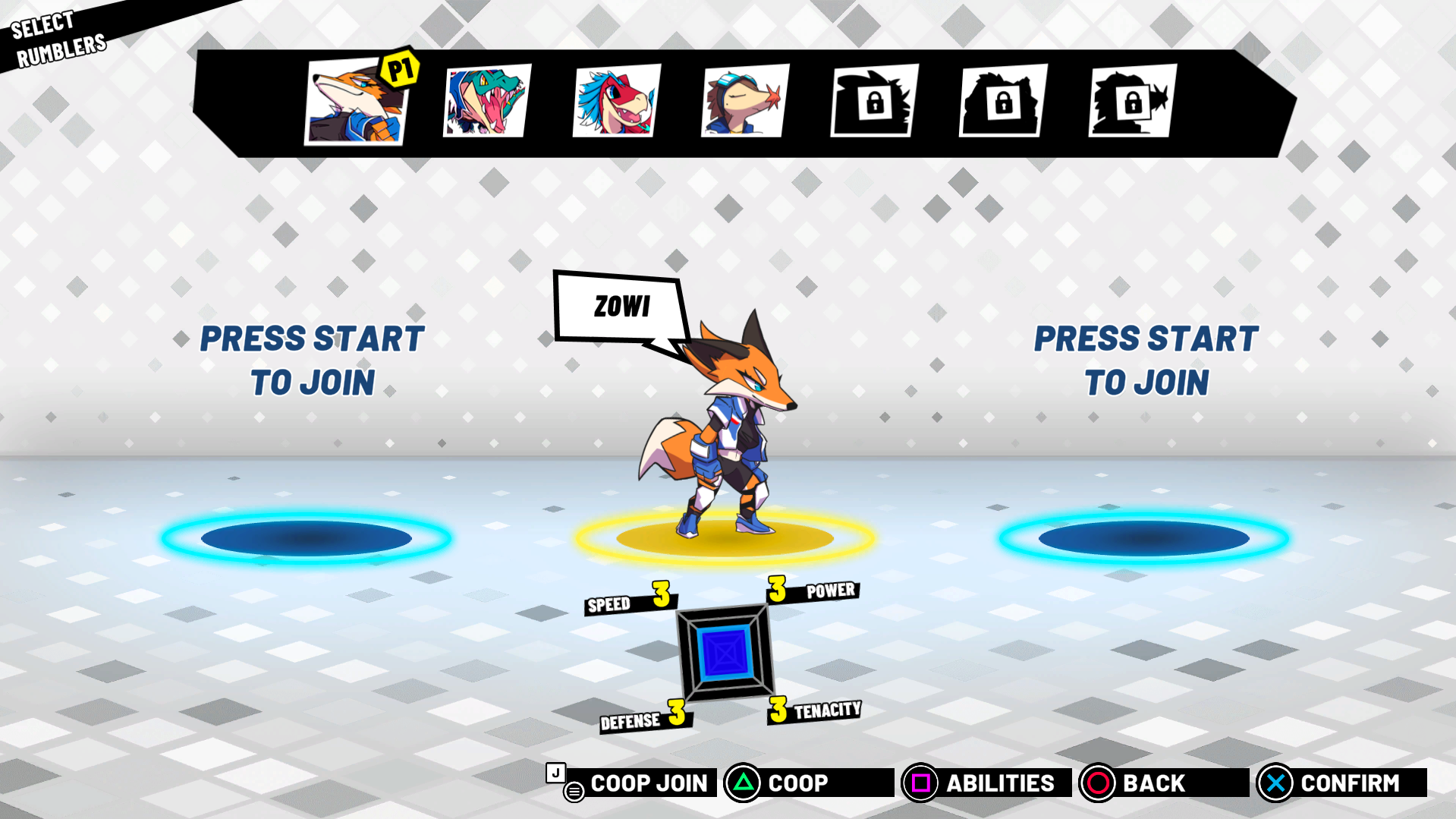
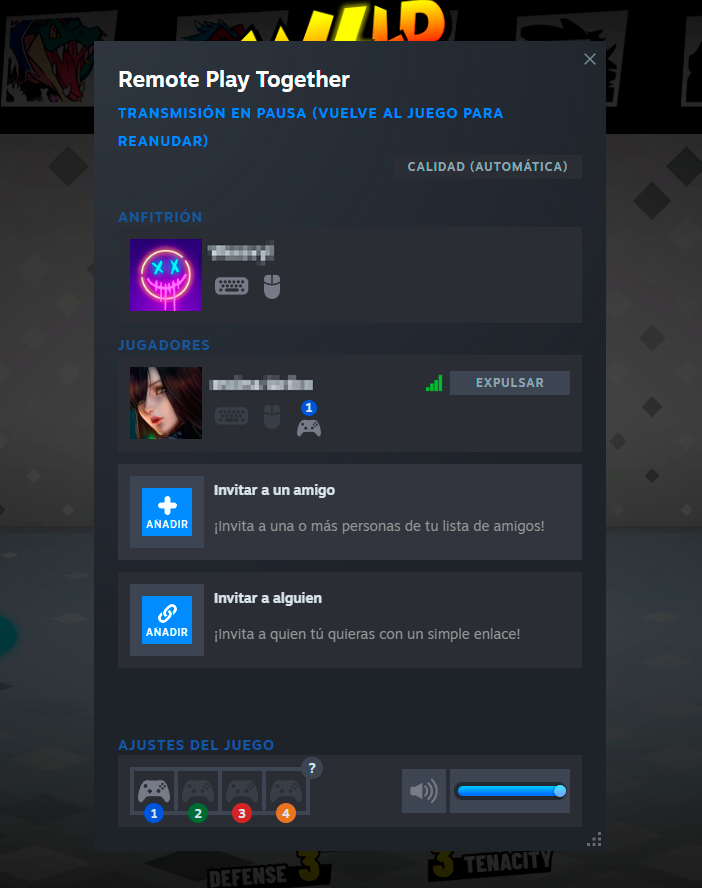
2. With the Co-op Mode activated, the host player can invite his friends through the Steam friends list (right click on who you want to invite and Remote Play Together). Players who join the session will appear in the session interface:
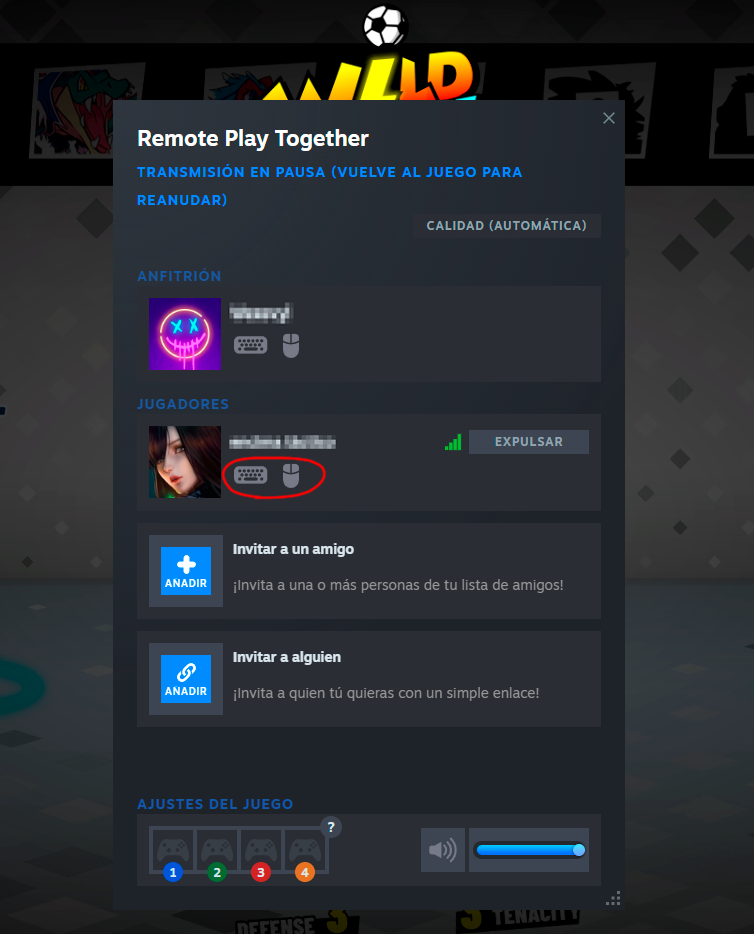
3. If one of your friends does not have a controller and the host does, you can activate them the use of keyboard and mouse from the same screen:
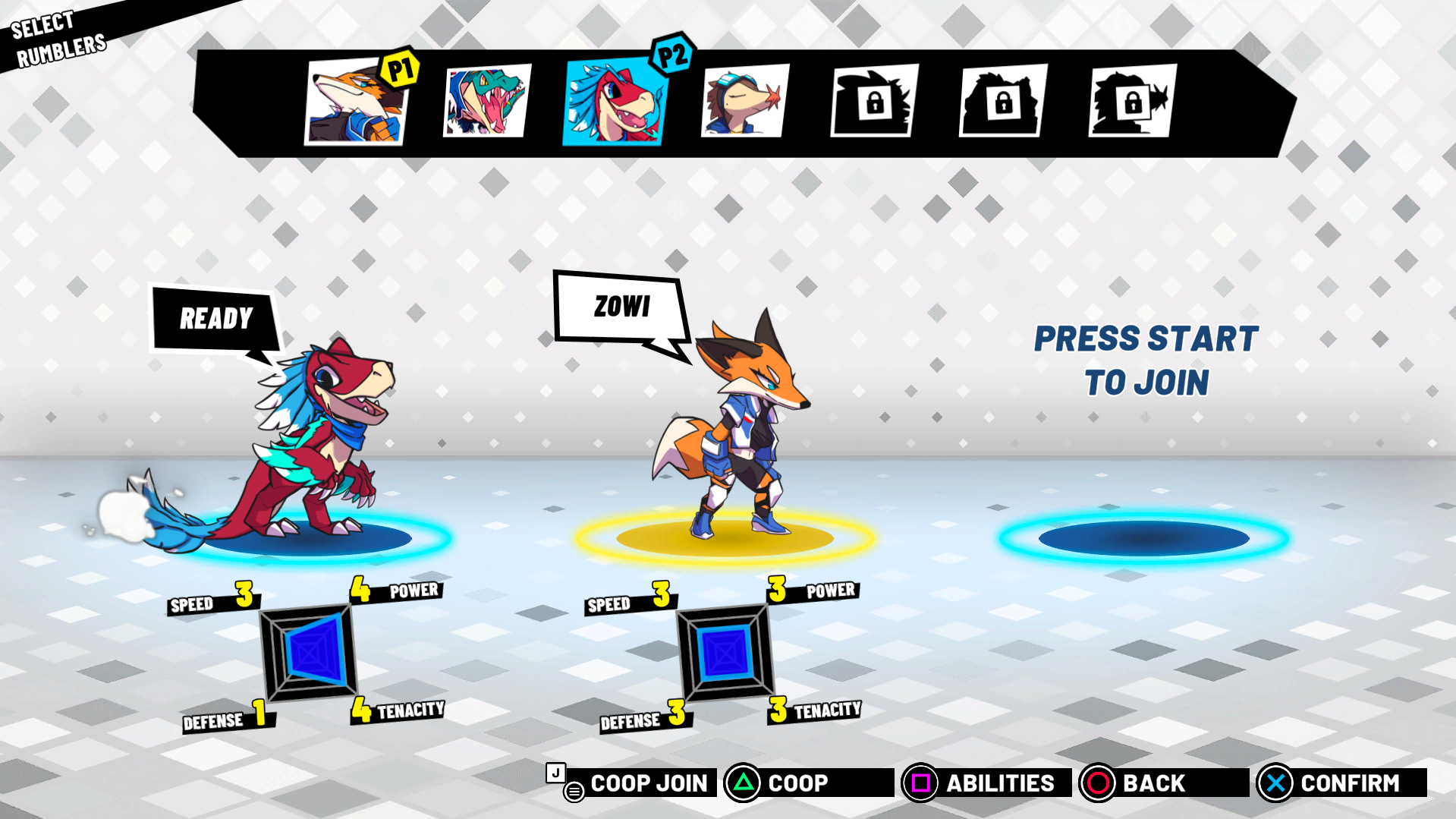
4. All that remains is for the invited players to join the lobby using the Start button on the controller or J if using the keyboard.
QUICKPLAY MODE
-----------------------
In this game mode there is NO need to activate Co-op, as it is activated by default. The host player will only need to invite friends to the session via Remote Together, just like in Main Mode, and the invited players will join the lobby using Start on the controller or J on the keyboard. Select team, character and let's get into the action!
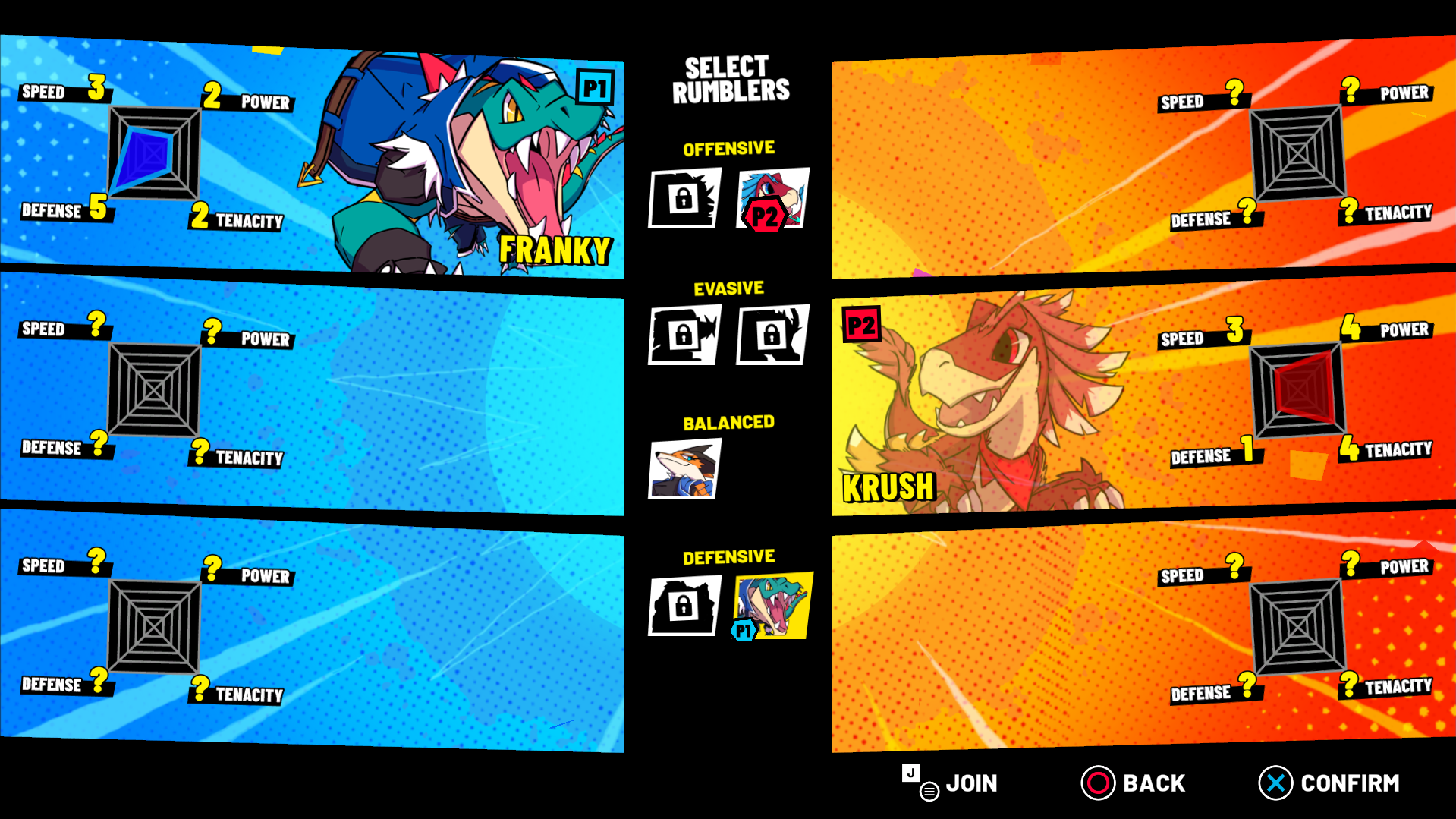
Steam Remote Play Together allows a maximum of 4 simultaneous players, however, remember that you can play up to 6 players at the same time face-to-face.
If you have any doubt or problem to play with your friends, please contact us through our discord: https://discord.gg/YHaEkScdKM
Have a great time playing, and see you on the field!
- Wild Rumble Team