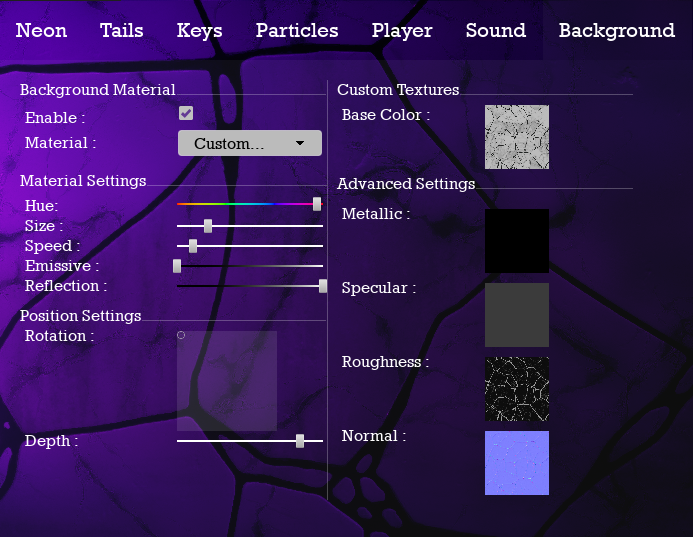
You can now use your own material textures for NeoPiano's background !
To do this, go to the Background tab and select "Custom..." from the Material drop-down list.
Then you can edit the textures used for your materials.
Warning : If you're using a non square image, the texture will be stretch, to prevent this, please edit the size of your image before loading it. For exemple, if you need a 1920x1080 background, please resize the picture to 1920x1920. We might automate this process later for a next update.
You can try textures from free-3dtextureshd.com or polyhaven.com for free !
Also, This update should reduce latency issue on NeoPiano's sound system.
Next update will focus on reverse falling neons and learning mode !
See you later !