
Hi Everyone,
Warplane Quest Playtest - Alpha 7 is now available on Steam!
This update adds Unreal Engine 5 lighting features, a massive airship hangar, a cheat console to unlock weapons and missions, and much more.
Many thanks to the community member Jure Račnik who contributed an epic airship hangar model to this update.
Make sure to join the Playtest on our Discord to try out the new features: https://discord.gg/32SQtMFUzd
Update Highlights
Upgrade to Unreal Engine 5
I decided to upgrade the project to Unreal Engine 5 to take advantage of the latest lighting features and ensure that the game will continue to receive engine patches in the future.
In addition to the Virtual Shadow Maps, which improve the quality of shadows in the distance, the game now supports global illumination and reflections powered by Lumen, which add more depth to the look of the game.
Check out the screenshots below to see the difference.
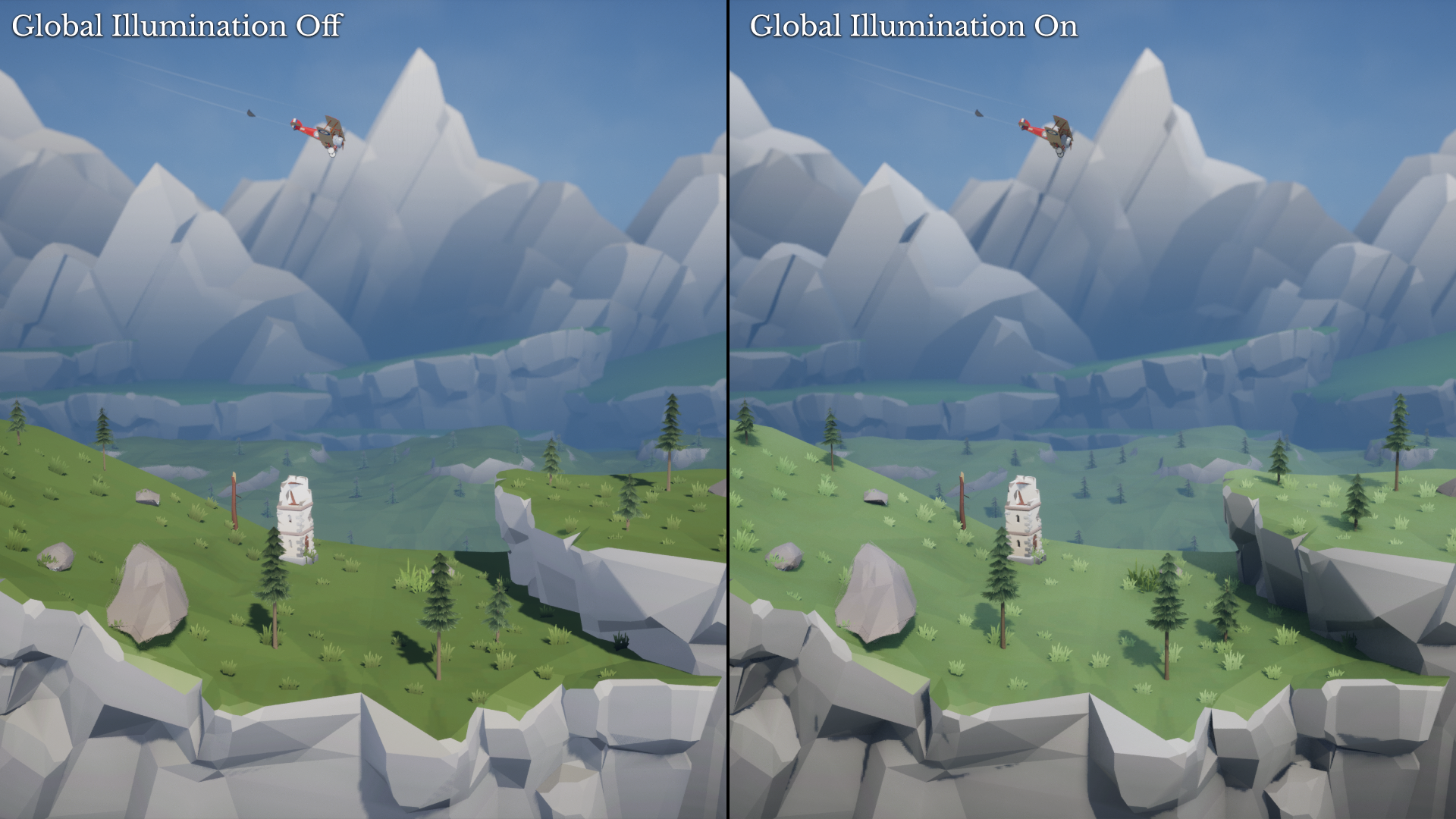
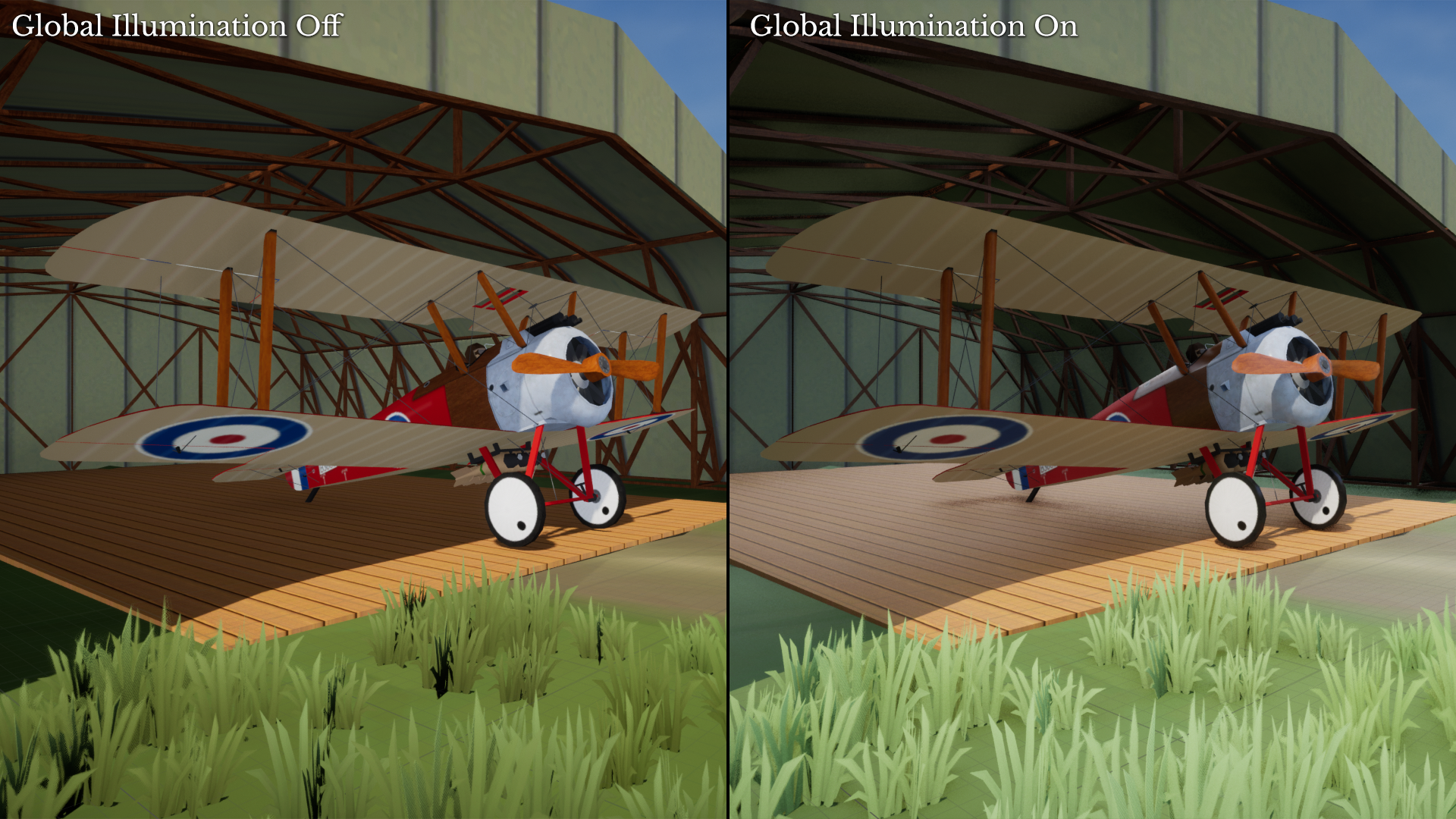
Of course, it is possible to disable the new features thanks to the new display options.
Airship Hangar
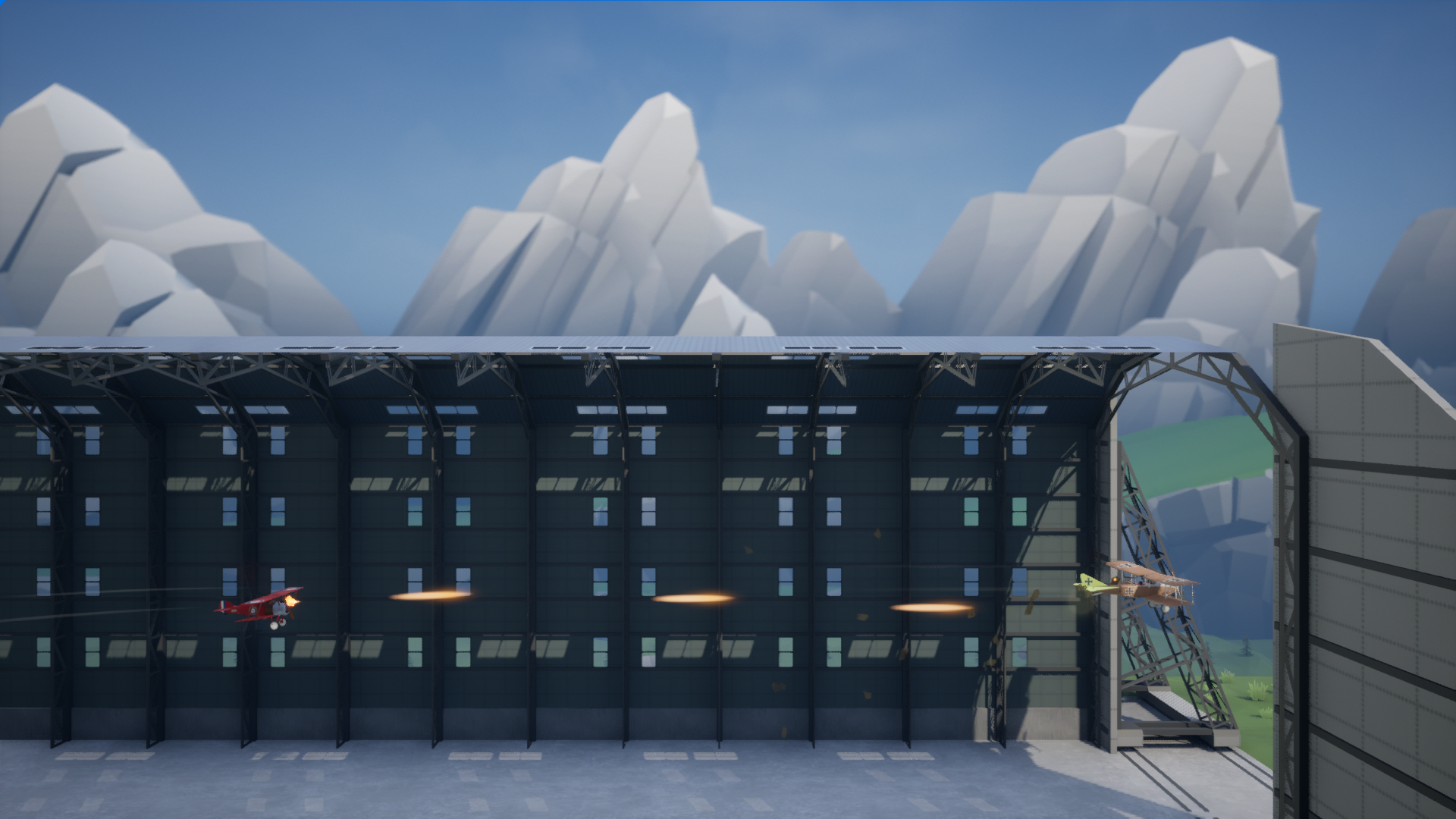
Our community member Jure Račnik contributed a massive, 260-meter-long airship hangar model that replaces the pillar obstacles.
Even though the hangar is empty at the moment, it's already a lot of fun to fly through it and dogfight inside. More gameplay possibilities will be added in the future.
Observation Balloon Destruction
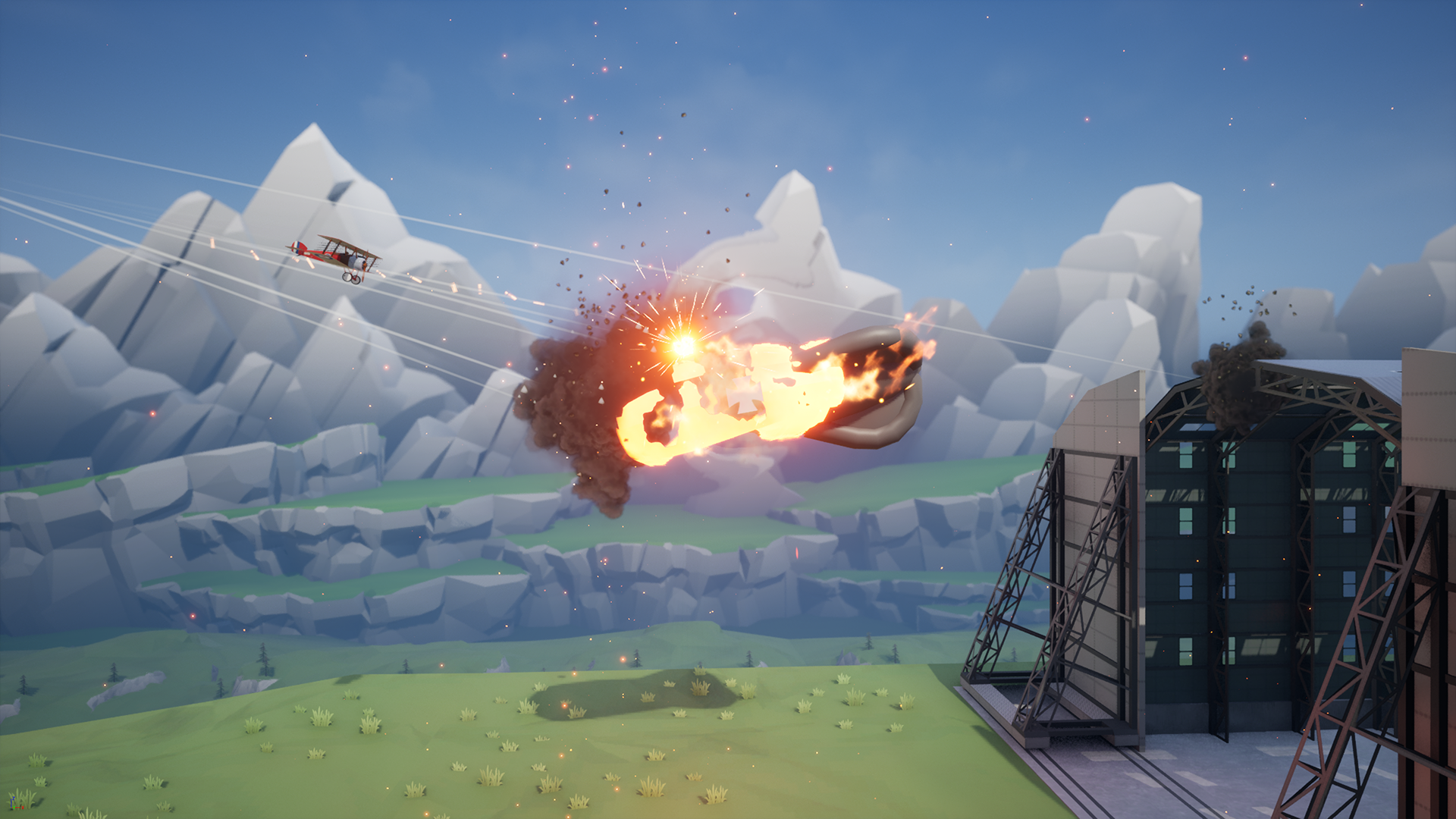
Until now, observation balloons were static, indestructible obstacles. That changes with this update, since they can now be burned down with the Le Prieur rockets. This change also increases the usefulness of the weapon, which was previously only effective against ground targets.
Cheat Console
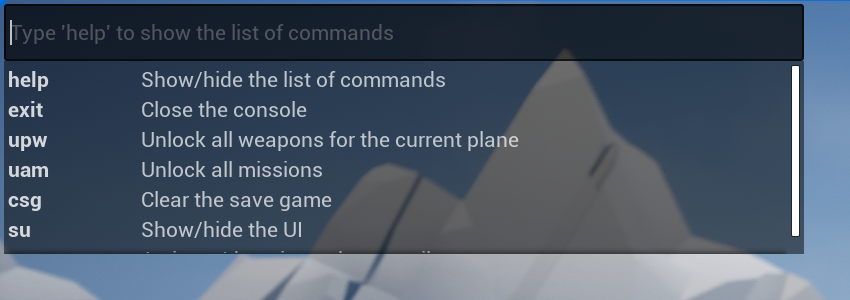
The game is still in alpha phase, which means that significant changes are made in each update and the save game is not compatible between different versions. In order to test features without unlocking them by playing the game, I've added a cheat console that allows you to instantly unlock weapons and missions.
The console can be opened either by clicking on the version number at the bottom of the screen or by pressing SHIFT + C (only while flying). The list of all currently supported commands can be viewed by typing "help".
Be sure to request commands you find useful and I will include them in the next update.
Full Change List
New Content
- Added airship hangar model made by Jure Račnik which replaces the pillar obstacles
New Features
- Added "Invert plane controls after roll" option which enables to fly backwards without inverted controls
- Added more display options
- It is now possible to destroy observation balloons with Le Prieur rockets
Cheat Console
- Added cheat console which makes it easier to test certain features
- It can be opened by clicking the version number at the bottom of the screen or by pressing SHIFT + C (only while flying)
- By typing 'help' you can show all currently supported commands. Feel free to request additional commands you think would be helpful
Upgrade to Unreal Engine 5.0
- Enabled global illumination powered by Lumen for higher lighting quality
- Enabled Virtual Shadow Maps for higher shadow quality
- Enabled DirectX 12
World Changes
- Added holes to the old mine to enable switching tunnels
- Increased the size of the tunnels in the old mine to make plane rolls easier
Campaign Mode Changes
- Added Continue button to the Mission Completed screen, which brings you to the briefing screen of the next mission
- Hangar screen will now be displayed after starting a mission from the briefing screen which lets you prepare for the mission
- Added new easier mission to the beginning of the campaign: "Le Prieur"
- Moved the "Vendetta" mission to the end of the campaign due to it's difficulty
- Simplified Mission Failed screen
"Secret Messages" Mission
- Made mission longer to prevent too much happening at once
- Added fuel pickups to prevent running out of fuel before finishing the mission
- Reduced pigeon count from 8 to 6
Other Changes
- Optimized fire and smoke particle effects to reduce GPU load
- Reduced level of detail of distant 3D models to reduce GPU load
- Renamed "Settings" to "Options"
- Created separate tabs for controls and display in the options dialog
- Removed "Joystick on the right" option which doesn't have any function in the Steam version
- Made messenger pigeon brighter to improve it's visibility in the old mine
Bug Fixes
- Fixed game not registering first click after launching the game
As always, thanks for playing Warplane Quest!
Martin