
For users who have bought and played VOIDCRISIS and those who are still considering buying VOIDCRISIS.
We were greatly encouraged by your comments, suggestions and encouragement in Steam Community, SNS, Discord and other places.
Thank you very much as always.
■ Update1.0.3
Yesterday (November 16), the game was updated to Ver.1.0.3.
Carried out the adjustment of tuning cost, condition adjustment and numerical correction of each memory.
We look forward to your valuable comments on the mall evaluation!
■About the online guide
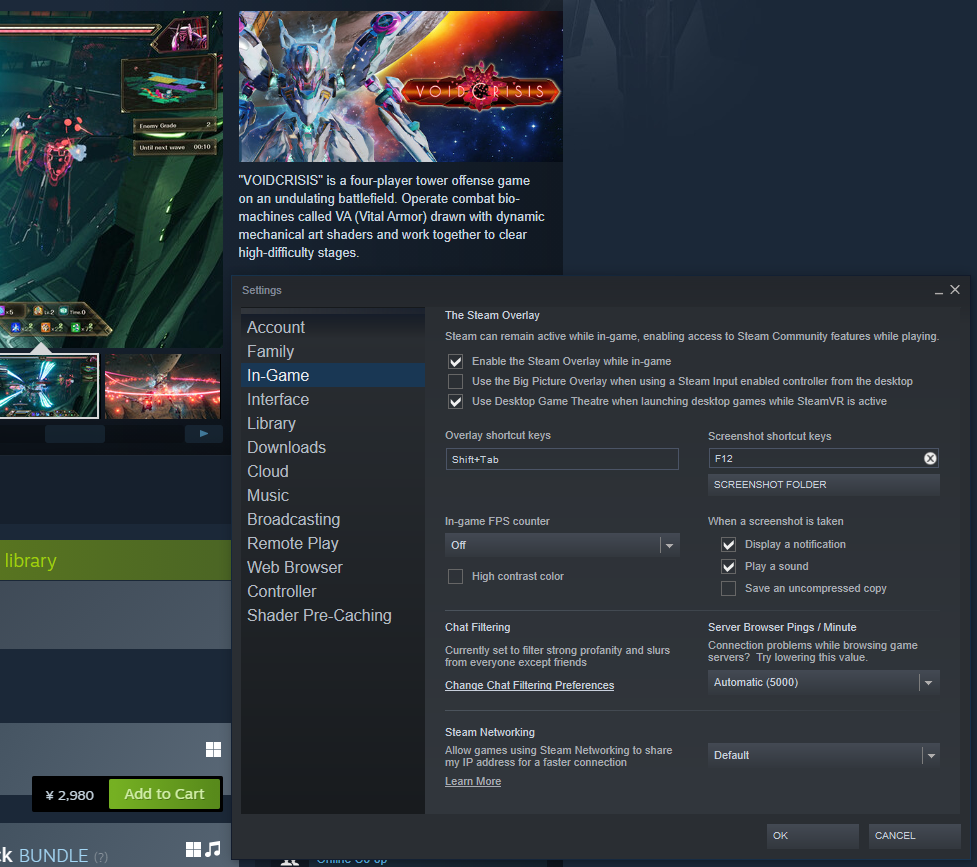
It is confirmed that the online guide cannot be viewed in the game according to the settings of the Steam client.
If you cannot view the online guide in the game, please try the following methods to enable Steam Overlay.
[Change the setting of the Steam client]
・Setting content
Steam>Settings>In-game> The Steam Overlay
Check "Enable the Steam Overlay while in-game"
****************************
****************************
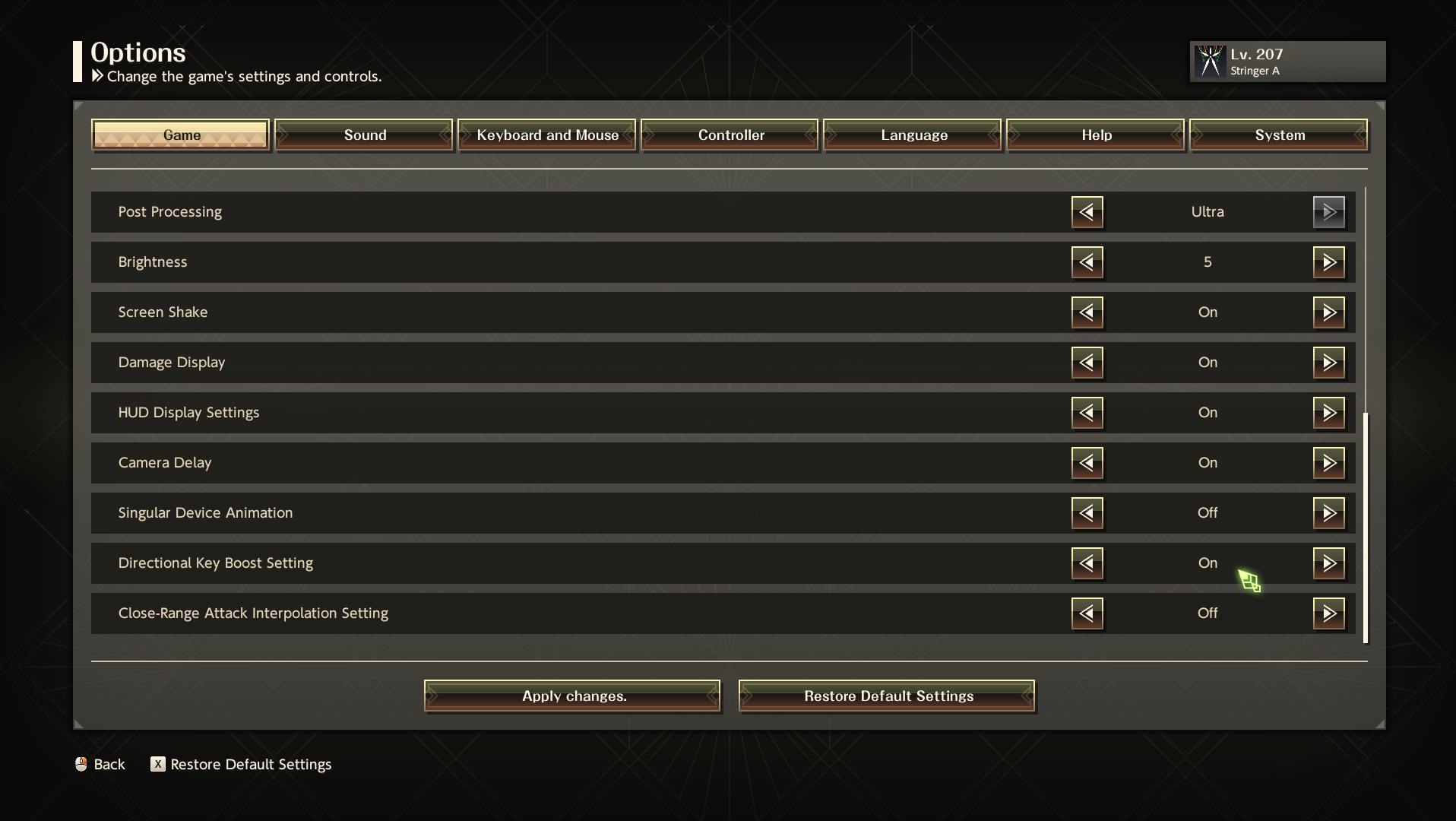
■About the movement of VA and BOOST
Press ctrl (keyboard operation) or A key (handle) to start BOOST, which can consume an energy tank for high-speed movement.
The BOOST can also be started by pressing twice the move operation of front, rear, left and right quickly.
※ Referenced from online guide p13 「 VA action 1 」
****************************
****************************
The default setting was canceled in the 1.0.2 update.
1.0.2 The default setting is still valid when the user has previously installed ・ played VOIDCRISIS (already been archived).
Please confirm the settings again and choose a way that suits your style.
We hope to see your comments on us in Steam Mall, SNS, the official website and other places.
Please support VOIDCRISIS more in the future!