
✨ New tutorial, network traffic inspection application, and console commands!
➕Added:
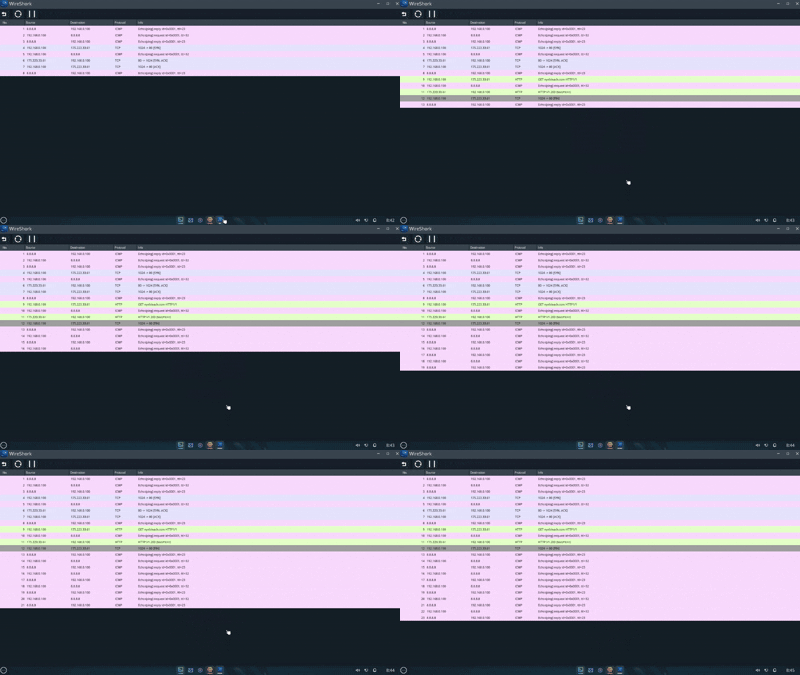
Added a network traffic inspection application — WireShork

Added console commands for the switch and router:
show ip interface brief — used to get a brief overview of the device interfaces.
switchport trunk allowed vlan — used to specify the list of VLANs allowed on a trunk port.
copy — allows saving and loading the current configuration to and from a file.
Configuration files are global and available in any game session, and they can also be shared.
Example (path is always tftp://user/):
Saving configuration:
copy system:running-config tftp://user/file_name
Loading configuration:
copy tftp://user/file_name system:running-config
Added a PC assembly tutorial.
Added an FOV setting.
Added a new achievement.
Added the ability to delete saved games.
🔧Fixed:
Fixed an issue causing the switch to reboot after loading a saved game.
Fixed an issue where the computer would not automatically connect to the network on startup or when a link appeared on the Ethernet port.
Fixed incorrect UI rendering on ultrawide monitors that prevented starting a new game.
Fixed saved game name validation issues.
Fixed a visual bug where Ethernet interfaces were clipping through device models.
Fixed broken table formatting for some console commands.
🔄Changed:
The penalty for an overdue task is no longer applied if the task was created less than 2 hours before the end of the workday.
Slightly reduced the probability of certain failures occurring.
Improved cable highlighting when hovering over the connector it is plugged into.