Hello! This is the first release candidate of 0.19, adding vector drawing to PixelOver with the new bezier shape and bezier line objects.
Please note that pre-release versions may be unstable.
How to access pre-release versions
Roadmap and news
Documentation and tutorials
New features
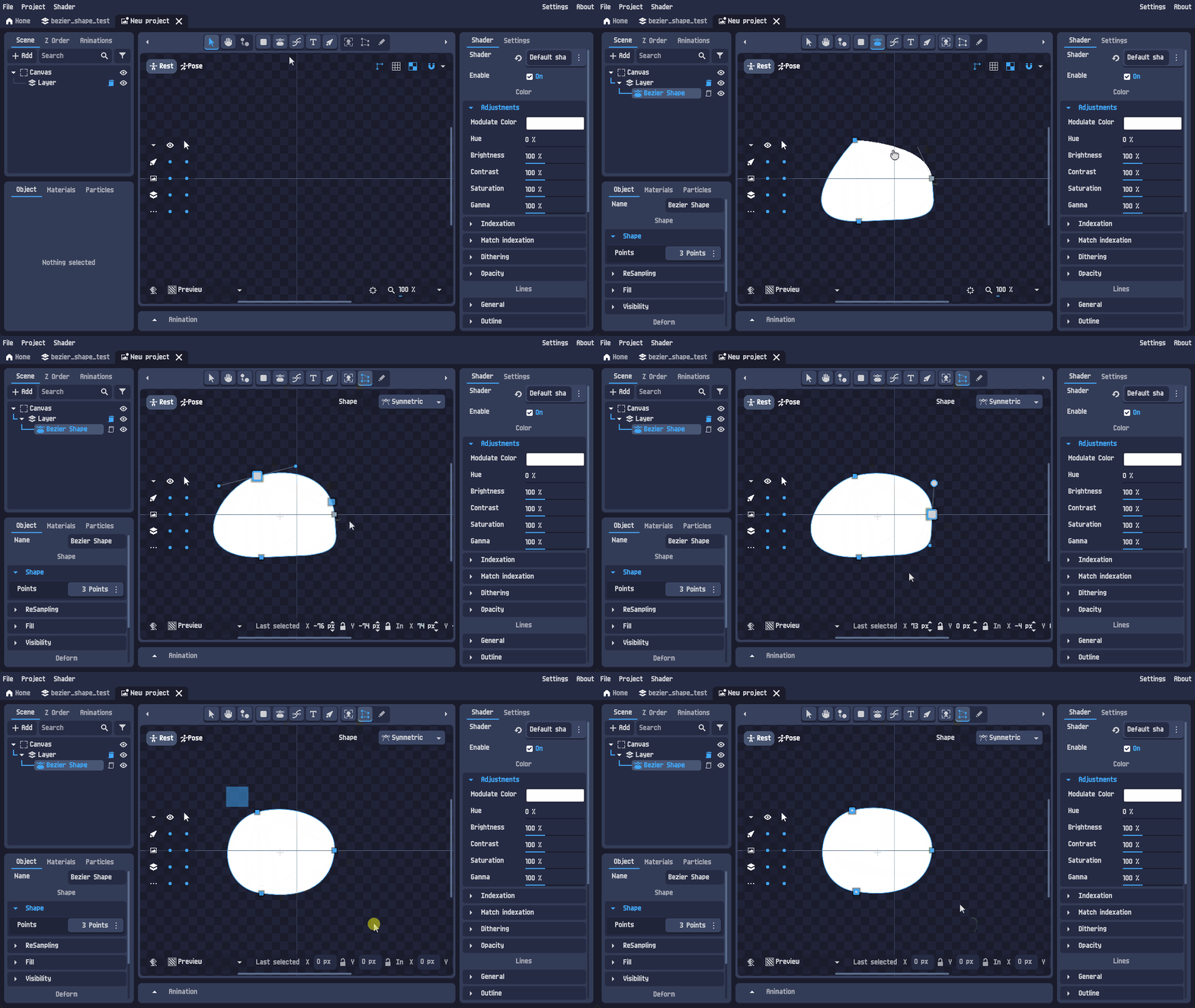
Added the bezier shape object : draw filled shapes with a pen tool, then edit them point by point.
- Pen tool to place points, with in/out handles and handle constraints (mirrored, aligned or free).
- Points and handles are editable on canvas with the deform tool, or numerically from the new point inputs.
- Solid color or gradient fill.
- Menu to align the shape with its origin.
- Conversion menu : shape to mesh, and shape to image or animated image (bake the vector result into pixels).
|
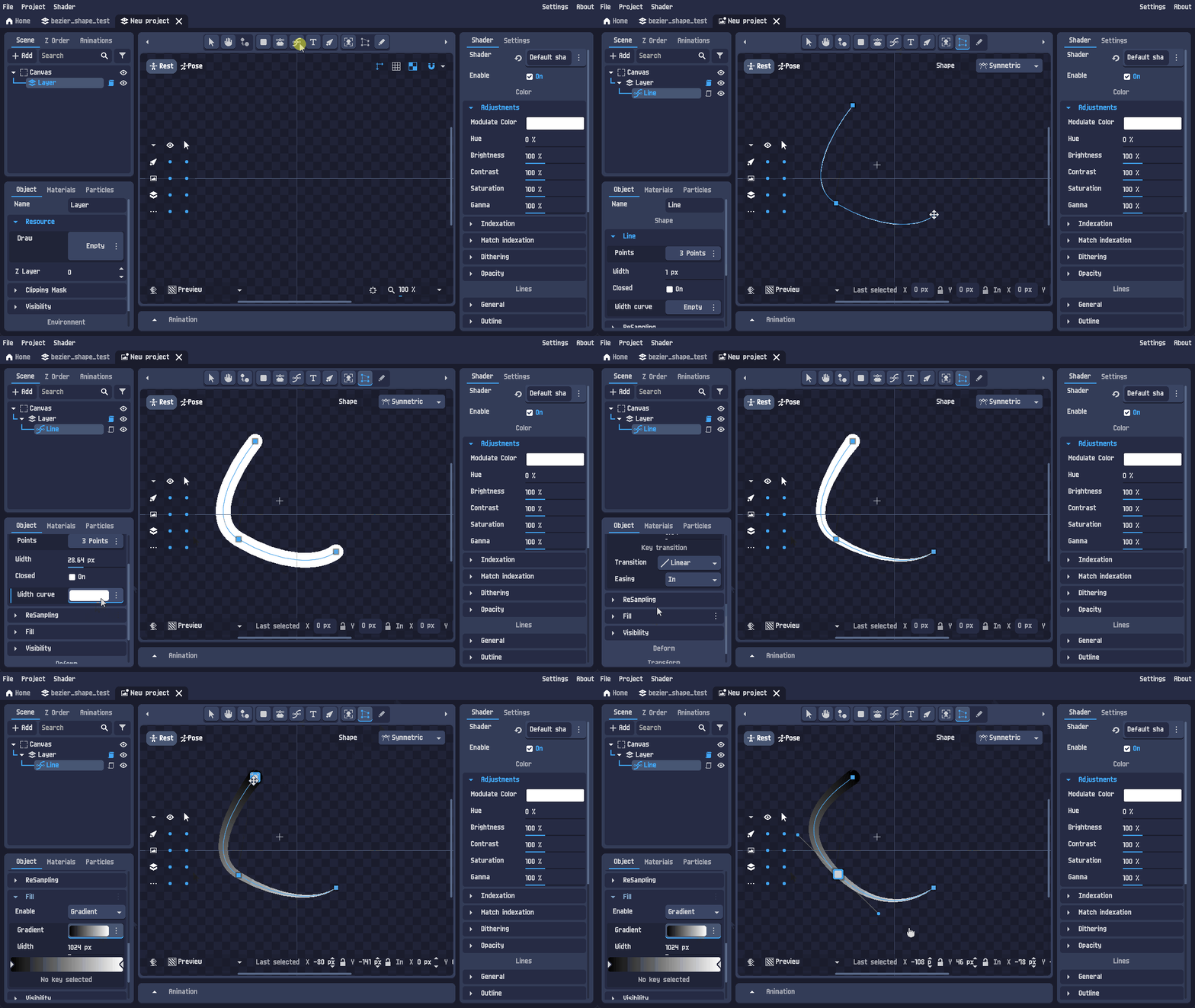
Added the bezier line object : same curve editing, but stroked instead of filled.
- Width curve to make the stroke thicker or thinner along the line.
- Closed parameter to turn the line into a loop.
- Gradient support along the stroke.
- 1 pixel wide lines are drawn with a bresenham algorithm for clean pixel art results.
- Align points to origin menu.
|
Changes
| Zooming on the animation timeline and the graph editor now targets the mouse position instead of the center. |
| Added an x/y swap button on the canvas size input, to switch between portrait and landscape in one click. |
| New setting to define a custom output folder for exports. |
| Added proper inputs to edit mesh points : point positions can now be typed in instead of being dragged only, and the last selected point stays visible while editing. |
Bug fixes
| Issue | Reference |
| Fixed the refresh when switching between the transform, deform and drawing tools. | (Not reported) |
| Fixed the font not applying on Text2D and Text3D objects. | Link |
| Prevented unindexed GIF from being exported with a dithering. | Link |
If you encounter any bugs or have feature suggestions, feel free to share them in the community forum. Thank you!