
The devlog for June's development is here! Please note that there will not be a devlog in July due to summer break. We will be back with a new devlog at the end of August/start of September to summarize the month of August.
Something new
By Maja - CEO, Concept Artist
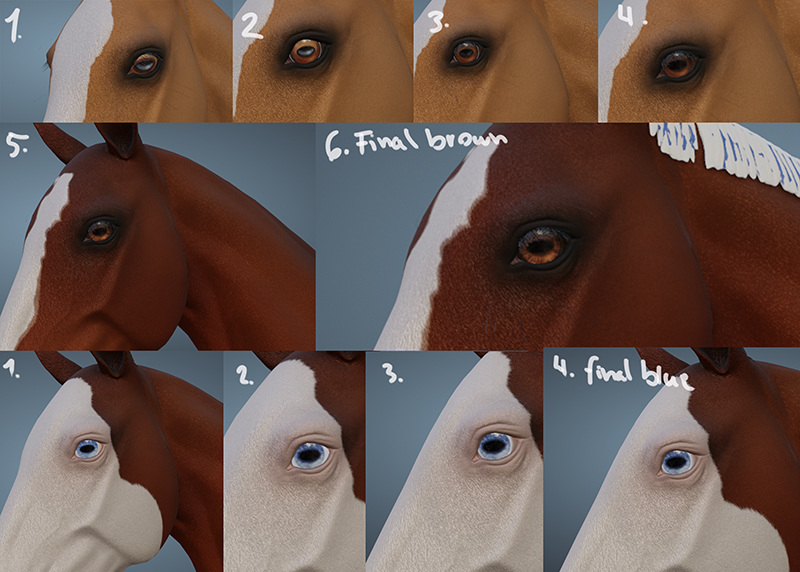
This month, I tried something new! And that was to create a texture for a 3D model. For a while, I’ve been wanting to update the texture of the horse eyes. They always looked a bit lifeless to me because they were made quite fast and a long time ago. I was thinking about that every time I looked at the horse in front view. However, there were other tasks the 3D artists had to prioritize over that. Then I thought to myself: “What if I could make the texture?” So Mathilde created brand new eyes for the horses, fixed the UVs, and I got the texture map so that I could start painting.
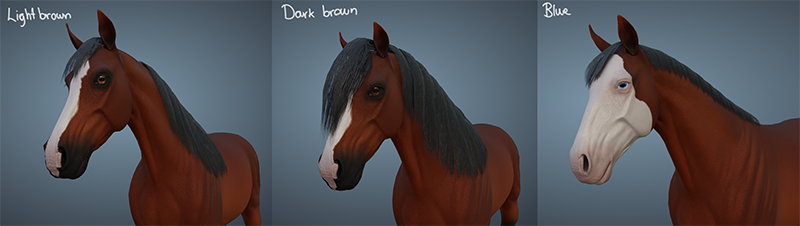
This proved to be trickier than I first thought. The first problem was to make the eye the correct size and have the correct placement, which was something I couldn’t see until the texture was on the horse in Blender. As soon as I figured it out, I made a few iterations of the brown eye. Something that could look quite dark and calm in photoshop, could easily appear too yellow and too bright in Blender. I looked up many references and saw that many horses had some blues in the pupil, so I tried to add that. But it did not turn out great, so I removed the blues and made it all black instead. Then I finally got a design that I and the others absolutely loved! The eyes looked so alive compared to the old ones. Next up was the blue eyes. The blue itself was quite easy, but the eye whites were challenging. But we figured out a balance between the whites and the pink. I made a darker brown variation as well, that also looks amazing.
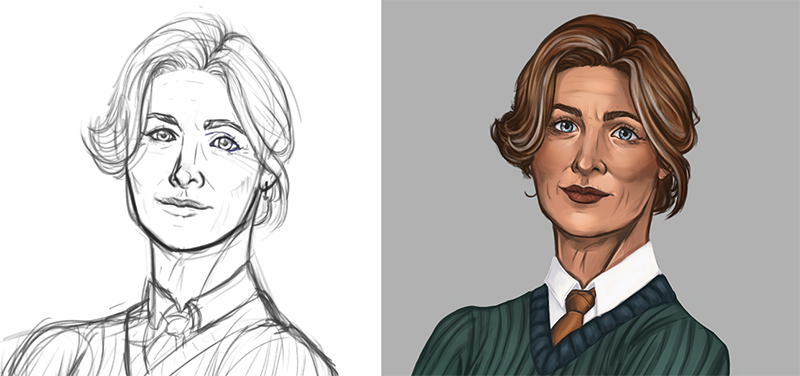
There was finally time to draw concept art for NPCs again. This time the main focus was on the player’s aunt, who is named Jorunn. I’ve written a more in depth Patreon post on the progress of Jorunn, so check it out if you are interested.
As a bonus I’m also working on an updated concept art of Einar. This has been a task I’ve been working on when I need a little break from other tasks.
For the horse creator UI, I needed pictures of all of the breeds. So Marius made them for me, with me giving lots of feedback on everything from posing to lighting and color. I was a bit unsure of the horse breeds should be in the same scale or it would be visible the size difference
in each breed on the little icons. So I asked our beautiful patreons to see what they prefer.
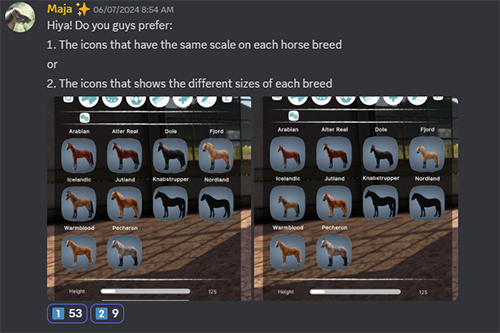
And as seen above, the vote was clear. They wanted same scale images of the breeds. They told me that the same scale one looked cleaner and more balanced than the other one. They also told me the horses were too small on the different size one. And I have to agree. The layer will view the true size on the horse when it’s chosen. I also received feedback on some other parts of the design that I changed.
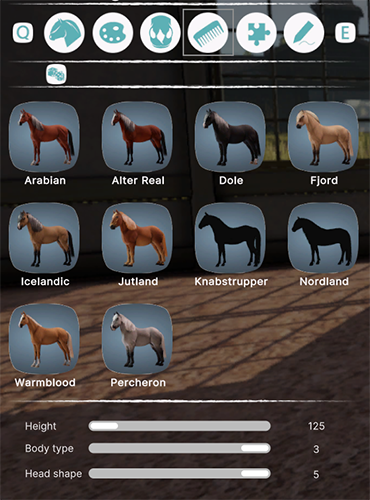
I have also prepared a design for the main menu. Though that one requires its own scene. But I think it will look very nice when it’s ready. I am so excited for the UI to be updated.
Upgrading horse hair
By Mathilde - Community Manager, 3D-artist
As mentioned in Maja's post, this month I helped out with the process of creating new eyes for the horses. This process was a bit back and forth, since I would get the textures from each iteration and making sure they fit the model in Blender properly. The eyes turned out amazing and I cannot wait to have them updated in the game as well.
While I have been working a lot behind the scenes on different subjects, I've also looked at ways to improve the horse's hair. As we all know, the current hair is thin and not moving. Although the short sport mane that our horses currently have is fine being thin, I have been struggling with getting a fuller look of the longer manes. The first thought was to try to make the mane into a solid mesh instead of using hair cards/planes. After testing this, we quickly realized that solid mesh hair would look too cartoony, so I went back to the drawing board.
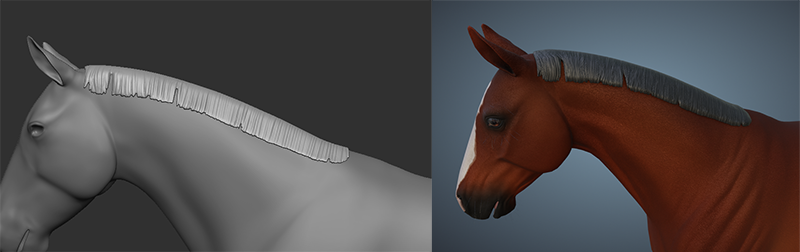
Since the hair cards need individual textures to be able to match the different coat patterns, such as tobiano markings, and the texture size needs to be kept fairly small, I decided to try to duplicate the hair cards and change their shape instead. This way, we could keep the same UVs and texture, but still have a fuller volume to the hair.
While working on the hair cards and seeing the animation work that Marius was doing on the long mane, I also realized that the longer hair cards really need an update. Right now, it looks like someone brought scissors to the stable and chopped the hair straight off. In the future, I will update the textures and make the individual strands at the end have more variation of length to make the overall hair look and feel more natural.
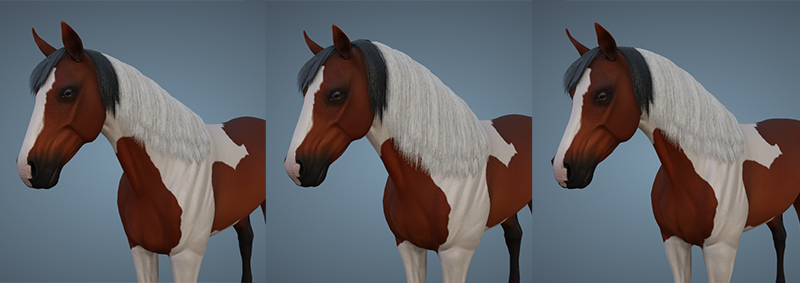
While this is nowhere near finished, it's a start and an improvement from the thinner hair we previously had. If you take a look at Marius' animation GIF further down, you can see the "before" of the same mane that you can see above. I also tested to see if the changes would work with our existing blend keys (what makes the mane fit the different breeds), and it seemed to translate fairly well.
From fields to forest
By Tirna - Project Manager, 3D-artist
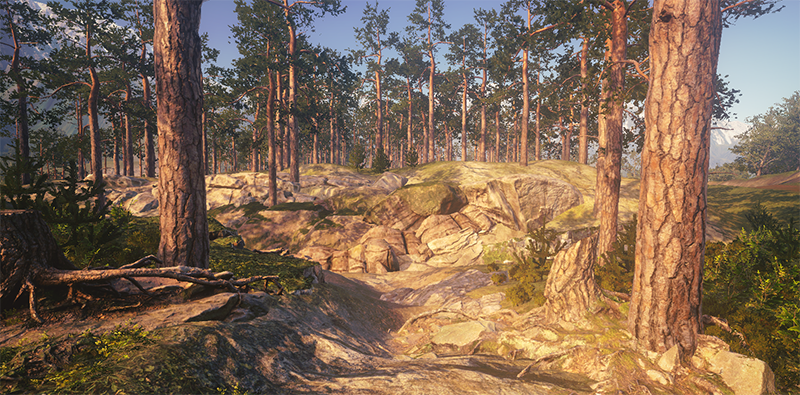
Since the last devlog, I have been mostly working on the forest, but also on creating a border around the property and reducing tiling as much as possible, as you can see in the pictures below.
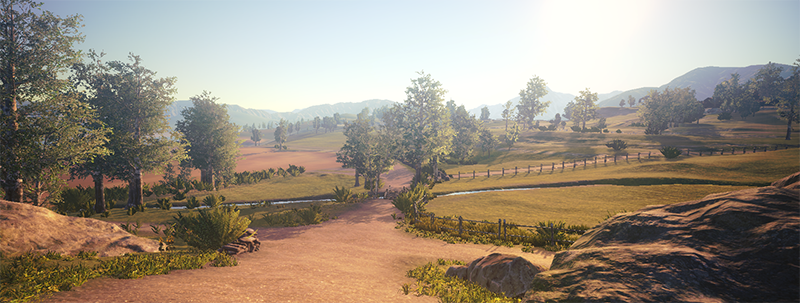
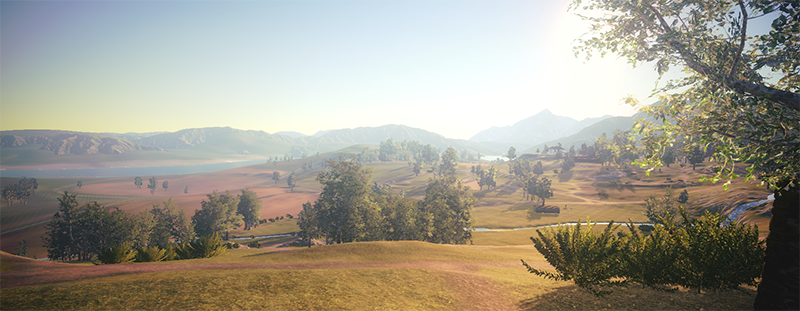
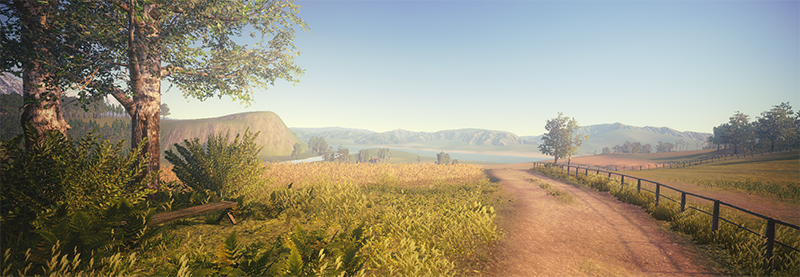
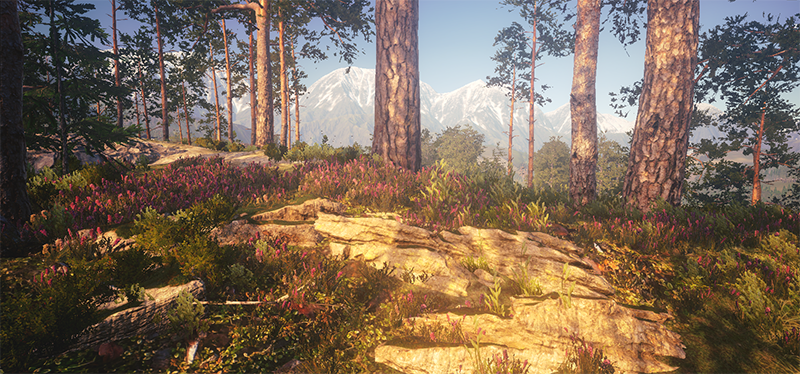
It has been a lot of back and forth with the forest. Here, in Norway, especially where we are located, we have many tall and straight pine trees. So, how do we make this interesting? Well, honestly, I’m still trying to figure it out. But I think we might be onto something.
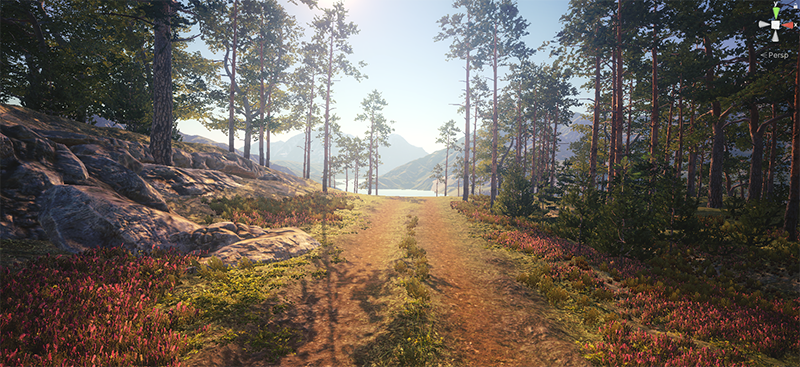
One clue is that the background is still important. If we were in a dense forest and got lost, it would be difficult to determine the right direction. Let’s say you want to get to the home stable, and you know it is close to the mountains. The picture above would lead you in the general correct direction. These are things we often think about now when making environments, which we didn’t do before. There will be parts that are denser and a little more closed off. But if you follow the road, you’ll never get lost. At least, that’s the goal.
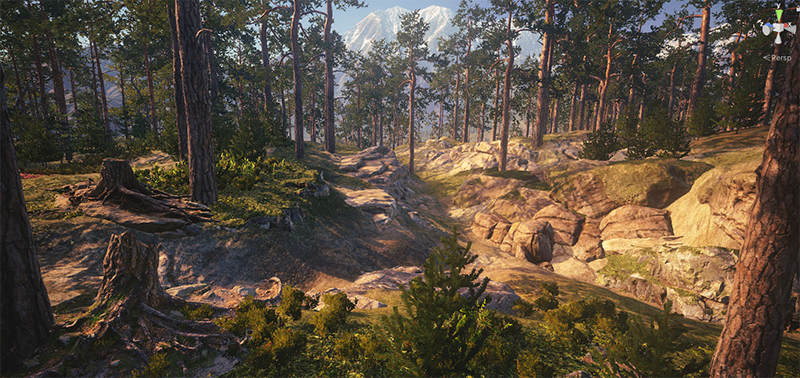
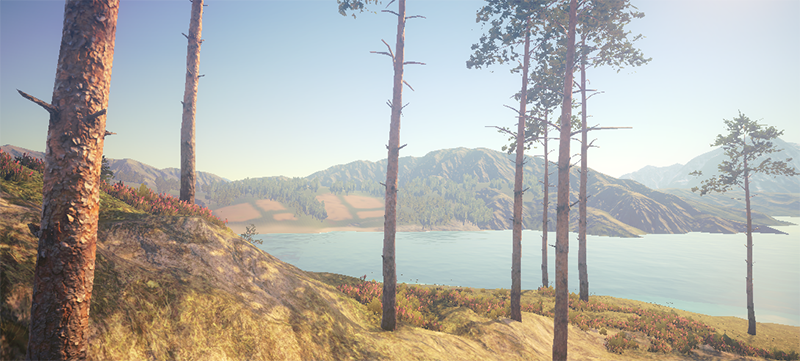
Comparing the background with the mountains to another direction, to the fjord! You are still surrounded by mountains, but they are not as tall as the others and have no snow on top. As you get closer, more of the water will be revealed.
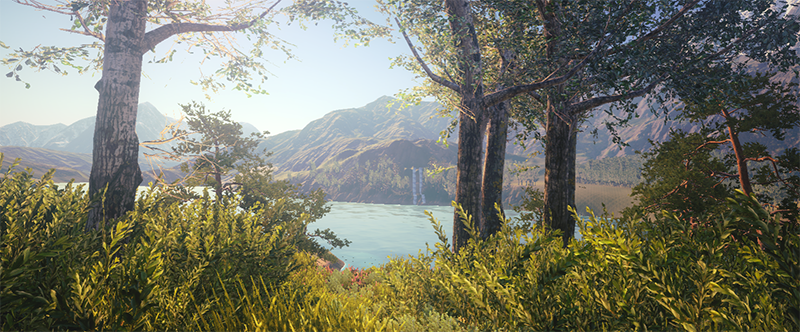
The waterfall will be worked on in a later iteration to make it look more natural. For now, we are just using it as a point of interest so we can frame the views from more than one angle.
We can’t wait to share the new environment with you! Most likely, it will be a work in progress for a while, even if we release it in early access. It is very important for us that you test it and give us feedback so we can improve the major issues.
Horse sizes
By Marius - Animator
In early June, I helped Maja make the images for the UI. While doing this, we had to figure out how the different sizes correlate to size in Unity. This led me to make a list of the different breeds with their median height as a base and find out what that would be when scaled in Unity as the base horse model (the Norwegian Warmblood) has a size of 1. I needed to calculate from what the height of that horse is modeled after would be scaled to be correct for another breed.

Above is an example of the Warmblood and the Fjord. I later realized that we will need the max and minimum sizes for actual implementation and customization though.
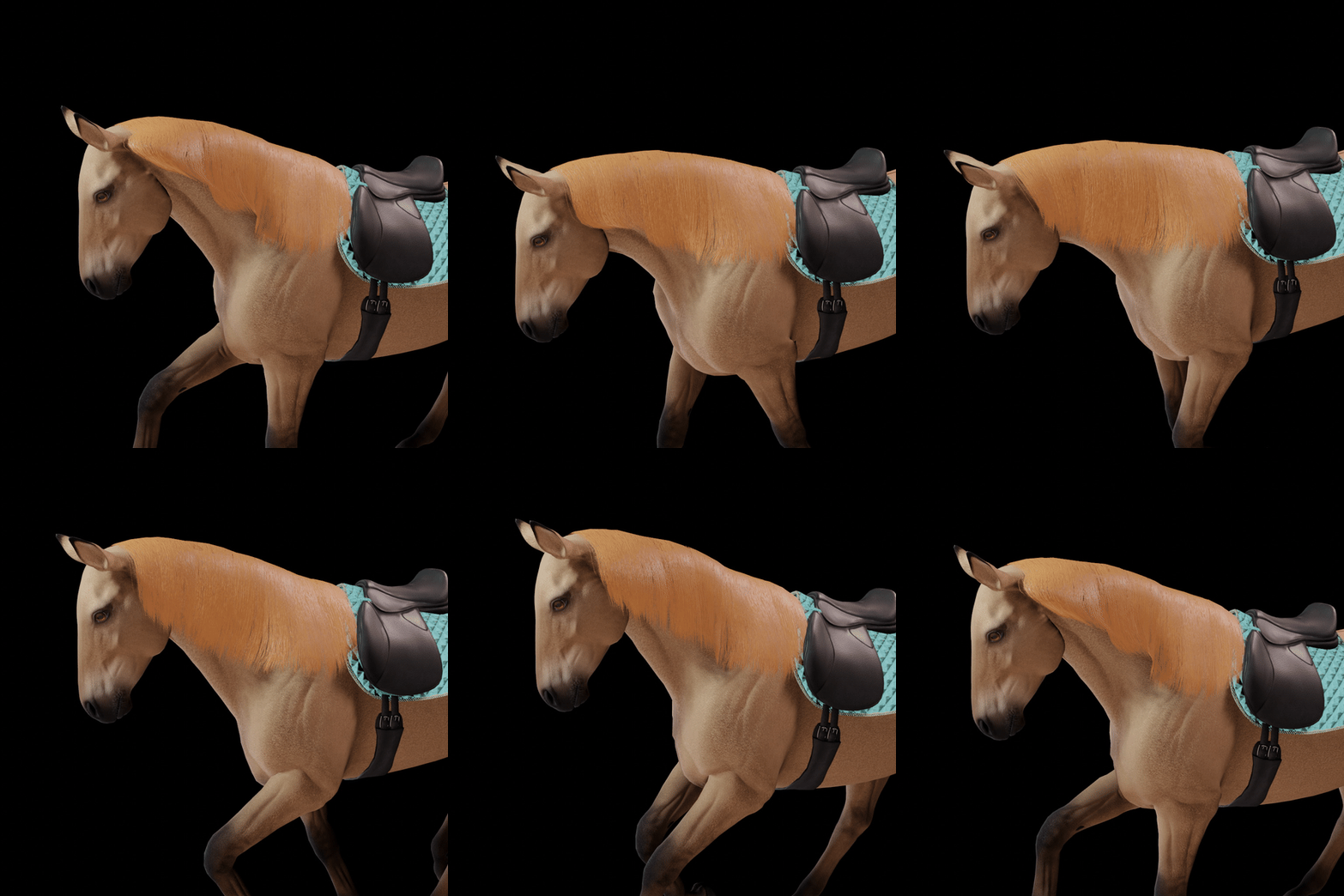
During June some of us went to a convention for game developers. During the convention I got to talking with someone that was going to have a blender workshop later. While talking I brought up a problem that has eluded me for many months now, and that is how I can make the mane move. For I could not rig it normally as the hair bones will follow the neck bones 100% but I needed it to work as if it was skinned like the mesh to work properly. He invited me to the workshop and said he could cover a solution he talked about that was exactly what I was looking for.
After coming back I used most of the month setting up the rig system from what I learned there. While a lot of time went for the actual baking, there was also some struggling with making the setup work with my physics simulation plug in as it did not work if there were other modifiers on the bones. While I have not tested if it works with blend shapes yet, it so far looks promising.
Quality of life
By Green Horse - Programmer
I’ve been working on a lot of backend upgrades to the codebase in June. By restructuring the code it makes it easier and quicker to iterate on new features.
Here are some improvements:
Instant play in the Unity Editor. No more startup nonsense. It’s also more interesting for the coding livestreams to be able to see changes instantly.
Execute console command with the prefix “+” when you successfully connect to a server. Useful for rapid prototyping of new features.
Run console commands from launch parameters given to the exe. Example: “-map Eldheim_02 -host_singleplayer”. This will make it possible to host 24/7 servers by wrapping the exe in a batch file monitoring for crashes. RCON will be implemented later to be able to control your servers remotely.
Much of June went into research of assets we might use in Astride and with that a bunch of prototyping of scripts we can use in development.
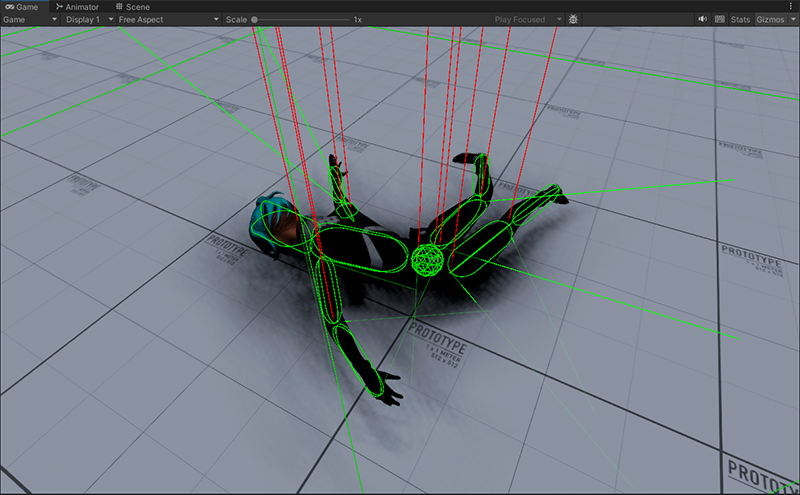
With Rukhanka I managed to create a networked ragdoll to test out the feasibility of having a ragdoll functionality in the game. This is not guaranteed to be a feature but if it works well then I want to get tossed off some horses. Rukhanka also moves the animation system to DOTS giving us all the performance that comes with it. There has always been some anxiety that we’re going to hit a limit of animated horses and characters but with Rukhanka the limit is increased by a massive amount. Rukhanka will not be implemented any time soon but it’s important to do early research on these things.
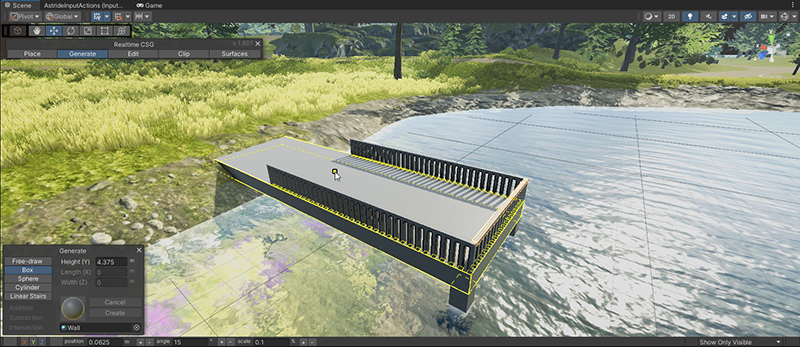
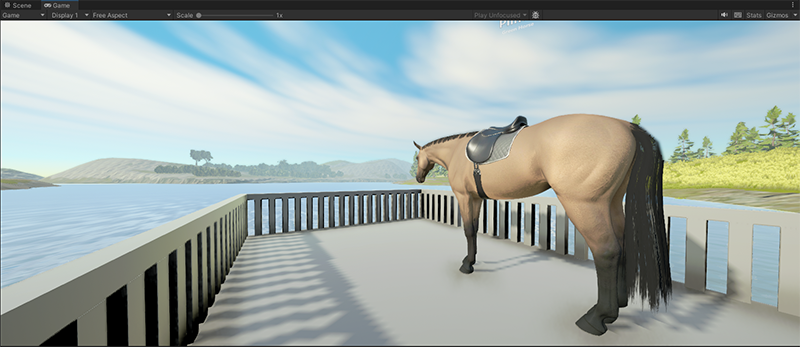
Realtime CSG is a Unity tool we use to block out levels using Constructive Solid Geometry. I’ve made maps in Valve Hammer Editor since the early days of Counter-Strike so this workflow is familiar to me. Really nice in contrast to Unity’s built-in tools.
We hade a livestream challenge recently where I'd make a feature in 3 hours requested by you. I prototyped a whistling functionality on stream to make the horse follow the player. I went through comments from our community and picked one that was feasible to do in 3 hours. Leave a comment on this devlog and suggest what I should make on livestream and I’ll go through them and pick one out.
Finally, I’ve been testing out an itch.io key delivery discord bot on some of our patreon members. Itch.io has a patreon integration but it only works for active patreon members so it doesn’t really work for us since our playtesting functionality is a permanent reward for bronze tier and up. We’re going to move playtesting over to itch.io when everything is ready.
Quest system & dressage
By Ouroboros - Programmer
I have spent some time this month working on the quest system, as well as the save system. A lot of time went into testing and debugging these systems, but I eventually got everything working the way it should. I updated the save system to save quest progress, which meant I also had to make some changes to how quests are initialized since that should only happen if they aren’t loaded from a save. I added prerequisites to quests, so that it is possible to control when a quest becomes available. A prerequisite might be that the player must finish another quest first, or that they have to complete a dressage course.
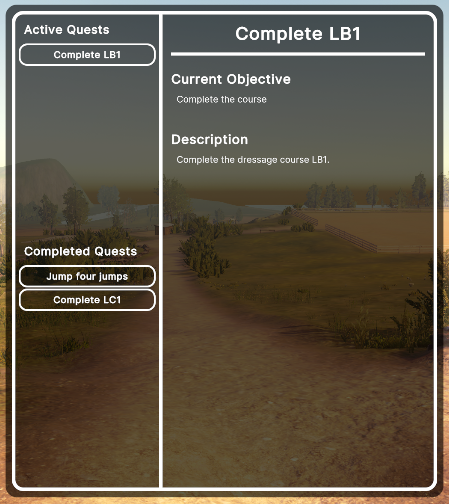
To get a small change of pace, I decided to do some work on dressage. While show jumping and dressage won’t be a priority this year, we have had plans to do some work on them. The first thing I did was to upgrade the bezier curves we use to make the courses. They weren’t particularly user friendly, and making the dressage courses was slow work. The changes I have done make it much easier to add, move, and delete control points, which makes it faster to create the desired curve.
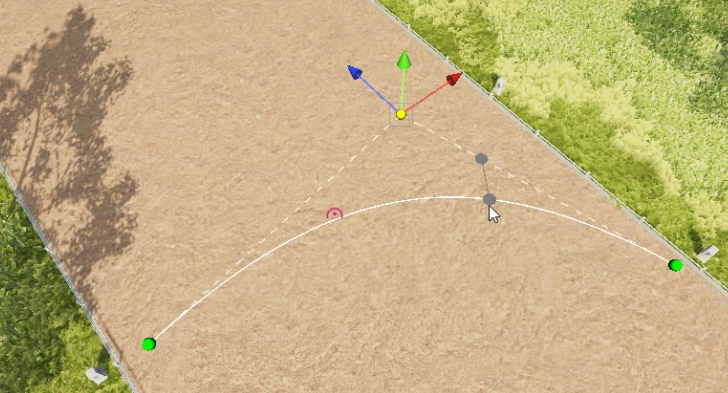
One of the things I wanted to implement for the next iteration of dressage was transition points anywhere on a curve. “Transition point” is what I call the circles that indicate where to change gait and what gait to change to. In the current implementation, they can only be at the beginning or the end of a curve. A gait is assigned to the curve, and if the gait is different from the previous curve’s gait, a transition point appears. Because of this, it wasn’t possible to have several gait changes along one curve, or to have a point on the middle of the curve where the player has to halt. This is now a thing of the past. Transition points can be added at any point along a curve, and there can be as many or as few as is needed. A transition point can be for changing gait, or for the player to halt a set amount of seconds.
Having made changes to the curves and transition points, I had to make some changes to the actual dressage system as well. The player won’t notice much difference, but I added logic that checks for transition points along the curve and what kind of transition point it is (gait change or halt). A gait change transition point will score the player based on how close they are to the point when they change to the correct gait. A halt transition point will give a score based on how close to the point the player stops, and how long they stay before moving in relation to the time they are asked to stand still. Players will be awarded points for moving along the curves at the correct gait and without straying too far away. A course is divided into steps (tests?) where the player will be awarded the points at the end of each step. The score for a step will be the average of all the curves and transition points that were a part of the step. The score system still needs tweaking and testing, but we’re getting there.
-
Please be aware that the content featured in these devlogs represents an ongoing work in progress and may be subject to further changes. We are committed to continuously developing and refining our game. To stay informed about the latest updates and connect with the rest of the Astride community, we invite you to join our dedicated Discord server community here! For additional information about Astride, please visit our official website.