
In January, we focused on giving Astride some exciting upgrades. We polished up the plans for UI for show jumping and dressage, brought in a bunch of new obstacles, streamlined building workflows, and explored the world of sound design. We also tackled crashes, improved game performance, and had some fun with hoof sounds and visual effects.
UI design
By Maja - CEO, Concept Artist
UI for both showjumping and dressage has been the main focus for me. I’ve done research, sketched out ideas, and brainstormed together with the team. I’ve also asked our dear and kind Patreon supporters for their opinion on the show jumping part and I have gotten a lot of great feedback and insights, which has been quite helpful. The key to creating UI for the kind of style we have for Astride is to make it very simplistic and clean while also being easy to understand.
For show jumping, many people would like the option to turn off the UI, this is something we have already planned, so it's great to hear. However, the actual visual UI is there to guide the player to complete the courses so it is important to create something easy to understand. The striding system will also be getting a new UI, but we have to do a lot of testing on this to discover what’s the best way to go.
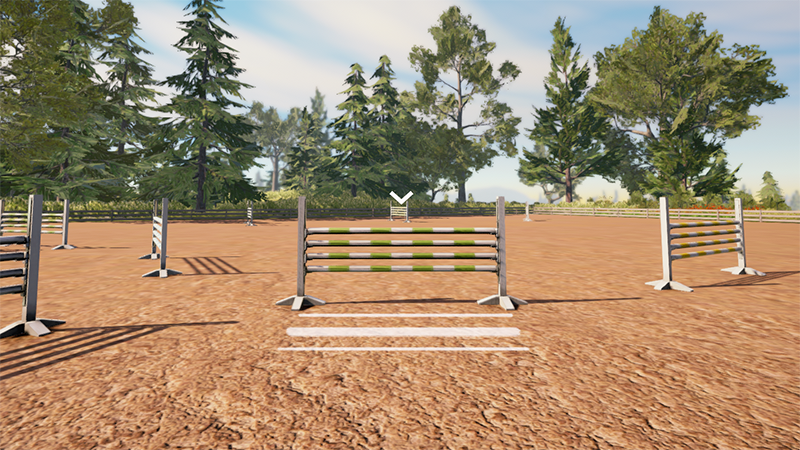
Dressage is the hardest one to create because there is a lot of information that needs to be delivered to the player in a short amount of time. One thing is to make the player know where to go. Another thing is to give the player the information to know when and where to do the right gait, move, or desired speed. For example, flying changes, which is to switch between right and left canter in a certain tempo. Or trotting from C to M and then starting a passage move from a certain spot.
After some brainstorming, we found a great solution to this. I will be continuing to create the first iteration of this. When you are riding a dressage program in real life, there is no visual representation of where you are supposed to ride and what to do where, and when. All in all, there is a huge amount of text within these programs, and for a game where things will be kind of fast, it’s important to get the player to understand what they are supposed to do and when. This will be interesting to test in the future.
Colorful obstacles and horses
By Mathilde - Community Manager, 3D-artist
A new year of development has just begun and I am excited for the year to come. Lately, I’ve become more hands-on within the Unity engine and I am glad to be of more use directly connected to the development and not just the creation of assets.
The start of the month was spent mostly on planning the year, making schedules, and adding more features and content to our Game Design Document that will be needed for this year.
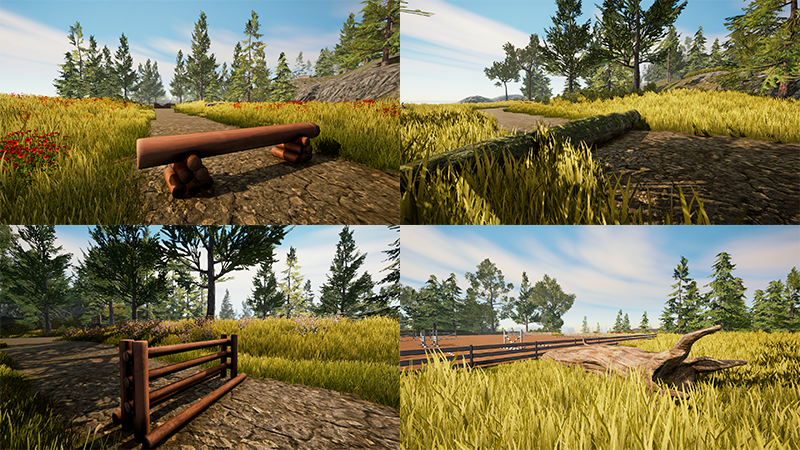
While I have started working on another horse breed for Astride (spoiler; it’s the Norwegian Dole horse), I’ve been more prioritized with making the game more fun with what features we currently have available. At the end of December, I shared my first attempt at creating a new obstacle that the players could jump with their horses. The result was a few logs placed around the map that were jumpable. While this was a very fun thing to work on, it was just that one type of log and did become a bit dull after some time.
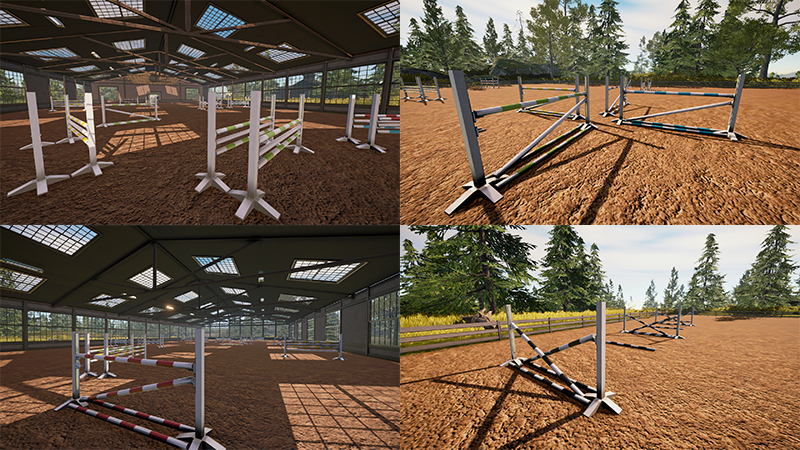
In January, I challenged myself and not only created more natural jumps, such as logs, fallen trees, and cross country obstacles that Tirna made a while back, but I also created more diversity in the show jumping obstacles. Different verticals, oxers, triple bars, cross rails, and ground poles. I really enjoyed working on the new jumps as it instantly gave more diversity and colors.
Since we don’t have a system for switching through or creating custom show jumping courses yet, I wanted to switch up the jumps in the indoor arena and the big outside arena. For the inside arena, I wanted to see if we could get a show jumping course with 12-13 jumps under one roof. With help from Maja to design the course, I removed all of the previous jumps and replaced them with new ones. I also played around with the colors of the poles so that they’re not all just in one uniform color for each jump. For the big outside arena, I wanted a drastic change from the randomly placed jumps. I wanted to give it some intention, and what’s better than exercises to test player skills? This was also a great way for me to test distances between jumps and stride lengths in both canter and trot.
When I had all the new jump/obstacle variations finished, it wasn’t long until the newest patch was going to be released. I was adamant to get the new jumps in place for the patch and I am glad that I was able to push for it. Post patch release, it looks like people have been enjoying the new jumps and that the big outside arena has turned into a playground of different jumping exercises.
Building modules and Viking tack
By Tirna - Project Manager, 3D-artist
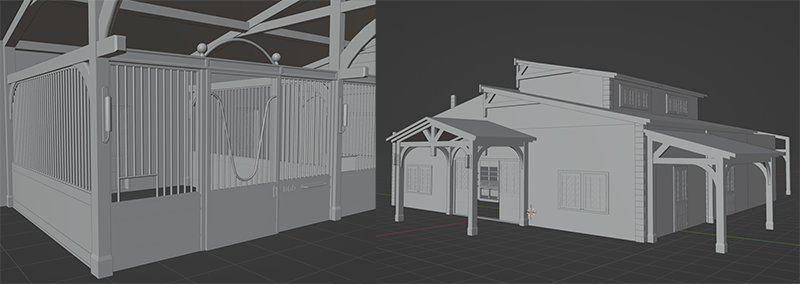
As many of you already know, we went through a lot of changes right before Christmas. This involved defining the core elements of our game, making tough decisions, and taking necessary steps to ensure the game reaches its most complete state by the end of 2026. In the process of these changes and planning, we also revisited older pipelines and documentation. One of the pipelines I've been focusing on is related to buildings, specifically the stables. This indicates that we are likely to introduce a stable model later this year!
As mentioned above, one of the pipelines we are addressing pertains to buildings. The initial iterations leaned towards creating as unique elements as possible, but they weren't optimal. Therefore, the new workflow is based on simple modules that can be assembled to create a somewhat "boring"-looking shoebox or other shapes. The key to making them stand out lies in the details and decorations placed on this model. The primary reason for adopting this method is to enhance the level of detail at the lowest cost. It will be more based on materials rather than creating unique textures, saving us time that can be allocated to more critical tasks, such as environmental design.
The new workflow makes it easier to change out materials and rapidly construct stables, houses, and other buildings. We can't guarantee that this will affect the gameplay, but for us at Raidho, it translates to a faster pipeline and setup in Unity with better-optimized buildings and higher quality textures. The previously made stables and stable modules will be taken into consideration during this process.
This tack set is a one-of-a-kind, which means this tack set will only be available from a certain Patreon level in the future. These are details we are yet to figure out, but we know that we want to give back to our loyal supporters. The 3D model will not be available in other skins in the game either. So, it is truly a one-of-a-kind tack set. It is inspired by different types of tack, both baroque, medieval, and Viking. The decorations are heavily based on the Viking patterns that they carved into wood and other materials. It still might go through a few minor changes and polishing, but this is basically it!
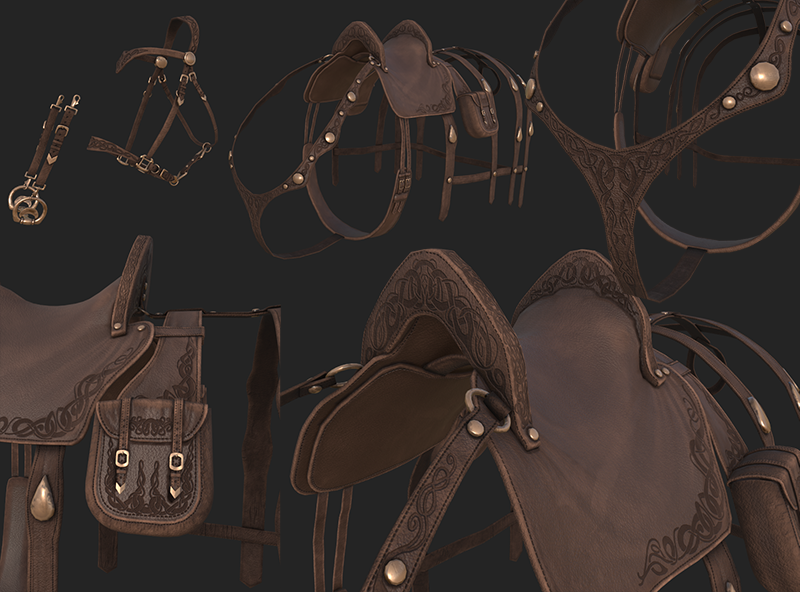
The Viking fantasy tack set includes:
- Saddle
- Distance bridle with unique detachable bit, for bit and bitless/halter option
- Saddle pad
- Saddle bag
- Decorative harness and chest collar
The sound of hooves
By Marius - Animator
On the animation side of things we are at a place where I feel comfortable enough to temporarily shift my main focus, so I started 2024 with shifting my main focus to sound. I have mainly been working on building the framework for playing sounds in-game and discussing with our sound designer.
First and foremost I needed to be able to play the sounds. At the start of the month it was scarce with the variety of sounds I had access to, so I started with the music as I already had the files I would use in the beginning. Most of the work there was just learning the basics of the sound software and how to integrate it into Unity. I set several progressing goals for myself as I am quite green in this area of development.
The first goal was very basic: Play one melody on loop at startup.
This was about as simple a task I could think of that had a clear testable benchmark for when it was done. In retrospect it was maybe too easy, but then and there; it was a lot of knowledge I just didn’t have yet and served as a good starting point. There were a lot I could infer, like I see there are two components named listener and emitter; I should probably have at least one of each, but other than that I was quite clueless. The first goal itself sorted itself out quite fast though, after some tutorials here and there.
While I got the music playing I was also discussing with our sound designer if he had some sound effects ready. He did have a repository from the recording session last year, but he wasn’t quite happy with how the recordings turned out and wants to re-record them some time. But it gave me something to work with and I started setting up the system, the sound files can always be updated at a later time.
I started working on a system to change music between the main menu, horse creator and the game world. But while trying to figure out how to do it I got requested by the sound designer to make it possible to play hoof sounds when riding, as he wanted to start working on those sounds. And while I already had started on the music side of things, I figured it would be best for me to enable him to work on sounds as unhindered as possible, so I switched to figuring out a system for stomp detection. Apparently from my research: the usual way to do it, wouldn’t necessarily work with our animation system. This led to me to find other ways to do it and ended in a system that reads the hoof height to determine if it is on the ground or not.
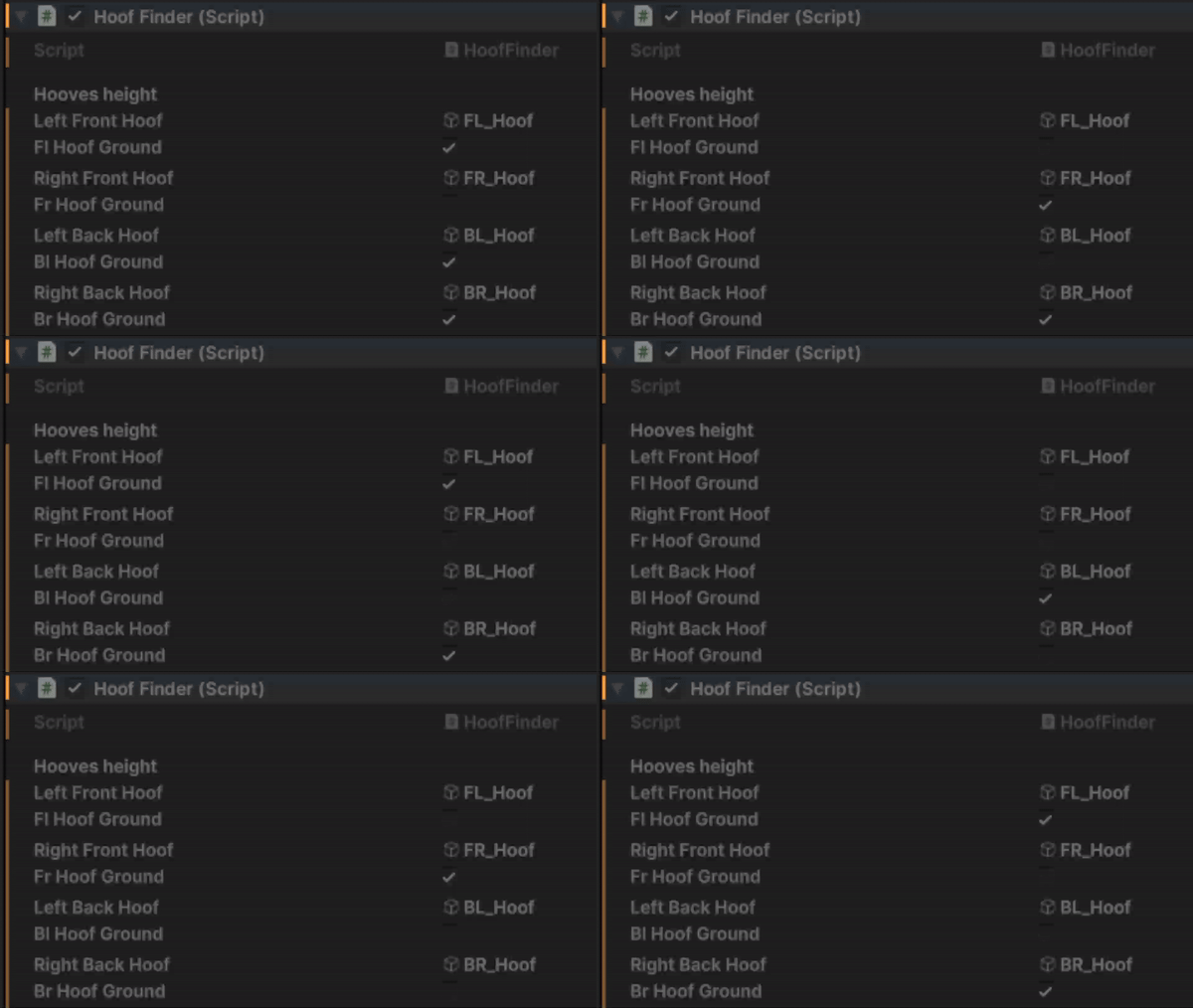
While that script worked as a proof of concept, it didn’t actually work for the intended use. I had to find a way to make it compatible with what I wanted to use it for. I personally am not a programmer, and while I know some basic code and find coding somewhat fun; I don’t have the experience to intuitively know or suspect what should be done and I won’t bother the programmers for every bump in the road. It was time for a learning adventure!
I did find the solution for proper detection after a lot of trial and error before being reminded that UnityEngine.Events exist. Now that I had the stomp events firing properly I needed to make it play the hoof sounds.
While working on the system I made an object with the sound emitter for hooves. The idea is that every time a hoof strikes the ground this object gets spawned at the hoof position and plays the sound. Before I got the hoof sound working I added a cylinder to the object to show that it got spawned.
While I don’t have footage of it, before this stage there were several problems I had to fix. First and foremost: before I remembered the event system it spawned a new cylinder every frame a hoof touched the ground. Which is a good way to fry your pc. To combat this new problem I had to set a limit to how many there could be at any time as a precaution, at least until the spawning script is functional.
Finally I could add hoof sounds to the objects, which in of itself was easy at this point and went really smoothly, especially when working together with the sound designer.
Later the audio files got improved a little so it did not sound so much like digging dirt in Minecraft. There was also a problem with a setting that resulted in only playing a maximum of 3 instances of the hoof sound, which is not enough when you have 4 legs. This got fixed later by our sound designer.
At this point I felt I needed a breather from sound and decided that I could exchange the cylinders (that I had hidden at this point) with actual visual effects like kicking up dust. I always planned to use the same system I made to add visual effects too, so I could just as well add something simple now.
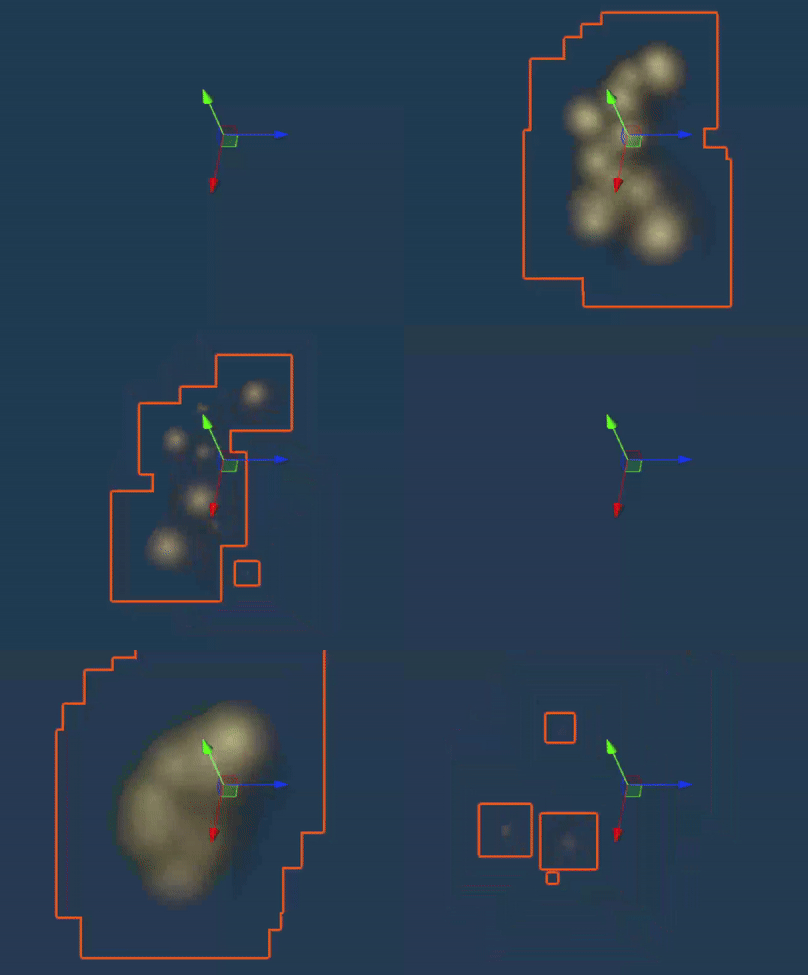
After reading up on particle systems, I tested a little and came to a setup using two particle emitters. One for width and one for the main concentration of dust. These get played at the same time when hooves strike the ground. So far I think I’ve found a decent setup for kicking up dust as it is visible but not too intrusive. It still needs a lot of work though. Especially considering different surfaces.
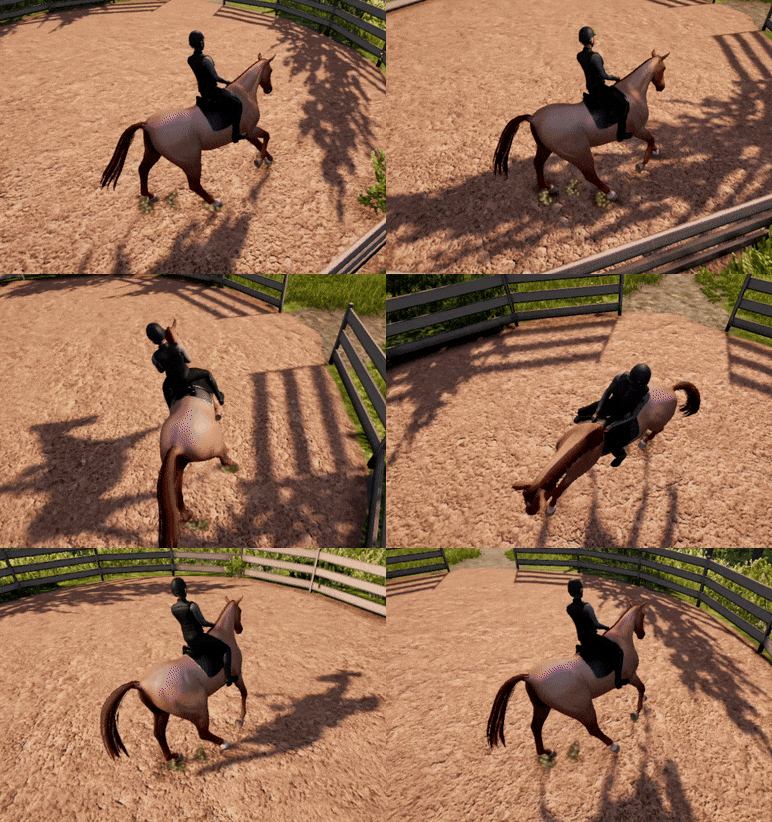
These changes have done a lot to improve the feel of the horse when playing even in the early stages of sound and VFX design. Forwards I will look into optimizing the hoof system, as spawning new objects and deleting them again is not the best way to do things and can become heavy for the computer. So I’ll probably make a pool of them and reuse the sound and VFX emitter objects to make it easier to compute.
Optimization and imposters
By Green Horse - Programmer
In December and January I've mainly been figuring out why the game has been crashing and implementing a fix for that in the latest update.
Calculating lights and shadows every frame is not optimal, so we can reduce the time it takes to render a frame by baking the light information into the surfaces themselves. However, it didn't really work out in the end, so I dropped it for now. There are more important things to do at the moment, and I'm not a technical artist, so it's not my area.
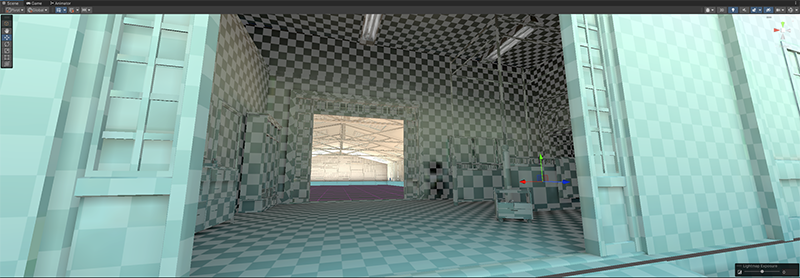
Bakery Lightmapper in action
LOD levels and impostors are important for rendering objects at the highest quality at all times. Level of Detail (LOD) exists to make objects swap between different quality levels based on distance, allowing for a seamless transition between levels. The goal is to cross-fade between these levels so that it's not noticeable. At the very last LOD level, there is usually a simple 2D image of the object.
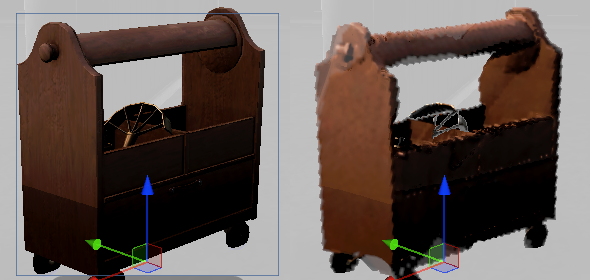
The left shows a full-quality object, while the right shows a 2D image
The game consumed around 10 GB of memory more than it was supposed to due to a fault in Automatic Shader Variant Stripping. Unity should strip these automatically, but we had to manually tick off every feature we didn't use in the game to reduce the shader memory usage to around 0.6 GB. This made the game finally playable for a lot of users with lower-end devices.
I've started live streaming regularly and I have some long-term plans that I'm working on. One of the goals is to have a 24/7 server up and running. We usually have around 10-15 players on the livestream server and it's fun to do trail rides together, so I'm hoping to create some sort of community server for people to hang out in.
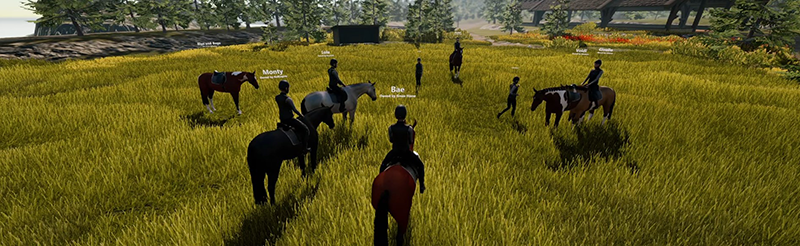
In the future, viewers should be able to have a tiny horse living at the bottom of the screen and interact with it through channel points while the stream is running. I've made a simple Unity application that hooks into the Twitch chat API to be able to read and interact with the chat. I will experiment more with this in the future when I have the time.

New UI system
By Ouroboros - Programmer
I have spent most of this month working on UI. This will be important going forward as we focus on gameplay and will have a greater need to convey information to the players. We decided to swap to Unity’s new UI system, UI Toolkit. The main reason for this is that it is easier to work with for people without programming knowledge. Making changes to how the UI looks will be easier, faster, and won’t require a programmer unless new functionality is added. Migrating to UI Toolkit was also a good opportunity to go through the code behind the UI and do a bit of cleanup.
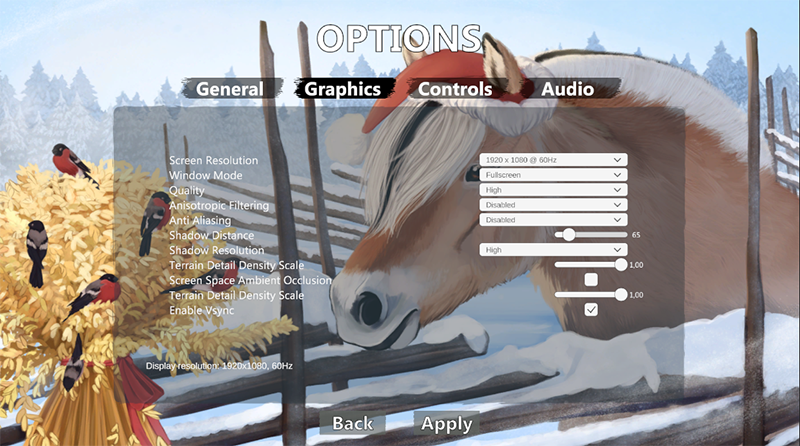
Old UI
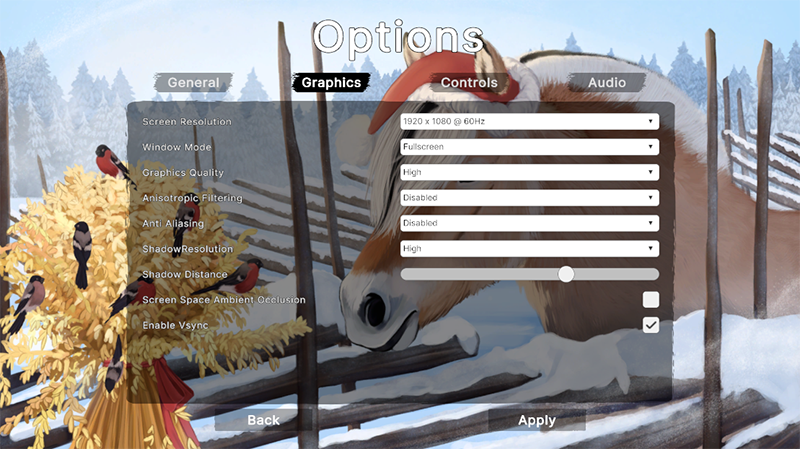
New UI
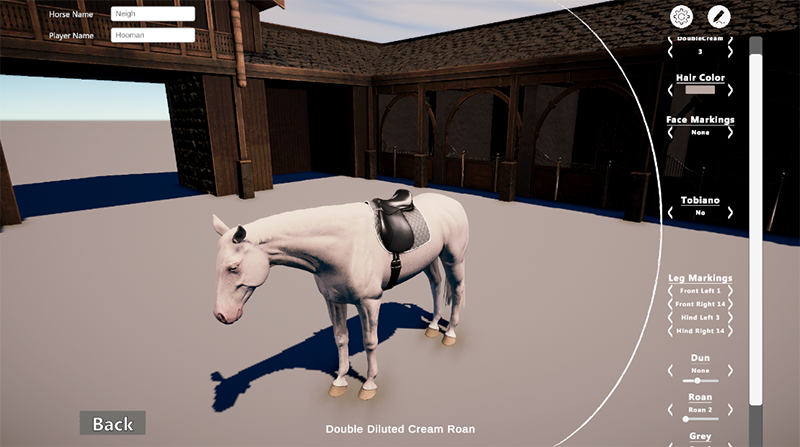
Old UI
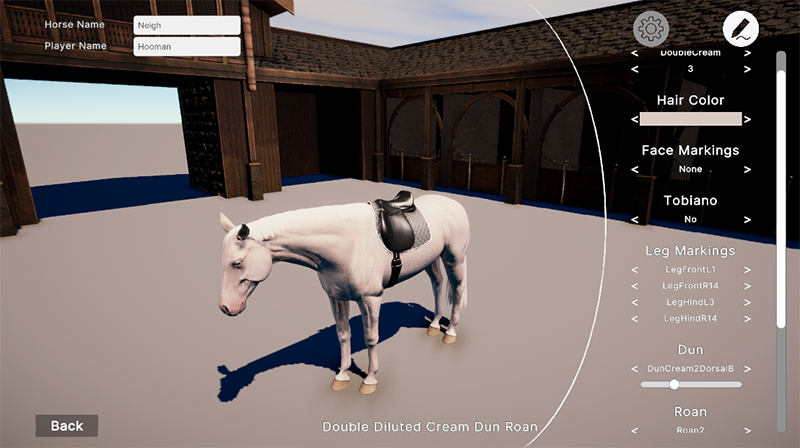
New UI (is liable to change before it is released in an update)
Please be aware that the content featured in these devlogs represents an ongoing work in progress and may be subject to further changes. We are committed to continuously developing and refining our game. To stay informed about the latest updates and connect with the rest of the Astride community, we invite you to join our dedicated Discord server community here! For additional information about Astride, please visit our official website.