This is it.
Chapter 2: The GM Update is out now for everyone to play!
https://store.steampowered.com/app/1710740/Dungeon_Full_Dive/
Chapter 2 is DFD’s most ambitious and biggest update yet. This update was made based on your feedback and requests and there are a LOT of changes, new features, and improvements.
So much, that Rachel and Lyria have even prepared a special video for you all just for this update and to go over what’s new in Chapter 2.
So be sure to check it out!
🎉 Celebrate with 20% Off & Free Player Demo!
Before we dive deep into the details of Chapter 2, we wanted to say a big thank you for your support!
As a thank you and to celebrate the kickoff of chapter 2, we're offering an exclusive 20% discount on DFD until next week only (December 11th)!
Plus, don't forget that you can have a sneak peek of Chapter 2 with your entire party by downloading the Free Player Demo. Unsure yet if you want to dive in with the whole group? Only during December, you have the chance to experience the excitement of DFD for free! Learn more about the limited demo [here].
🆕 What’s New in Chapter 2?
🎲New Features
Music & Ambience Board
You can now add music and ambience sounds to your game with our new Music & Ambience Board. On top of that: Each ambience and music track also has an intensity slider so you can customize your listening experience:
A little rain can turn into a massive storm, or distant wolf howls can suddenly feel like they're right next to you.
Is your party low on health and about to go down? Crank up the intensity! The music changes at your demand.
Fog of War
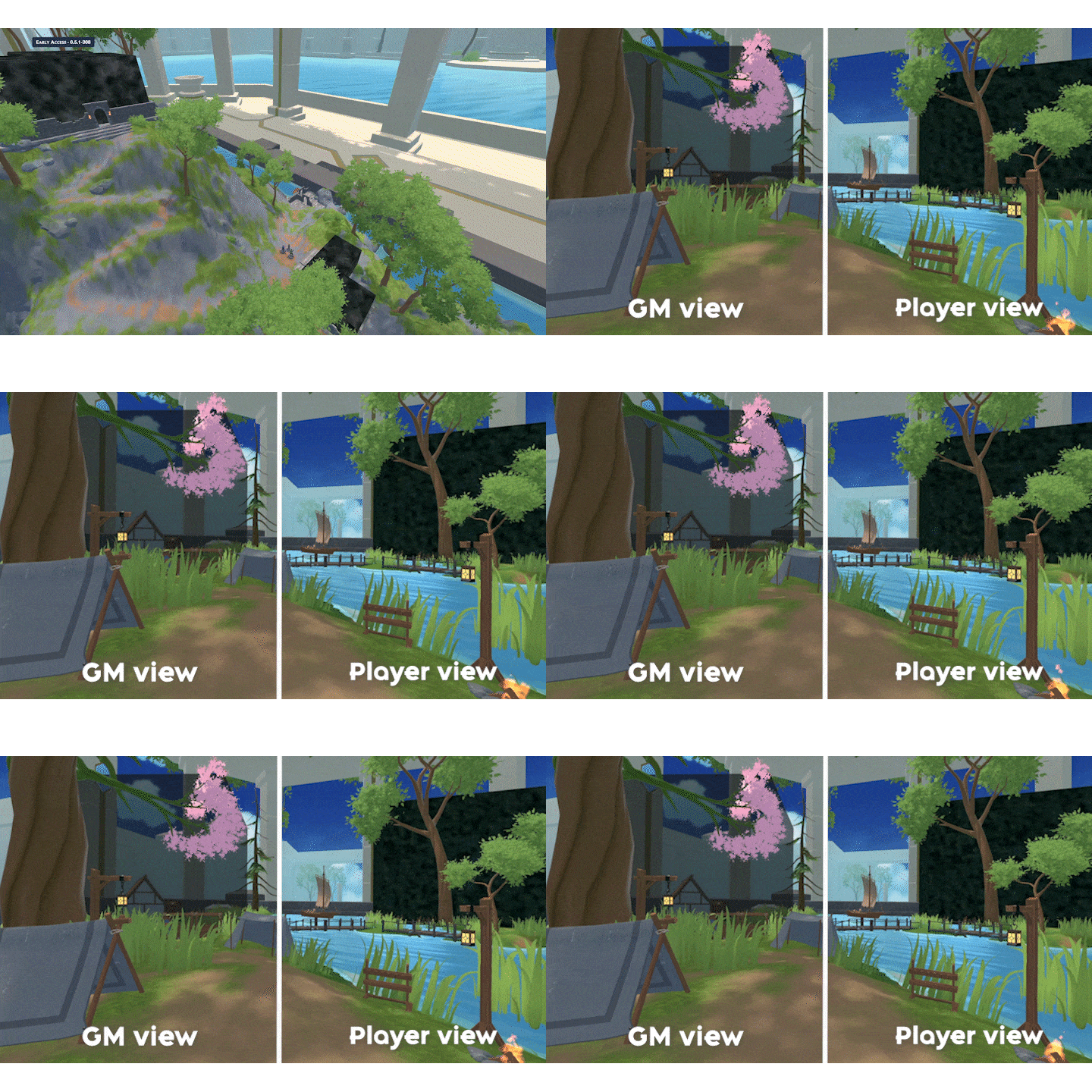
You can now add Fog of War to your Maps to hide enemies or map parts. As a GM these blocks are see through but as a player they are pitch black …until a player moves their miniature inside it that is.
Animations in Tabletop Mode
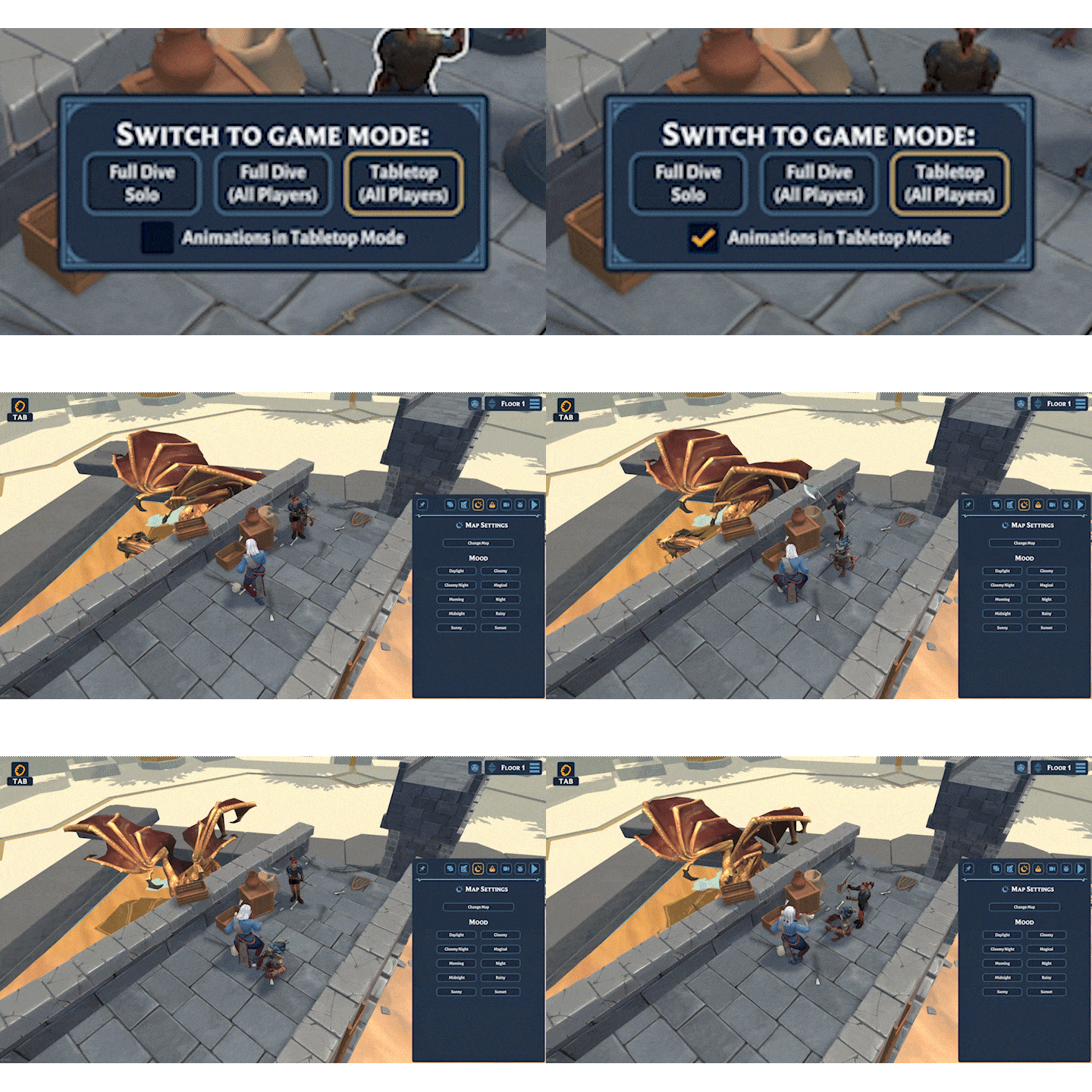
We have now added the ability to show animation even when in tabletop mode. This means your GM can now stay in full control in tabletop mode while still seeing what the party is up to.
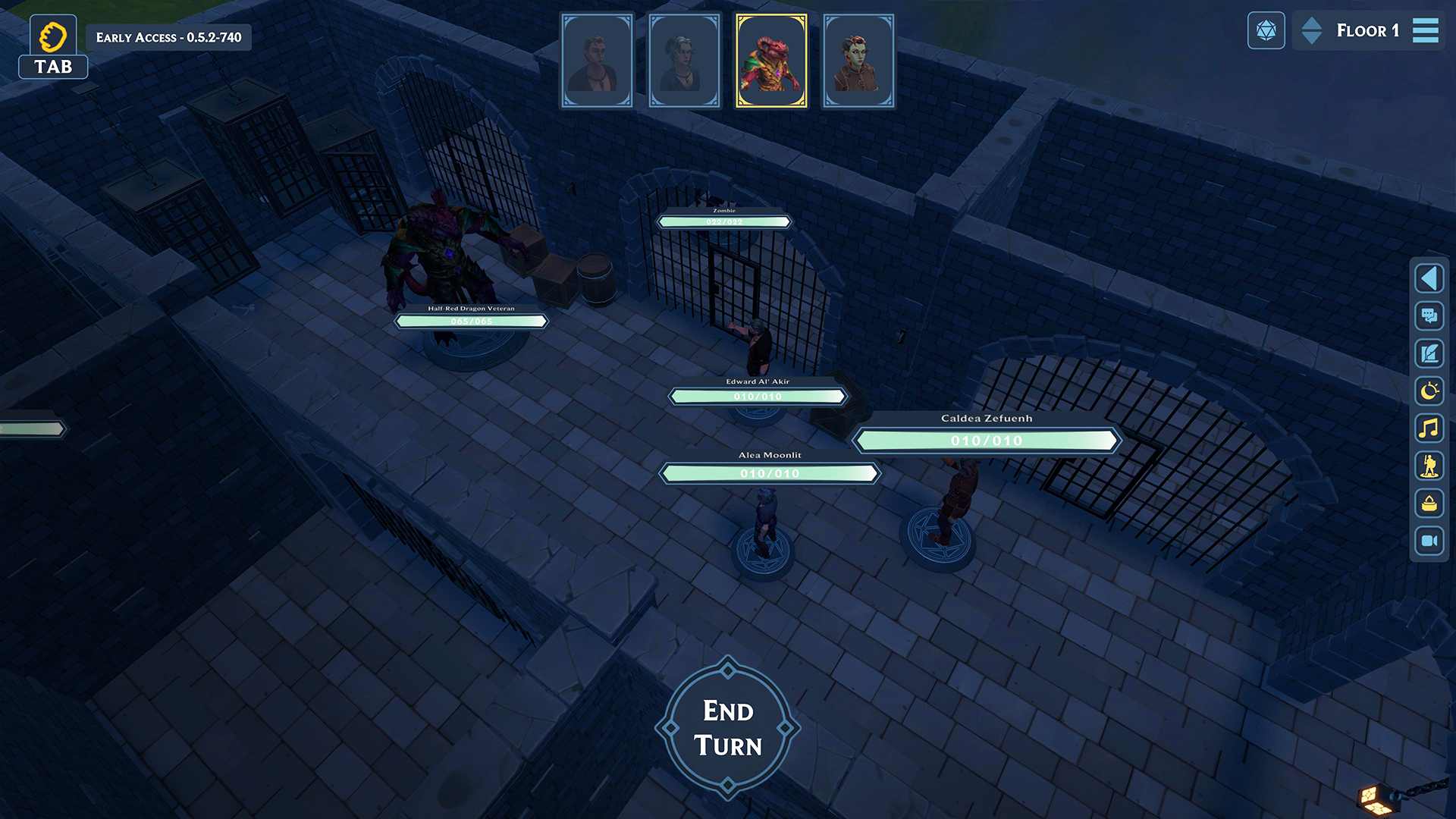
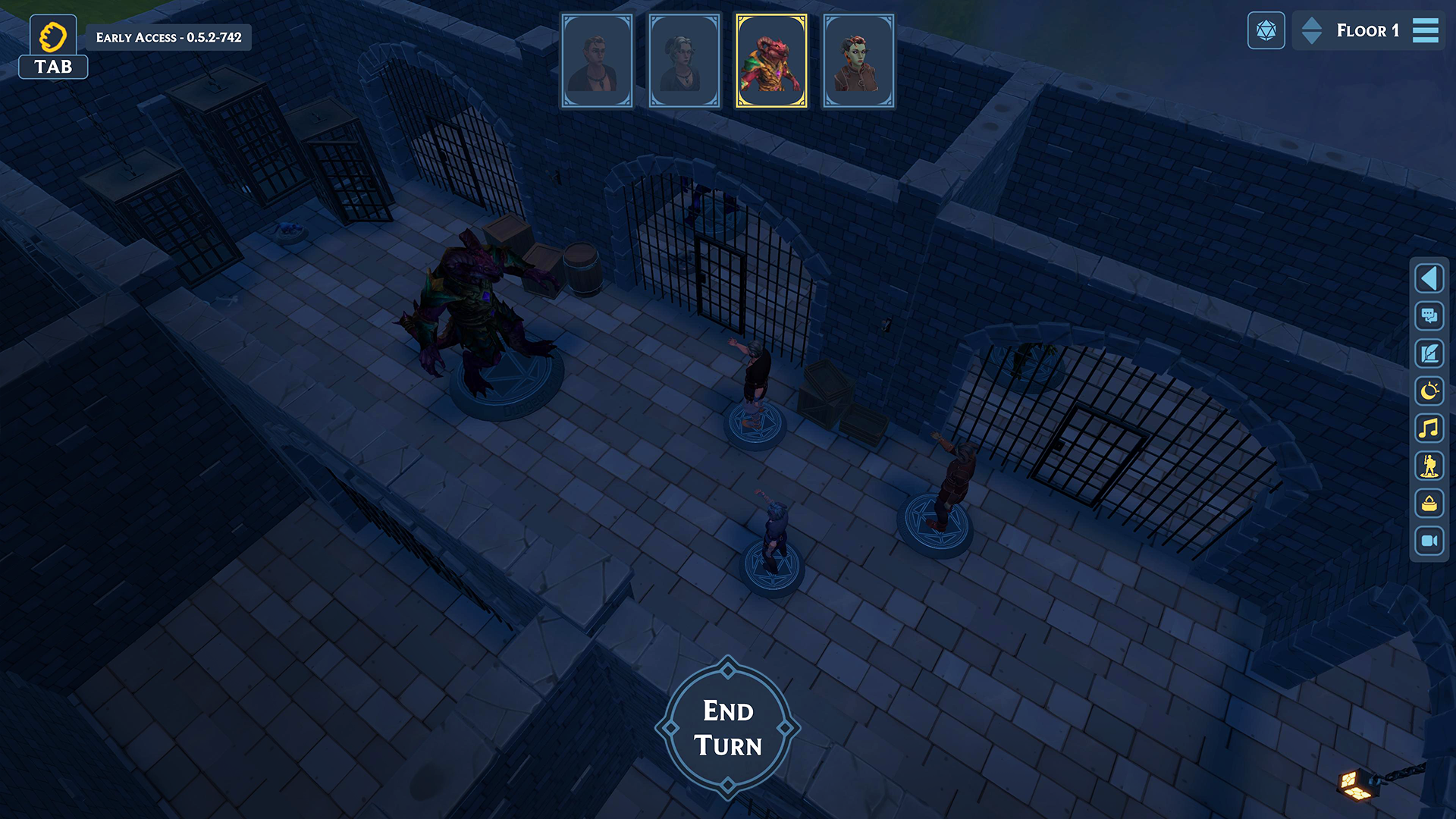
Initiative Tracker & HP Bars
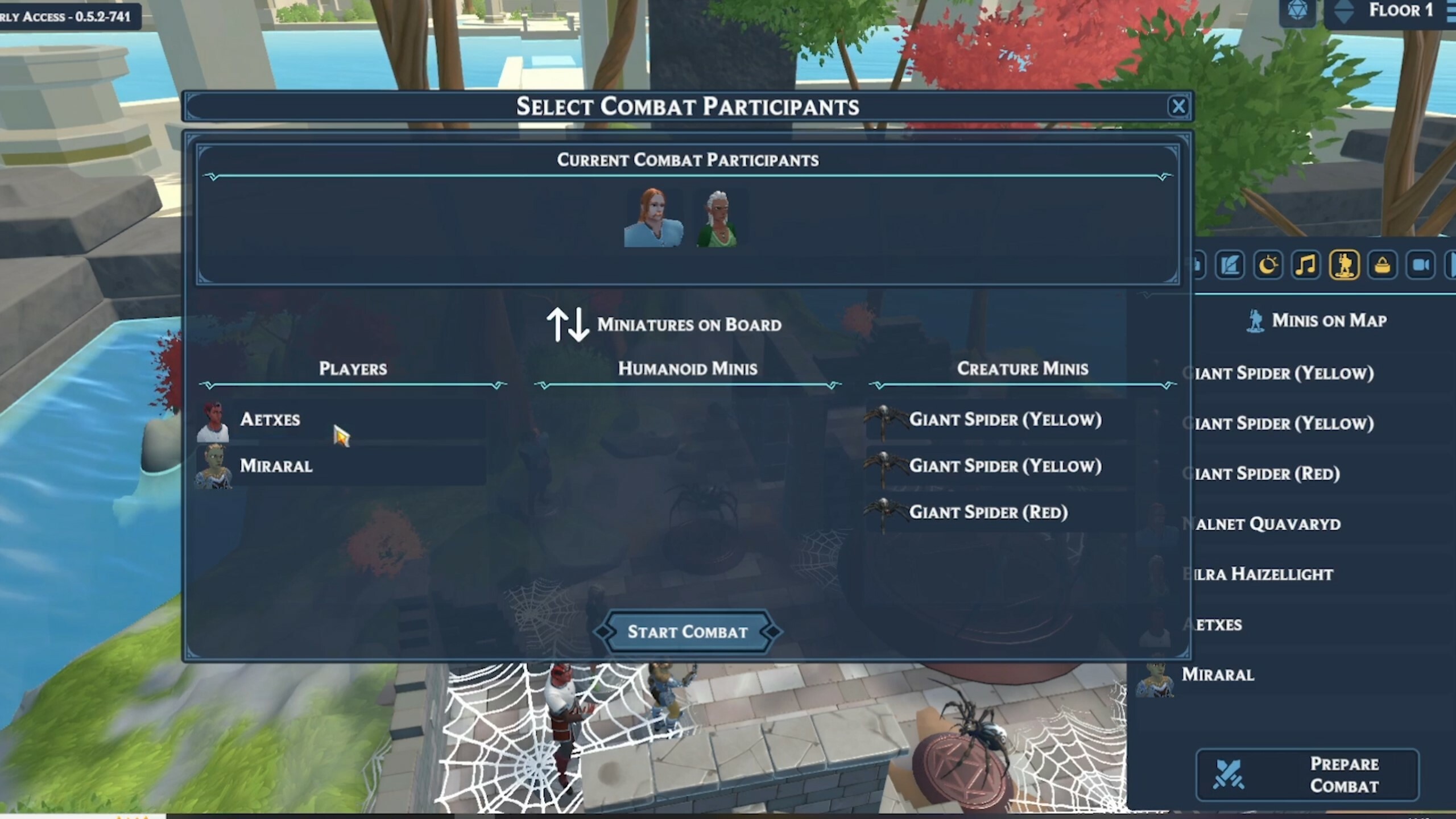
The new Initiative tracker allows your GM to start an encounter at any time. By pressing the “Start Combat” button inside the new miniature overview tab. This will open the “Combat Preparation” Window where all participants for the encounter can be selected.
Starting combat will spawn the Initiative Tracker for everyplayer. In here the GM can go through the turn order by using the “End Turn” Button.
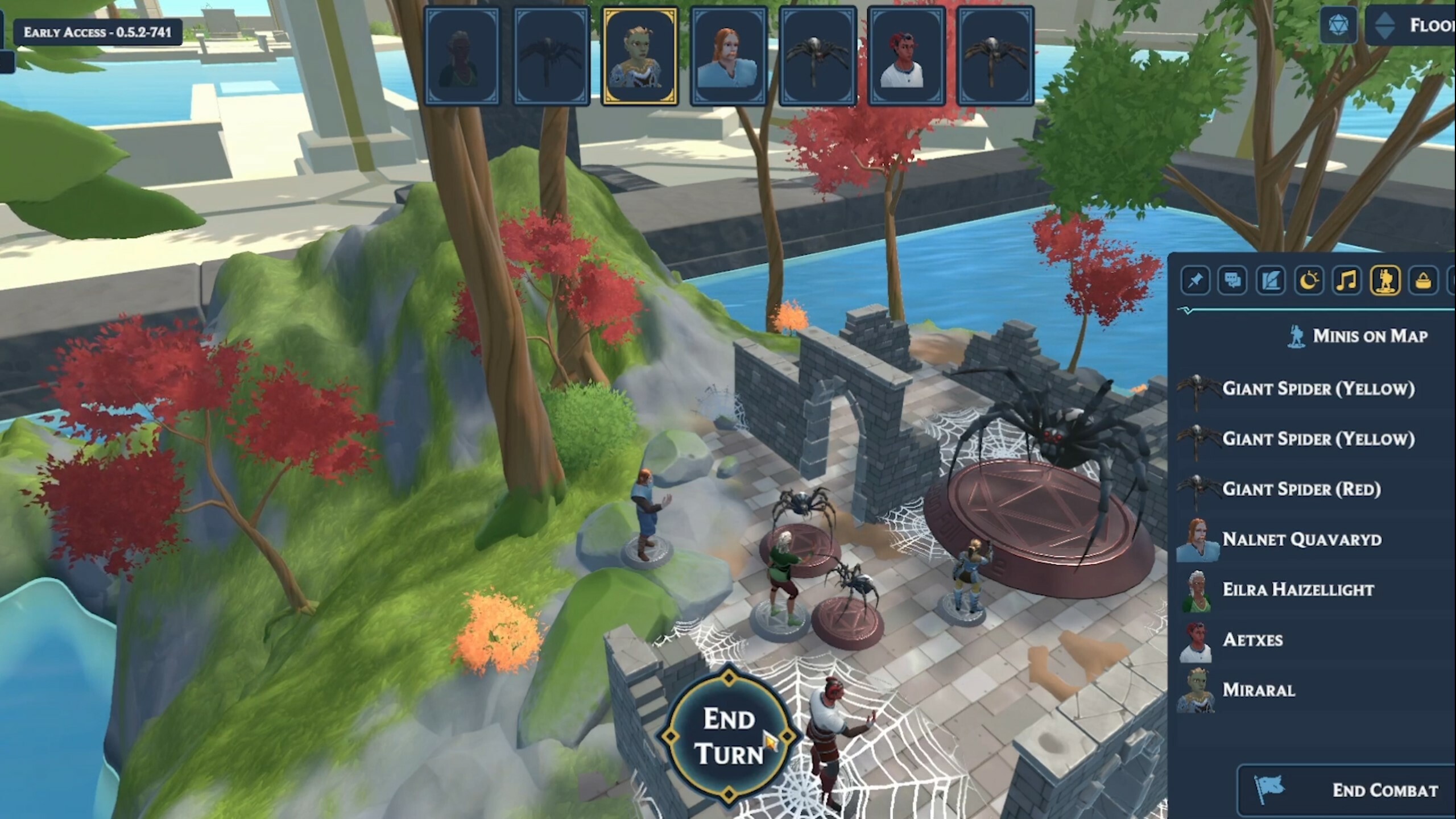
HP Bars
We have also added the ability to show HP bars so that you can easily keep track of the HP of all miniatures on the board.
This setting can be configured under the “Settings” menu in the Pause Menu. Here you can currently toggle between enabled and disabled. (More settings are planned)
Enhanced Character Sheets
Dive deeper into your character's capabilities with the new improved Character Sheet, now displaying your:
- Class / Species
- Actions & Abilities
- Spells
- Equipment
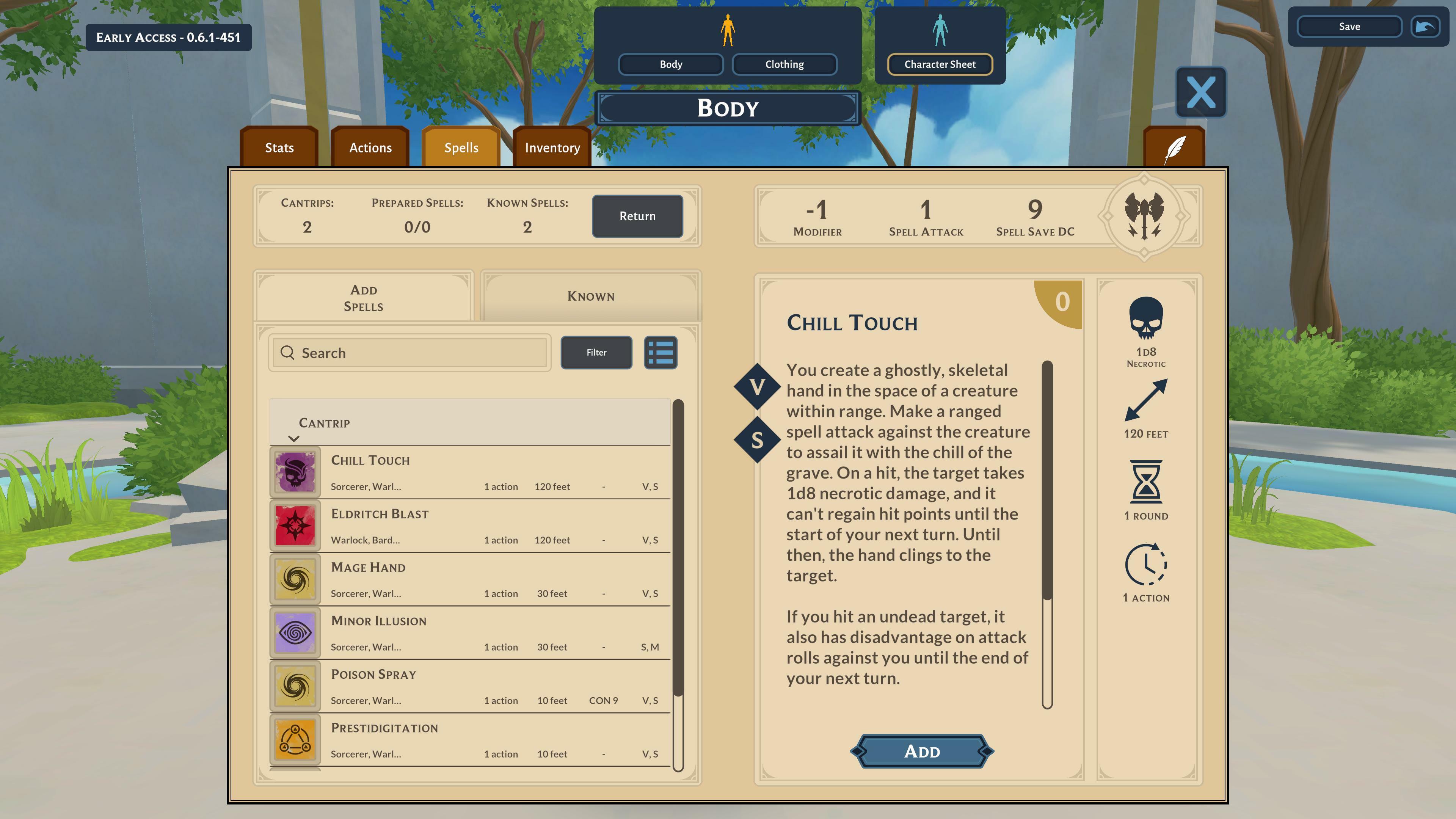
Spells
In the new spells tab, you can now manage your character's spells. The spell sheets include the entire 5e OGL spell library for you to use. And: You can also cast spells directly from the tab, which automatically tracks your spell slots for you and shares the spell descriptions with your party in the chat.
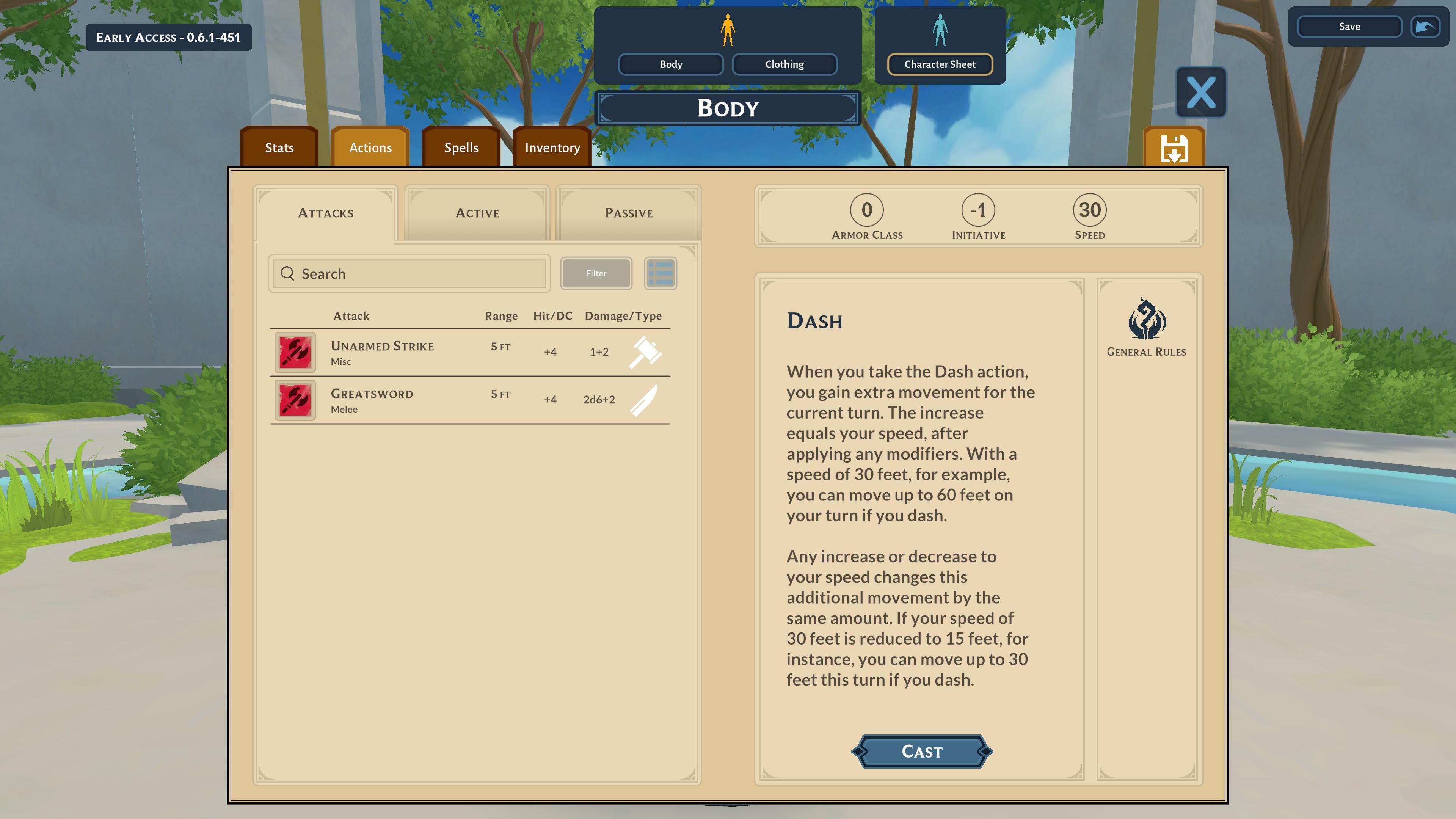
Actions, Features & Traits
The new actions tab lets you keep track of all the actions your character can unleash individualized based on your character class and equipped gear.
Also, you are able to look at the features & traits provided by your class and species.
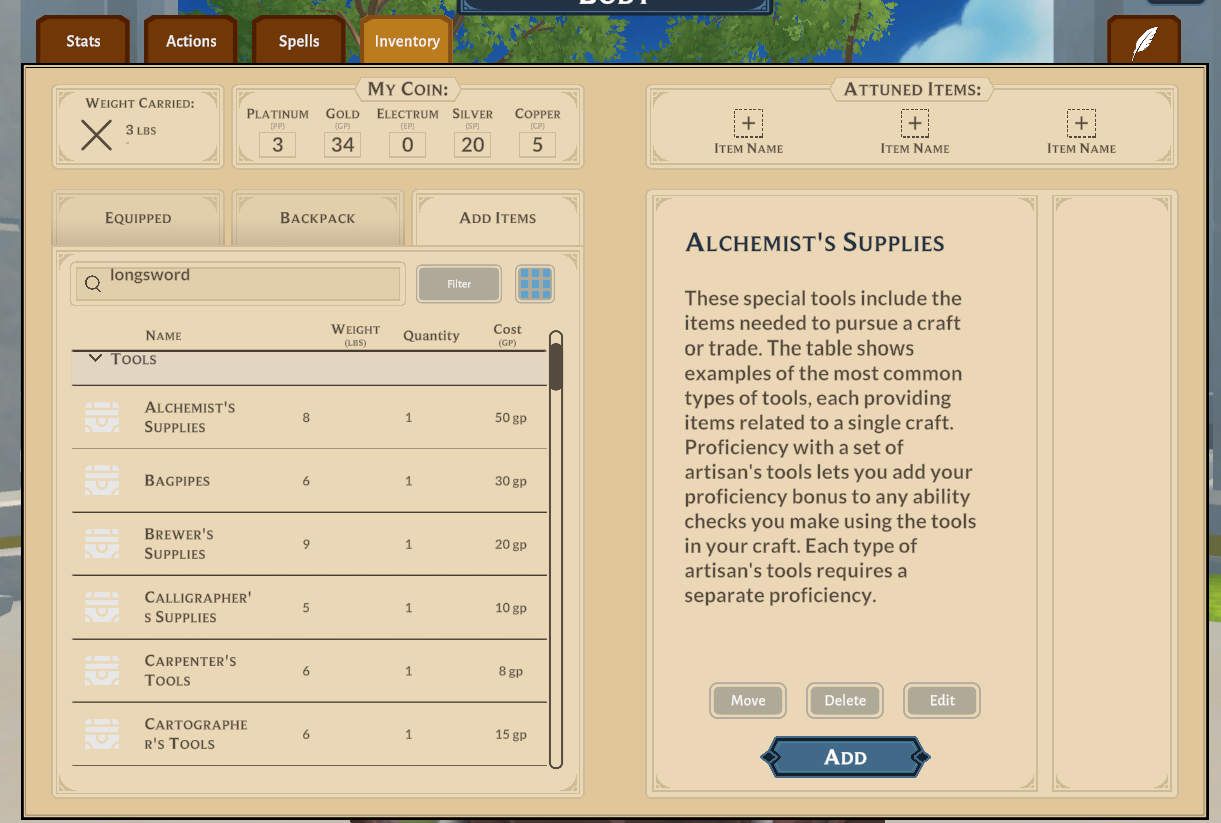
Inventory
In the Inventory page, you can manage your character’s equipment as well as keep track of your parties gold.
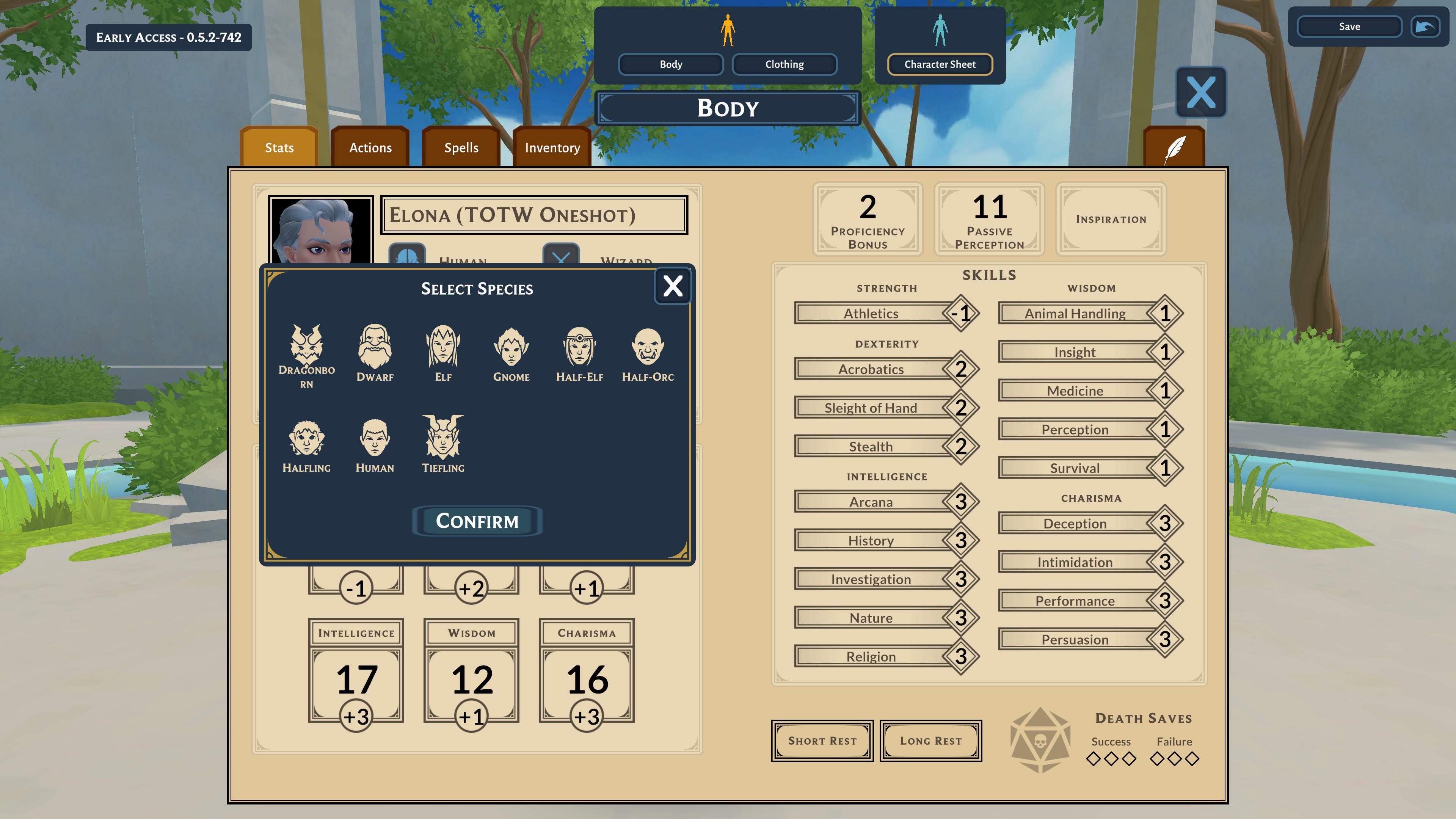
Stats Page Overhaul
We have improved the current stats page: You can now select your class, subclass as well as species and subspecies. On top of that, we have also polished the general UI Design.
Character Customization
Next to the content of the 5e OGL library (using the https://dnd.wizards.com/resources/systems-reference-document), you are able to add your own content to the game as well!
For more info and an in-depth explanation, we will be adding tutorials in the following days over HERE.
Jumping
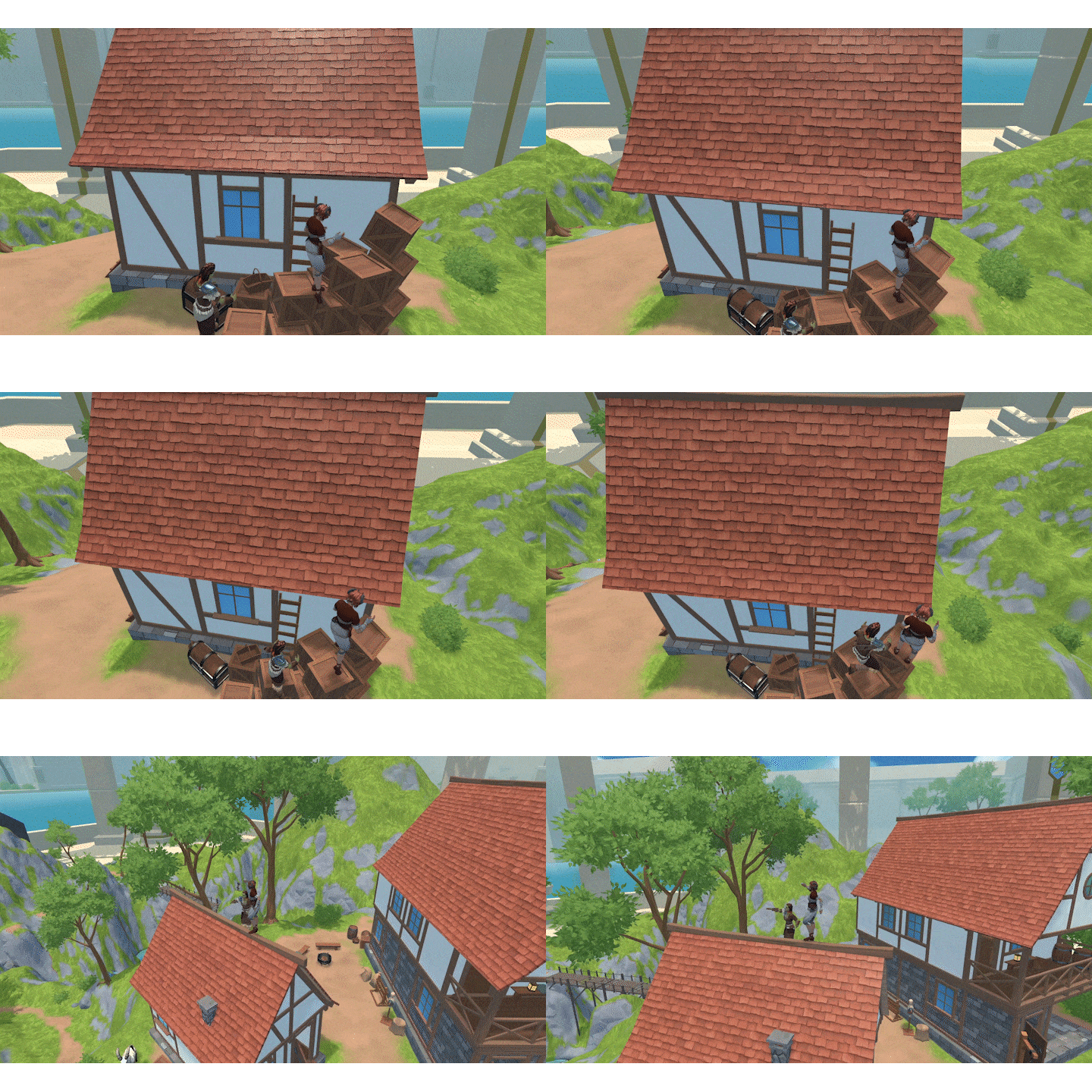
Hep Hep, you can now jump inside DFD when Full Diving. We look forward to the first parcour maps!
Instruments
The following instruments are now playable in VR and on PC:
- Horn
- Harp
- Lute (Improved Audio)
Body Sliders
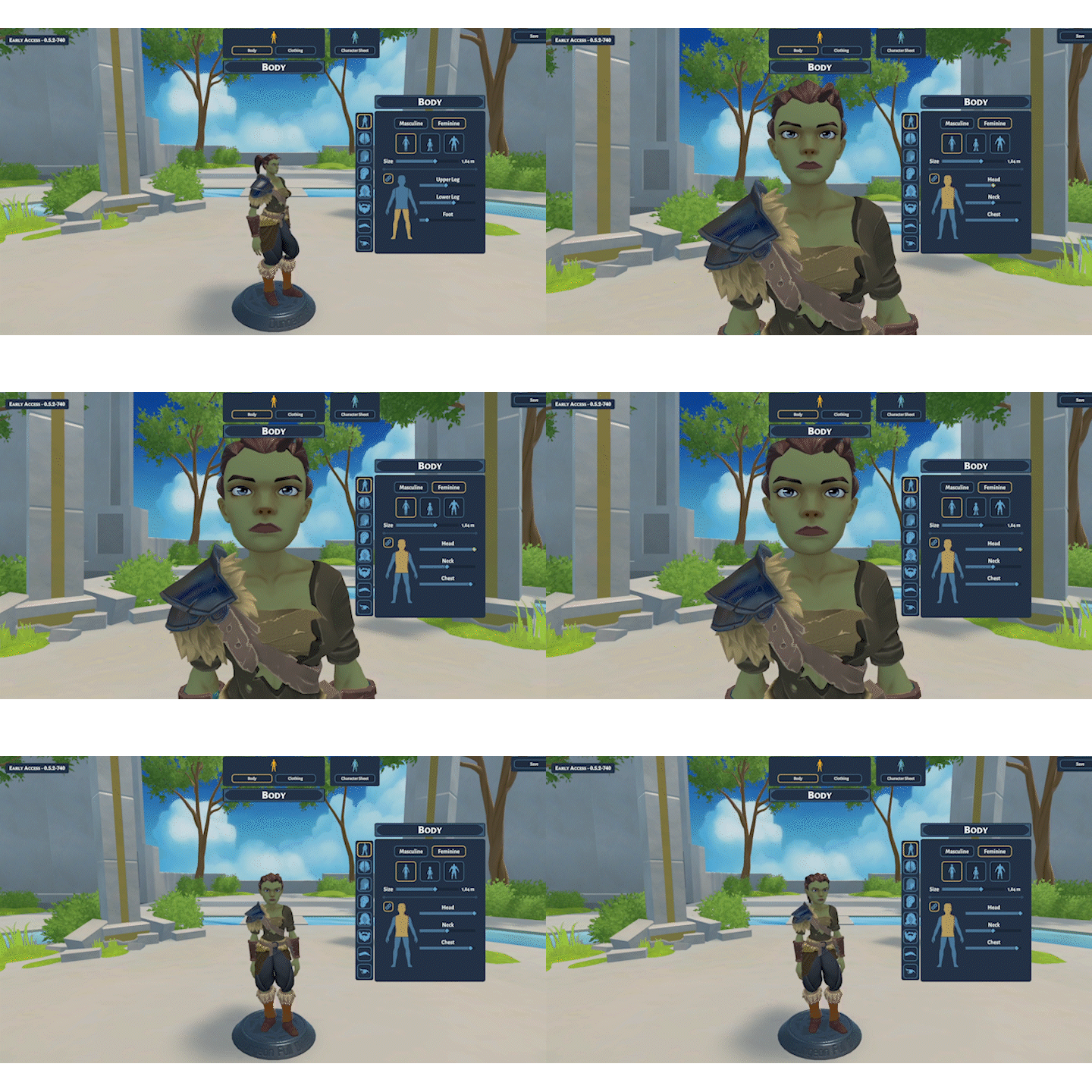
You can now customize the body parts of your character using the new body slider tab! From long-necked wizards to chonky Barbarians, let your imagination go wild!
🎨New Assets
Dragonborns

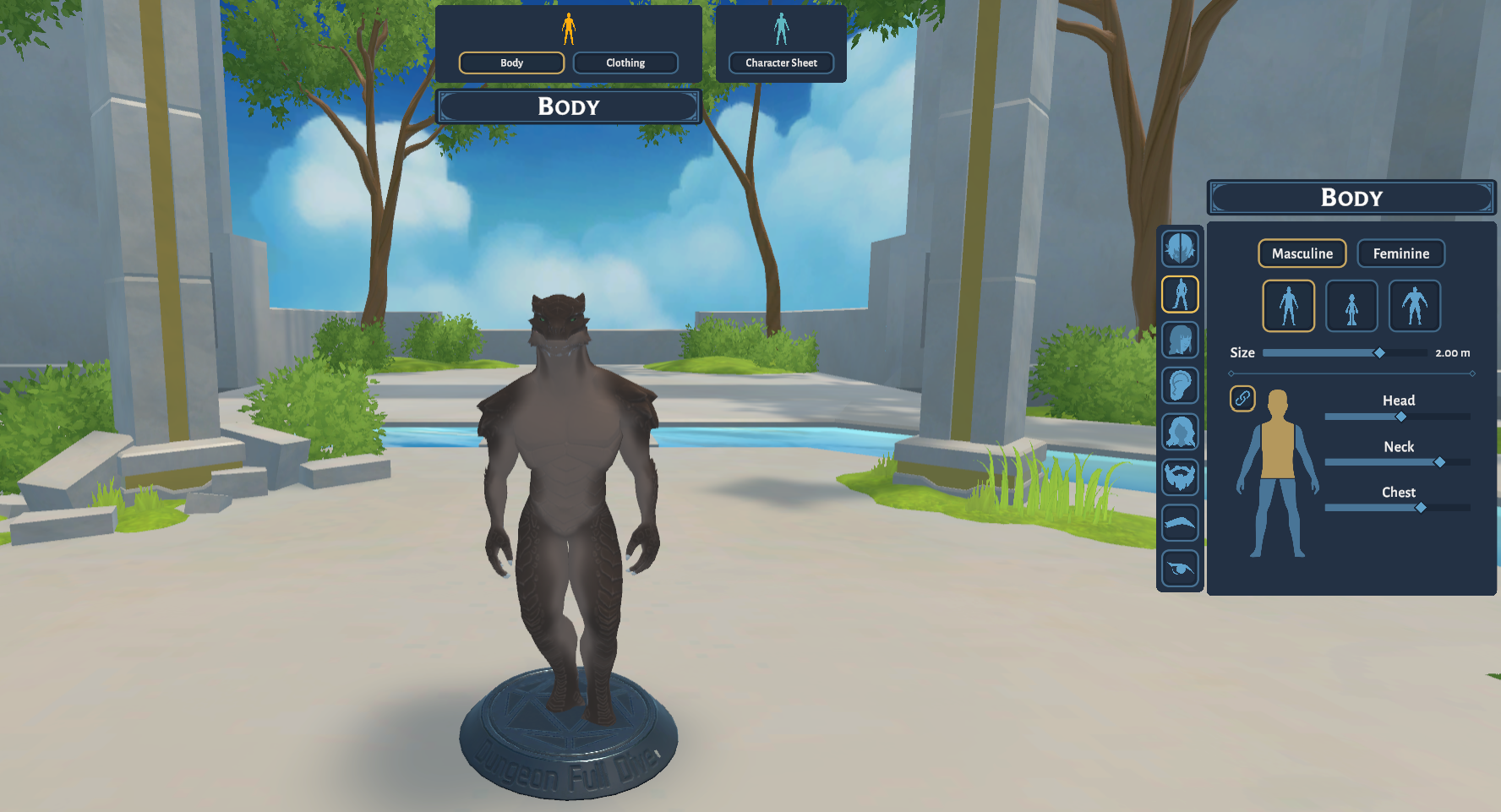
(Hello STRG + F “Dragonborn” People)
We have now added the Dragonborn species to DFD with 2 presets for the masculine and feminine body types. We are also working on additional customization options for the Dragonborn so stay tuned!
Custom Colors?
If you want to customize your character’s appearance even more, you can now change the available skin colors within the config files.
For a detailed tutorial, check out our tutorial HERE
New Monsters
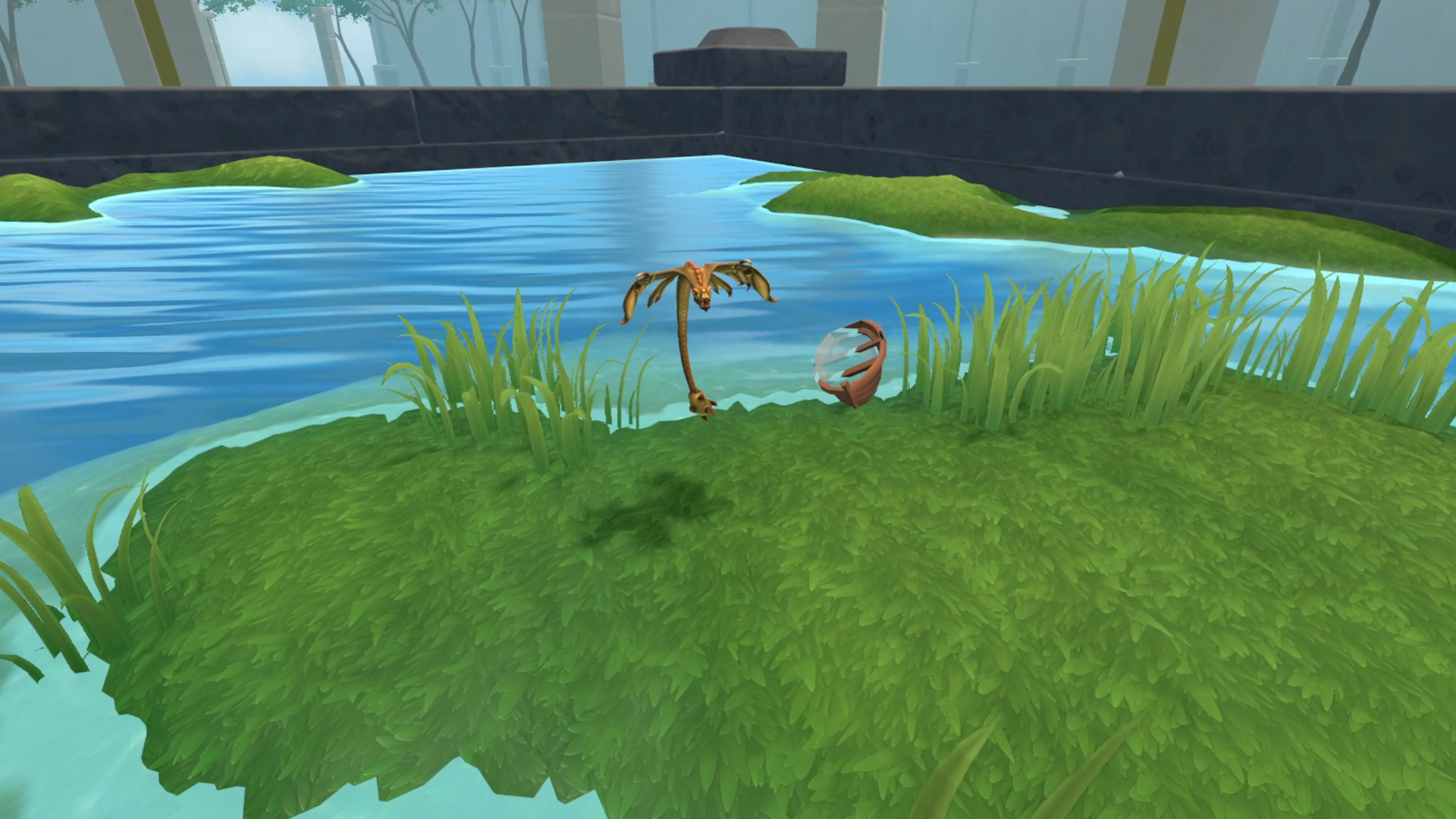
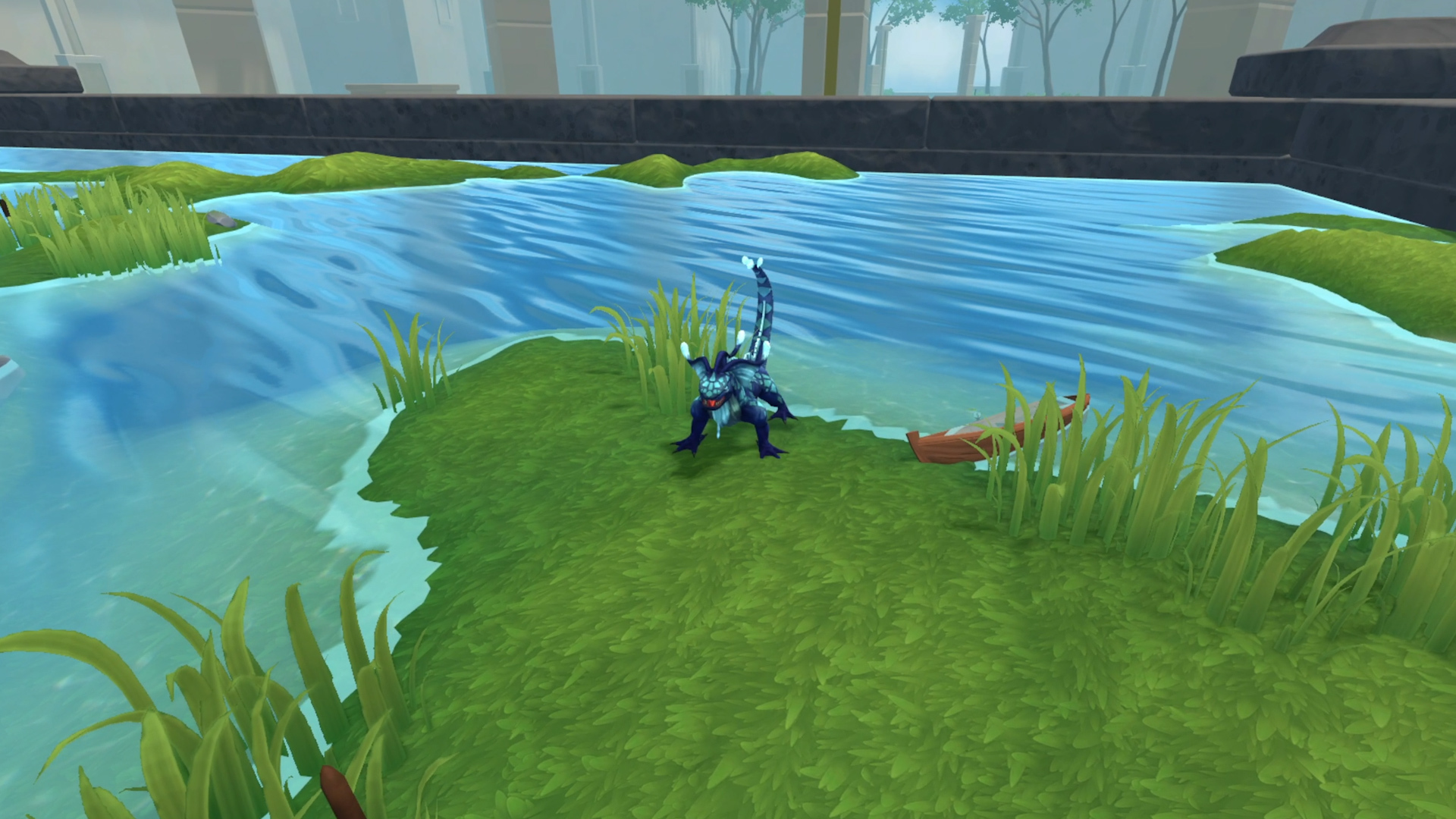
2 new miniatures have been added to the game with the Gecko and the Flying Viper
New Maps
Hell
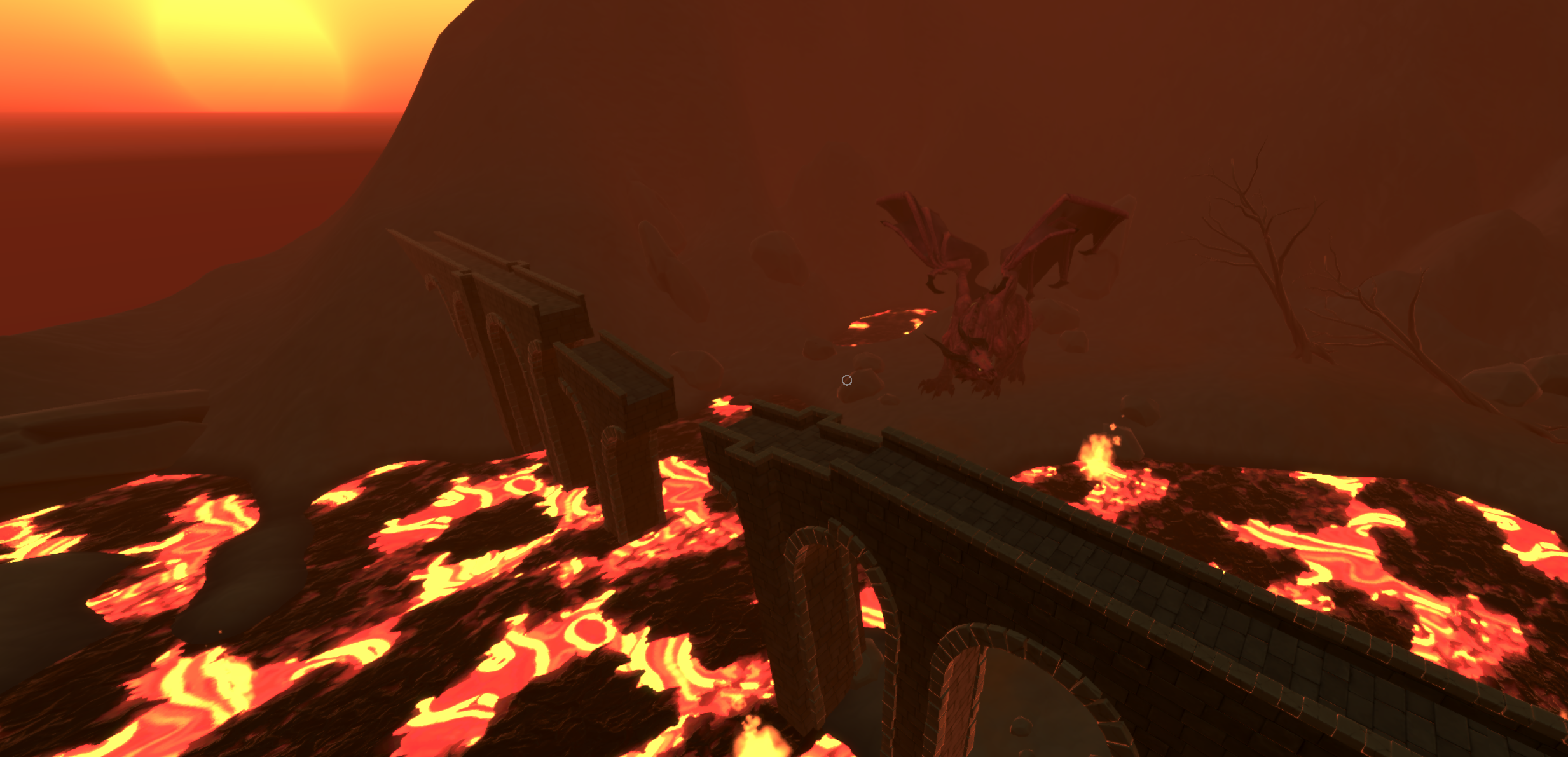
We have added a new hell map for you to explore as well as a “Lava” Terrain Template for you to use.
Dungeon
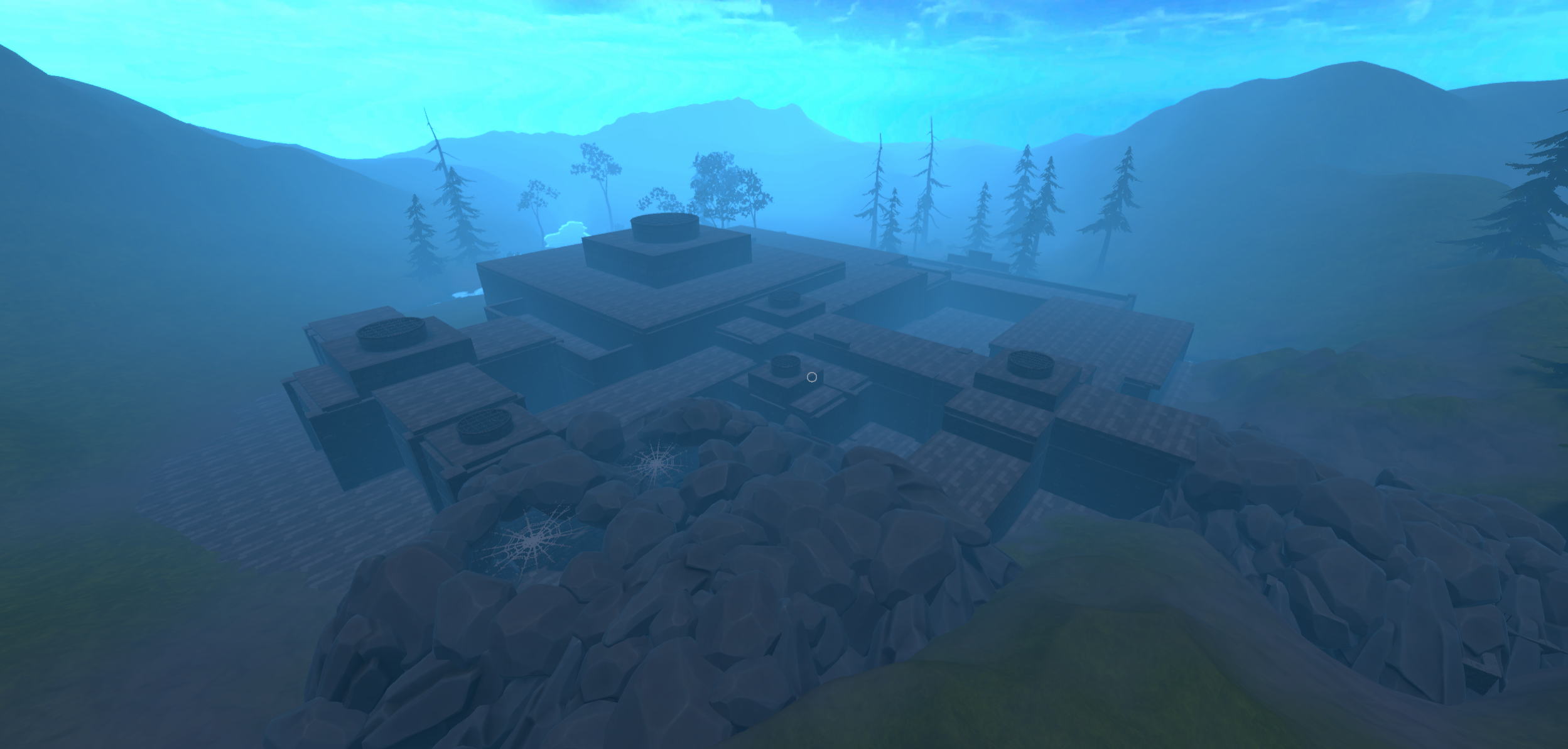
A new dungeon map has been added and can be explored by your party.
🛠️ Additional Improvements & Features
- Map Performance ranks have been added. This will show the total amount of map assets used in a map as well as a performance indicator.
- Configure your own skin colors
- Go to \DungeonFullDive_Data\StreamingAssets\Characters\SkinTones
- Open "colors.ini" & change the HEX code of one of the colors (this will replace the previous color on said spot)
- The Sidebar UI is now aware if you are GM or player and will update the visible menus accordingly. The following tabs are only accessible by the GM:
- Map Settings & Loading
- Soundboard
- Miniature Overview
- GM Notes (TOTW Oneshot PDF)
- The Context Menu can now be opened outside of Map Builder
- The character sheet of a character can be accessed via Context Menu
- You can now use your Character Editor characters as NPCs as well
- Added Female dwarf armor
- You can now move in VR in the Character Editor
🐞 Resolved Issues
We have also been doing a lot of smaller improvements on existing features and bugfixes. We are still working on collecting all of these smaller changes and will update the list over here in the next couple of days:
- Fixed missing preview pictures of characters, maps & assets
- Flamables can now be on by default
- Minis who are saved on maps are no longer destroyed on reload
- Fixed second monitor staying open when using Streamer camera
- Nameplates are no longer visible while in Character Editor
- Disabled scaling of remote characters in Tabletop mode as it caused a number of issues
- Fixed networking issues when late joining players moved miniatures
❤️ Thank you
Our team has poured heart and soul into making the first update of Chapter 2 as extraordinary as possible.
But none of this would have been possible without your amazing support.
So thank you: Your support is what allows us to push DFD to the next level!
See you inside Dungeon Full Dive!
Discuss this update on Discord
