
Attention, Crows who hope to run on the battlefield of CROWZ!
From how to apply for the 2nd Global Beta to how to participate in the game!
We'll tell you the steps to become a tester!
Check out the video below to become a noble Crow!
📽️ How to Apply for the 2nd Global Beta
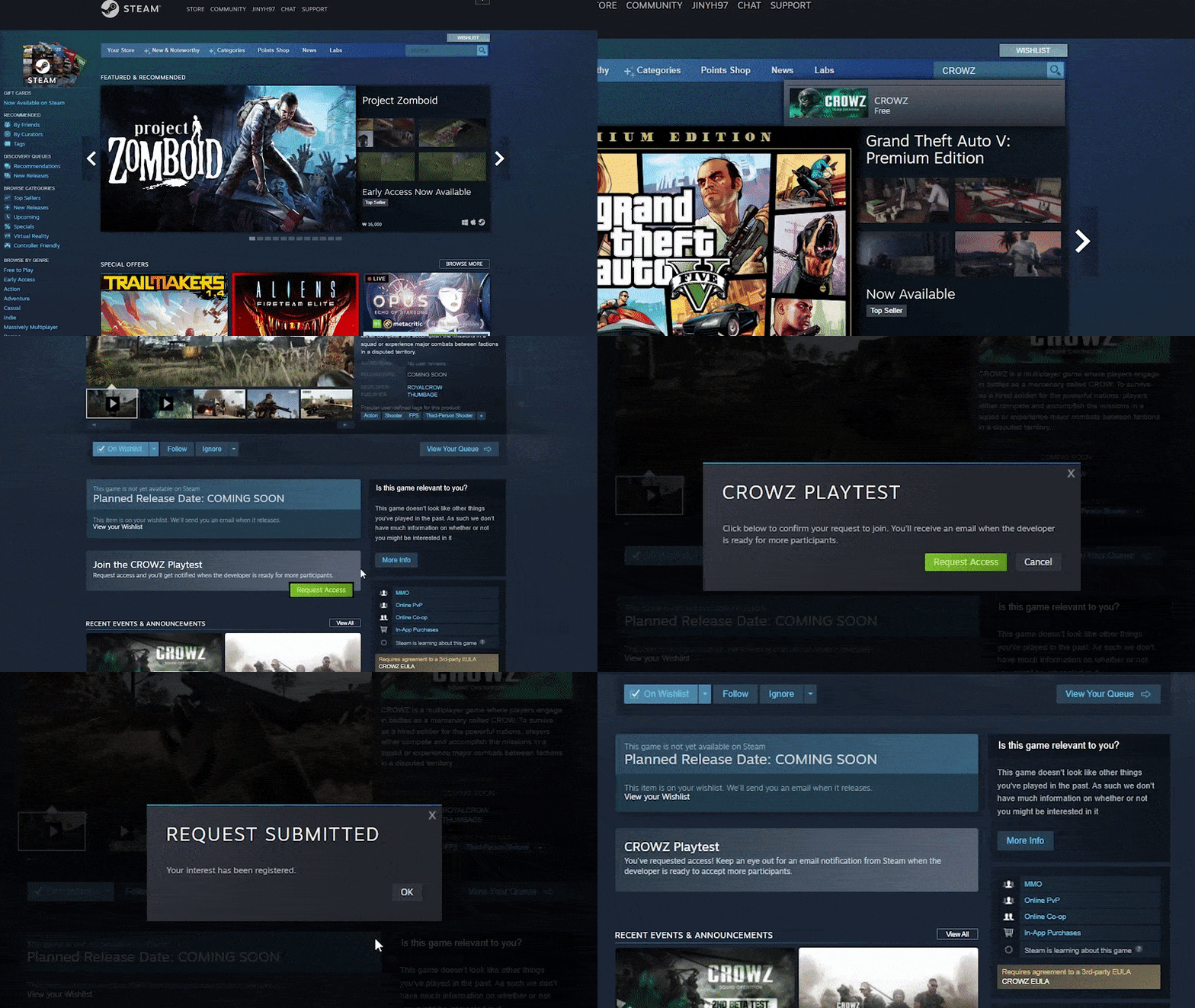
STEP1. Enter [CROWZ] in the Steam search bar
STEP2. Access the CROWZ Page → Click the [Request Access] Button!
📽️ How to Participate (Download)
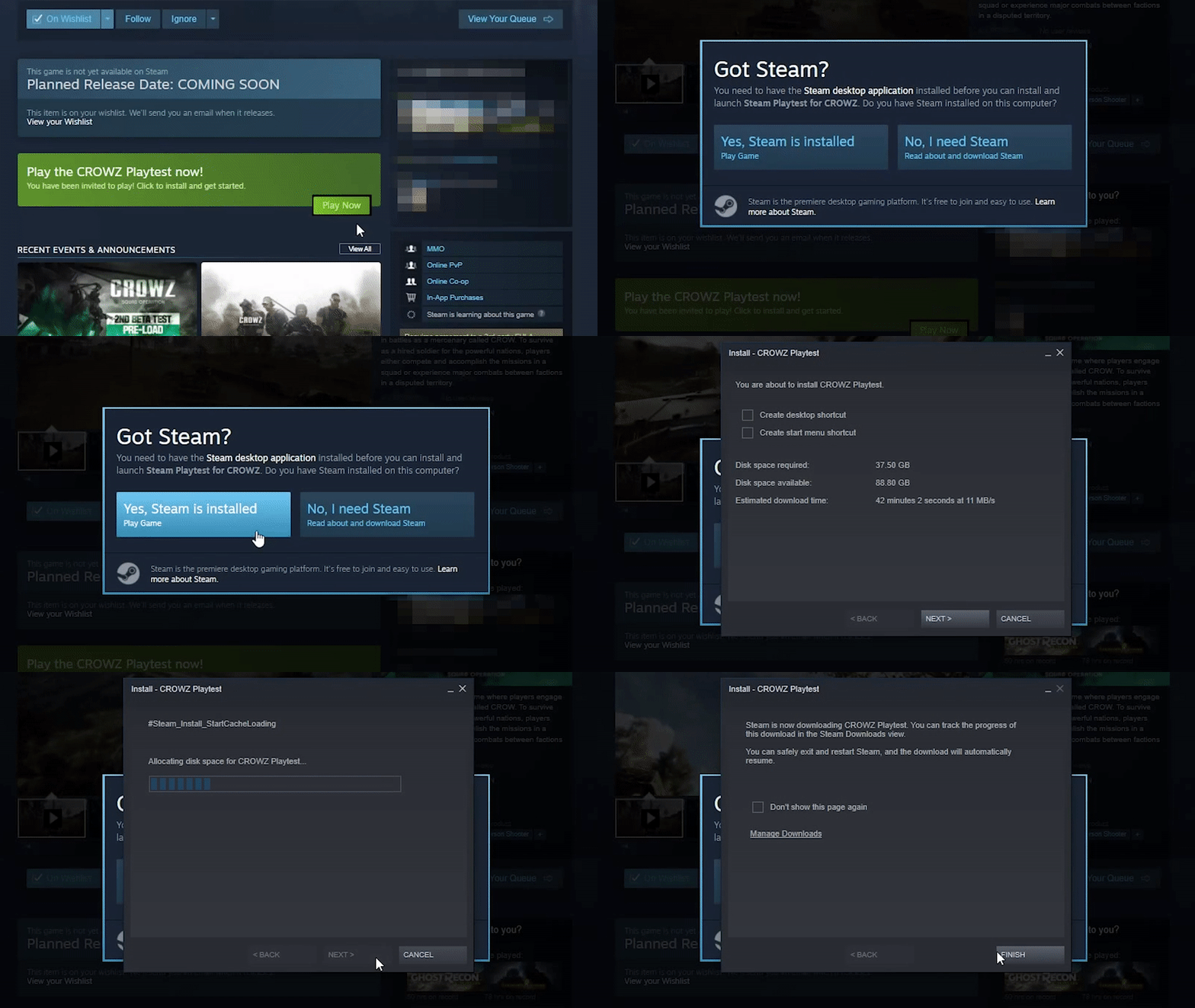
STEP1. Access the CROWZ Page
STEP2. Click [Play] on the Bottom of the Page→ [Install] → Download the Game → Run the Game (The game becomes available since 12/17 5:00)
※ A Steam Client must be installed beforehand, so please check whether you have the Steam Client on your PC!