CROWZ Game Guide
– How to Access –
■ Introduction

CROWZ can be installed and played from the global game platform Steam.
This access guide will lead you from installation of the game to accessing the main screen.
■ Installation
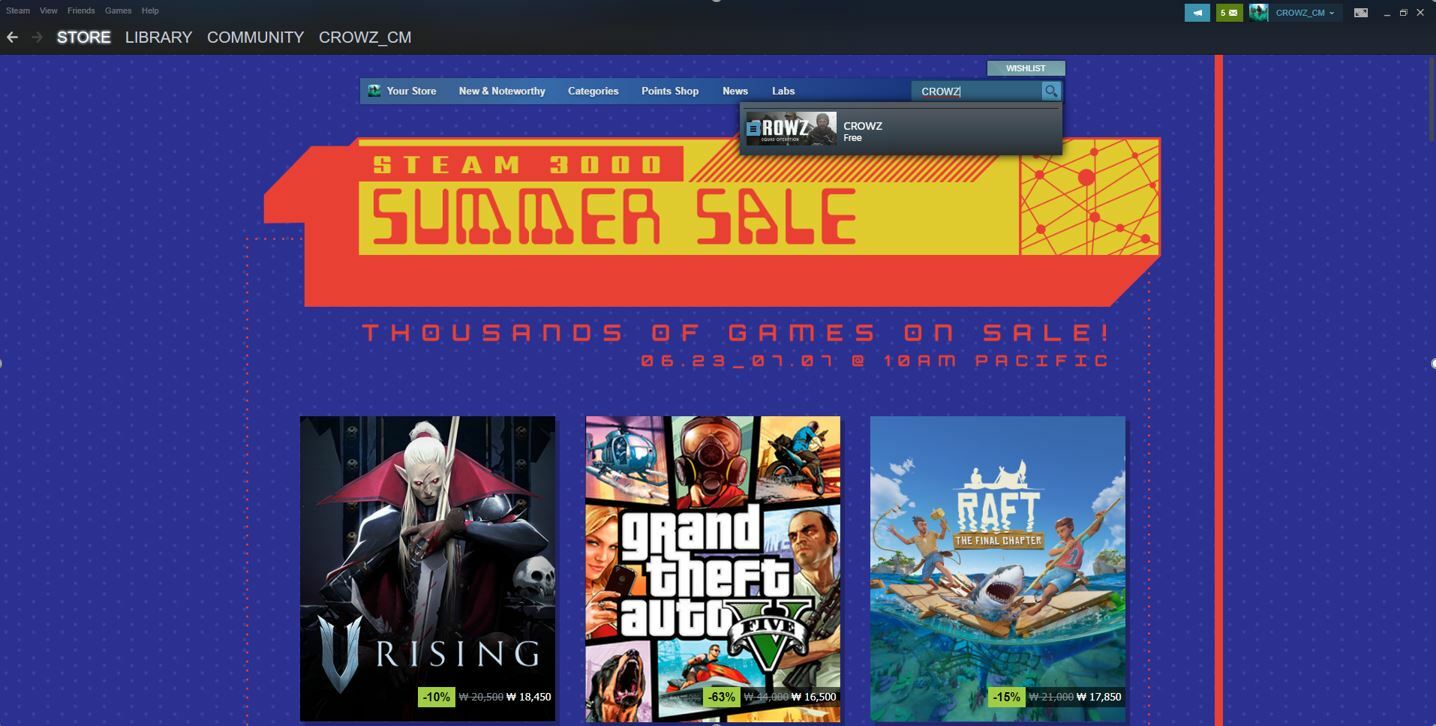
In order to install CROWZ, you must go to the Store page and search for CROWZ.
Click ‘Store’ at the top of the Steam homepage and enter ‘CROWZ’ in the ‘Search’ bar at the top of the Store page.
1. Installing the game
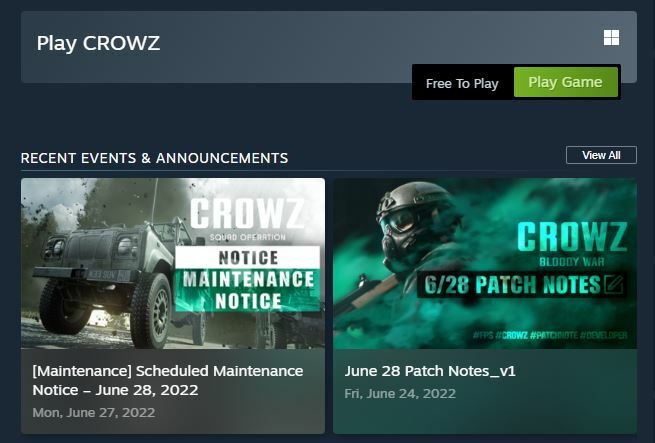
Search for ‘CROWZ’ and scroll down to see the ‘Game Play’ button.
Clicking that button will start the game installation process.
2. Confirming in Steam Library
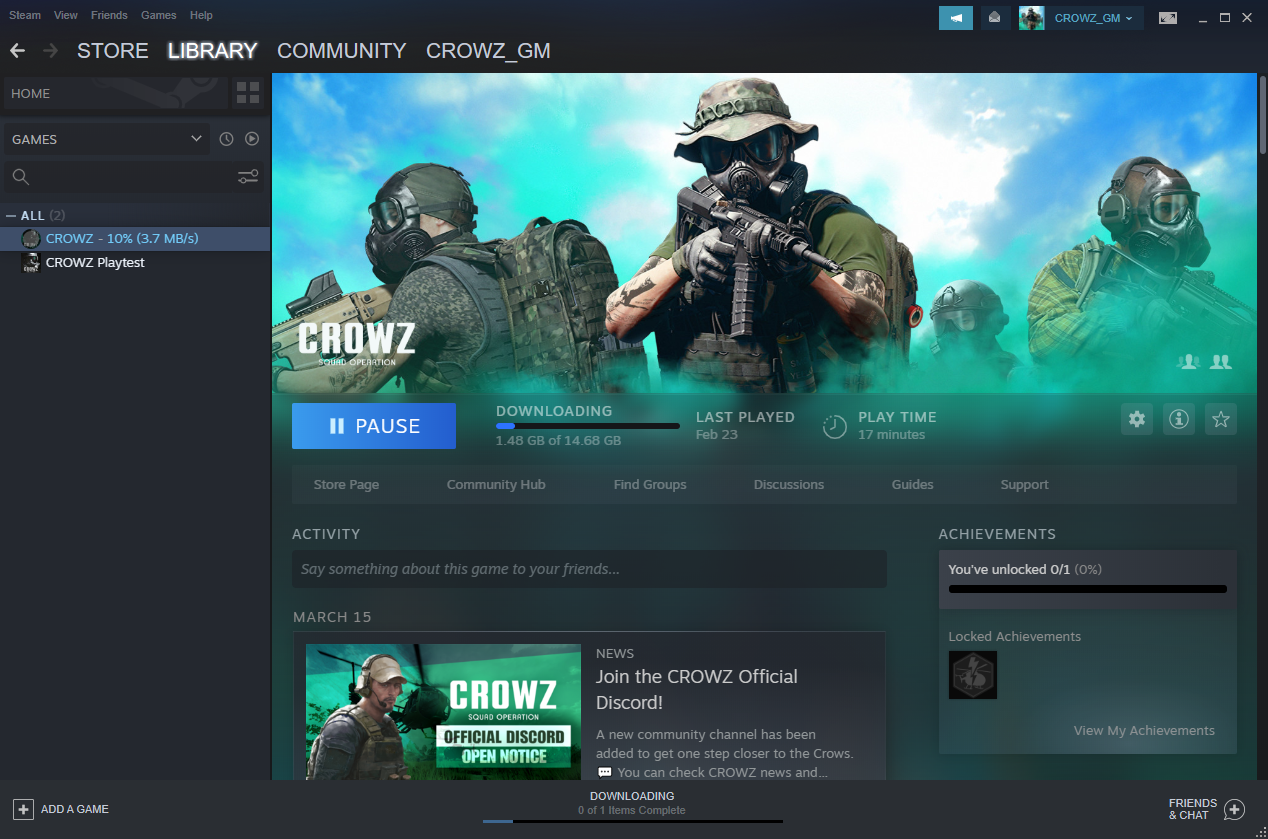
You can check the download process for CROWZ in the Steam client’s library. Once the installation is complete, the game will be available to play after a short additional step.
※ Steam client must be installed before downloading the game.
3. Launching the Game
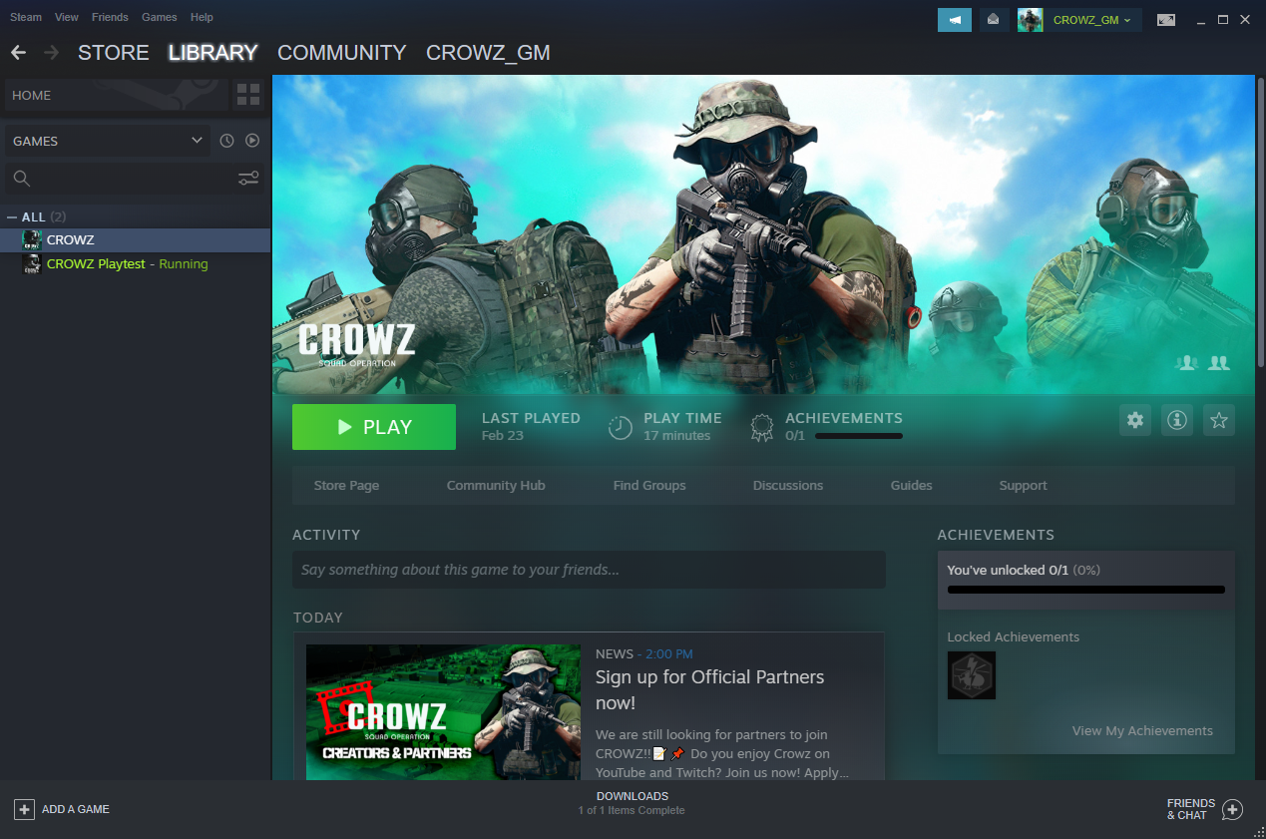
When the Steam client installation is complete, select ‘Library’ in the upper left corner, find CROWZ in the purchase list, and click ‘Play’ button to launch the game.