
Your chance to dominate once more on the battlefield of CROWZ is coming!
We will guide you through the process of how to become a tester step by step, how to apply for 3rd global beta, and how to participate
after being selected a tester.
Check out the video below to learn how to enter CROWZ's 3rd battlefield!
📽️ How to Apply for the 3rd Global Beta
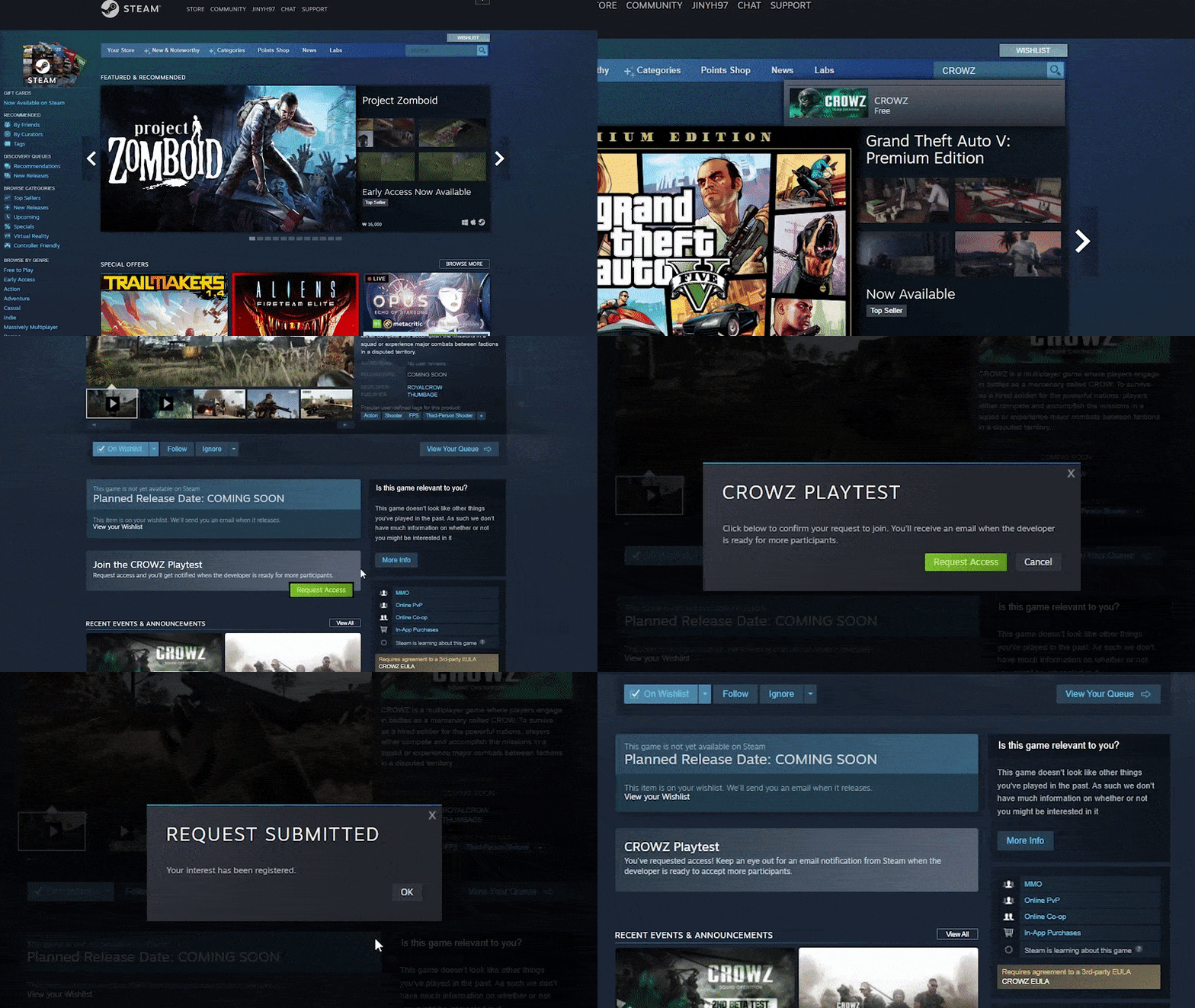
STEP1. Enter [CROWZ] in the Steam search bar
STEP2. Access the CROWZ Store Page → Click the [Request Access] Button!
📽️ How to Participate (Download)
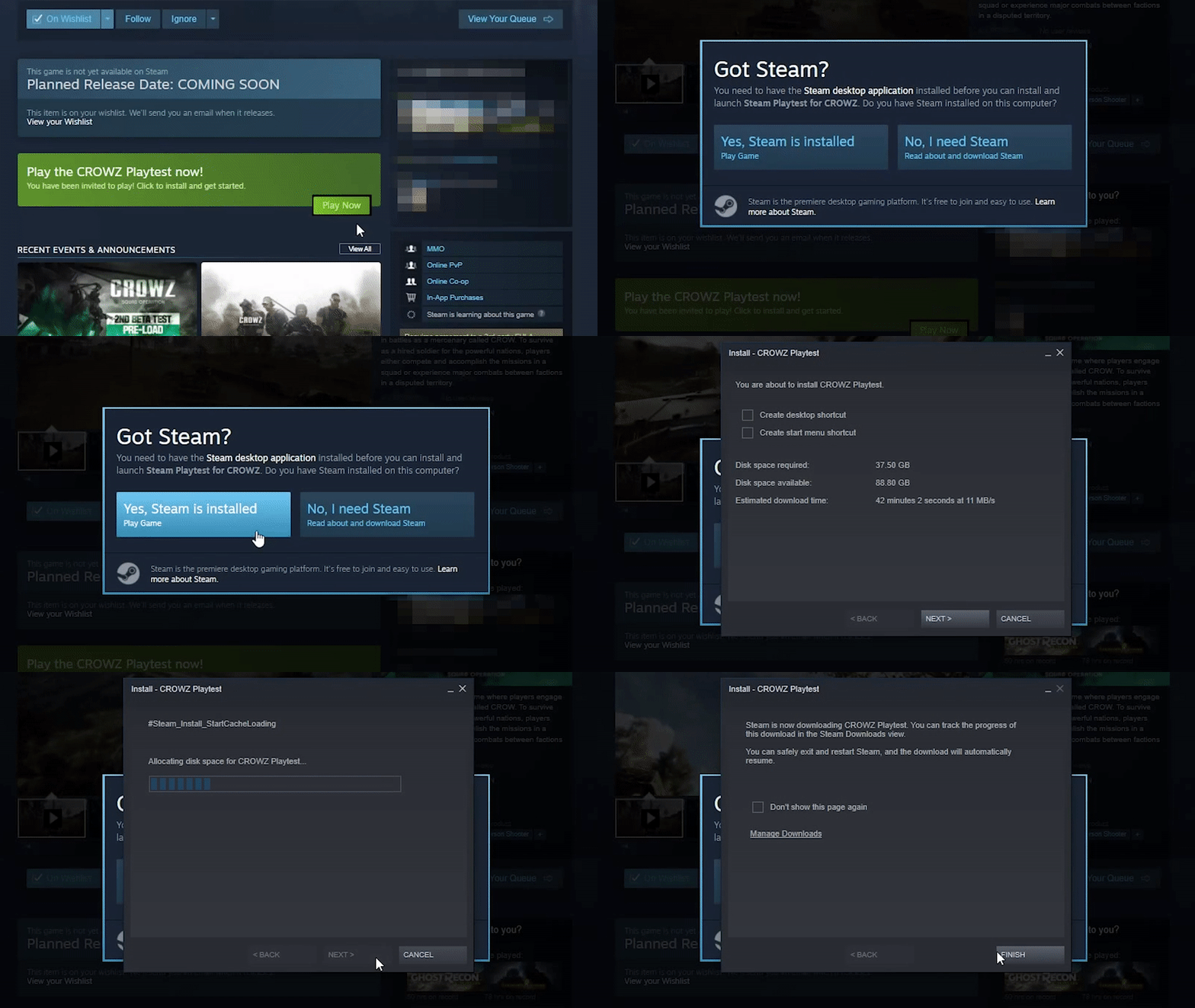
STEP1. Access the CROWZ Store page
STEP2. Click [Play] on the bottom of the Page→ [Install] → Download the Game → Run the Game (The game becomes available 1/21 15:00 UTC +0)
※ Steam Client must be installed beforehand, so please check that you have the Steam Client on your PC!