
Hello Ghoul Hunters!
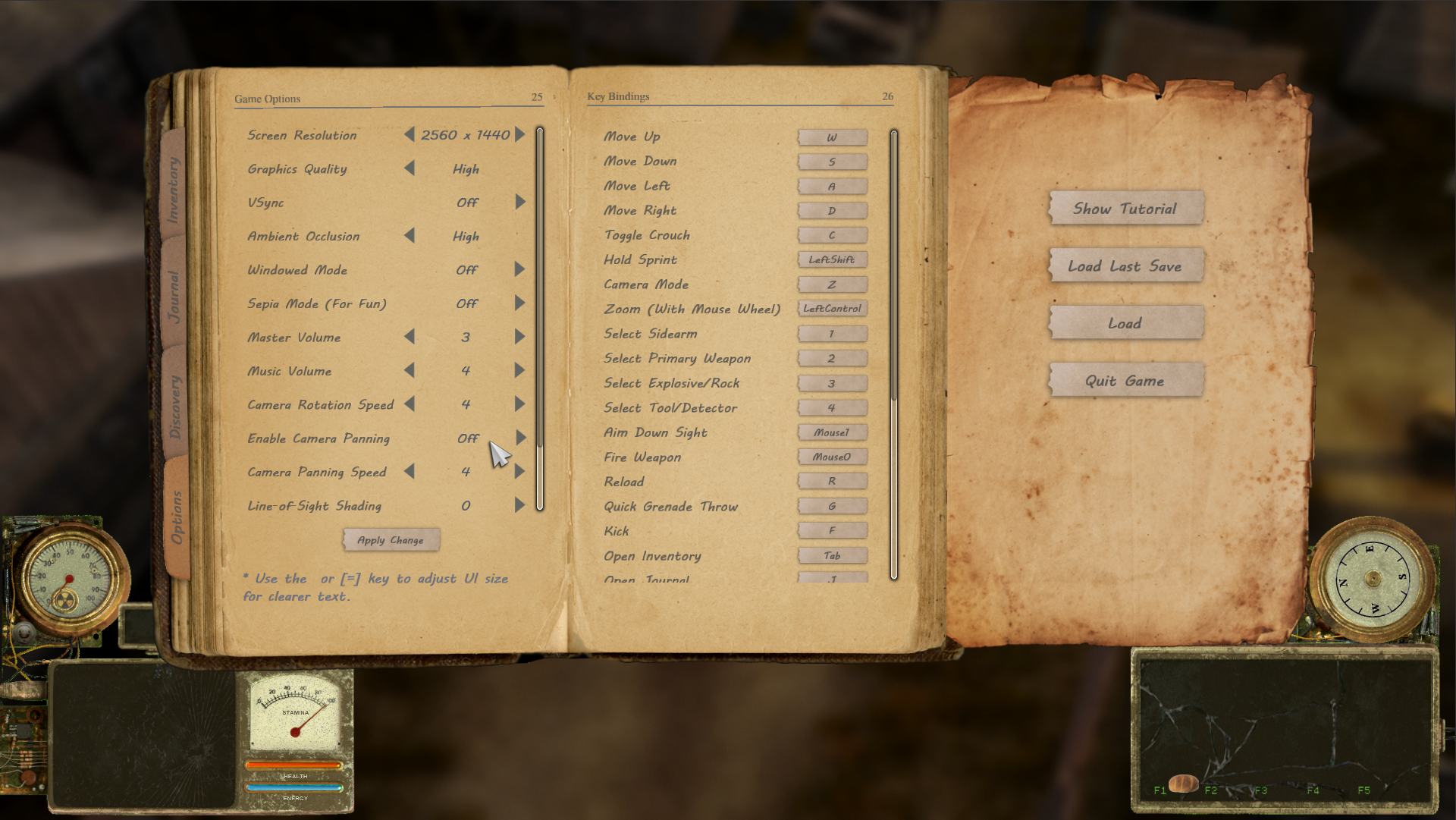
I just wanted to post a quick announcement as a quick reminder: if you find it difficult to navigate or interact with objects, it might be due to the camera panning movement. You can turn it off in the Options menu (by pressing ESC while in-game).
Turning off camera panning will fix your camera at the main character without moving around with your mouse cursor. You can adjust camera zoom by holding CTRL button while scrolling with mouse wheel. Also, You can do a "quick zoom" by pressing Z button by default to switch between a "close view" and a "far view".
I will consider making "OFF" as the default value for camera panning in the future. I understand that it's an uncommon setup among top-down games, so some folks might not be used to it.
Thank you for your patience!