
Hi folks!
If you are hanging out in our Discord server today's news, won't be much of a news for you. Neither if you are in the Development or Experimental Branches. As you've been seen this update cooking in real time. For everyone else, today's patch along with the usual QoL and bugfixes also expands (significantly) the World Map.
You can visually see the map expansion in the image below. The dark areas being what you have, and the areas around what you'll get with this patch.
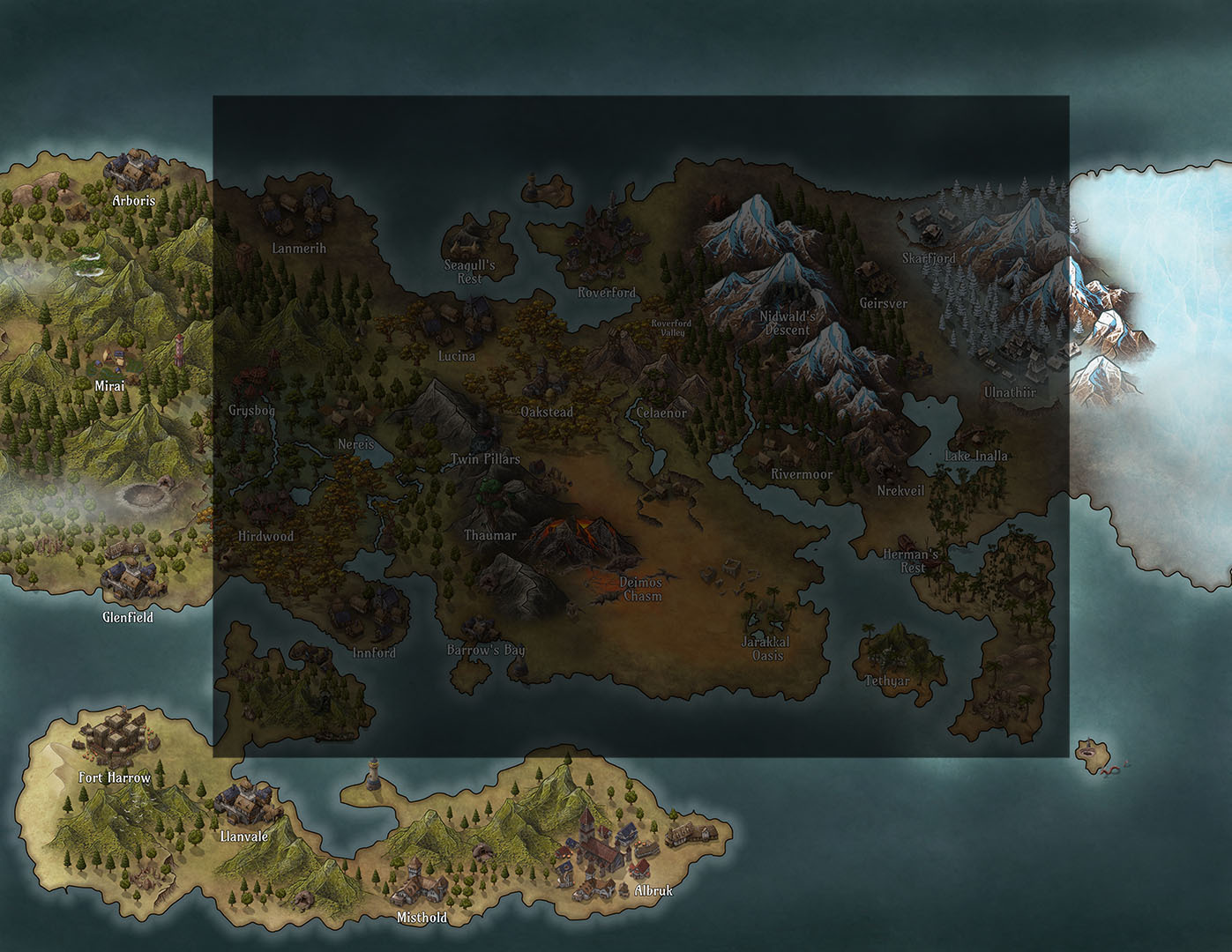
While this is an 'infastructure' update, in the sense that now that new map areas exist they can be fleshed out more with future updates, dlcs and mods, add more minor locations etc, the update already adds 7 new towns, 22 new repeatable quests and a couple high level challenges to enjoy right now.
Most importantly, there is an improved algorithm in place for handing 'location mod conflicts', which in simple terms will allow our modders to expand all game locations by merging their content with the vanilla content, without worrying much about overwriting the vanilla locations.
You can check out the patch notes below for more details.
Have fun and let me know if you encounter any issues!
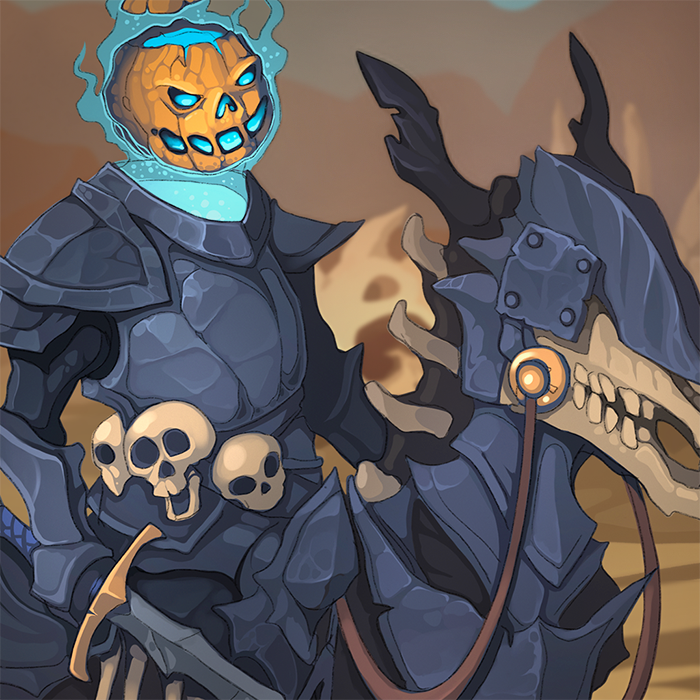
Also make sure to have a pretty good deck before going against this guy:
06/10 # 1.022.5
Bugfixes
- Areas over 26 level weren't offering level-appropriate rewards.
- Fixed a couple of typos and definition errors.
- Brown Bear was missing the 'Companion' type. (Fix will apply in new Summonings)
- Fixed an issue with Mods overwriting vanilla Game Modes not working properly. (i.e Mods created via the ModifyGM command.)
- Damage preview algorithm was predicting a much higher damage in Fury + Vulnerable cards (than the Damage the card could actually deal).
- Perks benefits that would increase the random targets of Debuffs wasn't displaying on the Cards boosted (but was resolving correctly).
- Perk benefits that would increase or decrease certain bonus effect values wasn't displaying on the Cards modified (but was resolving correctly).
- Dispel effect tooltip description in certain cases could display a value less than card itself.
New Content
- Expanded the World Map with new hotspots for major & minor locations
- Added hotspots for the following Major locations: Arboris, Mirai, Glenfield, Fort Harrow, Llanvale, Misthold & Albruk
- Added towns and 22 Repeatable areas for various levels in all 7 new locations (4x in Albruk and 3x in each other).
- Added 3 new high level Challenges in Fort Harrow, Llanvale & Clockmaker's Manor.
- Added Imports/Exports in the new Locations
- Updated the Journal covers affected by the world map expansion.
Misc changes
- Added a tooltip with the search filters in Players Handbook/Enemy Compendium.
- 'Unmentorable' status will also appear under the special tags in Codex entries.
- Shift+S (Shuffle shortcut) will be disabled if Win key is also pressed, as shuffle could trigger while using the windows snipping tool.
- Chaotic Destroy & Chaotic Befriend will not pick the same target twice. Additionally the log will display which targets were picked and how many HP each had.
- If you are holding a card while pressing 'Space' to end your turn or before certain phases occur ie. Discard, Unravel etc, the card will automatically return to your hand before the phase logic runs.
- 'Multiply' intent will display as 'Multiply then Attack'.
- 'Regenerate' intent will display as 'Regenerate then Attack'.
- While the PC is traveling in the Overworld map towards their destination, map panning will be temporarily blocked for the duration of the movement.
- Changed the Ally 'Quick Special' button to:
- "Target the first, or the enemy marked as your preferred target, and use your Ally ability card on them (without crafting it). You can still right-click your Ally to craft their card instead."
- If the ally has a choice of cards, instead of just one, you still get to craft it.
- If you are out of combat, you still get to craft it.
- Completing Conquest will now give both the 'Explorer' & 'Adventurer' achievements. This will apply to games completed after this change and can't be retroactive.
- Completing Campaign will now give both the 'Explorer', 'Adventurer' & 'Hero of Legends' achievements. This will apply to games completed after this change and can't be retroactive.
Changes related to the Custom Artwork Cache
These changes will only affect mods that rely heavily on graphics:
- Custom Artworks cache will persist while the game is running and won't clear up at each ModManager reset to prevent memory release / allocation issues in slower ram setups.
- Added a button to purge the Custom Artwork cache (If you disable any artwork mod you'll need to click this button before resetting the ModManager)
- Added a checkbox in ModManager to completely disable the Custom Artwork cache. This will load all mod graphics on demand, won't make for a smooth experience, but will save you RAM if you use too many artwork mods and your RAM has a slow speed.
Modding Additions/Improvements
Modders can change the various Vanilla stage graphics with their own by placing their artworks (rec. 1920x1080) in Mods/ModName/CustomArtworks/Tales
- These files must correspond to a vanilla graphic set prepended with Set[Vanilla Stage].png ie. "SetJungle River.png"
- Vanilla Stages have the following names: Arid Hills, Cherry Blossoms, Coastal, Cultist Lair, Devil's Keep, Eerie Clearing, Forgotten Ruins, Frozen Mesa, Gambling Parlor, Ghost Ship, High Garden, Icy Mountains, Infernal Gate, Jungle River, Lush Forest, Marsh, Mistwood Overlook, Moonstone Mines, Old Ruins, Old Temple, Scorched Fields, Shipwreck, Smuggler's Den, Submerged Temple, Treacherous Dunes, Valley Overlook, Witch Hut, Witch Lair.
- You can alternatively override all game stages (or those you didn't provide a special graphic for) with a single graphic by providing a "SetUniversal.png"
Improved the code handling Location conflicts.
- Conflicting Location Mods are now merged with the vanilla content and with each other, instead of entirely overwriting each other.
- This means in practice that your location .json file can contain only the ID field ie. "ID": "Albruk" and only the info that you want to add or overwrite from the vanilla location. ie. Let's say that the vanilla Albruk contains definitions for areas 1-5.
- Mod 1 could decide to simply change area 1 and add Goblins as a secondary population. And Mod 2 to add areas 6-10.
- All our three .json files will now get smashed together, and the end result will be the vanilla Albruk with a modded area 1, the rest of vanilla areas intact and the several new areas added by Mod 2.
- When overwriting an area it's important to overwrite all of its fields. i.e if you you overwrite area 1, but omit the description field, then the vanilla one could be used instead causing unintended results.