
In the DARKEST DAYS, Trust No One!
Hello Survivors,
This is the DARKEST DAYS
We would like to share the patch notes for the version update on October 15 (Wed). Please check the details of this update below.
※ All screenshots and images were taken in a test environment and may differ from the live server version.
■ Version Info
- 0.23.2
■ Patch Schedule
- October 15 (Wed) @ 23:50 UTC
■ New Additions
[New Multiplayer Content – “Coal Tomb Power Plant”]
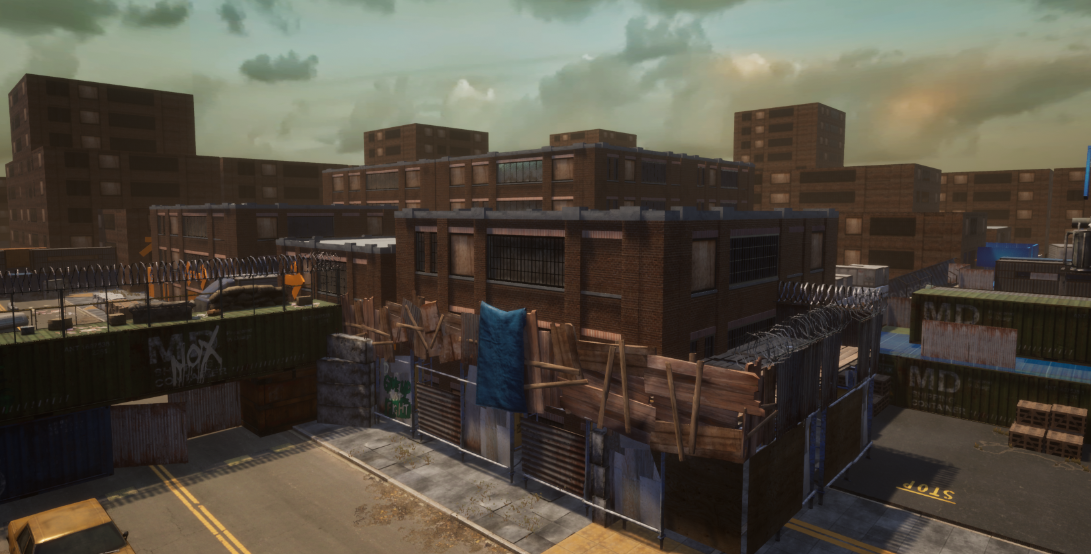 - A new multiplayer content, “Coal Tomb Power Plant,” has been added where Survivors team up and engage in battle to capture points.
- You can choose between two game modes: Casual Conquest Battle Mode and Guild Conquest Battle Mode.
- Casual Conquest Battle is an 8 vs 8 mode that allows players to join via pre-made parties or through automatic matchmaking.
- Guild Conquest Battle is a 5 vs 5 mode where members of the same guild can form teams in advance.
- Points from matches can be earned based on a variety of match results such as victory/defeat, enemy kills, ally revives, and other factors.
- In Casual Conquest Battles, Milla and EXP can be earned based on your score.
- In Guild Conquest Battles, your earned score will contribute to your rank which will be divided into one of 8 Tiers
Tier | Division |
|---|---|
Challenger | Top 10 |
Grandmaster | Top 11 ~ 5% |
Master | 5% ~ 10% |
Diamond | 10% ~ 25% |
Platinum | 25% ~ 40% |
Gold | 40% ~ 55% |
Silver | 55% ~ 70% |
Bronze | 70% ~ 100% |

* Your feedback on “Coal Tomb Power Plant” will greatly help us in our goal to continually improve the content.
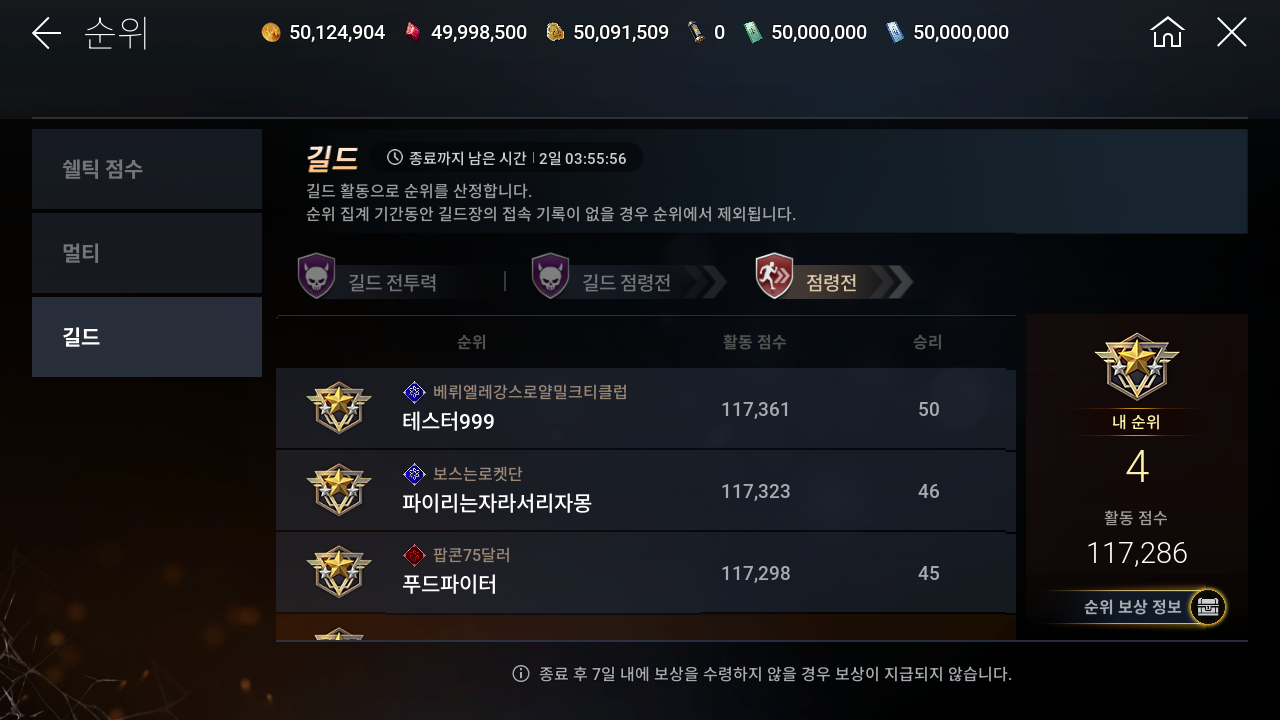
[New Ranking Tab – Guild Ranking Added]
- A new Guild Ranking tab has been added in [Rank] menu.
- You can check the top guilds by Guild Combat Power, Guild Conquest Battle score, and Overall Guild Conquest scores.
- You can also view your personal rank, guild score, and ranking rewards.
[New Guild Content – Guild Shelter Added]
- A new community hub for guild members called the Guild Shelter, has been added.
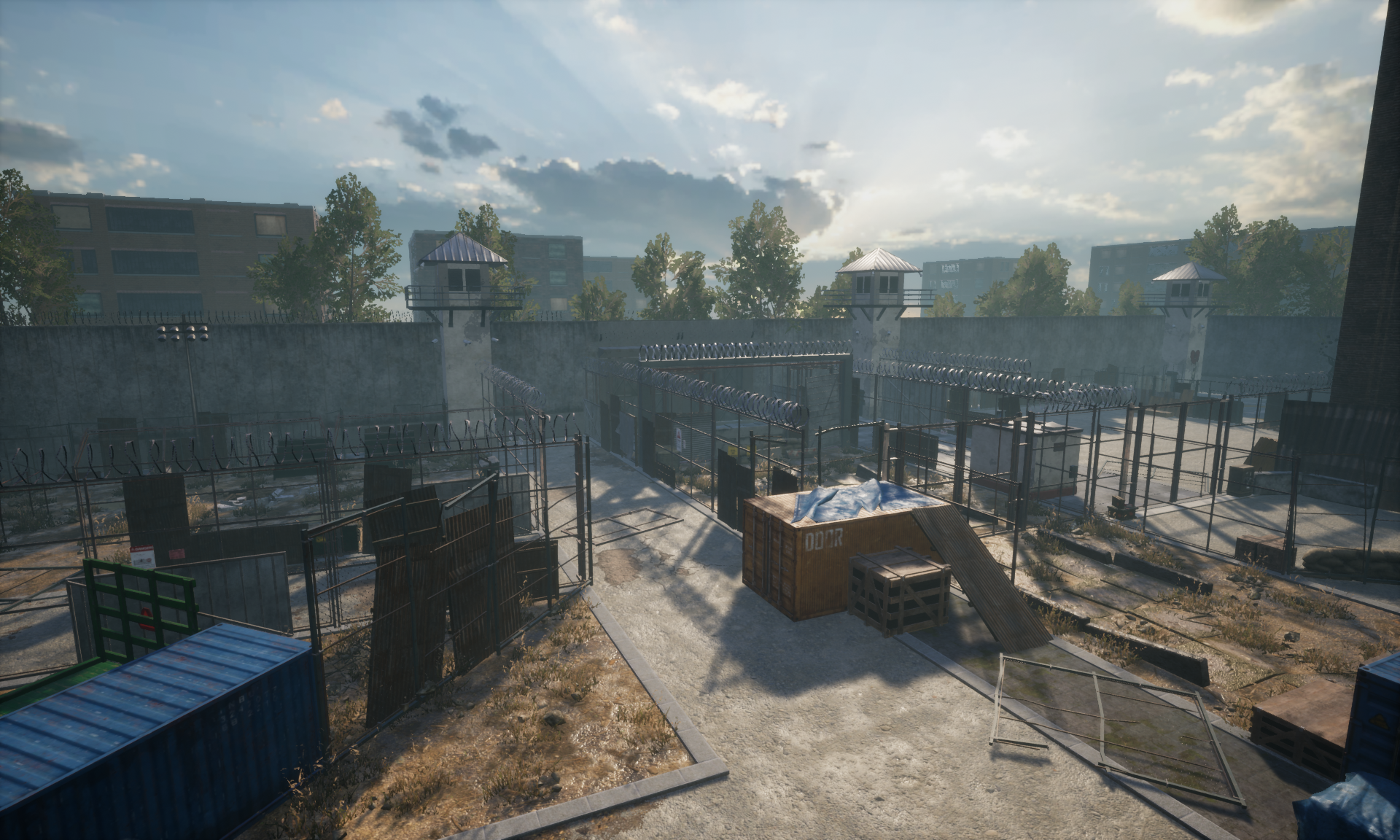 - Accessible via [Guild] → [Guild Shelter] → [Enter Guild Shelter].
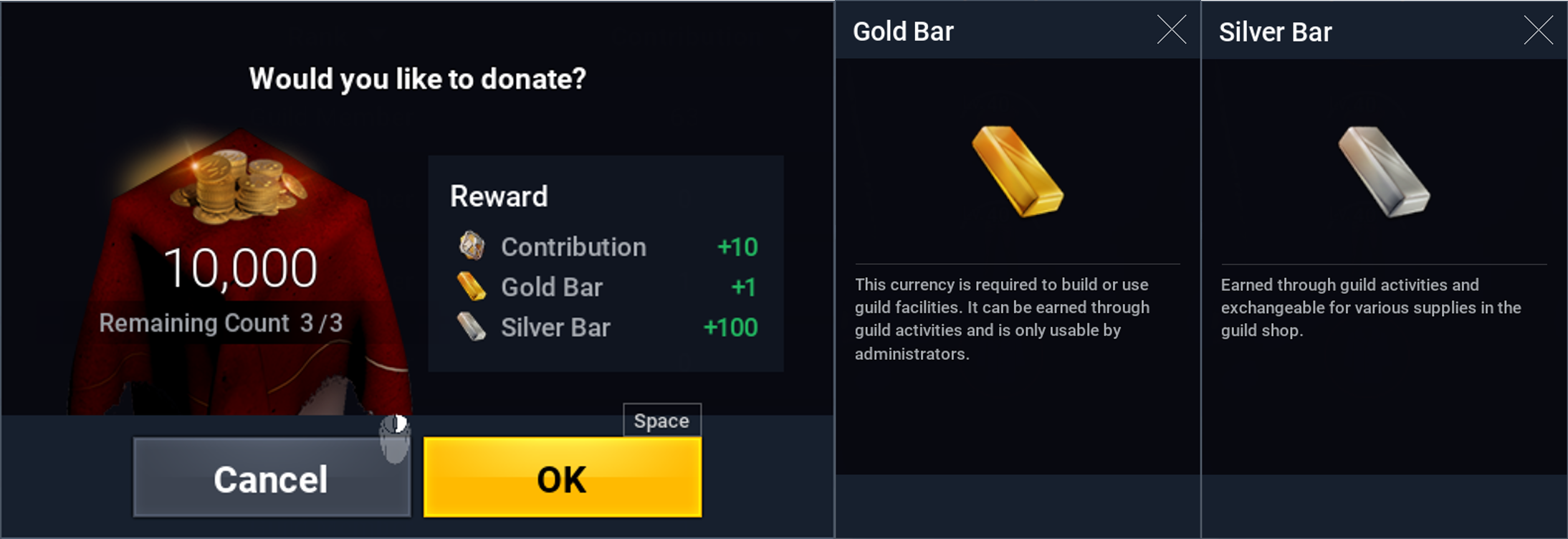
- Gold Bars can be used as currency to construct or upgrade various guild facilities.
- Silver Bars can be used to purchase various consumable items.
- Both currencies can be acquired through Guild Donations.
[New Consumable Buff Items Added]
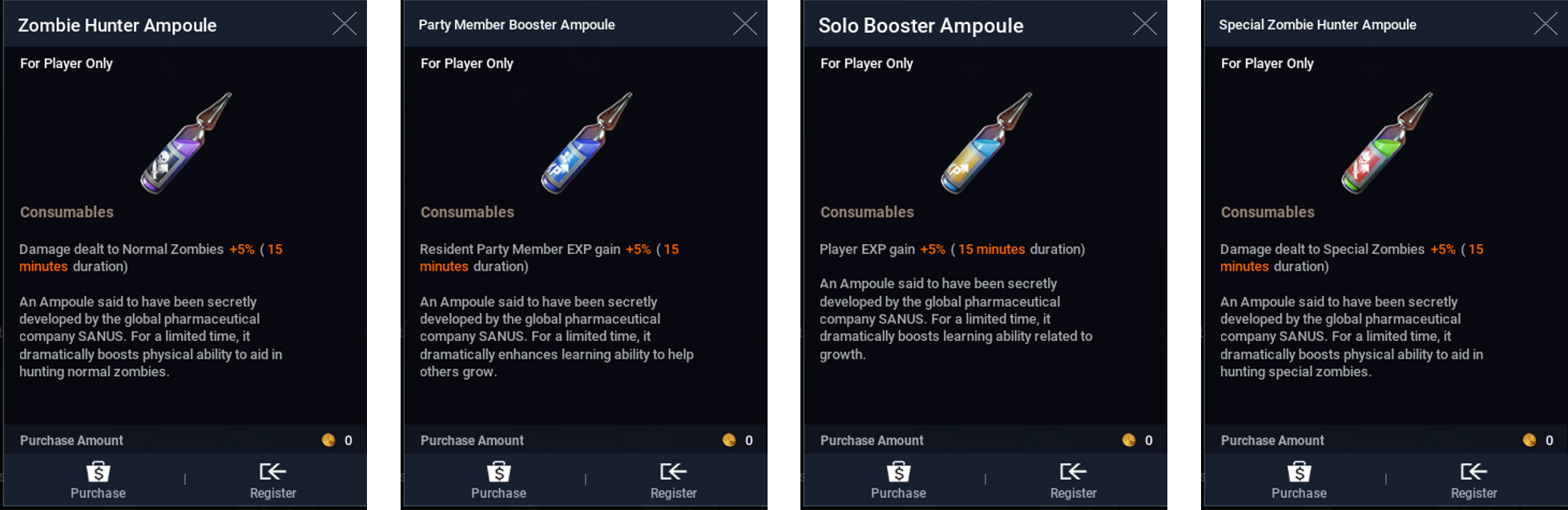
- 4 new consumable buffs added: Zombie Hunter Ampoule, Party Member Booster Ampoule, Solo Booster Ampoule, Special Zombie Hunter Ampoule.
- These new ampoules increase zombie damage or EXP gain.
- Available exclusively at the Guild Shop within the Guild Shelter.
[New Guild Feature – Guild Quests]
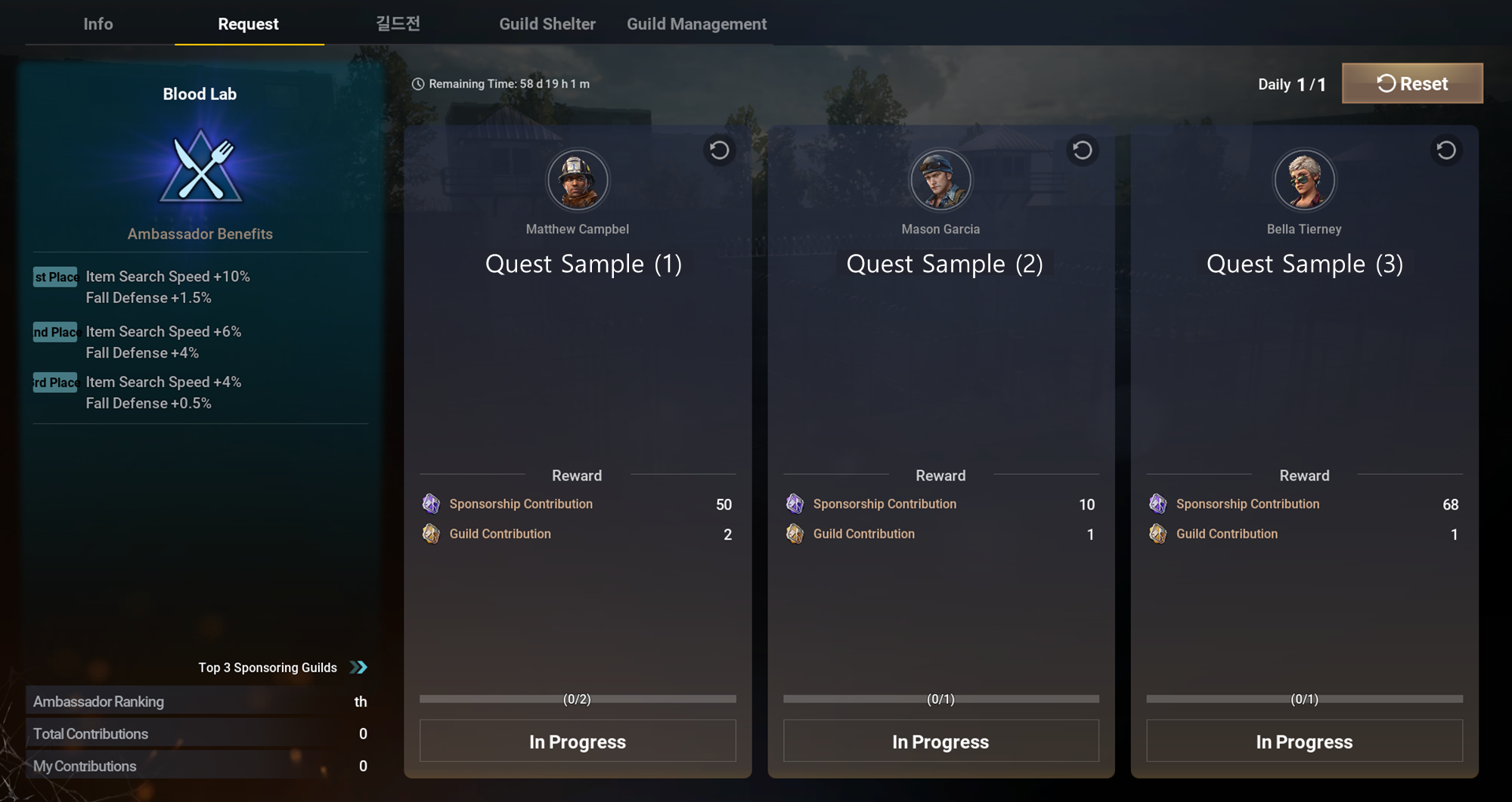
- Added a new quest type, Guild Quests, which can only be completed by Survivors who are members of a guild.
- Completing quests grants Sponsorship Contribution and Guild Contribution points.
- The top 3 guilds with the most sponsorship contributions from each community shelter will receive “Ambassador Benefits” with various special buff effects.
- The top #1 guild across all community shelters will have a special visual effect added to their guild mark.
- Guild Masters can select a community shelter to support via [Guild] → [Quests]. A full list of available quests will then appear that can be completed by all members.
[New Halloween Season Event – “Halloween Candy Collection” until Nov 27, 2025]
- A special event to celebrate the Halloween season will start!
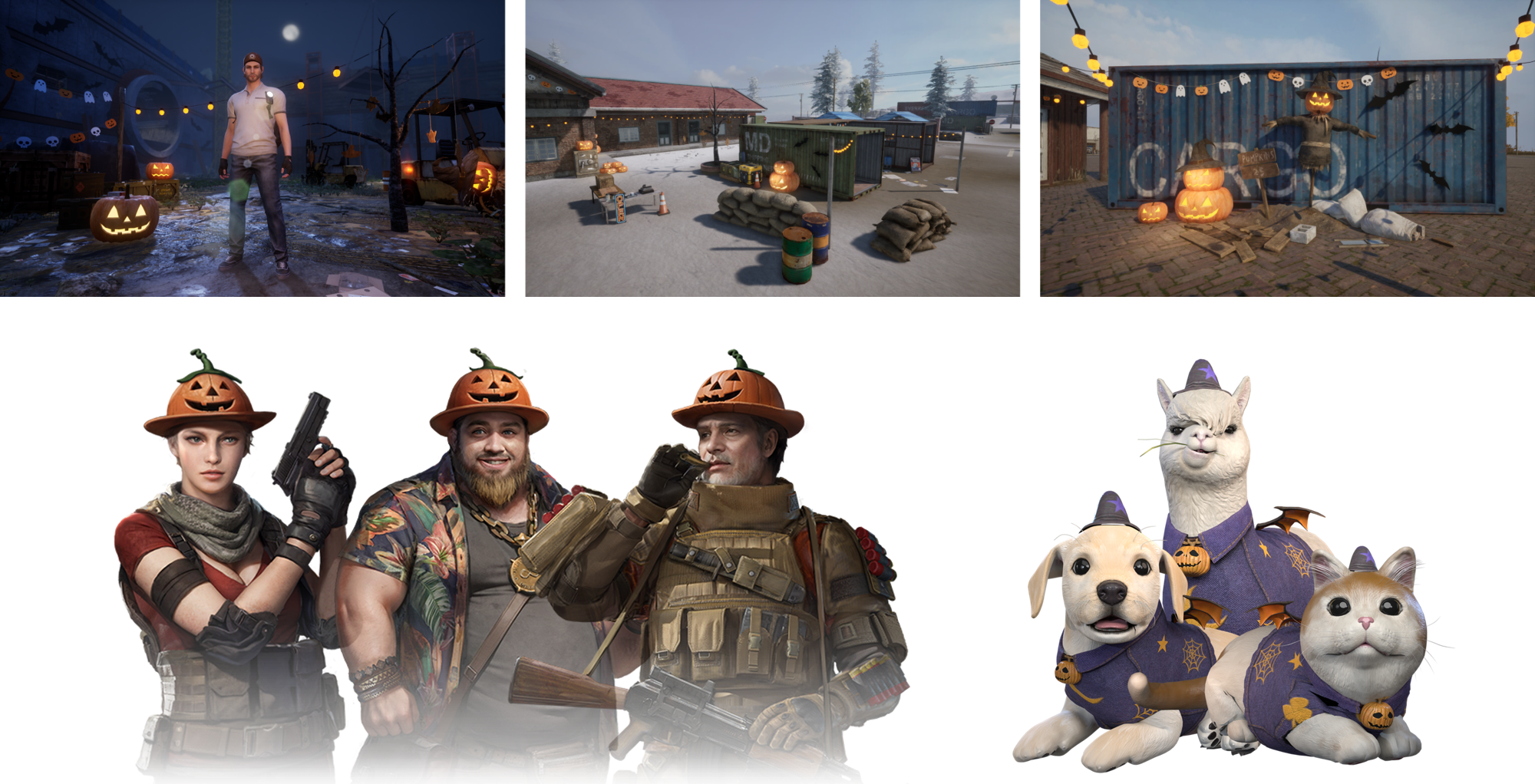
- During the event, the background music in the game will be changed to a Halloween theme.
- Pumpkin decorations will appear in the character selection screen and throughout the community shelters.
- Merchants, Community NPCs, and pets will be updated with a Halloween theme.
 - During the event, Halloween Candy can be acquired by killing zombies in all open regions (Sand Creek, Bielli Island, etc.)
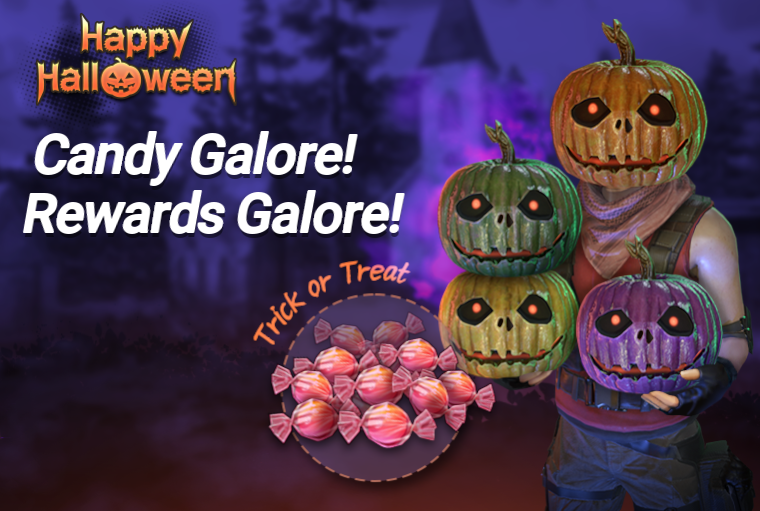
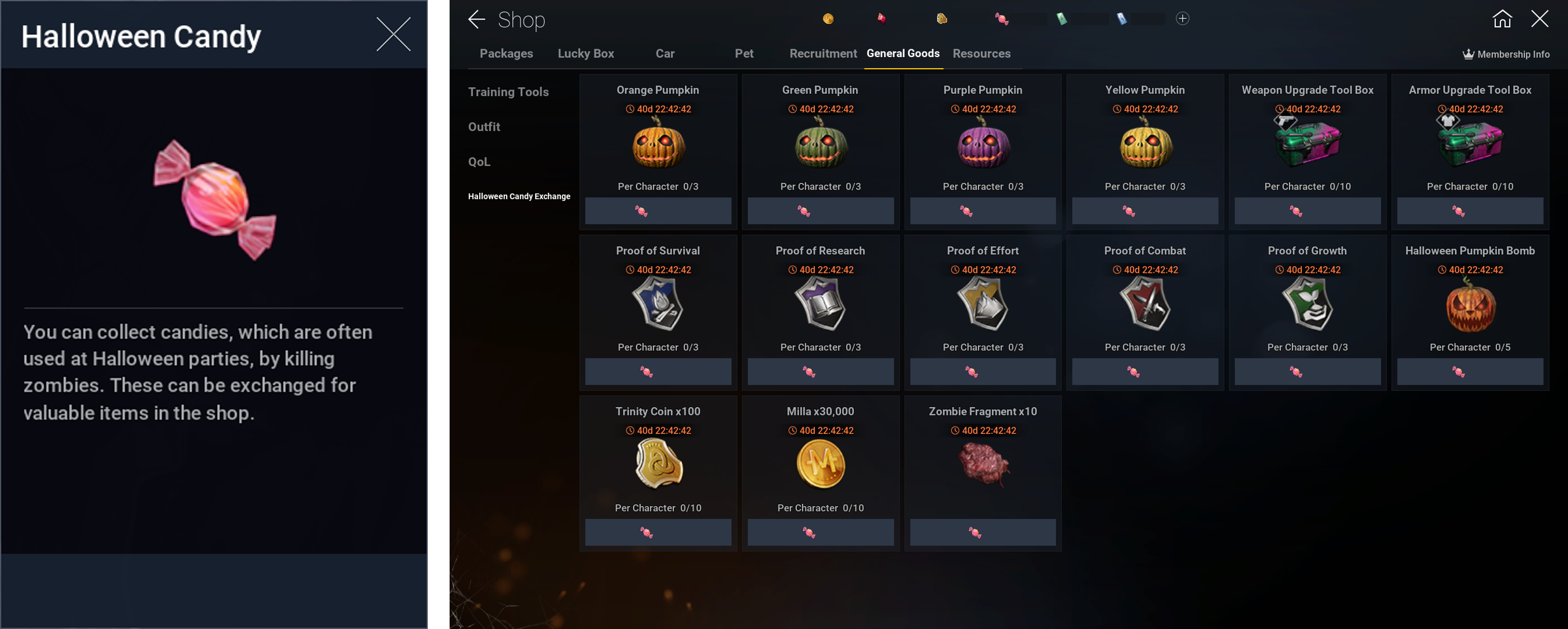
- Collected candy can be exchanged in Shop → General Goods → Halloween Candy Exchange for various items.
- All Halloween Candy will be removed after the event ends.
[New Halloween Season Event – Halloween-Themed Items until Nov 27, 2025]
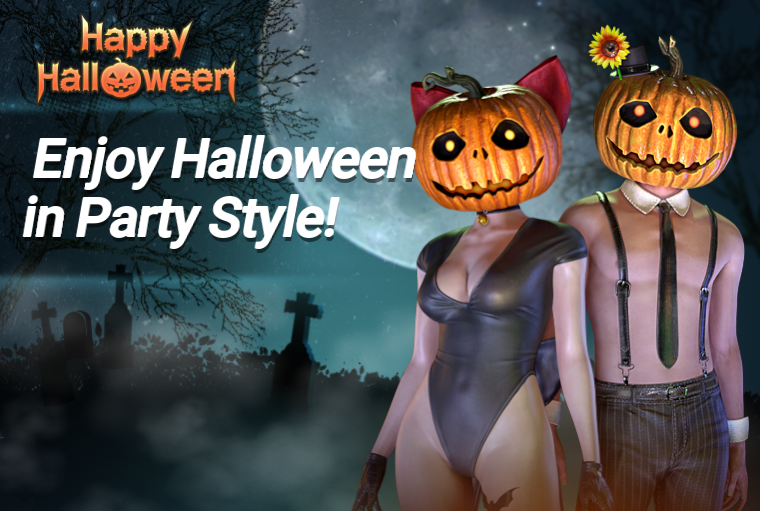
- Added new Halloween-themed consumable item and costume.
- A new costume, “Halloween Party Outfit”, which can be found by going to Shop → General Goods → Costumes will be available.
(Costume can be purchased only once per character)
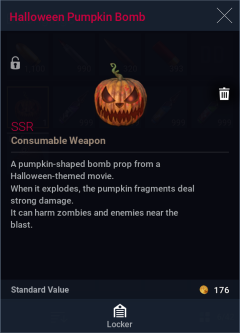
- A new consumable, “Halloween Pumpkin Bomb”, which can be found by going to Shop → General Goods → Halloween Candy Exchange will be added.
(Can be purchased up to 5 times per character)
* The Halloween Pumpkin Bombs will not be removed after the event ends and can be kept permanently in your inventory until they are used.
[New Resident – Daisy Summers & Season 5 Community Pass until Nov 27, 2025]
- Once a beloved athlete, Daisy Summers lived an ordinary life as a waitress, dreaming of a happy future. However, after the day when a single act of courage led to tragedy, she become trapped in an endless cycle of guilt over failing to protect someone close to her. Now, in a world that has fallen apart, she attempts to rise above her past trauma with the determination to protect her companions with the true strength hidden underneath her fragile exterior.

- Unlock Daisy by reaching Level 1 in the Season 5 Community Pass.
- Reach level 40 to unlock her special costume.
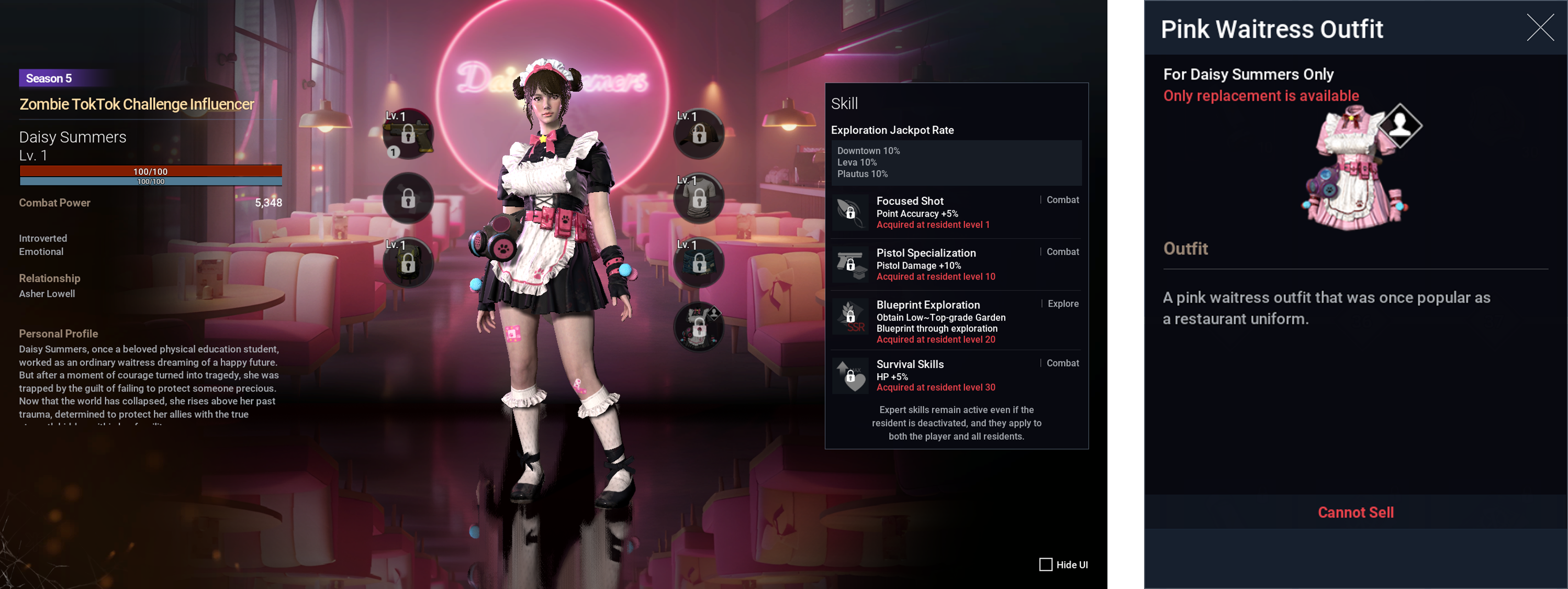 - Available in Shop → Packages → Community Pass.
- Purchasable once per character.
[New Survivor Level Season until Nov 27, 2025]
- A new Survivor Level season begins.
- EXP requirements for leveling up have been lowered for faster Survivor leveling.
- Survivor Skill Points board has been updated to allow you to view details of each skill
└ On PC, hover the mouse over the skill, while on mobile you can click and hold on a skill for 2 seconds to display the details.
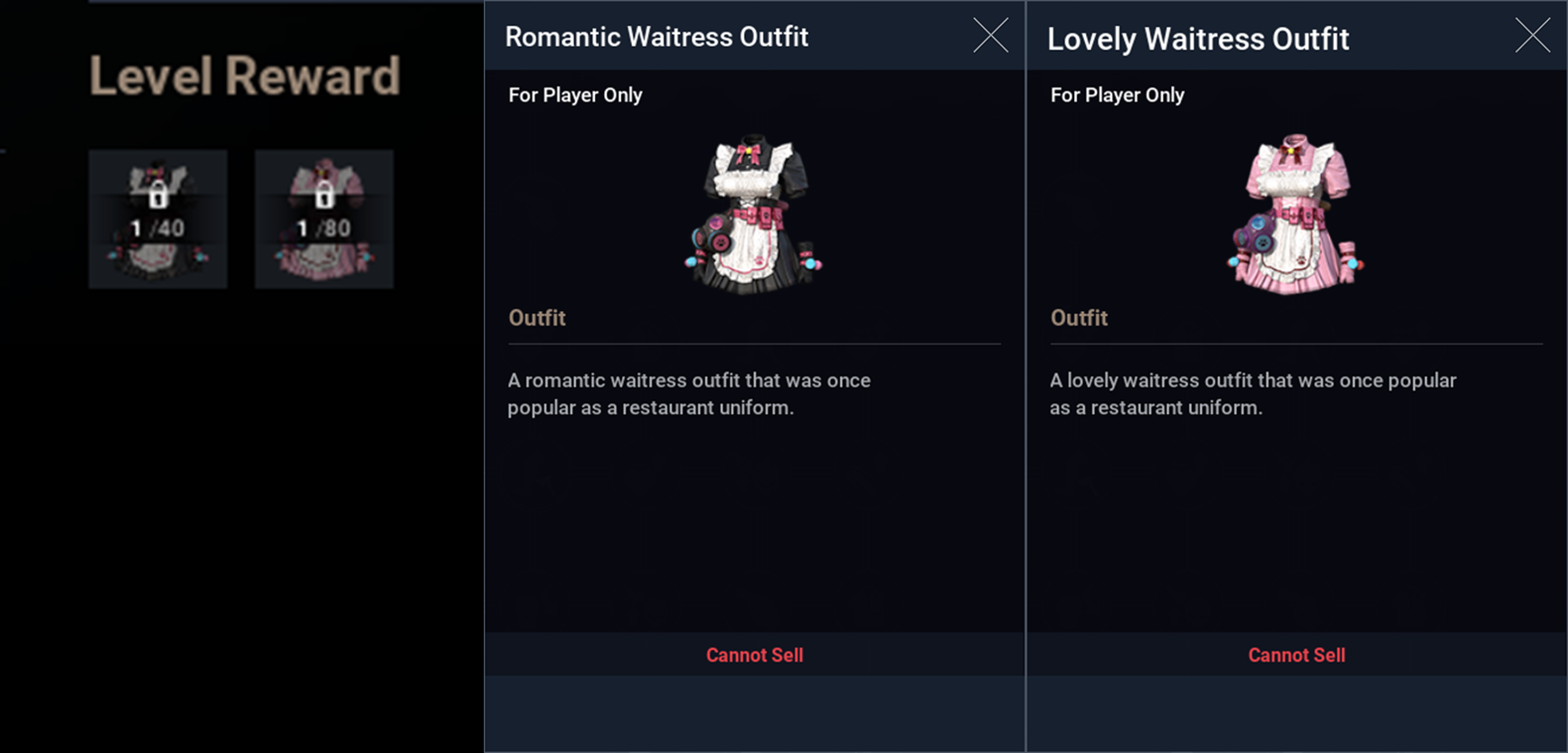
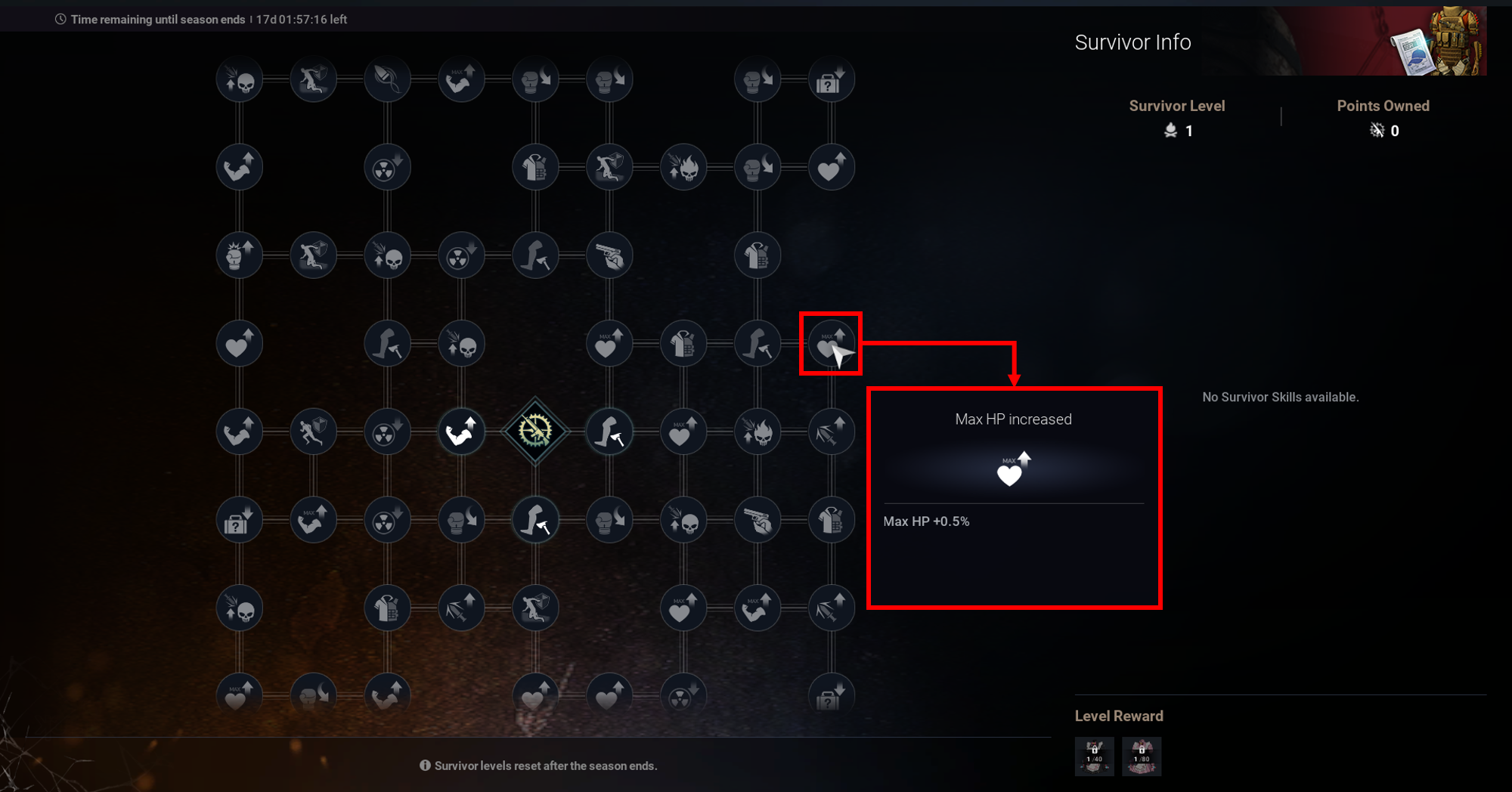 - The reward for reaching Survivor Skill levels 40 and 80 have been updated as well.
- Lv.40 → Romantic Waitress Outfit
- Lv.80 → Lovely Waitress Outfit
■ Major Improvements
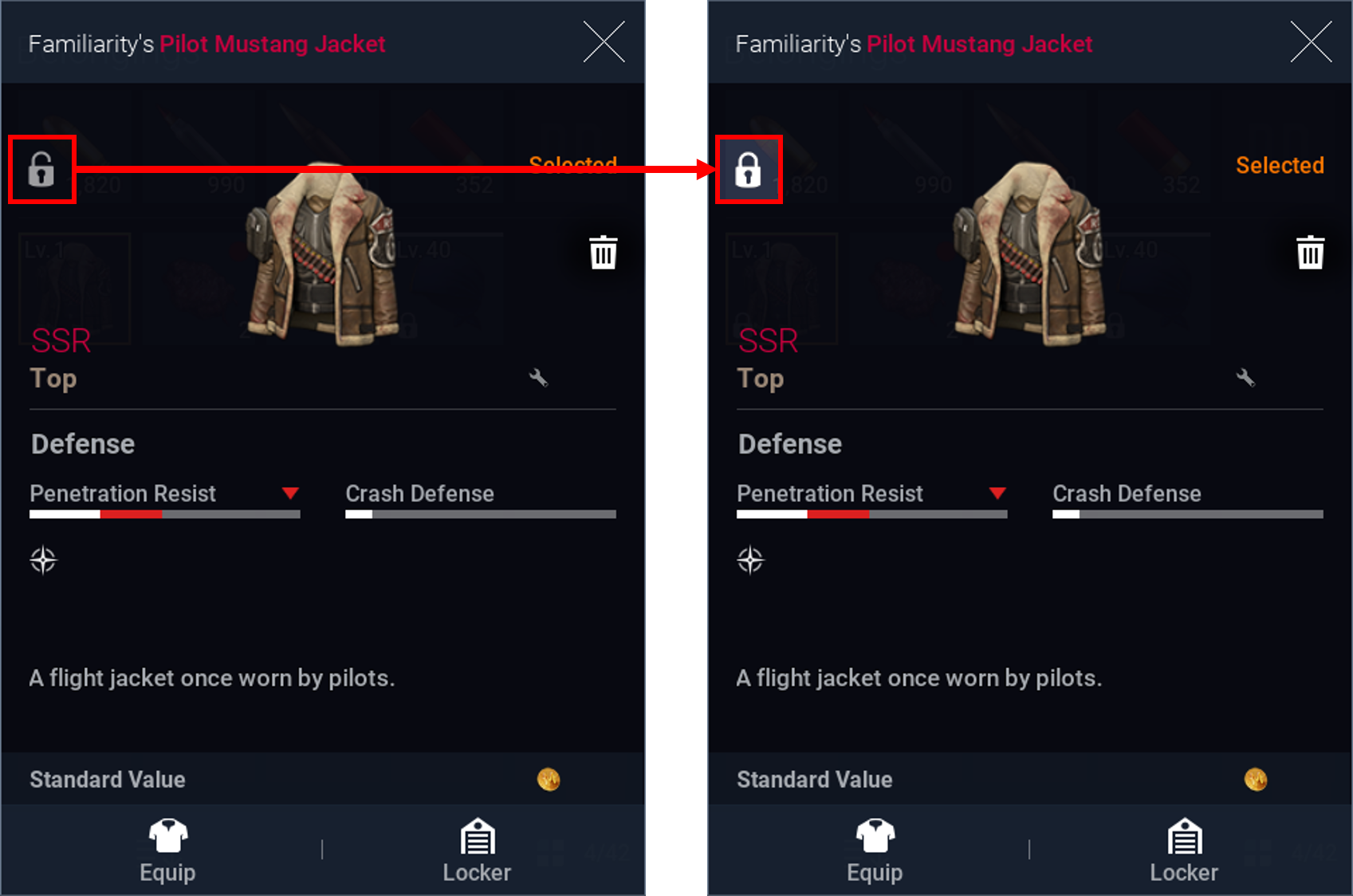
[Item Lock Feature Added]
- Items can now be locked by clicking the padlock icon located in the top left of the item info screen
- Locked items cannot be decomposed or sold
[Camera View Switch Feature Added]
- You can now switch the camera’s shoulder view direction while aiming
- You will be able to assign a hotkey for this feature by going to Settings → Controls → Open Settings → Switch Camera View
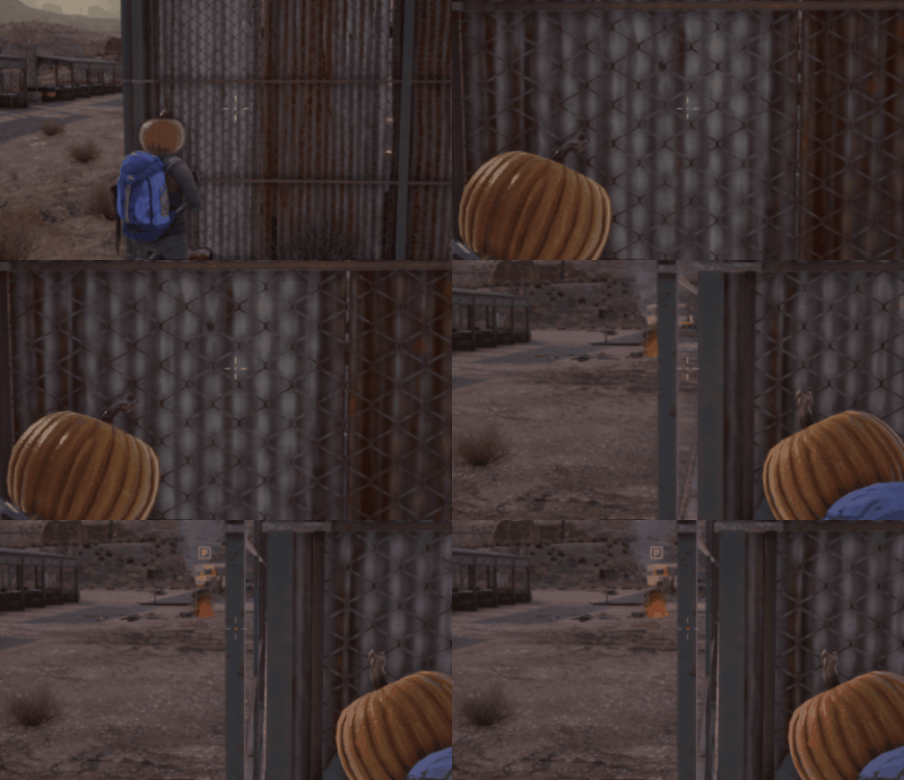
* The mouse wheel click will be the default key for camera switch on PC, while tapping the icon below while aiming will switch the camera view for mobile players.

[Scope Mode / Shoulder Mode Separation Improved]
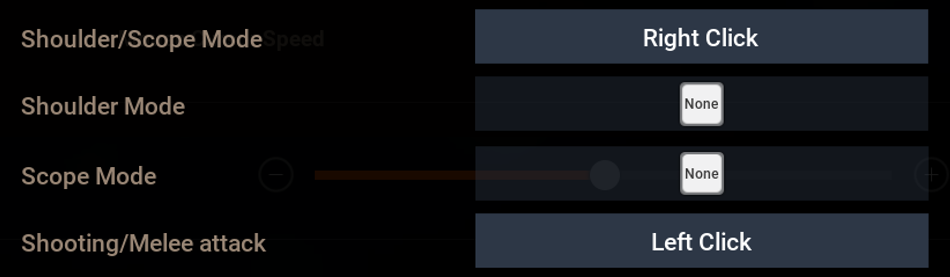
- When using SSR-grade or higher weapons, you can now use both Scope Mode and Shoulder Mode separately.
- You can assign individual hotkeys for each by going to Settings → Controls → Open Settings
[Detailed Stats View Improved]
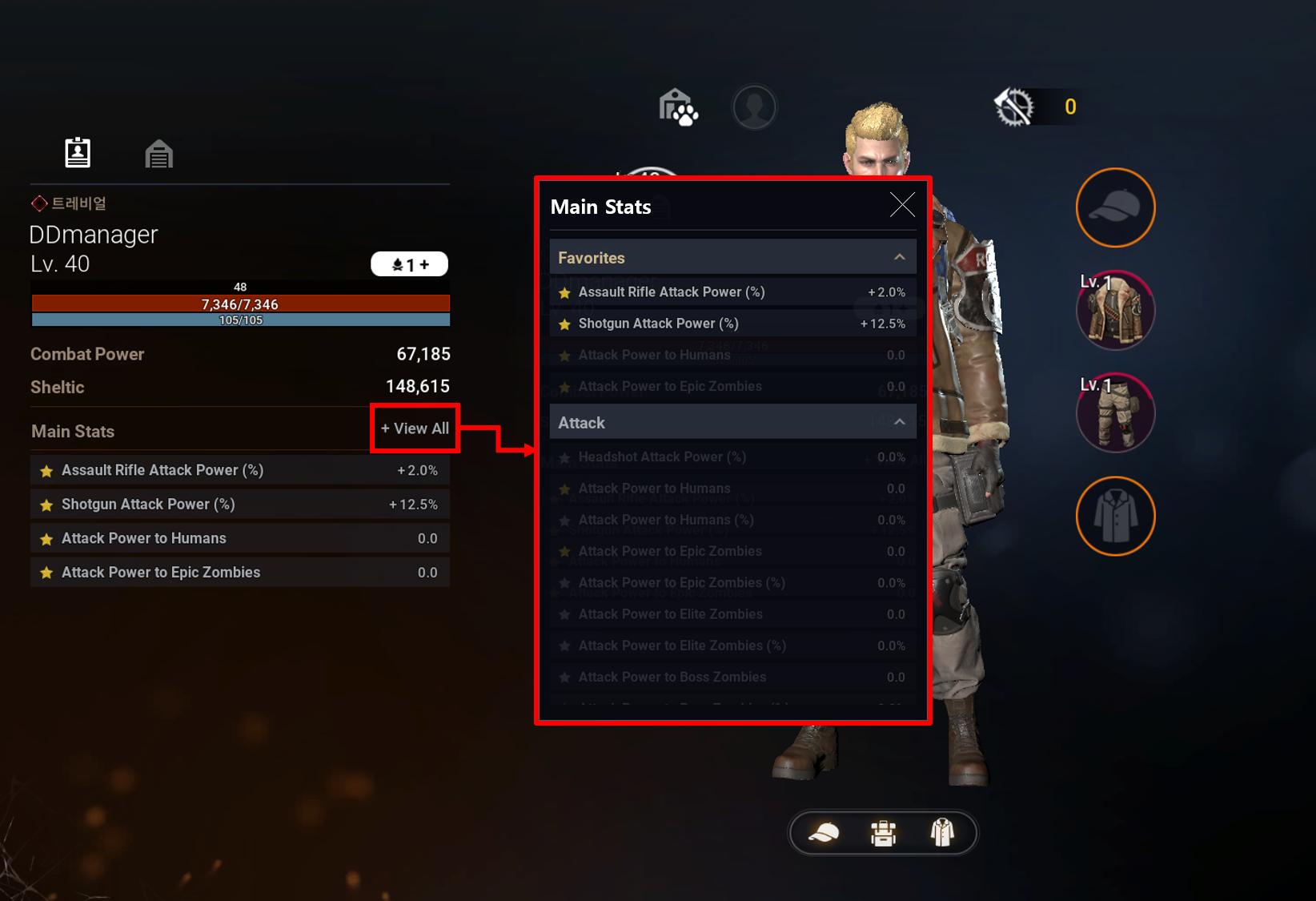
- In the [Bag] menu, under [Main Stats] → [Details], you can now view more detailed character stats.
- You can also favorite specific stats by toggling on or off the star icon next to each attribute
[Lonetree Tunnel Rewards Increased and Gameplay Improved]
- You can now select specific Lonetree Tunnel stages to replay.
- The first-clear and repeat-clear rewards for Lonetree Tunnel have been increased
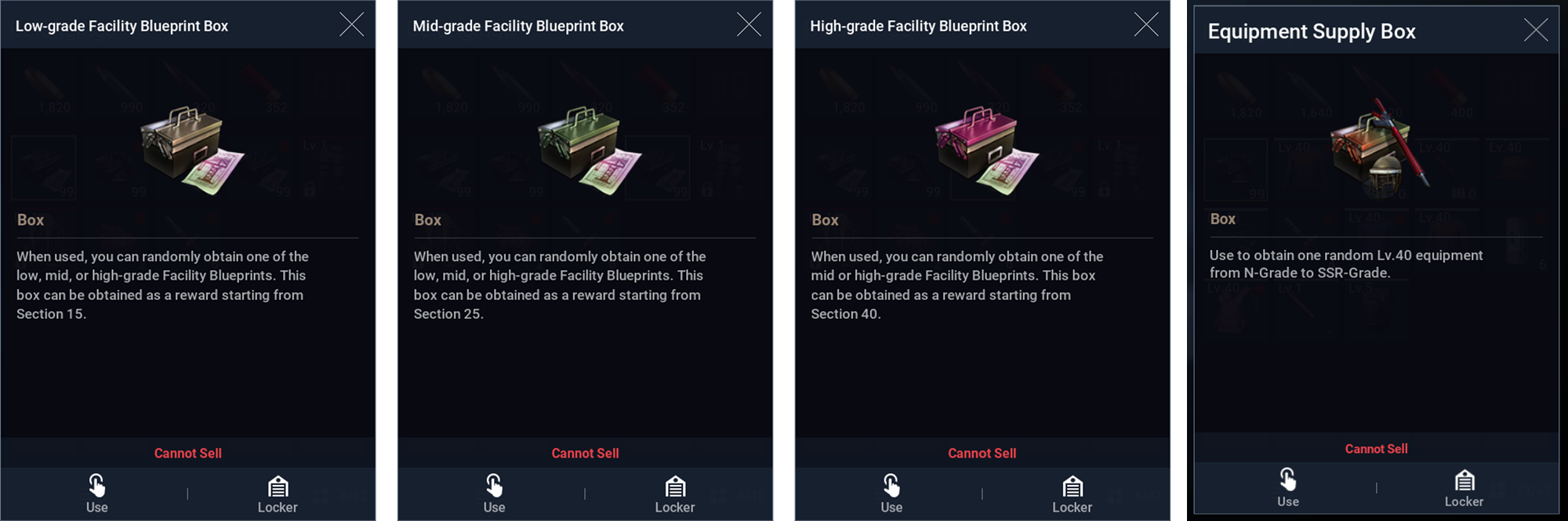
└ Starting from Stage 14 and above, first-clear rewards will now include Mid-grade ~ Top-grade Blueprints, Chrome, Nano Fibers, and other materials used to upgrade shelter facilities.
└ Starting from Stage 16 and above, repeat-clear rewards will now include Equipment Supply Boxes and Low-grade ~ High-grade Blueprints.
- The higher the stage you have cleared, the greater the rewards that can be earned from repeat clears.
- The number of times you can acquire repeat-clear rewards is limited to 3 times per day.
└ Based on your highest cleared stage, you can form a party and enter stages up to 5 levels lower than your best cleared stage.
└ Stages lower than your highest cleared stage can be joined freely through party invites.
- The stage info screen for Lonetree Tunnel will now display repeat-clear rewards.
■ Other Adjustments
- The sale of the Beginner-Only Lucky Pack will be discontinued and removed
- The following outfits will be discontinued and removed from Shop → General Goods → Costumes: Bulletproof Catcher Outfit, Necktie Style Outfit, SWAT Uniform, Firefighter Uniform, Signal Corps Uniform (~Nov 6, 2025)
- Vex’s appearance updated and their knockdown rate and attack timing have been adjusted.
- Adjusted the height threshold for fall damage and the landing animation length.
- The reward claim history for the 7-Day Login and 28-Day Login Events have been reset.
- 'ER' and 'Cents' have been removed from currency display tab
■ Additional Improvements
- The skill screen has been updated to display the currently active effects.
- The item level text will now remain white even when the item’s level is higher than the character’s level.
- Animation times for deploying/summoning vehicles have been reduced.
- Added “+” button to the right side of the currency display tab to view detailed currency balances.
- The text displaying Community Required Resources will now change color based on the number of items owned.
- ‘Select All’ button added to Locker, Trade, and Truck screens to quickly register all items.
- You can now deploy vehicles being used for exploration or use deployed vehicles for exploration interchangeably.
- Fixed auto-move errors so that when the navigation routes update, your character now follows the newly updated patch.
- Added new visual effects for Community Pass level-ups and improved the instant level-up pop-up window.
- Improved the membership subscription effect UI displayed in the buff pop-up window
- When you do not have enough to purchase an item in the Shop, a pop-up notification will appear that allows you to go directly to the Shop to purchase additional currency/items.
- Key binds can now be customized by going into [Settings] → [Controls] → [Key Settings]
- Improved sorting functionality in the Inventory, Decompose, Repair, Upgrade, and Craft screens.
- Enhanced the multi-region entry info UI for better visibility and usage.
■ Bug Fixes
- Fixed an issue in Resident Expedition where Masked Band, Followers, or one zombie would occasionally fail to appear.
- Fixed an issue where the “Unshareable” UI incorrectly appeared in the party info when a member got into the vehicle.
- Fixed an issue where the approval button in the Guild Management screen appeared only in Korean.
- Fixed incorrect text displayed in the Guild Disband pop-up.
- Removed some obstacles from the roads in Holitore and Twilight Holitore.
- Fixed an issue where translations were missing from the Lonetree Tunnel party setup screen
- Fixed an issue where the HUD party info still displayed data from users who had left the party.
- Fixed an issue where party members’ location info remained on the HUD after returning to Sand Creek.
- Fixed an issue that caused duplicate party member info to appear on the HUD.
- Fixed an issue where guild emblems were visible only to members in the invite chat.
- Fixed an issue where the friend count did not update immediately after adding a new friend.
- Fixed a bug where the red-dot notification did not appear in the Requests tab of the Friends menu.
- Controller setting text has been corrected.
- Fixed an issue during the “Useful Items” quest where doors could not be interacted with.
- Various translation errors fixed.
- Fixed an issue where only some party members remained in the party after entering multiplayer mode.
- Fixed an issue where NPCs sometimes could not move through narrow spaces.
- Fixed an issue where vehicle auto-drive did not function properly in multiplayer regions.
- Fixed an issue where characters appeared abnormally after reconnecting in multiplayer mode.
- Fixed an issue where red-dot notifications in the inventory did not update immediately.
- Fixed an issue where the chat window was not displayed in the Lonetree Tunnel result cutscene.
- Fixed an issue where Deadite acquisition amounts were displayed incorrectly.
- Fixed an issue where Deadite gains were not immediately reflected during auto-combat.
- Fixed translation, animation, and auto-move bugs.
- Fixed an issue where slot animations kept playing when scrolling in the Auto-Search Storage screen.
- Fixed an issue where pressing ‘Enter’ in after joining a public party would cause the party screen to close.
- Fixed an issue where the party draw UI occasionally did not appear.
- Fixed an issue where parties disbanded if the leader left while members were ready.
- Fixed an issue where left/right arrow keys could not be assigned as shortcuts.
- Fixed an issue in the “Suspicious Movement” quest where auto-move was not canceled after reaching the objective.
- Fixed an issue where players or residents moved with a tilt.
- Fixed an issue where terrain or objects were displayed abnormally.
- Fixed an issue where furniture appeared in inaccessible locations.
- Fixed an issue where the A-TAS screen did not close after the Lonetree Tunnel fight began.
- Fixed an issue where resident allies walked instead of teleporting when far from the player.
- Fixed an issue where players could not control their character or fell below the ground after entering multiplayer regions.
- Fixed an issue where the remaining time UI in multiplayer regions displayed incorrectly.
- Fixed an issue where the direction a character was facing would lock and controls became unresponsive.
- Fixed an issue where interacting with a door already in use by another player caused input to stop working.
- Fixed an issue where interacting with TAS-summoned items from another player in Lonetree Tunnel would cause control issues.
- Fixed an issue where HUD elements were not properly hidden upon entering multiplayer.
- Fixed incorrect notifications appearing in the Event Menu tab.
- Fixed issues where Exchange UI and target indicators were displayed in the wrong position.
- Fixed incorrect UI target positions on Bielli Island.
- Fixed an issue where effects in Kyla Jane’s personality pop-up extended beyond their boundaries.
- Fixed an issue where current/max item quantity text in the inventory was misaligned.
- Fixed an issue where text alignment was off-center in certain languages on the Enhancement screen.
- Fixed an issue where guide text in the Exchange Favorites screen appeared only in Korean.
- Fixed an issue where equipping an item directly from the item acquisition pop-up caused the “equip higher gear” alert to always appear.
- Fixed an issue in the “Severe Infection” quest where Jimmy’s injection motion when treating Den did not play correctly.
- Fixed an issue where Ruptures died while standing in iOS devices.
- Fixed an issue where objects used in animations did not disappear properly.
- Fixed an issue where consumable item use animations did not play.
- Fixed an issue where resident allies did not stand up after performing parkour while crouched.
- Fixed an issue where NPCs failed to move to designated positions.
- Fixed an issue where resident allies attacked only the head of enemies.
- Fixed an issue where the indicator showing distance to party members displayed incorrectly.
- Fixed an issue where the party draw button was shown as a pickup button when searching furniture while in a party.
- Fixed an issue where duplicate players appeared in the recent party list of the party invitation pop-up.
- Fixed an issue where ready-state players could not be removed in the party formation screen.
- Fixed an issue where the Skill Lab facility effects were not applied correctly.
- Fixed an issue where vehicle explosions caused no damage.
- Fixed an issue where Fast Move distance appeared in the Auto-Move pop-up even when the feature was locked.
- Fixed an issue where Auto-Move did not function correctly near barriers or certain terrains.
- Fixed an issue in AOS devices where closing the shop temporarily caused the screen to freeze.
- Fixed an issue where the client closed abnormally or lost connection to the server.
Please refer to these latest updates when playing the game. Thank you.
DARKEST DAYS Team