
1. Download and Installation
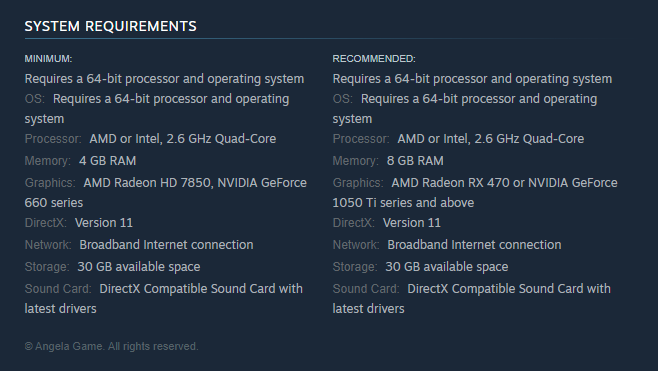
Q:What are the system requirements for the game? How much hard drive space does it require?
A:System requirements are below. The current version is about 24.96 GB in size.
2. Login and Startup
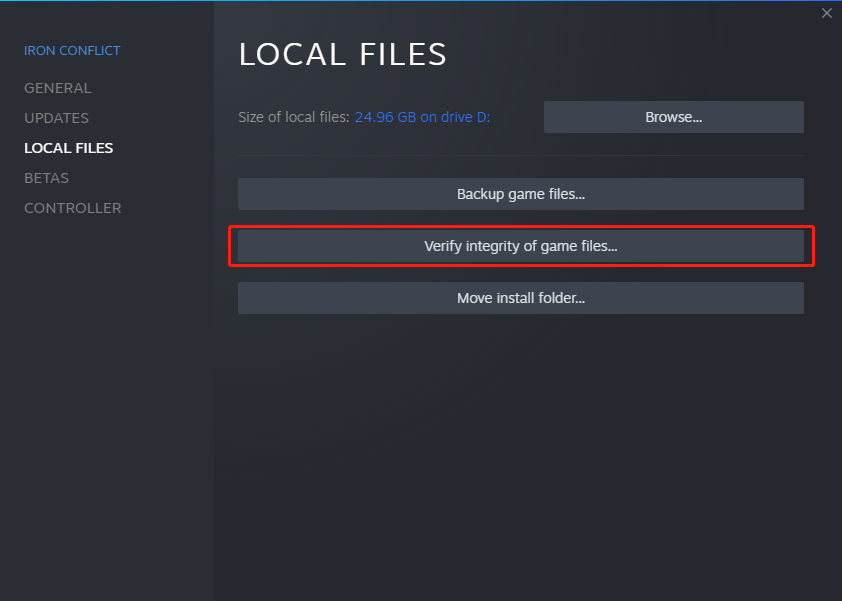
Q:When I login, I get a window that says“Failed To Check Pak Chunk Signature.”
A:Right-click on the game in your Steam library, then click “Properties.” Click “Local Files” on the left side of the window that pops up and then click “Verify integrity of game files…”This usually resolves this issue.
Q:A window popped up that says “STATUS_PLAYER_IN_GAME.”
A:This error means that your account is stuck on the game server. Please wait half an hour and then login again.
Q:My PC meets the system requirements, but the game crashes when I click “Start Game.”
A:We suggest upgrading your drivers to the latest version and running the Direct X diagnostic tool.
3. Account Data and Servers
Q:Is account data synchronized across the Asian, North American, and European servers?
A:Yes. Your account data is the same across all servers.
Q:Can players on one regional server queue for a match with players of another server?
A:No, this is currently not possible.
4. Gameplay Issues
Q:What should I know about formations before joining a battle?
A:Across both Standard Battle and Tactical Offensive modes, each player can set up to 5 formations.
(1)Standard Battle: The units in a formation can only have a level difference of one or less, and must be from the same faction. When forming a team with multiple players, the levels of all members’ formations must match that of the leader’s. When you’ve got a formation that meets these requirements, you can click “Ready”, and the leader can then queue the team up for battle.
(2)Tactical Offensive: There are no level or faction requirements. Players can put up to 8 units in a formation.
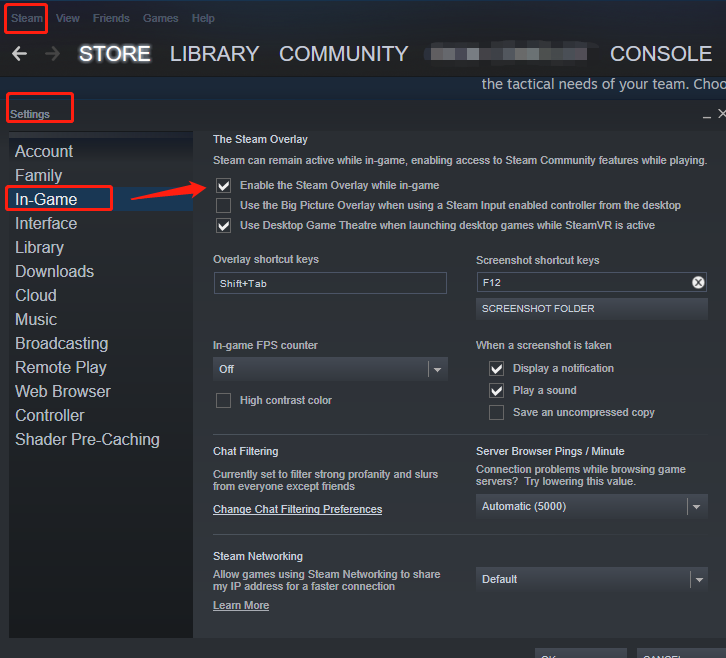
Q:I want to buy something from the store, but when trying to pay, it won’t take me to the next page.
A: This happens when in-game Steam interface permissions are not enabled correctly. Click “Steam” in the upper-left corner of the Steam client, then “Settings.” Then click “In-Game” and check the “Enable the Steam Overlay while in-game” option.
Q:Why isn’t the EXP earned by gold units (premium units) given to the other units in my formation?
A:You need to go into the gold unit’s tech tree interface and manually activate “Battle Assist”. Then the rewards your gold unit earns will be distributed to the other units in your formation.
Q:Are accessories lost after one battle?
A:In the accessory slot, accessories with a “1” can be used permanently (each unit only needs to buy this accessory once; if you don’t want to keep it, just right-click it to unequip it. It will go to your Depot, where you can then sell it). Accessories with a number higher than 1 are consumable.
Q:How are Silver Card and EXP Card durations configured?
A:As long as the card has not expired by the time you queue for a battle, the bonus will take effect for that battle, even if the card expires in the middle of it. The 100% bonus is based on the base value of your units’ earnings.
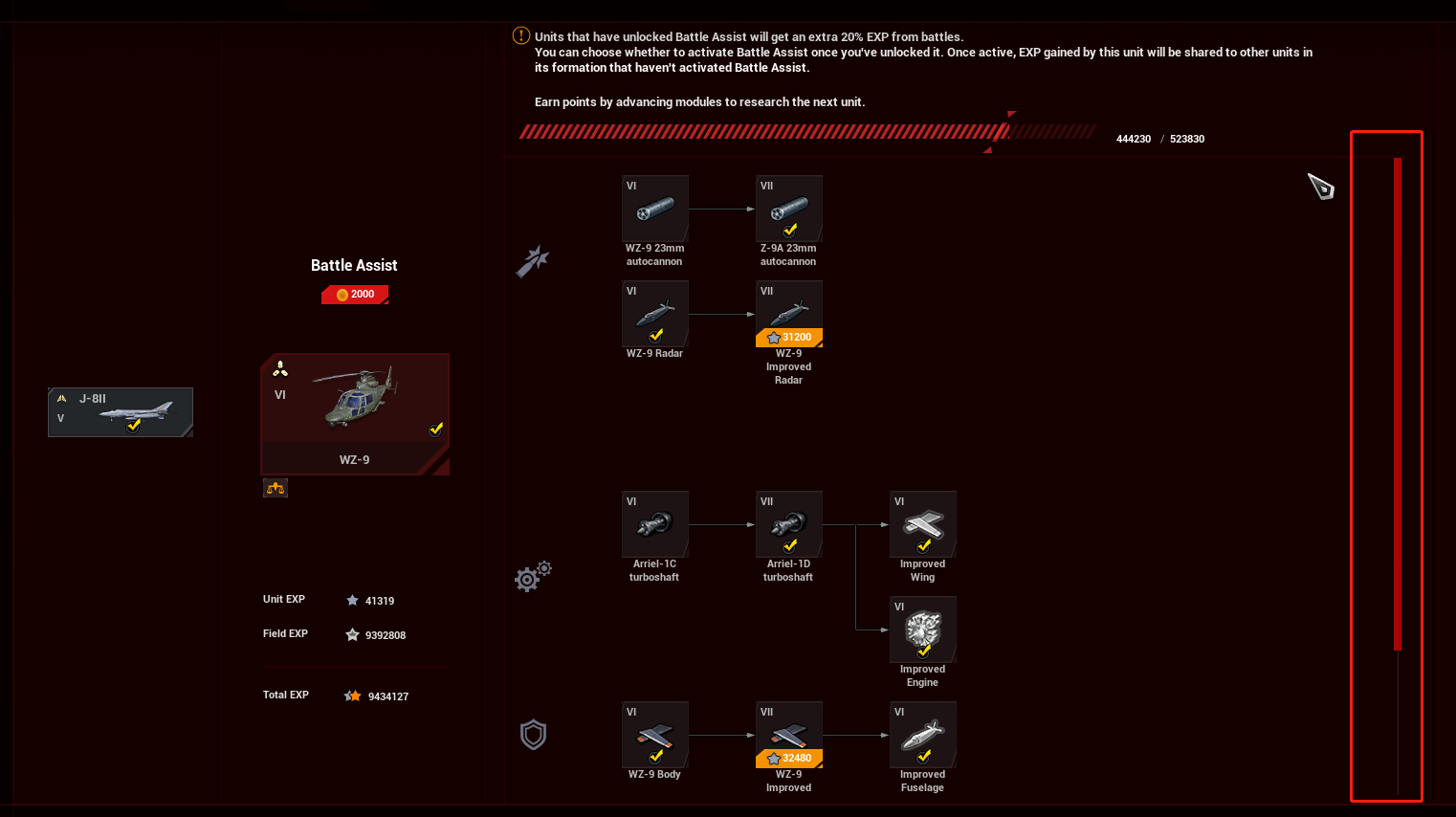
Q:Why do some units have unlocked modules, but I still can’t research the next tier unit?
A:Some units have lots of modules, and you may need to click and drag left on the screen to see them all.
Q:Where can I exchange gift packs in-game?
A:Click “Events” and then paste your gift pack code in the text field.
Q:After a unit levels up, how can I exchange excess Unit EXP for Field EXP?
A:In the main menu, click “Field EXP” in the upper-right corner. Then you will be able to spend Gold to convert Unit EXP to Field EXP.
Q:How do I equip a skin that I’ve purchased?
A:Select the unit you bought the skin for in the main menu then click the “Skins” button at the bottom of the screen.
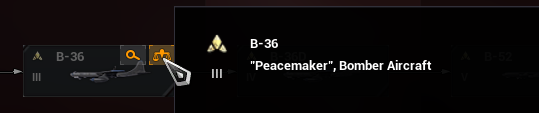
Q:How do I compare the stats of 2 or more units?
A:In the tech tree interface, move your mouse cursor over the unit icon and then click the scale button in the upper-right corner. Then you will see that unit in your comparison list, which is the icon found just to the right of the Mail icon in the main menu.
Q:How can I see a unit’s attack range while in battle?
A:Press the Space bar.
Q:How can I talk to enemy players in battle?
A:Enter: Team chat
Shift + Enter: All chat
Q:I think I’ve found a hacker/cheater. Where can I report them?
A:After the battle ends, click the player’s name on the score window, then choose the report button and fill in your report.
Join our Discord: https://discord.gg/XuXPU8w