
Hey everyone!
We're releasing custom images and a few more requested updates in the upcoming week. To avoid a faulty update release, we're opening up the update to volunteers to beta test before we load it live. We're going to do this with all big updates going forward.
Features in the next update:
- Custom Images: Upload any PNG / JPG / GIF / SVG and share it with your friends!
- Right Click Single Click Toggle
- Save crosshairs as PNGs / SVGs
- Blur and Rotate options in the Crosshair Designer!
- Better support for Exclusive Fullscreen
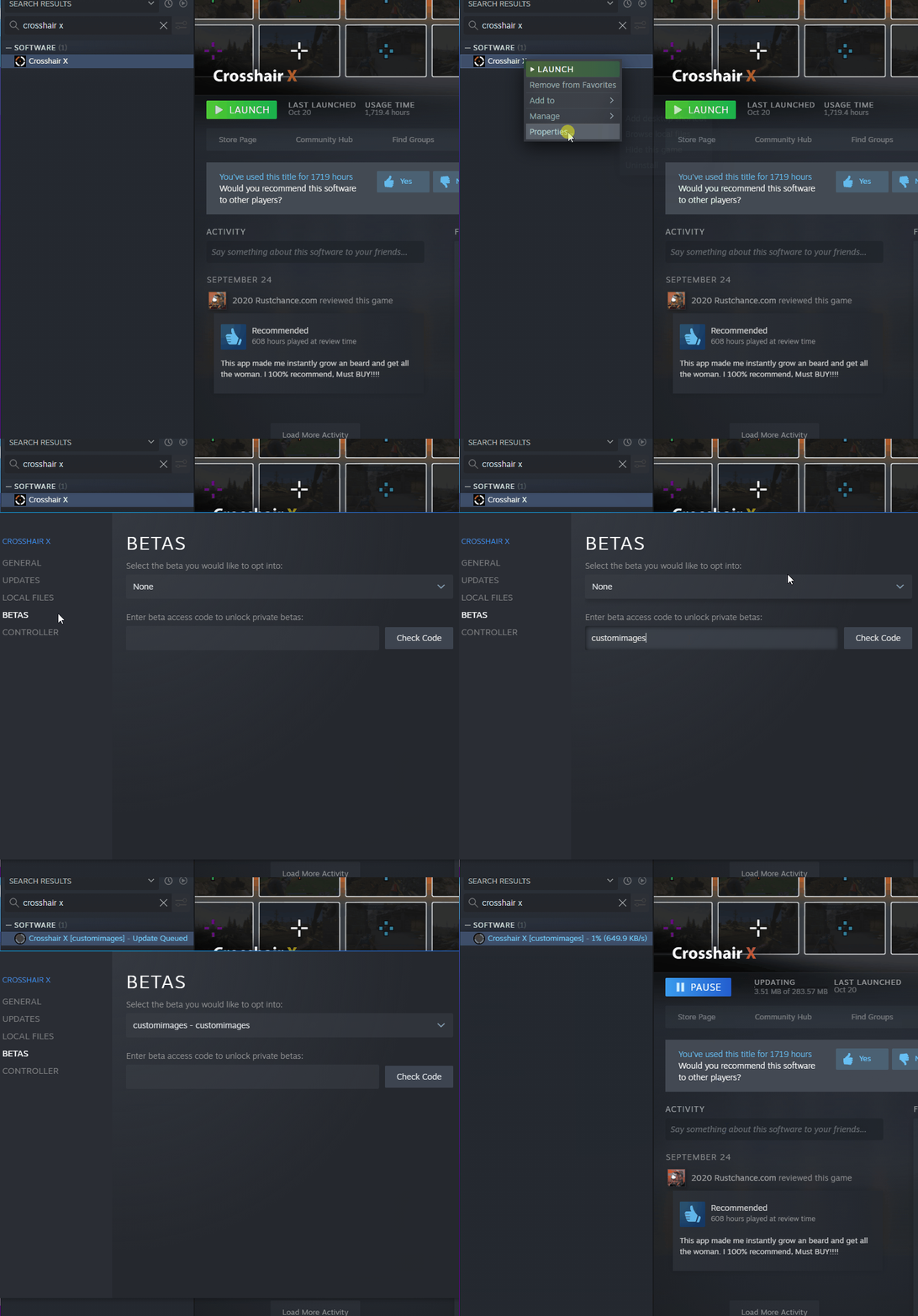
Anyone can try the public beta by following these instructions:
- Find Crosshair X in your steam library
- Right click on it and press Properties
- Go to Betas and type "customimages"
- Opt into the beta and optionally restart steam if it doesn't update right away
To install the beta version of the Game Bar Extension for Exclusive Fullscreen mode:
- Download the beta version here
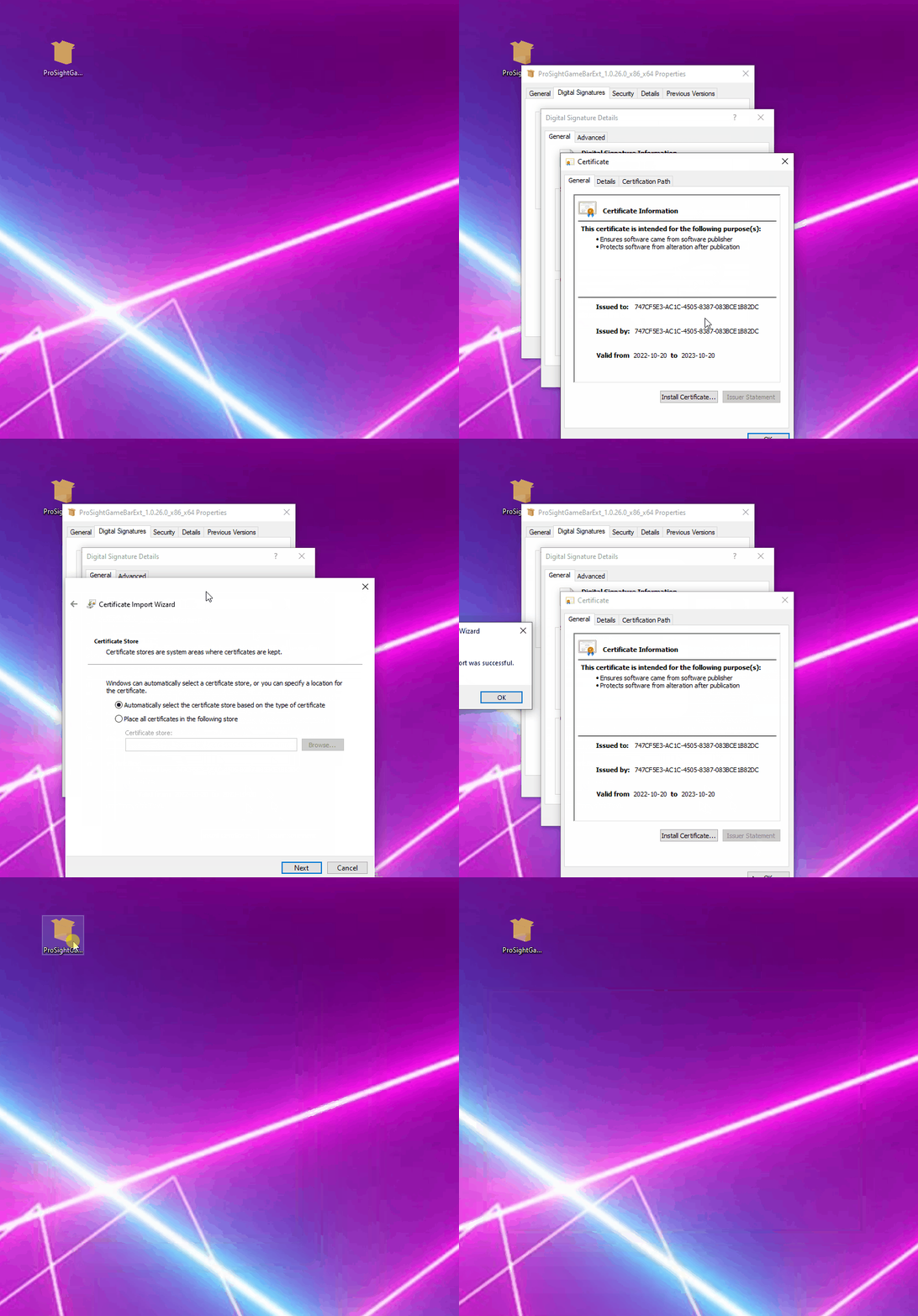
- Double click the bundle file and Install the Crosshair X Extension
- If you can't install it due to permissions, follow the image below
If you decide to revert to Crosshair X without the beta, heres how to do it:
- Go back into Crosshair X > Properties > Beta and select "None" as the current Beta
- If you installed the new version of the Game Bar Extension, uninstall it and install the old version from the Microsoft Store
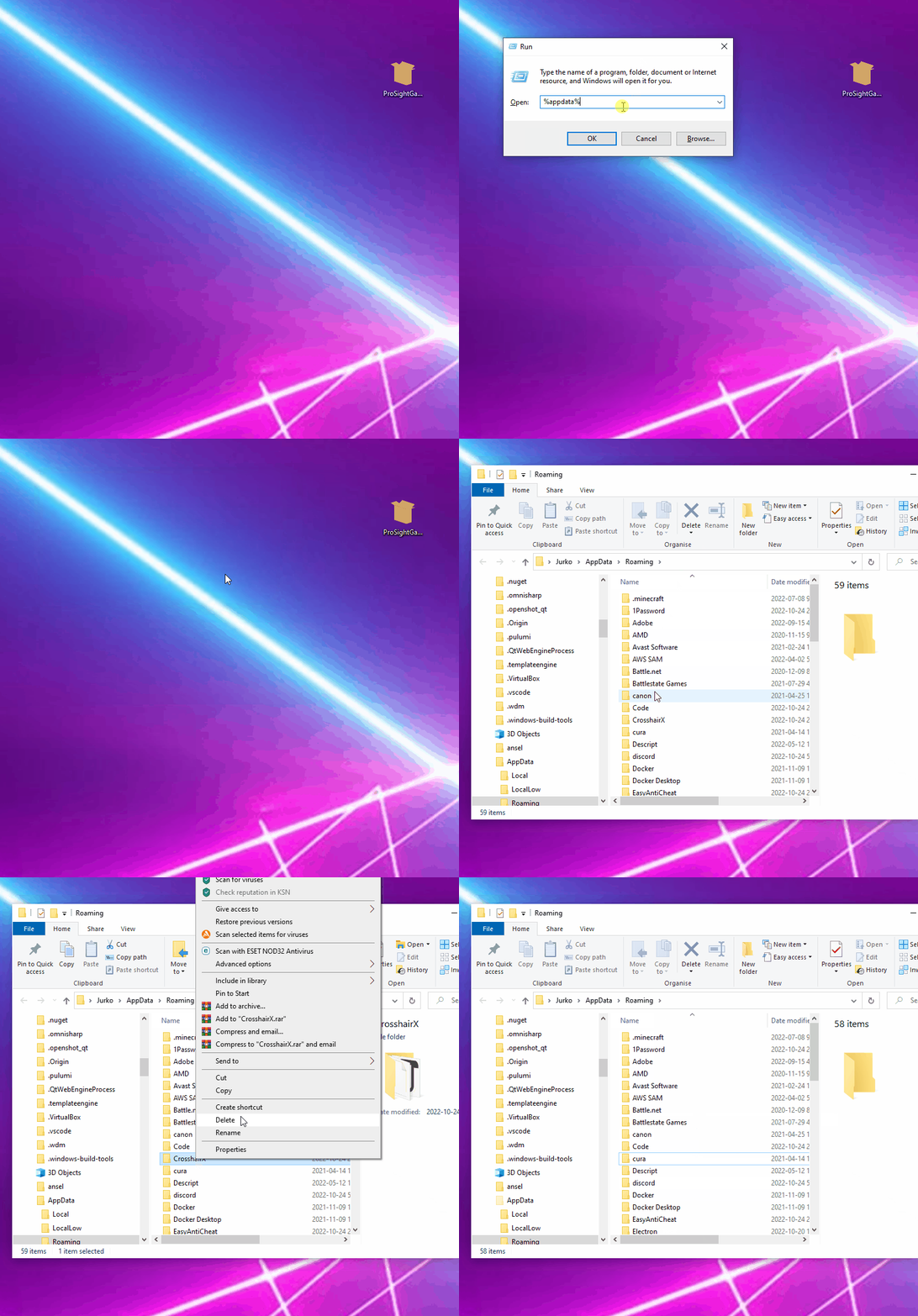
- If you run into any issues reverting, look at the image below on how to clean up any corrupted files (and let us know what happened in our Discord)
If you run into any issues opting out of the Beta:
Join our Discord and let us know if you like the beta or run into any issues with it!