Greetings!
Super tiny update here. In fact, it isn't an update at all, but just an enabling of a Steam feature that I should have turned on a long time ago:
Your Keysight data is now automatically synchronised to the cloud, allowing you to keep your presets as you move between different computers!
This will not sync some folders of your save data, notably:
Graphics settings
Exports
Intermediate data
All custom image textures will be uploaded. If you have a huge number of large image files, cloud sync may take a while to complete the first time! You may need to open Keysight and then close it again to trigger a Steam cloud upload for the first time as well.
If you want to opt out of cloud sync, this can be done via the properties for Keysight in your Steam library. Right click on Keysight in Steam, navigate to Properties, and then uncheck this toggle:
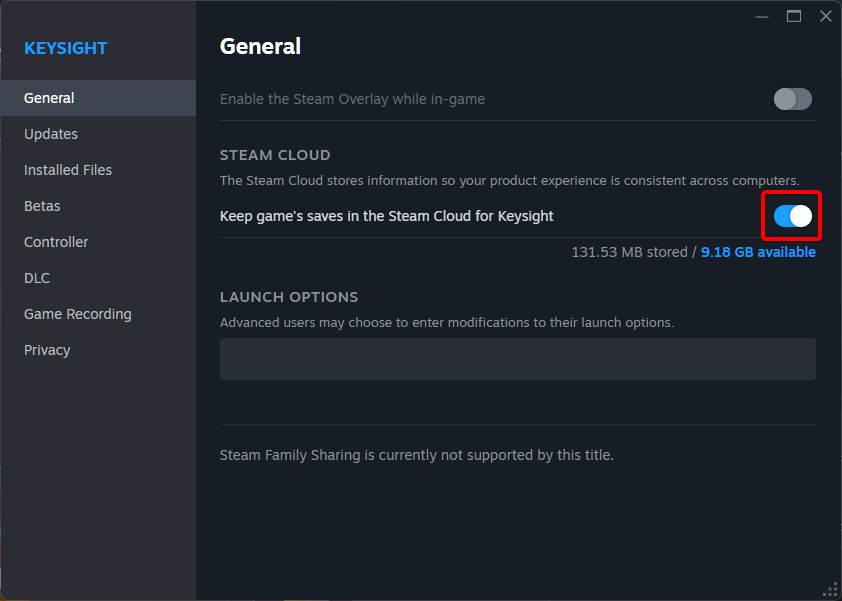
Additionally, this feature is untested on MacOS devices. If you're a MacOS user and run into difficulty with cloud sync, let me know in a comment or via Discord!
Happy Keysighting! <3