Greetings! So umm... this should absolutely be "Keysight 1.7.0" or at least 1.6.4, but I said that 1.6.3 was definitely the final update for Keysight. So here we are. "Version 1.6.3g", which is definitely just a hotfix patch and nothing to do with features people have requested for years!
Ultrawide support and forced aspect ratio
Keysight's menu now scales much better on non-16:9 displays, and has configurable text size and preset bar width!
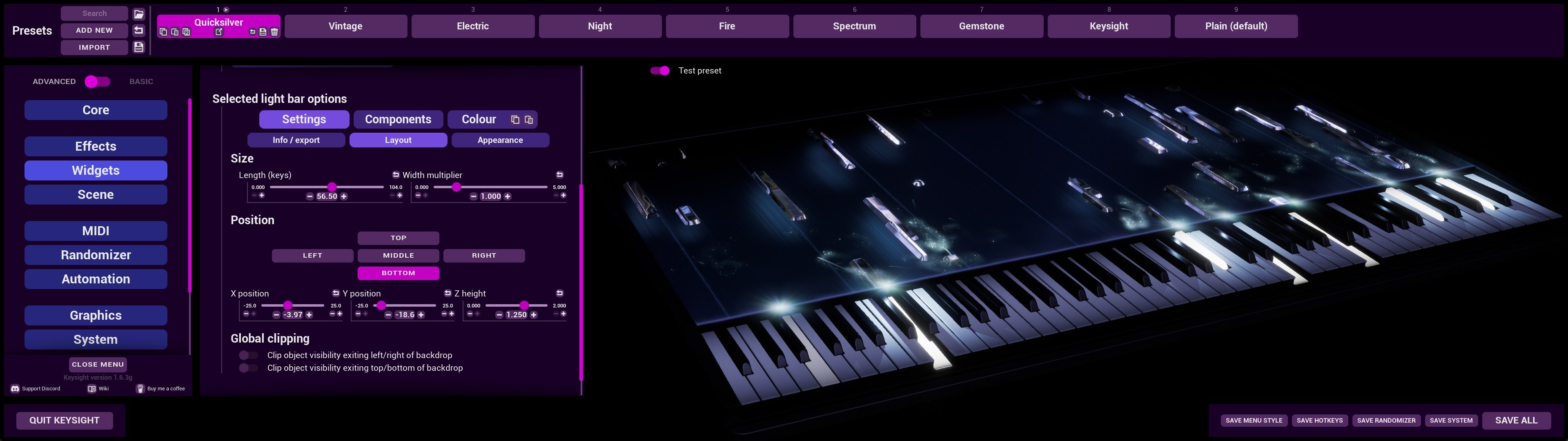
Keysight's menu will now pin to the left side of the screen, and not exceed a 16:9 aspect ratio for the central options area (to prevent breaking a ton of menu layouting). For ultrawide displays, this means the menu stays readable and allows for more space to edit presets on the right, instead of the old behaviour of uncomfortably zooming waaay in.
This definitely has nothing to do with me recently acquiring a 32:9 monitor and becoming a lot more sensitive to ultrawide support.
Forced aspect ratio layouting
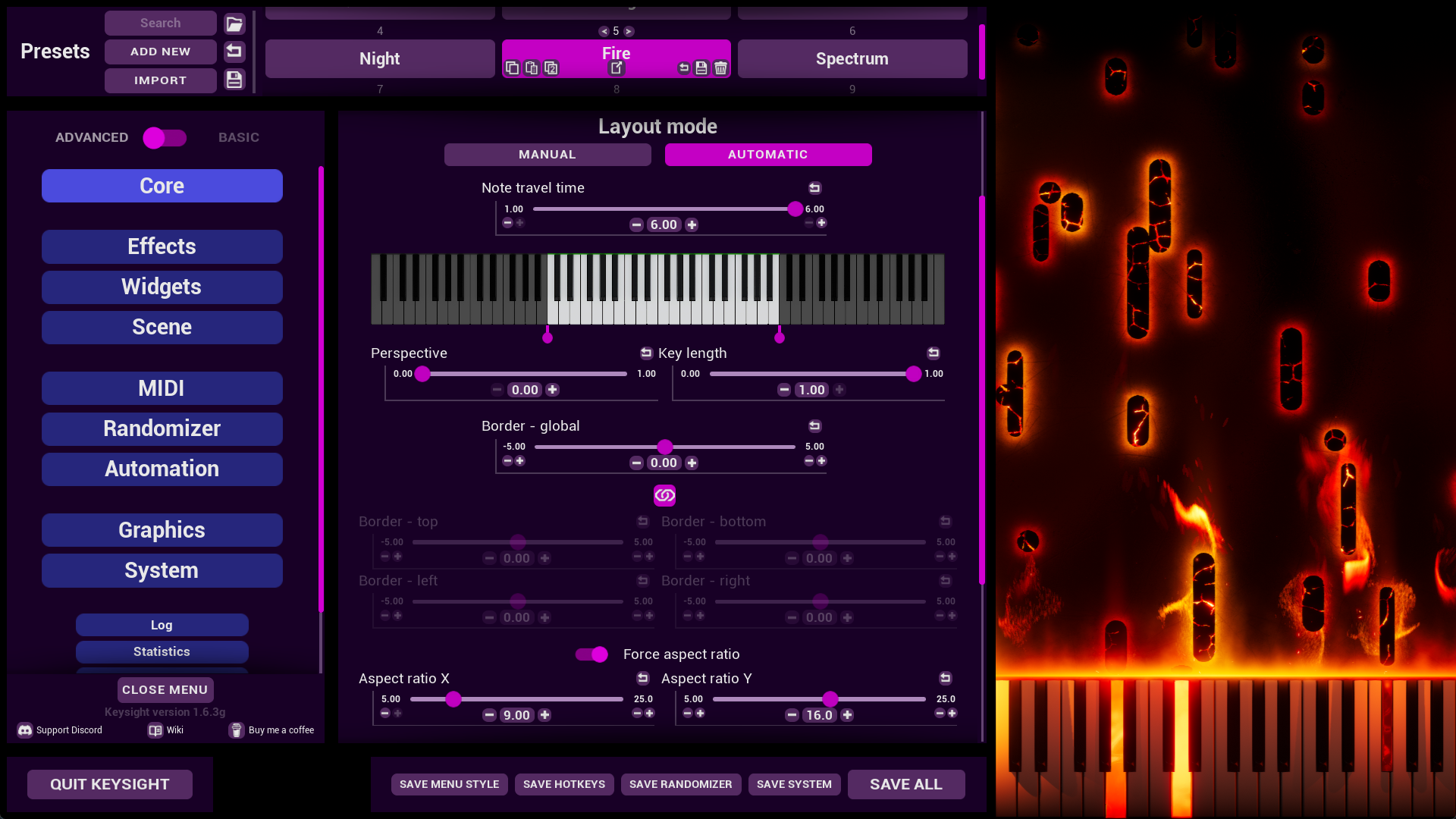
In combination with better menu scaling, the default Automatic layout mode has a new feature: forced aspect ratio. This ensures the live Keysight render matches your video rendering aspect if editing on a monitor that is different (eg. an ultrawide monitor and creating 16:9 videos, or a 16:9 monitor and creating portrait 9:16 videos). When aspect ratio is forced, the render is pinned to the bottom-right of the screen. This feature has been enabled by default for all Automatic layouts, and set to 16:9!
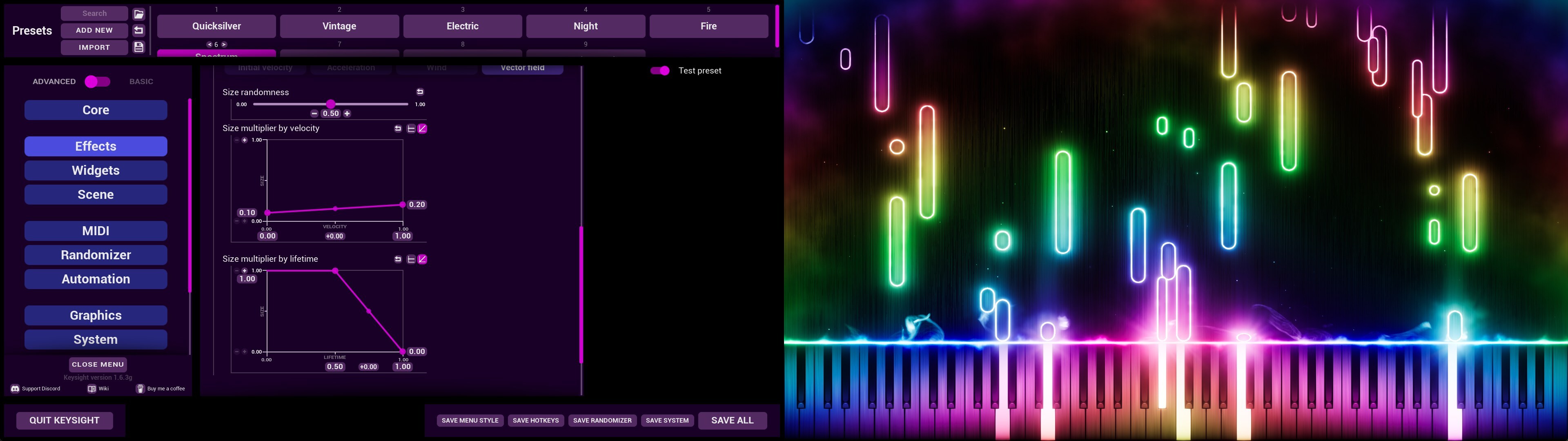
This can be incredibly helpful for working on vertical video content, as you can pin the vertical render to the right side of the screen and make the menu smaller and pinned to the left, and have a full menu open while still seeing your full preset exactly as it will show up in the video!
Twitch chat control
There is now an official, pre-packaged and easy-to-use Twitch chat control tool bundled with Keysight! Any Keysight save data that didn't already have any Inbound websocket configuration has been automatically updated to work with this tool right out of the gate. For a basic implementation with the Keysight default presets, literally just opening the Keysight tool and authenticating your Twitch account when prompted will grant you Twitch chat control abilities!
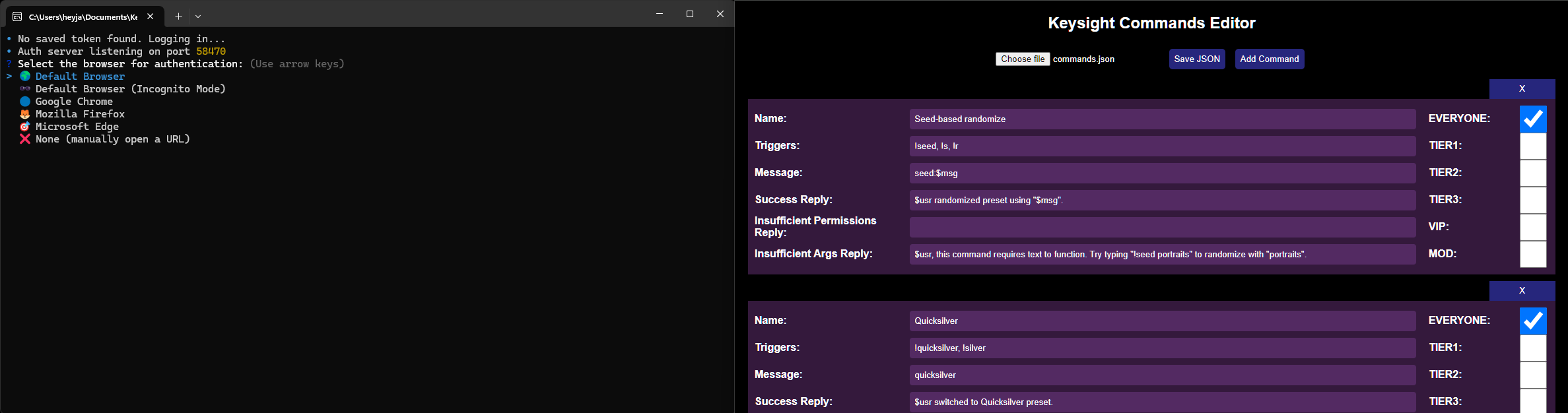
This tool was developed by Cellko, and the Node.js source code is freely available if you'd like to expand upon it for your own needs. It is intentionally a very simple tool, with the following limitations:
- Twitch-only, no Youtube chat support, sorry!
- No channel point integration
- No queueing
But it has the following features:
- HTML form-based editing for setting up commands
- Permissions levels, for gating commands behind mod/sub badges
- Runs entirely locally
- Response messages back into chat
- Configurable account to use for responses (if you want to use a bot account, for example)
This guide on the Wiki has all the details on how to get it configured to your tastes!
Funnily enough, I've always wanted a generic and shareable chat control tool but never got around to commissioning one. Then Frank Tedesco (clang) got in touch asking if I could get one set up for him as part of a commission, and he was more than happy to essentially subsidise development of a good generic tool that anyone could use as long as it met all of his needs. So, thank Frank for this tool!
Console commands
As part of stronger remote control through websockets, console commands got a lot of additions! If you're unfamiliar, there's a semi-transparent console command field in the System tab that can be used to execute Unreal Engine console commands or a handful of Keysight-specific ones. The full changelog and Wiki pages have more information on the specifics, I'll not go into detail here!
Console commands can also be added to a new "commands.txt" file buried in the save data. When Keysight launches, any lines in this file not starting with // will be executed as console commands, which synergises nicely with the next thing...
Note counter and pedal display
Quite possibly the two most commonly requested features that I never implemented. They're finally here!
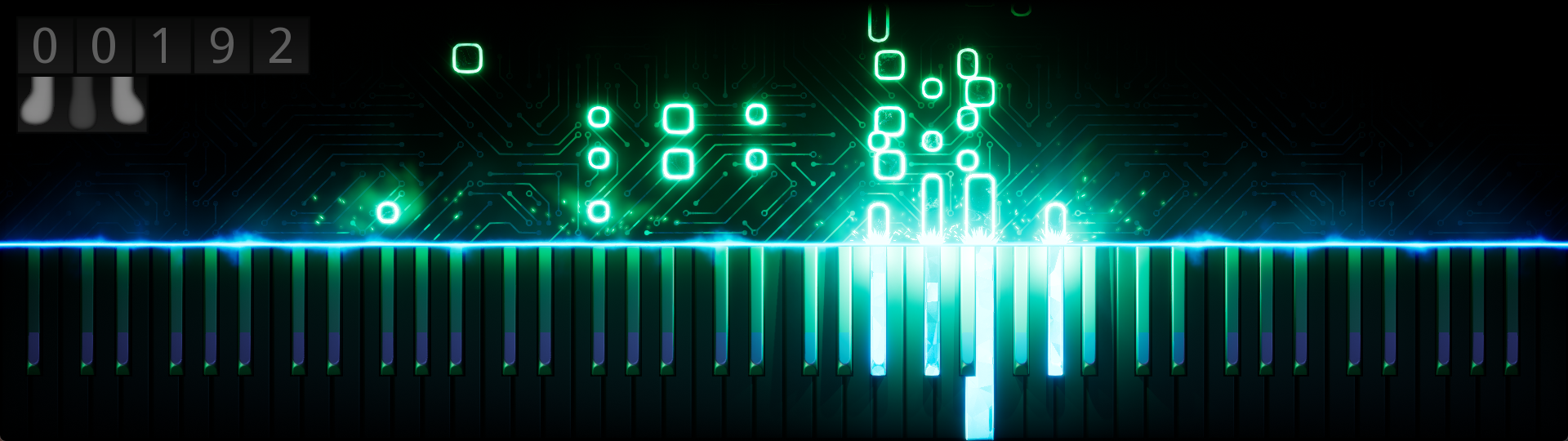
However, these features are only accessible through console commands and do not function in render-to-video. They are also very rigid in style compared to the rest of Keysight! Think of these as "debug" functions rather than explicit features.
Note counter features:
- Three modes: "Session" displays notes played this session, "Total" displays all notes played through Keysight, "Subathon" counts down instead and is intended to integrate strongly with websocket control.
- Configurable size, position, colour and digits
- Triggerable "temporary offset" to start counting from zero again in a non-destructive way
Pedal display features:
- Individual visibility control for soft / sostenuto / sustain pedals
- Configurable size, position, colour and squash amount
This guide breaks down how to turn on and configure these features using console commands.
I always held off making these features because they felt a little gimmicky and outside the usual 3D-driven-effects of Keysight, plus they can't integrate with render-to-video. But the new console command text file allowed me to get over myself and make a "good enough" implementation for the folks that really wanted it for live performances. Sorry it took me so long!
Extra stuff
Mask Mode+
There is a new "Mask mode plus" toggle under Scene > Semi-transparency to activate a new and improved version of Mask Mode! (If you're unfamiliar, this mode integrates with a filter in OBS to provide perfect semi-transparency of Keysight without needing luma/chroma keys)
A quick overview of the improvements:
- No more weird colour borders if you re-scale a source in OBS
- Much clearer indication that Mask Mode is on
- Better options in OBS
- Automatic disabling of Mask Mode while the menu is open (both in Keysight and OBS)
See this guide on how to get Mask Mode set up!
Improved pedal-based effect extension
Sustain-pedal effect extension has been broken into independent toggles for keyboard-based effects (keypresses and impact lights) and backdrop effects (notes, particles and pulses). These toggles are also available for the sostenuto pedal too, as I am proudly one of the seven people who enjoy using it sometimes! I still strongly recommend against using sustain pedal effect extension as it gets messy really quickly, but the sostenuto extension is quite nice as a way of very clearly visualising that it's happening.
Better smoothing (maybe)
After a lot more investigation and testing, I've removed some engine CVars I previously applied in the hopes of making Keysight's frame delivery smoother. Turns out: they don't. They actually make it worse in OBS capture, it's just the frametime graph looks smoother. Particle systems also had some internal things tweaked to try and make them less liable to cause hitches when spawning.
Bugfixes
Notable ones:
- Refreshing websockets now shouldn't cause fatal crashes
- Fixed sustain pedal effect extension breaking if provided 0-velocity note-on events as note-off events (thanks to BrentusFirmus for helping me find this!)
- Fixed (or vastly reduced) Pulse and Particles sometimes being pushed "below" Light Bar components when new effects were spawned
Ok. Back to Wiki-writing and Keysight 2 development for me!
Happy Keysighting <3