
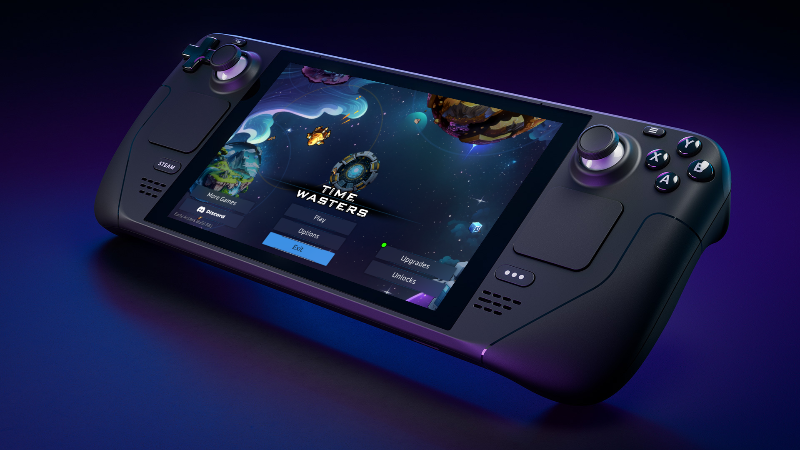
Steam Deck
- Time Wasters is now Steam Deck Verified
- Redesigned all UI Panels for comfortable viewing on Steam Deck - specific details below
- Fullscreen saves its own value for Steam Deck
- Updated to the latest Steamworks SDK for Steam Deck support
Banish Upgrades
- Added Banish button to In-game Upgrades screen
- Banished upgrades will show up in Red on the Pause Menu Details tab
- If you Banish a Required upgrade you will not be able to get Super or Overclock
- Banished Upgrades will prevent that entire upgrade category from appearing in the Time Cube Shop (ie Banishing Shield Recharge Rate will prevent any Shield upgrades from appearing in the Time Cube Shop)
- Time Cube Shop now has the ability to display 0 or more options
Wolf Pack Manual Aim
- Manual Aim causes the Wolf Pack to fall back into a V formation around the player ship
Can Manual Aim Toggle
- Hover over a Weapon on the Pause Screen Overview tab to access the Can Manually Aim Toggle
- When deselected weapon will only auto-aim
Raven Knockback Boost
- Ravens Knockback Boost now fires in the direction of movement instead of ship forward direction
Gold Magnet Orbit
- Fix for Gold Magnet Orbit collecting Gold at the wrong time
In-Game UI
- HUD Radar Icons 16% Bigger, Radar Icon Text 50% Bigger
- Radar numbers changed from dark to light blue for better visibility
- Fixed Space Cube Portal icon transparency
Overall UI
- Enlarged all UI Panels by 20% (Space Cube Upgrades, Unlocks, Select Captain, Time Cube Shop, etc)
- Tabs accessible by pressing Q & E or using the Right & Left Bumpers on Gamepad
- Upgrade Card Progress Labels font size increased (example "2/18")
Pause Screen
- Pause Screen has been split into 2 Tabs: Overview & Details
- Overview
- Equipped Weapons, Crew, Support & Planets
- Larger Radar
- Added Space Background to the Radar window
- Captain information
- Details
- Detailed Upgrade info
- In Progress & Completed Missions
Options Menu
- Options Menu has been Split into 3 Tabs: Video & Audio, Keyboard, Gamepad
- New Show Damage Numbers toggle shows/hides the white enemy damage numbers
New End of Run Summary Screen Stats
- Space Cubes Invested
Background Fog
- Planets, Planet Attack Enemies, Elite & SS Gold Bug destruction animation now all use the background fog color instead of solid blue
General
- Space Cube Upgrades flashing green ring only appears on tabs not available upgrades
- Fix - Asteroid pickup now spawns centered instead off to the side
- Fix - Pressing Boost while in Upgrade or Pause Screen no longer boosts on exit
- Fix - Pressing Tab when in Pause Menu going to live game