
During the Limited Preview of Volta-X held on Steam earlier this month, we promised anyone that picked up the full game after participating in either of the two early play sessions would get an exclusive skin for our beloved elephant, Sheldon. Some of you have asked just how you get your hands on that skin. All you have to do is keep reading to find out just what we need from you to make that happen.
Case 1: Used the Same Steam Account for Beta/Preview and to Purchase Volta-X
If you played Volta-X’s Beta or Limited Preview on Steam and then purchased the game on that very same Steam account, you don’t have to do anything. We’ll send your exclusive skin through the in-game messaging system. If by chance you didn’t get it yet though, please reach out to us through direct message on our Twitter at @voltaxgame.
Case 2: Played in Beta/Preview but Purchased on Nintendo Switch
If you played the Beta or Limited Preview on Steam, but decided to purchase Volta-X on the Nintendo Switch, we’ll need you to provide some information. Direct message us on Twitter at @voltaxgame with your Steam ID from the pre-release session, [additional information may be needed], along with your in-game Account ID (which can be found in the Settings menu, as explained below).
Case 3: Played in Beta/Preview but Purchased on Different Steam Account
If you played the Beta or Limited Preview on Steam under one account, but then bought the game on a different account, we’ll need a little information. You’ll have to direct message us on Twitter at @voltaxgame the Steam ID you originally played under, [additional info might be needed too], and then provide the Steam ID and in-game Account number in order for us to send you the skin. Your Volta-X in-game Account can be found in the Settings menu, as explained below.
Finding Your Steam ID
- Log into Steam.
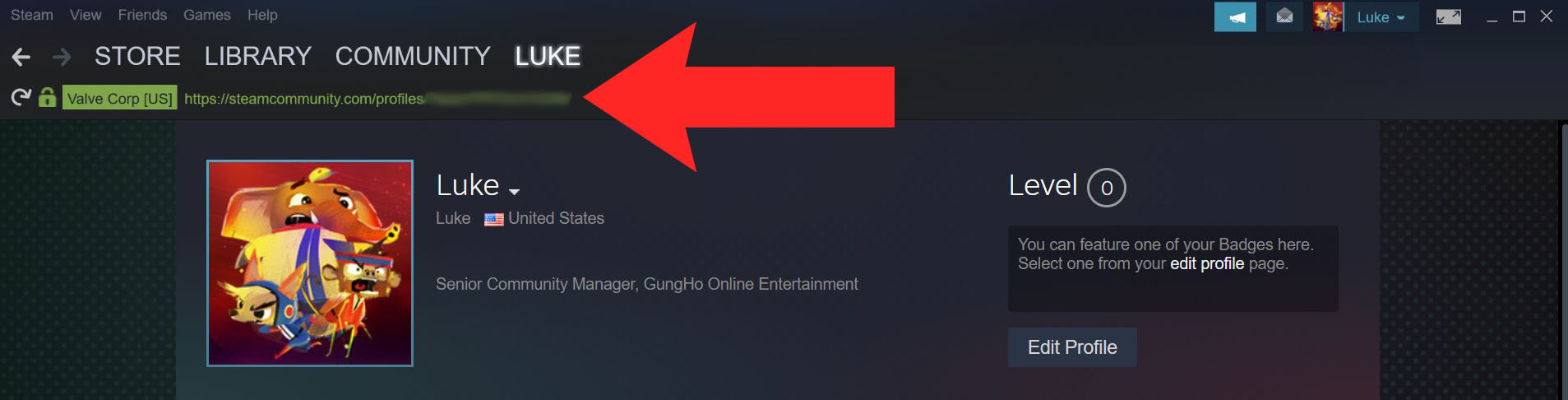
- Once logged in, click on your username in the top right corner, and then click "View Profile". Your Steam ID should be at the very top, shown in a link like this: http://steamcommunity.com/profiles/XXXXXXXXXXXX
- Copy your link, you can provide us with the unique number at the end of the URL.
I Can't See a Link on my Profile
- Open up Steam and log in.
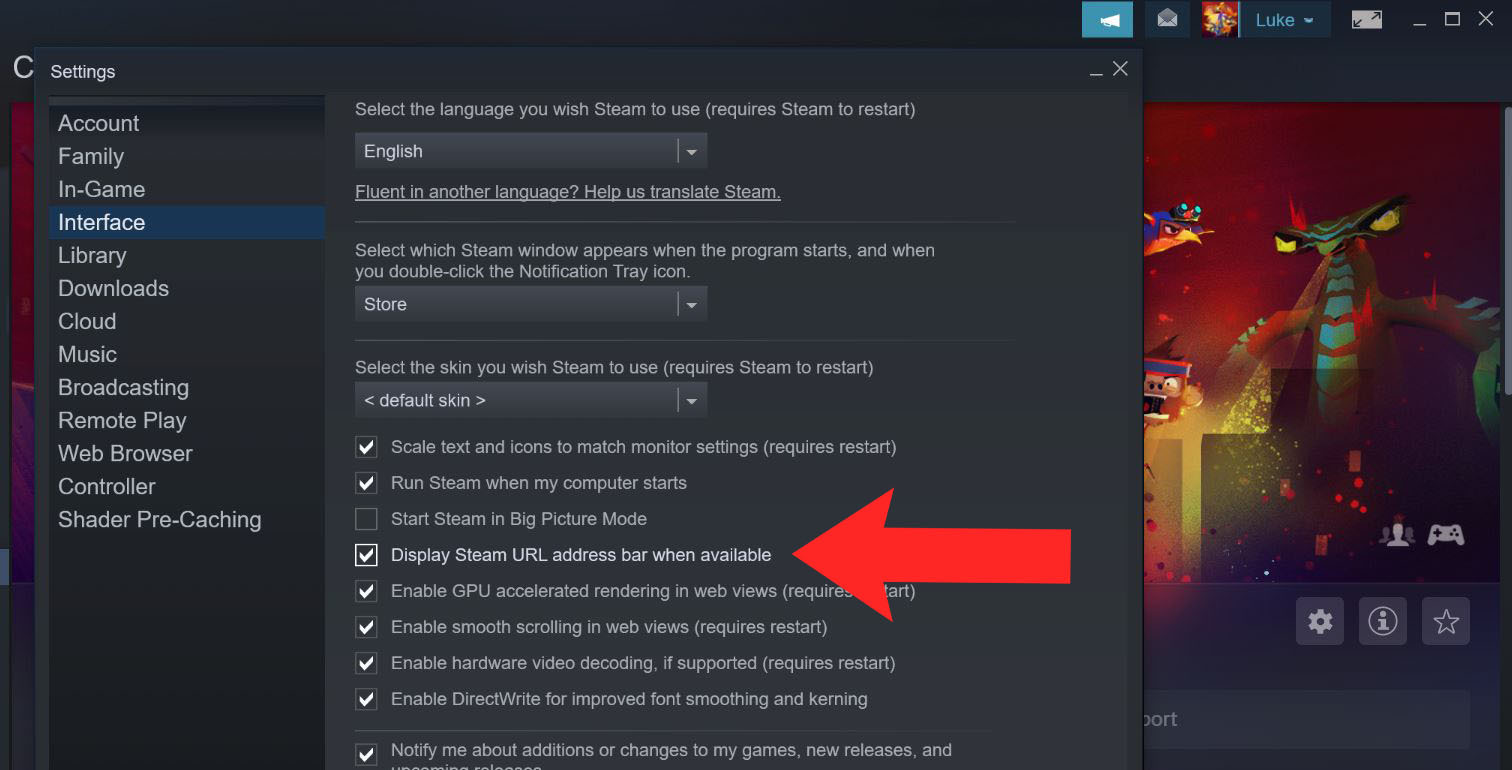
- In the top left corner, click on "Steam", then under that menu, click on "Settings".
- Once in Settings, a box with options will show up. Look up and click "Interface".
- Find the option "Display Steam URL address bar when available" and check the box.
- Hit OK to save these changes, and your Steam Profile link will now be visible at the top of the Steam window. Then follow the steps listed above.
But I've Set Up a Custom URL and Don't Have a Number String
- Log in to your Steam account.
- Click on your username in the top right corner, and then click "View Profile".
- On your profile page, select "Edit Profile".
- Scroll down to "Custom URL" and delete the profile URL you've set.
- Scroll down, hit "Save Changes".
- Return to your profile page, and your profile URL will have your assigned Steam ID.
Finding Your Volta-X Account ID
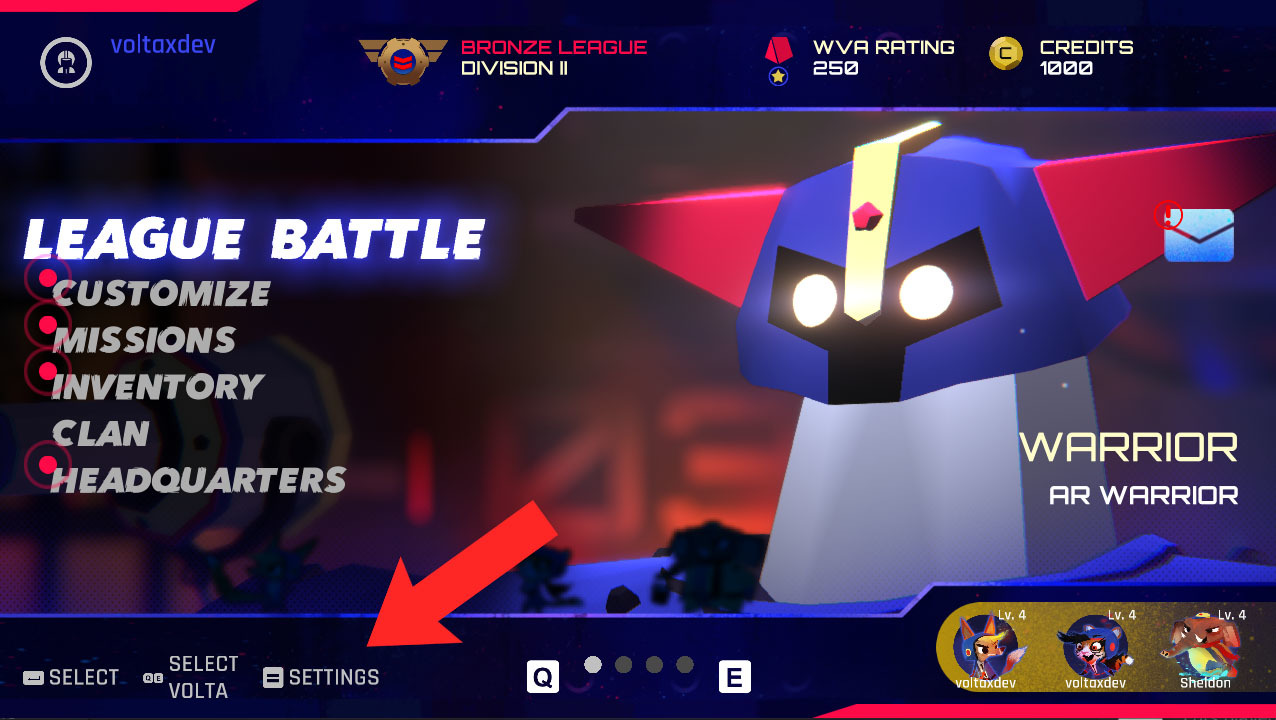
- Open Volta-X in Steam or on your Switch.
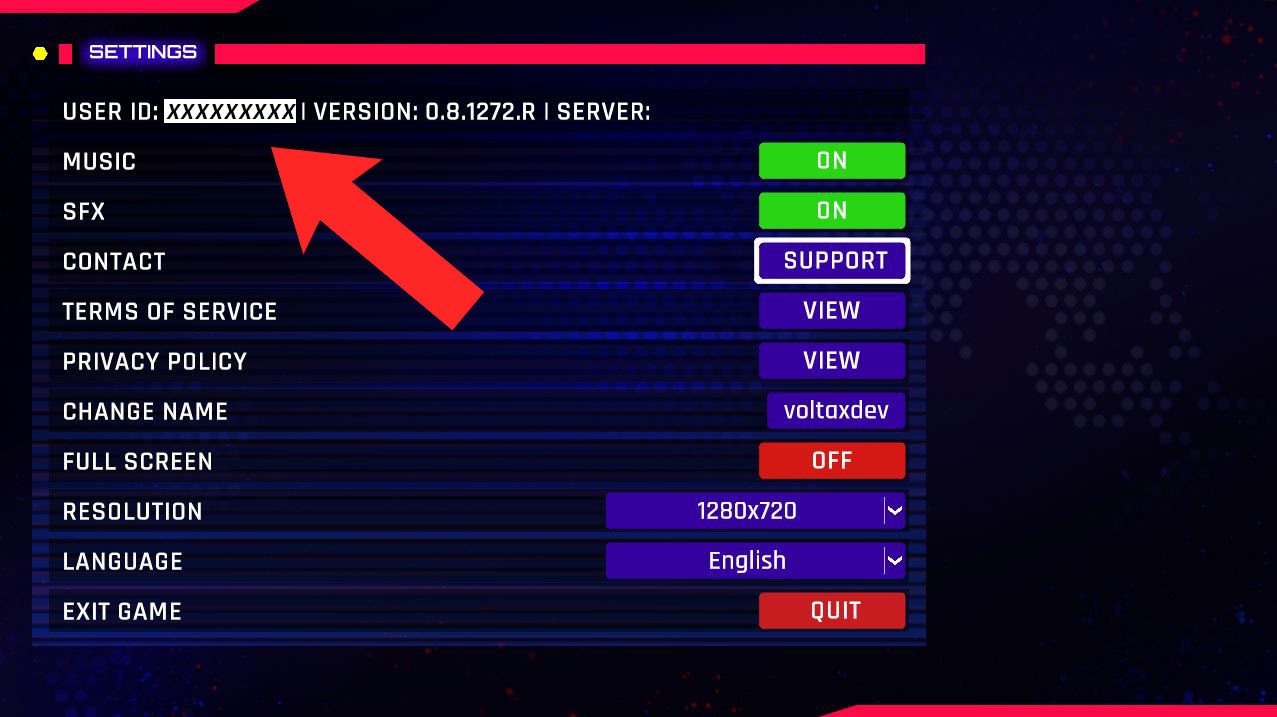
- Open the "Settings" on the main menu.
- Your Volta-X User ID will be right at the top, and is a nine-digit code.
If you’ve done any or all of that, we will be able to verify your account standing, and get you that sweet Sheldon skin within a few days of submitting all that information. We hope you’re enjoying Volta-X in the meantime, and wish you success on your quest to climb the ranks of the World Volta Association.