
Hi explorers!
We've got a lot of feedback about the playtest in the last few days - huge thanks to everyone playing. We want to solve the crashes as soon as we can and for that we need some additional info from you!
There's a function to generate a more thorough crash report by adding a launch command to the playtest in Steam - -gpucrashdebugging -dpcvars=r.PSOPrecaching=0,r.PSOPrecache.GlobalShaders=0,r.SSFS=0
How to do that? Here's a quick picture guide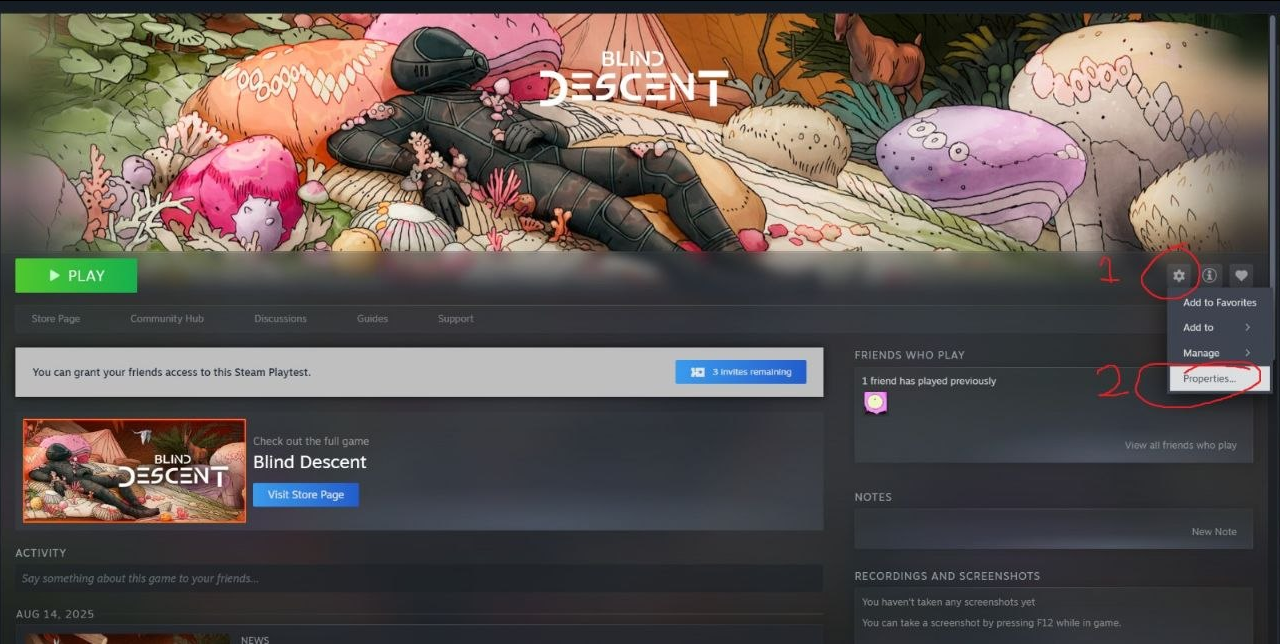
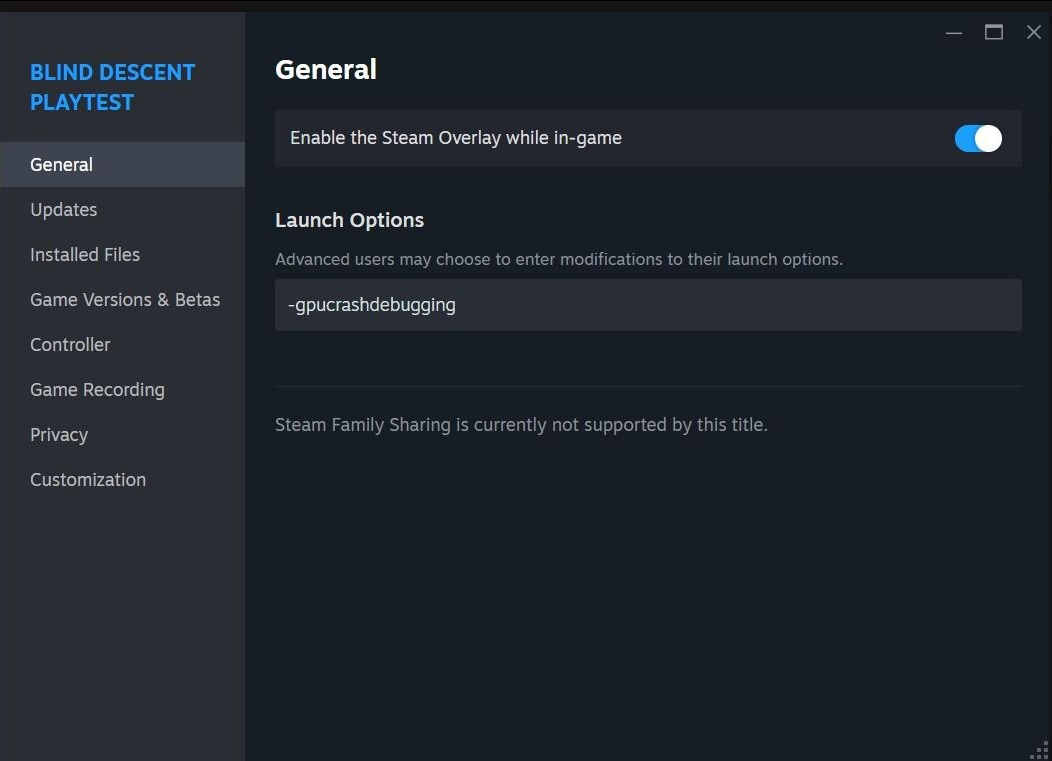
The crash reports will be located in this folder: %LOCALAPPDATA%\\BlindDescent\\Saved\\
After adding the command and having the game crash, please send us the full "saved" folder in an archive to [email protected]. It will immensely help us with debugging and fixing a lot of things.
Huge thanks again for all of the feedback and enjoy playtesting!