
There has been an issue with launching the Steam “SUPER PEOPLE CBT” app; some of our Soldiers were experiencing errors/crashes and could not join the game.
We have resolved this issue and ask you to follow the below instructions for a fix.
[Run Windows Management Instrumentation]
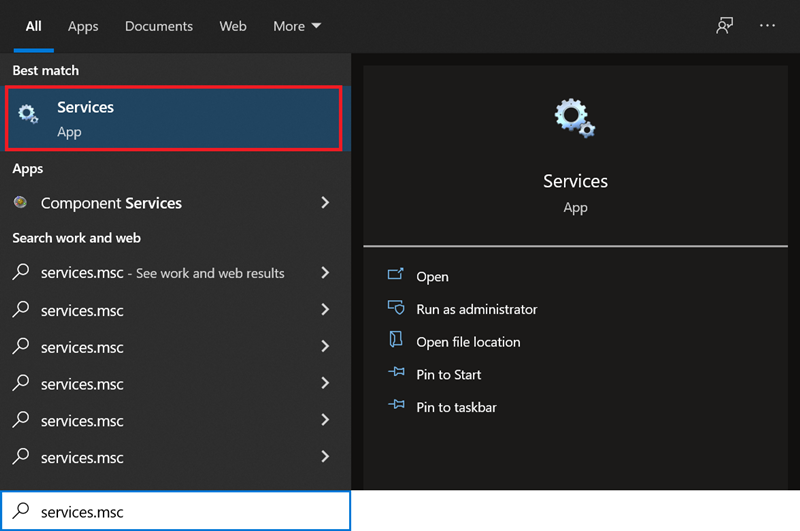
1) Run ‘services.msc’ using the Windows search function.
2) Search ‘Windows Management Instrumentation’ from the Service category.
Continue to check whether the service is ‘Running’ in the ‘Status’ bar.
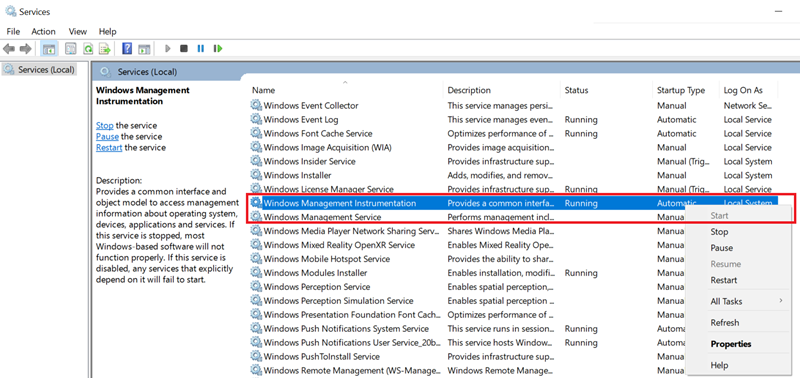
3) If it is not running, press the ‘Start’ button to start the service.

4) Press the ‘Play’ button in your Steam library to restart the game.
Be sure to check that the game is running with ‘GeeGee’.
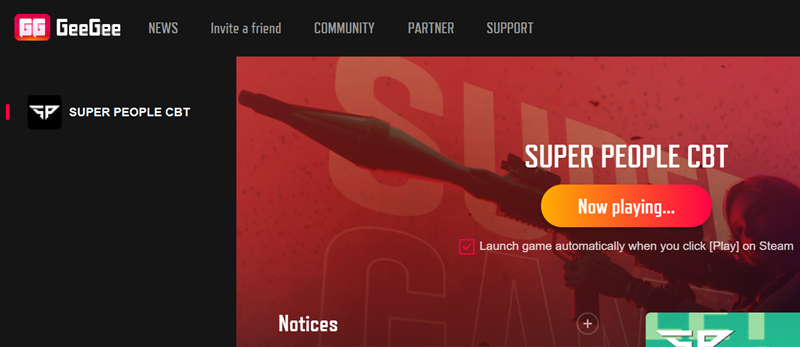
If your game launch is not solved with this action, please proceed to check the following.
[Deleting and installing a fresh copy of GeeGee]
1) Run Windows ‘Add or remove programs’ using the search function.
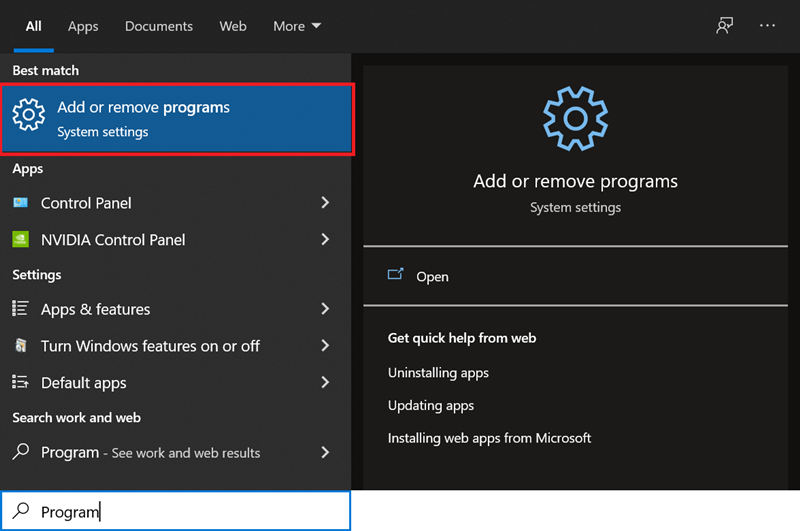
2) Search for the ‘GeeGee’ app and Uninstall it.
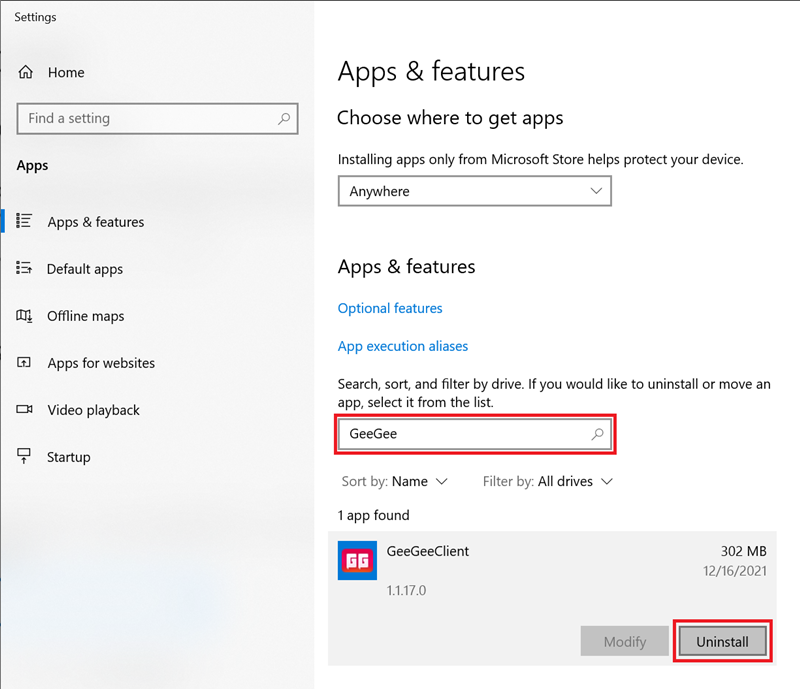
3) Press the ‘Play’ button in your Steam library to restart the game.
Be sure to check whether a new ‘GeeGee’ is being installed as you are launching the game.
Thank you for your patience Soldiers!
Team Super People