
HOW TO RECHARGE / PURCHASE ELIRS?
1. Open the in-game store and click “Recharge”. This will take you to the Eternal Magic Store, a special window that contains all of the available elir packs.
2. Select a pack you would like to buy and click “Add to cart”. If you would like to purchase more than one pack - click “Continue shopping”.
3. When you are done, click “Checkout” or view the current contents of the cart and click “Purchase for myself”. You might need to add funds to your Steam wallet. When prompted, select the required sum and follow the instructions provided by the platform’s payment system to finalize your purchase.
4. Purchased goods will be delivered to your account immediately. To retrieve them, click the in-game storage button in the upper left corner of the screen next to your character’s portrait. Keep in mind that the items can be received by any one of your characters created on the same account, but it can only be done once.
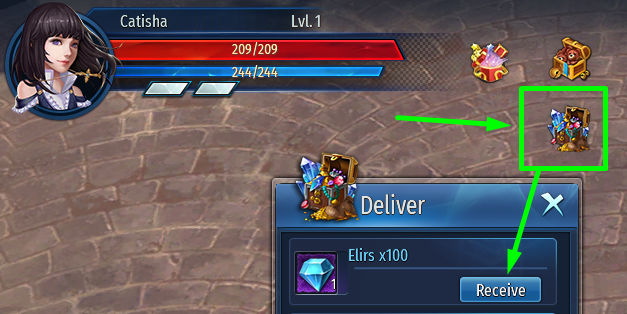
Retrieved items will be delivered via in-game mail - simply withdraw the attached items from the letter. Elirs are shared between all characters on your account and you can check the current amount of available currency in your character’s inventory as well as in the in-game store.
HOW TO PURCHASE THE PREMIUM SUBSCRIPTION?
1. Similarly to buying elirs, Premium can be purchased from the Eternal Magic Store following the same steps described in the previous guide.
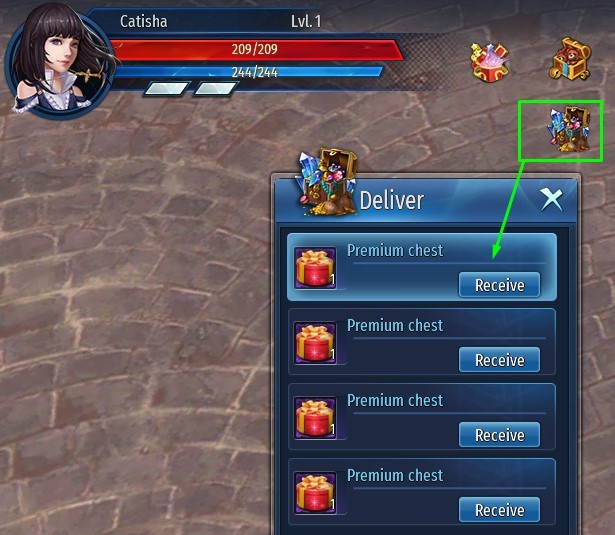
2. Retrieve the Premium from the in-game store with the character you would like to receive the elirs gift on (the currency will be delivered via the in-game mail). At the same time, Premium subscription bonuses will be activated for all characters available on your account. Premium chests with additional rewards will be delivered to the in-game store daily and you will be able to withdraw them with whatever character needs the items the most.
More info about Premium.
HOW TO PURCHASE THE KEEPER AND NOVICE PACKS AS WELL AS OTHER ITEMS AVAILABLE AS DLC?
1. To purchase a DLC pack, open the Eternal Magic page in Steam store, select the required DLC, then finalize the purchase using any of the standard payment methods available on Steam.
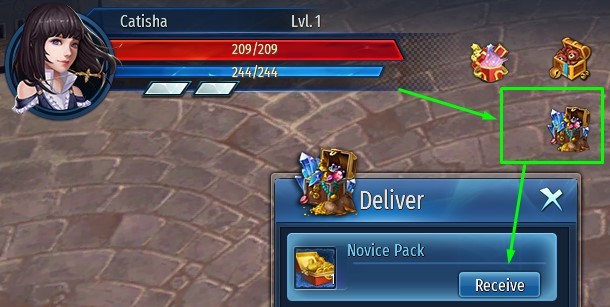
2. The DLC you have purchased will be automatically installed and the items - delivered to your in-game storage. If you were playing at the time of the purchase you might have to relog into the game for the purchased items to appear.
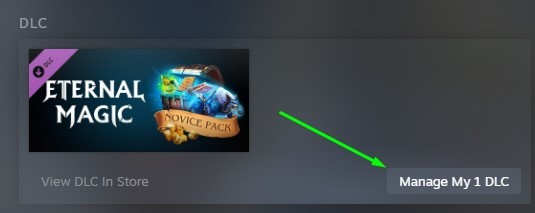
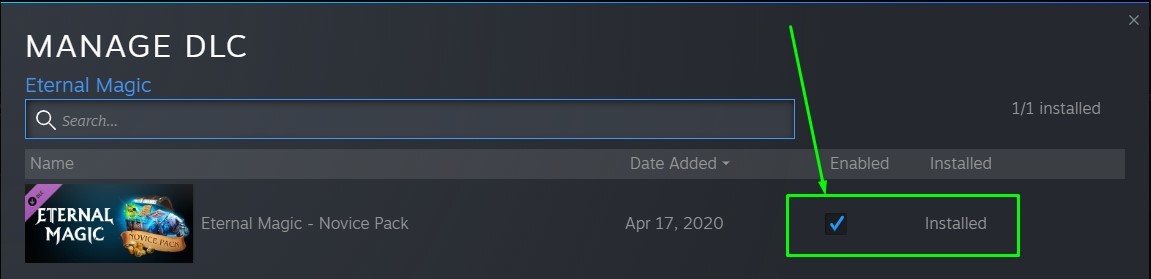
3. If for whatever reason the items have not appeared in-game after the sum has been deducted from your account, open your Steam games library and select Eternal Magic, then navigate the game’s page to the list of purchased DLC. Make sure that the desired DLC has been ticked/enabled and is marked as “Installed”.
CUSTOMER SUPPORT
Should you run into any problems, you can always contact our customer support team by submitting an application at:
https://en.101xp.com/help/guide/em-en
They will gladly answer any questions about the game you might have. Please keep in mind that technical support typically reviews new requests within 5 business days, but review time may be longer in case of mass issues or during global events.
Additionally, we will be happy to see you in any of our groups on social media where our community managers and moderators can also help you find the answer you seek:
Facebook
Discord
Have a nice play!