
Hello Gamecrafters!
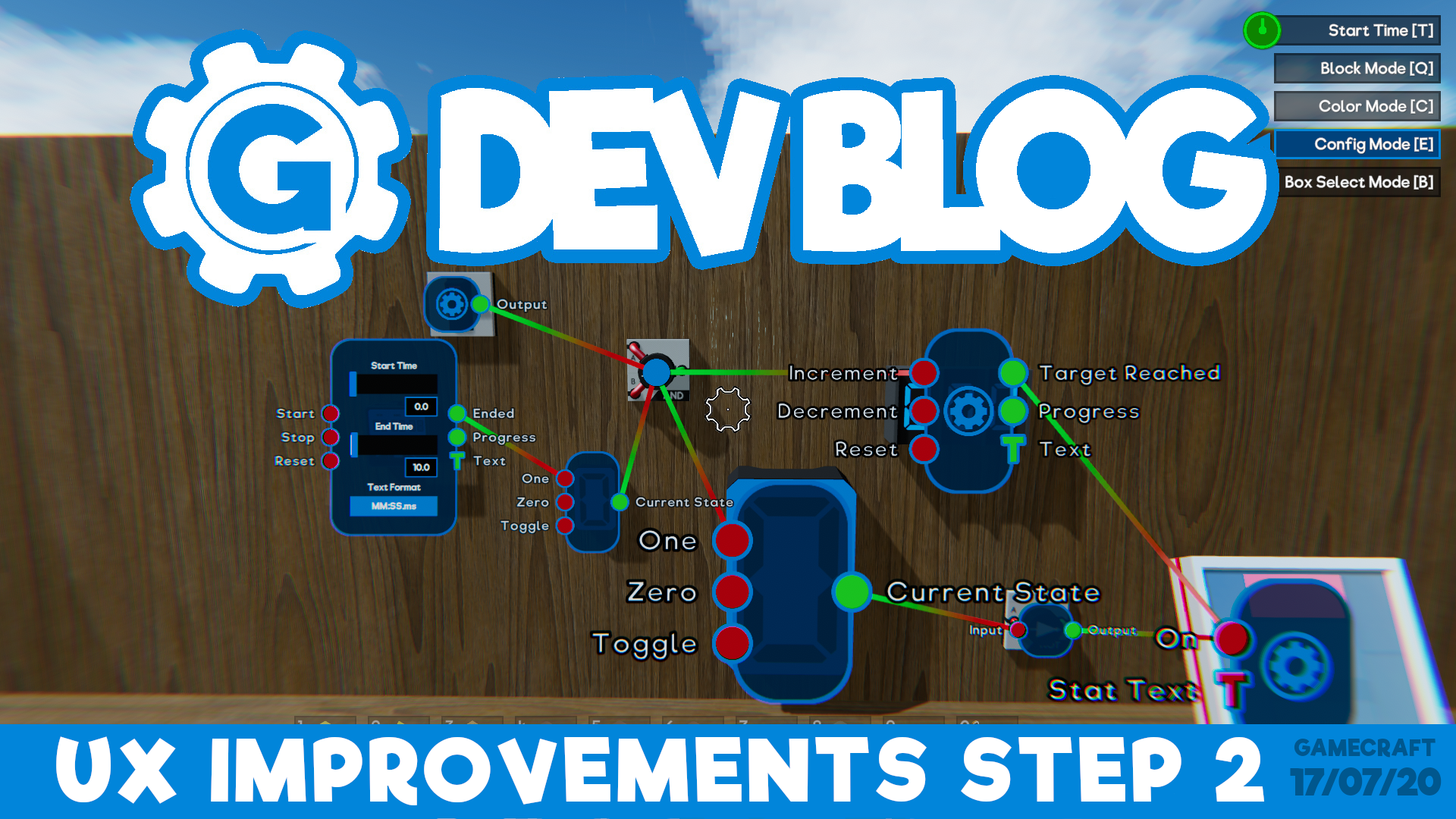
This week's Dev Blog is a round up of the new features and changes that are due to release at the end of next week! These are currently in the Preview branch, where we’ve been collecting your feedback, fixing a few bugs and getting it ready to launch.
UX Improvements - Step 2
The main feautre of this update is Step 2 of the UX Improvements, which focuses on Config mode. Here’s a quick rundown of the key changes.
Config Panel States & Persistence
The biggest change coming with step 2 is the ability to freely manage which config panels are open at any point. Panels will no longer close when you move your crosshair away.
Clicking LMB over a target dot will expand it to show input and output ports. Clicking the cog inside the panel will expand it to the full config state where you can tweak stats, just like you’re used to. Clicking RMB will now minimize these panels, from config to port, then port to dot, letting you manage clutter and keep the important panels open when you need them.
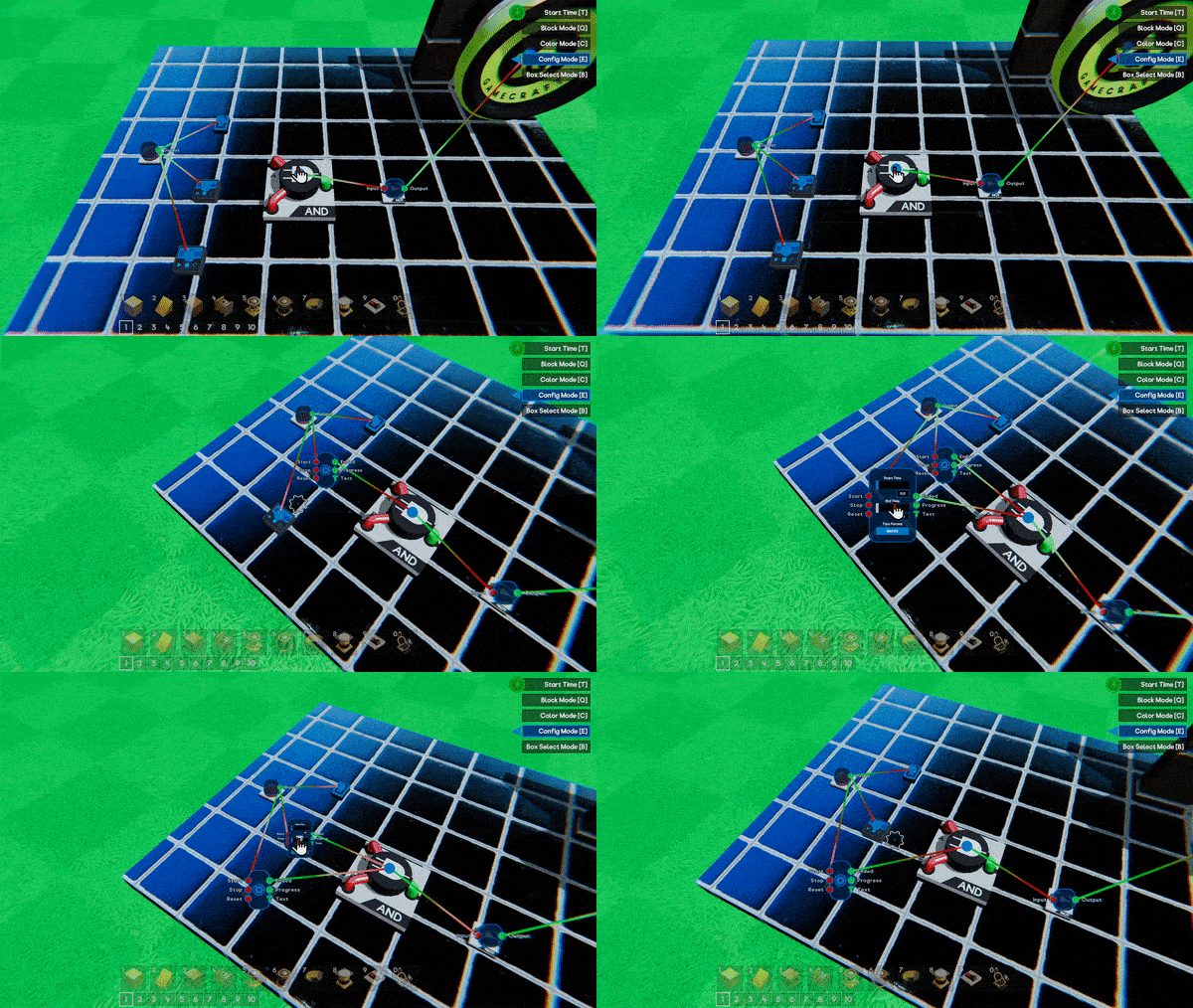
N.B: Only one panel can be in the fully expanded state at a time. In a later step we’ll be moving the expanded panel into its own 2D panel, similar to the Command Computer so only one of these will be open at once at that stage.
That’s not all, when you start and stop time or swap to another mode and back, any config panels that were open will automatically pop back up!
These changes should make testing and iterating your circuits much more efficient and enjoyable and have been positively received by our Beta Gamecrafters so far.
Other Changes
On top of these, there are a few more QoL changes coming.
Deleting Wires
With RMB now closing widgets, clicking RMB on a port will no longer delete connection wires. DEL will be used to delete all wires connected to a port instead.
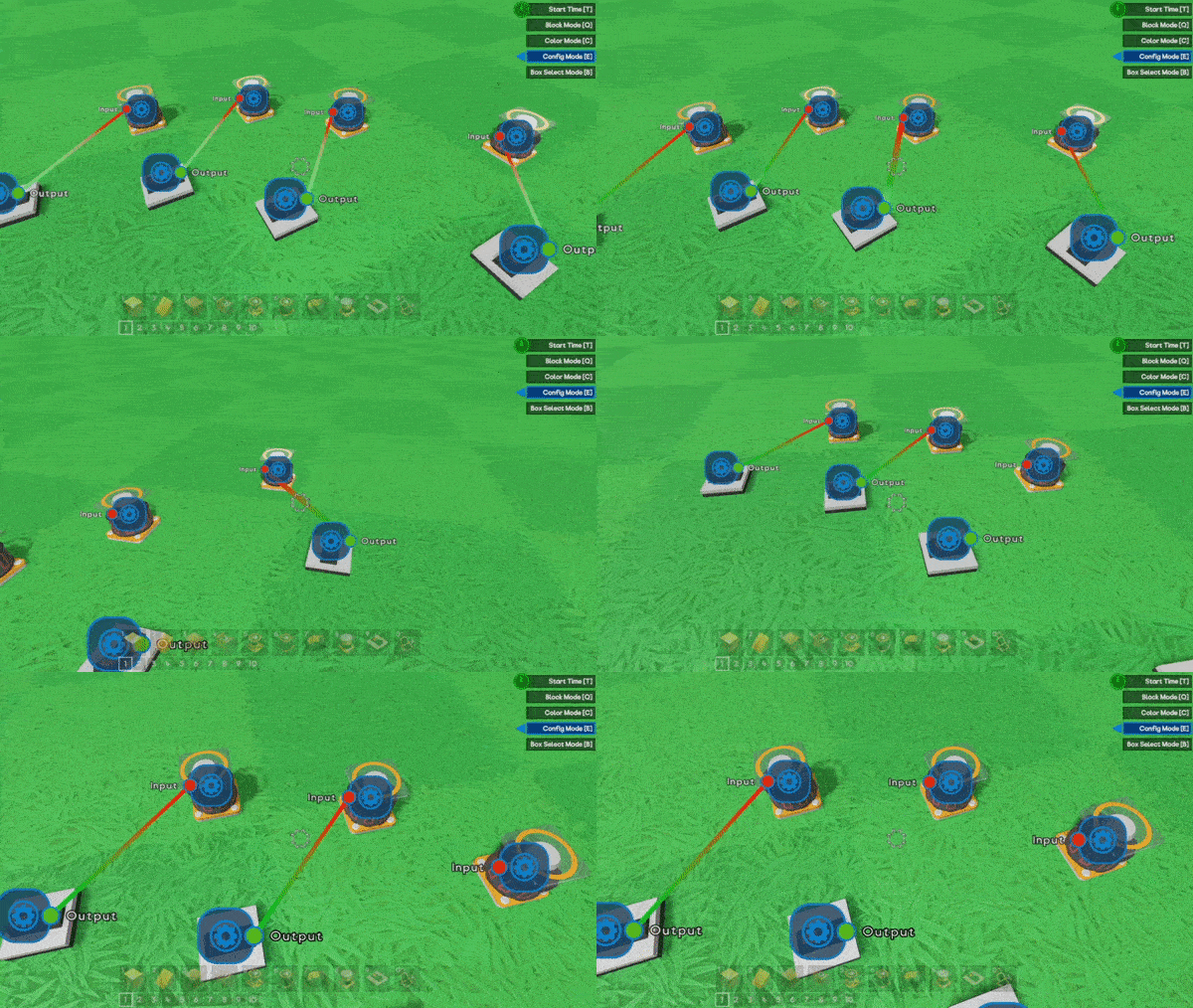
Deleting single wires will now be handled by interacting with the wires themselves, making it easier to manage. When you place your cursor over a wire, it will expand and highlight. Clicking RMB in this state will delete the highlighted wire. Here’s an early WiP version that we’ll have ready and polished in time for the launch.
Changes to config panels
The size of config panels will now scale with the size of the part, making it much easier to interact with. A standard Motor will remain the same size, while a massive one will look a little more like this.
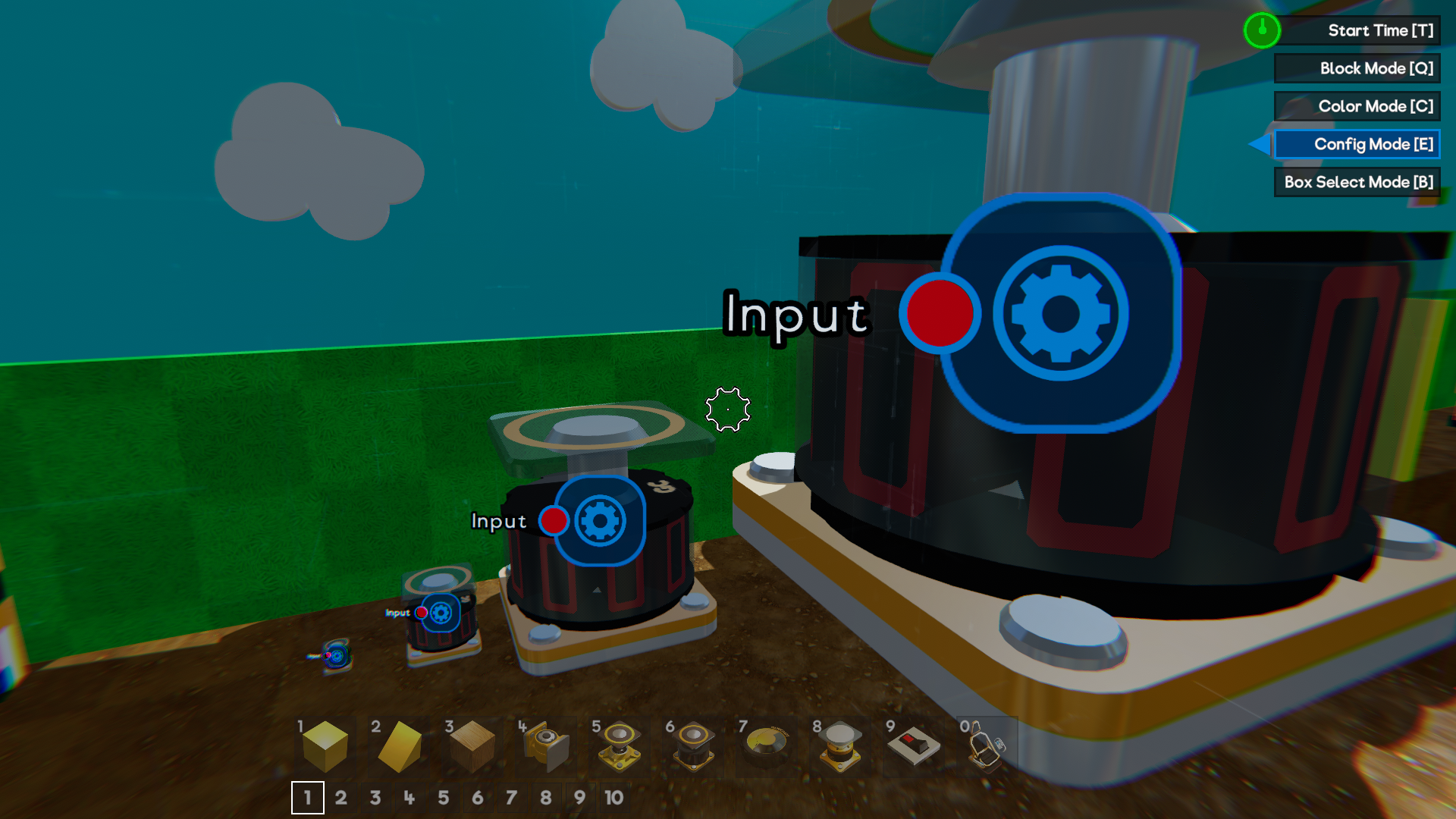
Parts that cannot be scaled, like the Pilot Seats and Spawn Points, will have their default panel size scaled up to make them more accessible.
Parts that have no ports, but can be tweaked (like Movement Constrainers), will now open directly into the expanded config panel.
Miscellaneous
Block Mode will no longer be treated as the ‘default’ mode This means that clicking the key for the mode you are currently in will no longer take you back to Block Mode. For example, you can enter config mode with ‘E’ but pressing ‘E’ again will not return you to Block mode. Whichever mode you were in when time started is the mode you’ll be returned to as well.
We’re also changing the Main Menu music! The new track is a little quieter and more fitting.
‘Win a T-Shirt’ for getting your game featured will now be a permanent fixture. We’re adding a button to the Main Menu which will open a popup with the details.
We have some bug fixes as well but we’ll save those for the patch notes along with any more changes that go through the Preview.
Please follow us on our social spaces and share your creations with us:
Discord - https://discord.gg/gamecraft
Twitter- https://twitter.com/Gamecraft_FJ
Reddit - https://www.reddit.com/r/GamecraftGame/
Youtube - https://www.youtube.com/channel/UCkcRFCr9aQxszaYeXcWZjwA
Facebook- https://www.facebook.com/GamecraftGame/
Thanks for reading!
The Gamecraft Team