
Hello Gamecrafters,
We’re back with another huge Gamecraft update! With more ways of inflicting damage to Leo, sound effect and music blocks, optimisations, bug fixes and the first stage of our Building/Wiring user experience overhaul, there’s something sure to make everyone happy. Check out the full patch notes below.
Plasma Cannon, Magma Rock, HexNet & Seat Damage Changes
Our last update introduced Character Vulnerability, giving crafters the ability to add damage and life based gameplay. We’ve seen some fantastic games already and we’re sure to see even more with these latest additions. We have two new block types: the Plasma Cannon and the Magma Rock and HexNet Blocks. On top of that Leo can now take damage while seated in Pilot/Passenger Seats and Pilot Controls!
We’ll kick off with the new damage blocks first.
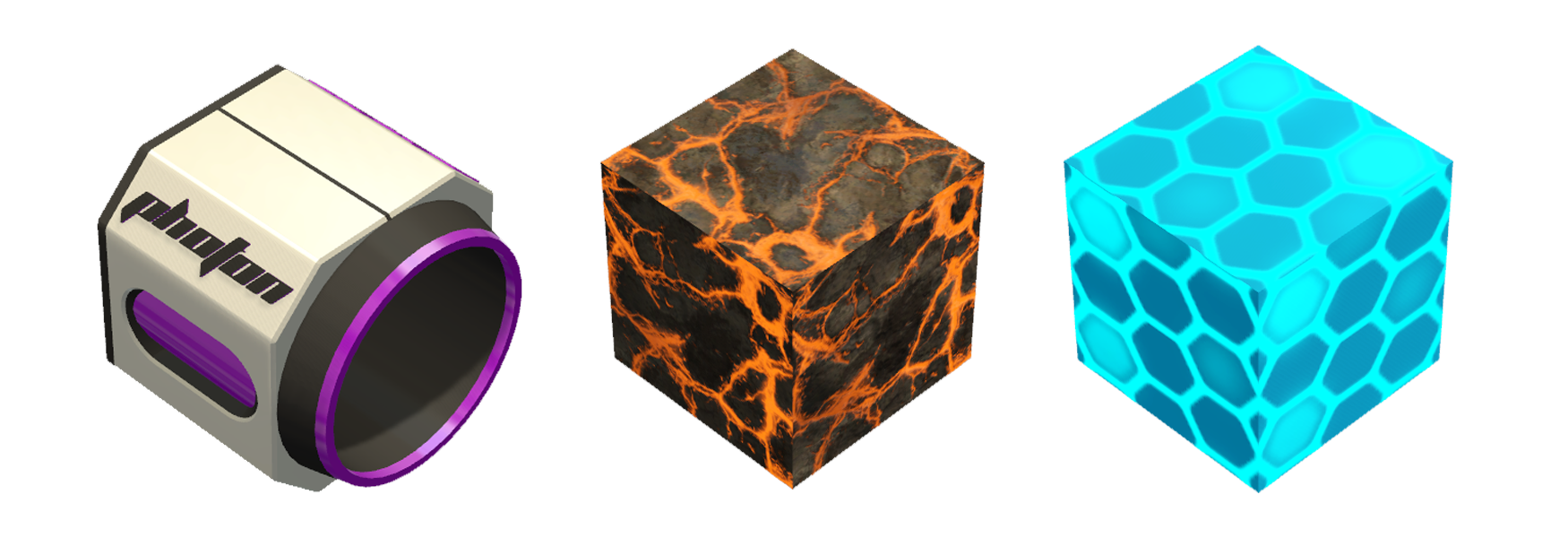
Plasma Cannon Block
The Plasma Cannon is our first weapon themed block. It can fire projectiles that travel in a straight line, at a fixed velocity, that either expire at a set range or explode on impact, depending on which comes first.
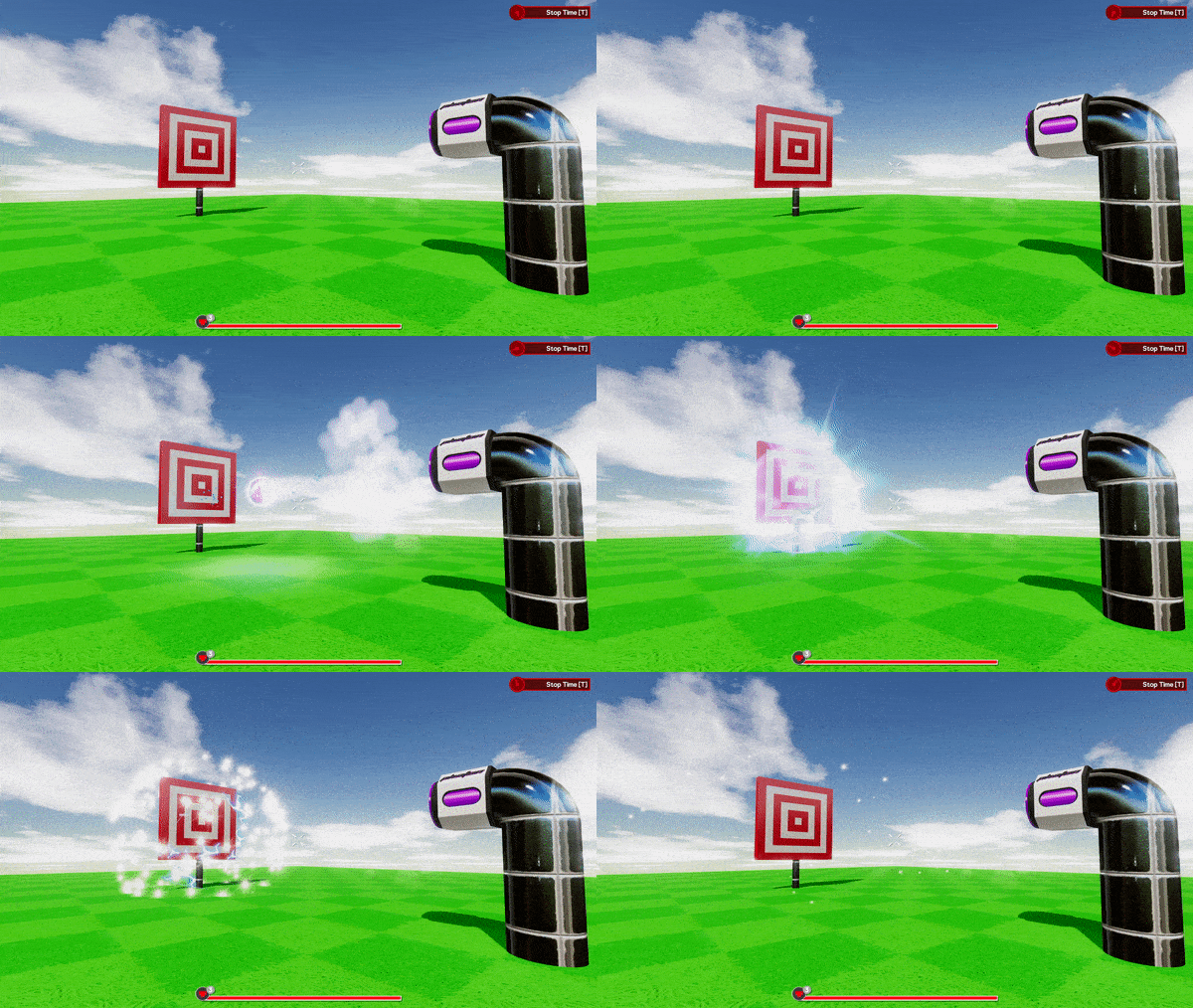
If the projectile hits Leo, he’ll take a set amount of damage based on the size of the projectile. If the projectile happens to explode nearby, either on some other blocks or another Leo, he’ll take less damage, depending on how much of the explosion hits him. Later on these will be able to cause damage to objects as well. Finally, if the projectile reaches its maximum range, which can be tweaked, it will simply disappear instead.
Let’s cover the tweakable stats and ports next. The projectiles fired by this block can be toggled between automatic and Semi-automatic. While ‘Automatic’, as long as the input is above +0.5 this block will fire a continuous stream of projectiles at a set fire rate. With ‘Semi-automatic’ this will fire a single projectile each time the input goes above +0.5. This setting works great with timers that send a ‘Completed’ output, then restart themselves or one click controls like Buttons or Pilot Seat outputs.
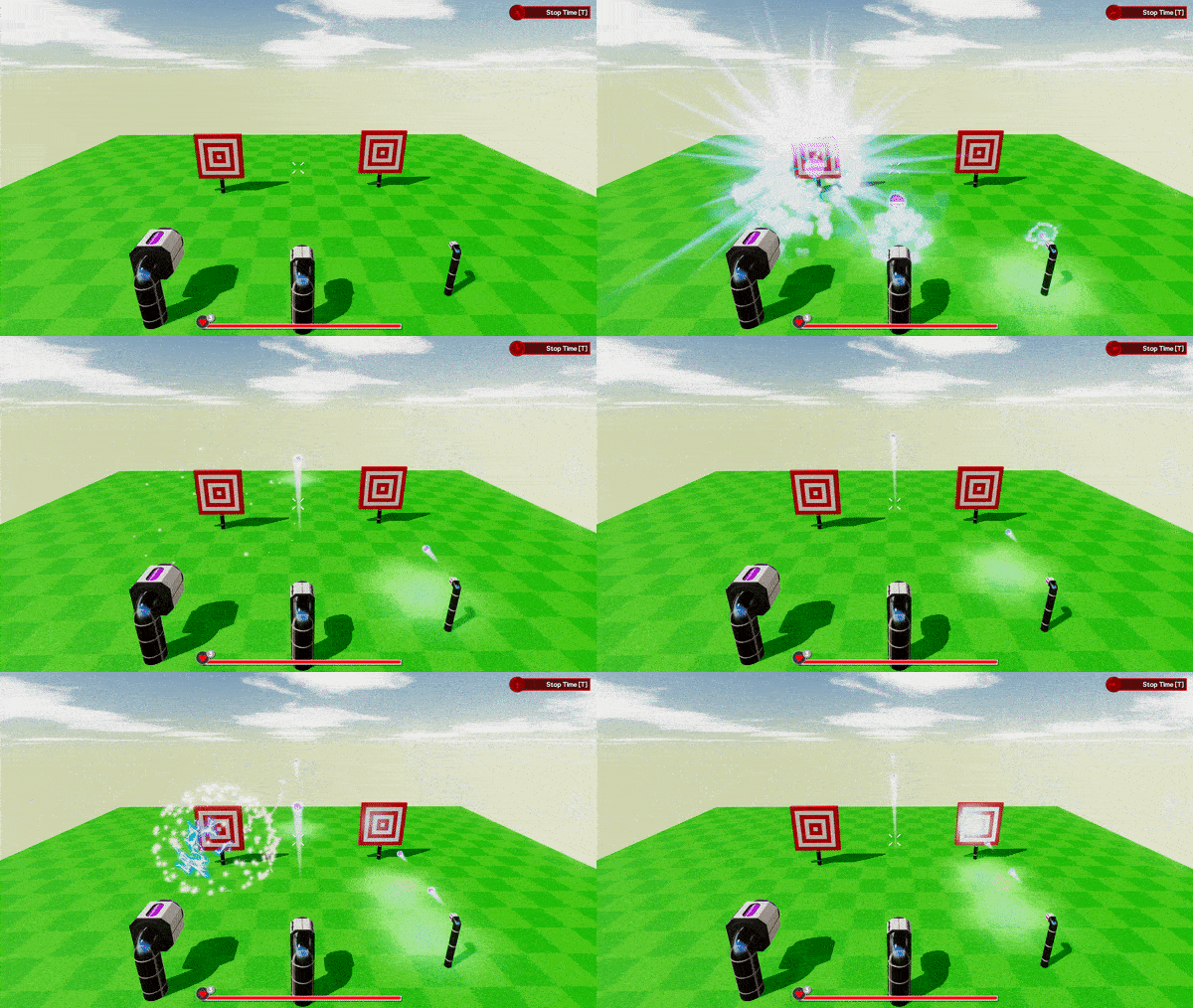
Fire Rate sets the frequency at which projectiles are shot, per second. This can limit how many projectiles the player can fire if they repeatedly click a Button. Range allows you to set a fixed distance the projectile is allowed to travel before vanishing (We don’t want to let them travel forever). Finally, Velocity defines how quickly the projectile moves once it’s been fired, so you can slow them right down to create dangerous minefield games or make them fast enough to replicate epic spaceship battles.
This block has a single input and output. The ‘Fire’ Input will spawn a stream of projectiles when triggered in Automatic mode and single projectile when triggered in Semi-Automatic. The output ‘Fired’ will send a short pulse each time a projectile is fired, which could be used for ammo counters.
Magma Rock & HexNet Blocks
Next up we have not one, but two new blocks aimed at dealing damage to Leo when he touches them in this update! We’ll go over how the surfaces themselves work before covering the specifics of each type.
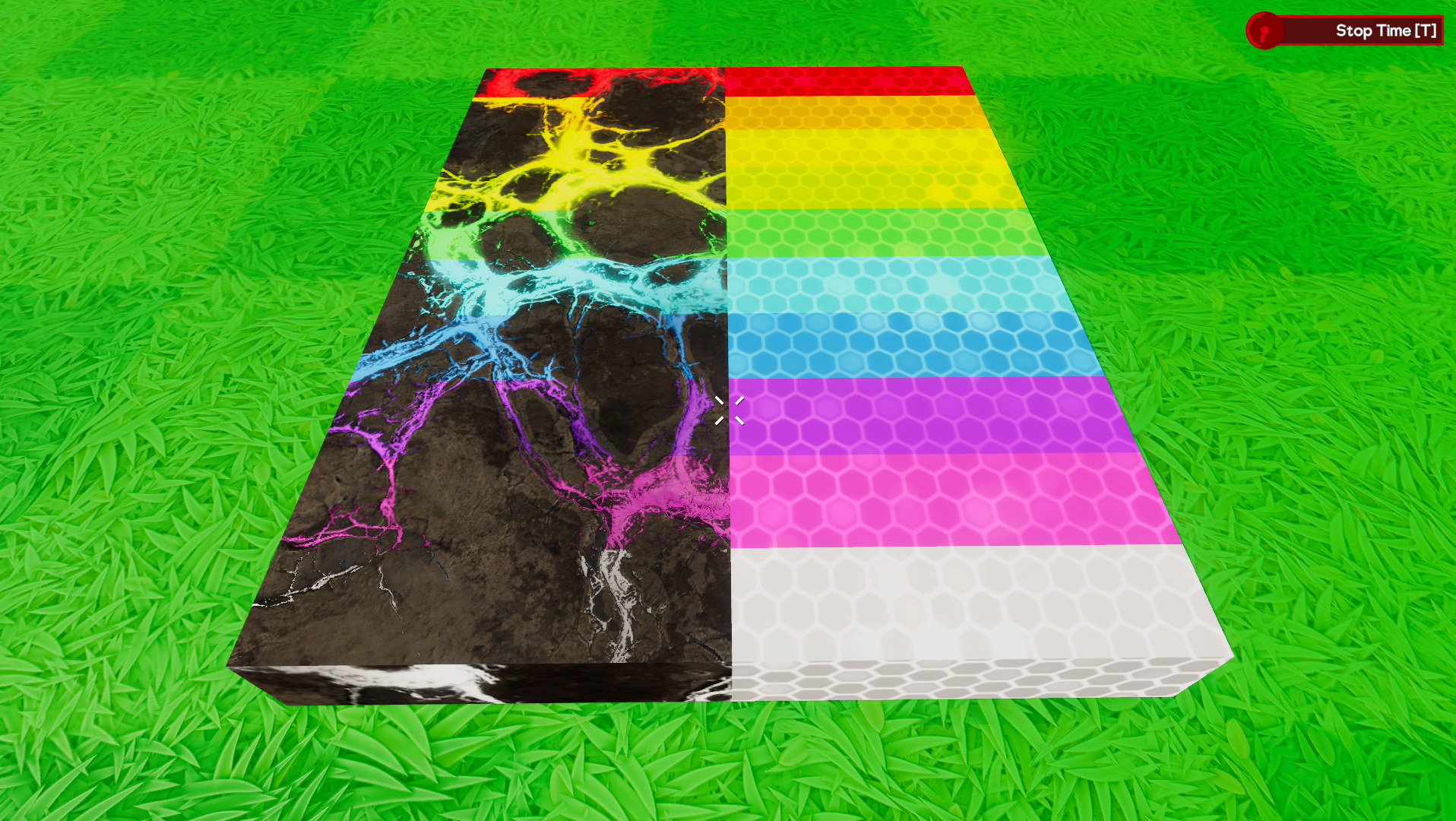
These blocks are in the “Shapes” category of the Inventory, so you’ll have a variety of shapes to place, scale and stretch to create all kinds of great looking hazardous surfaces in your games. Some of these blocks are going to be static, like Grass or Dirt, while others will be able to move.
As soon as Leo comes into contact with one of these blocks, he’ll immediately take a hit of damage, defined by the type of block rather than it’s size. As long as he continues to remain in contact there will be a constant stream of incoming damage.
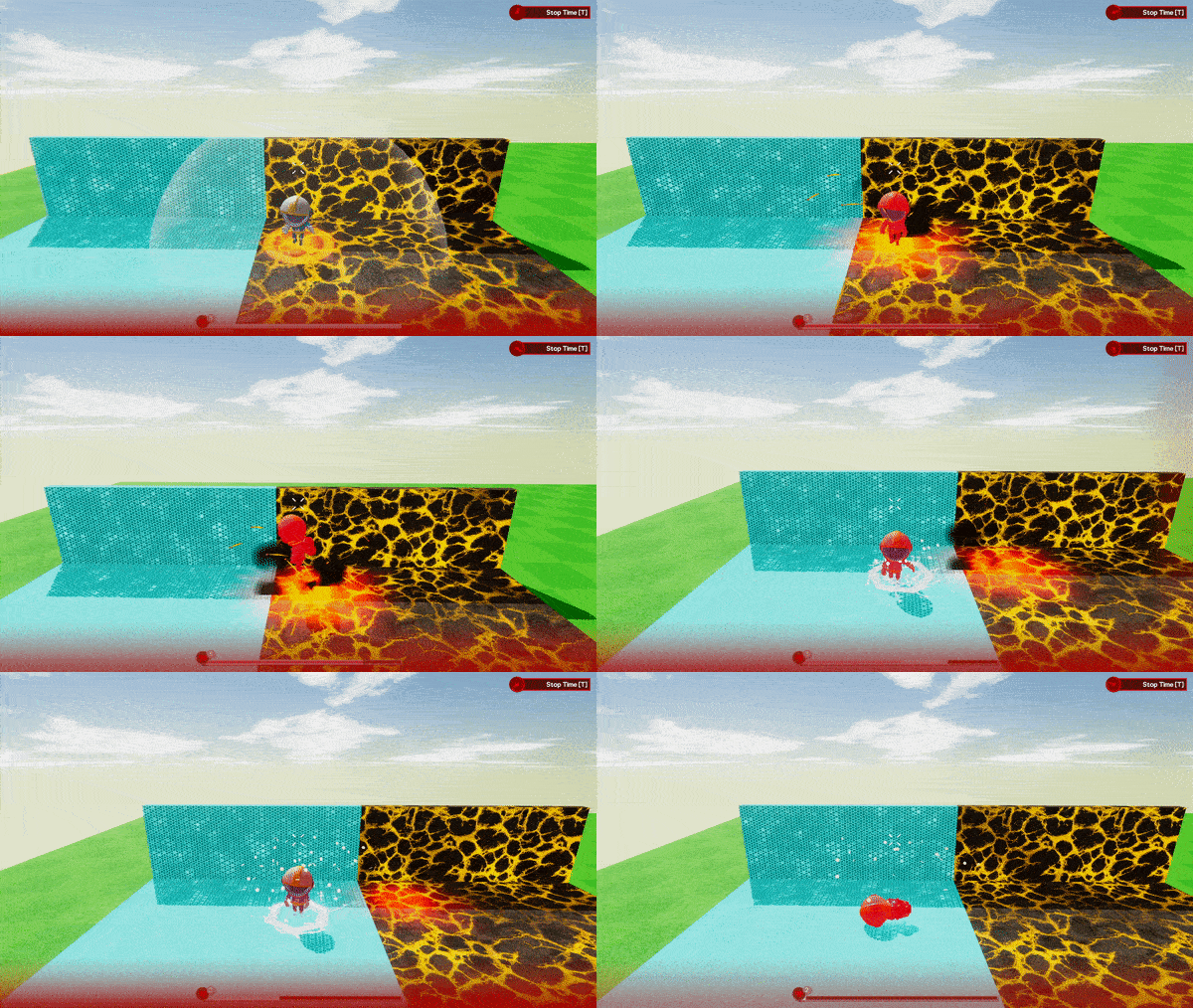
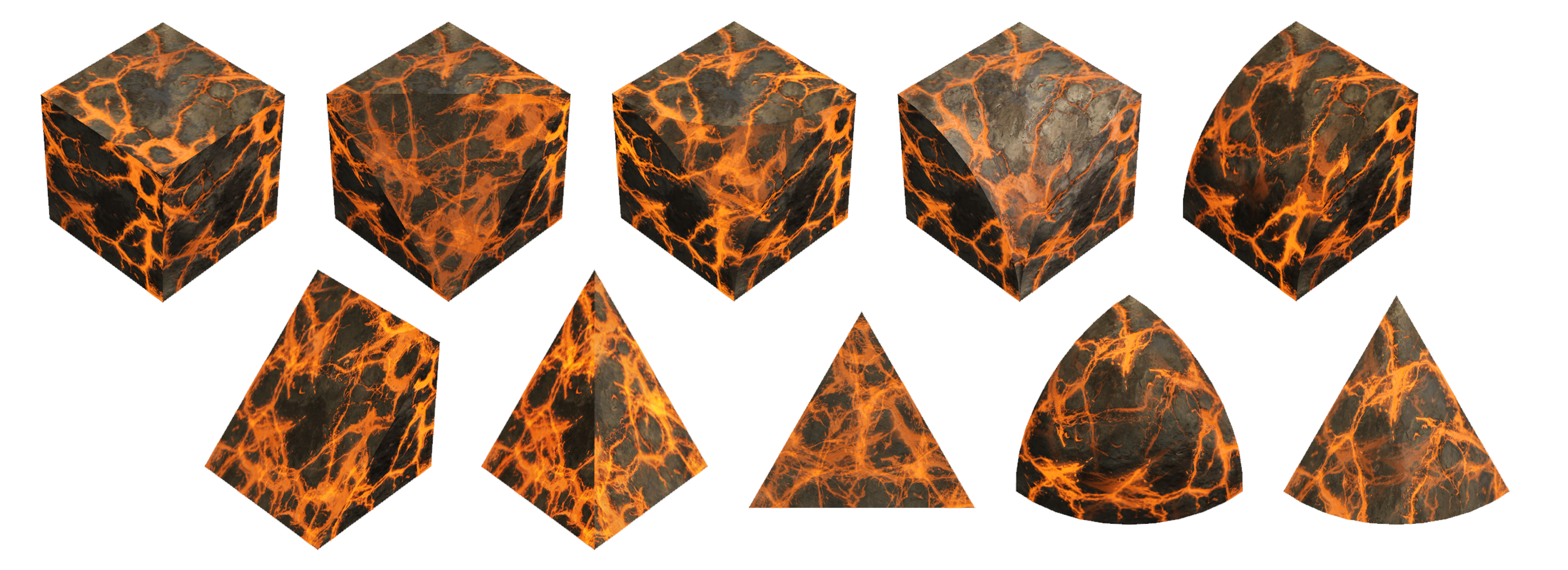
Magma Rock is the first of these new blocks. These are all static and deal a relatively small amount of damage. Great for hazardous terrain.
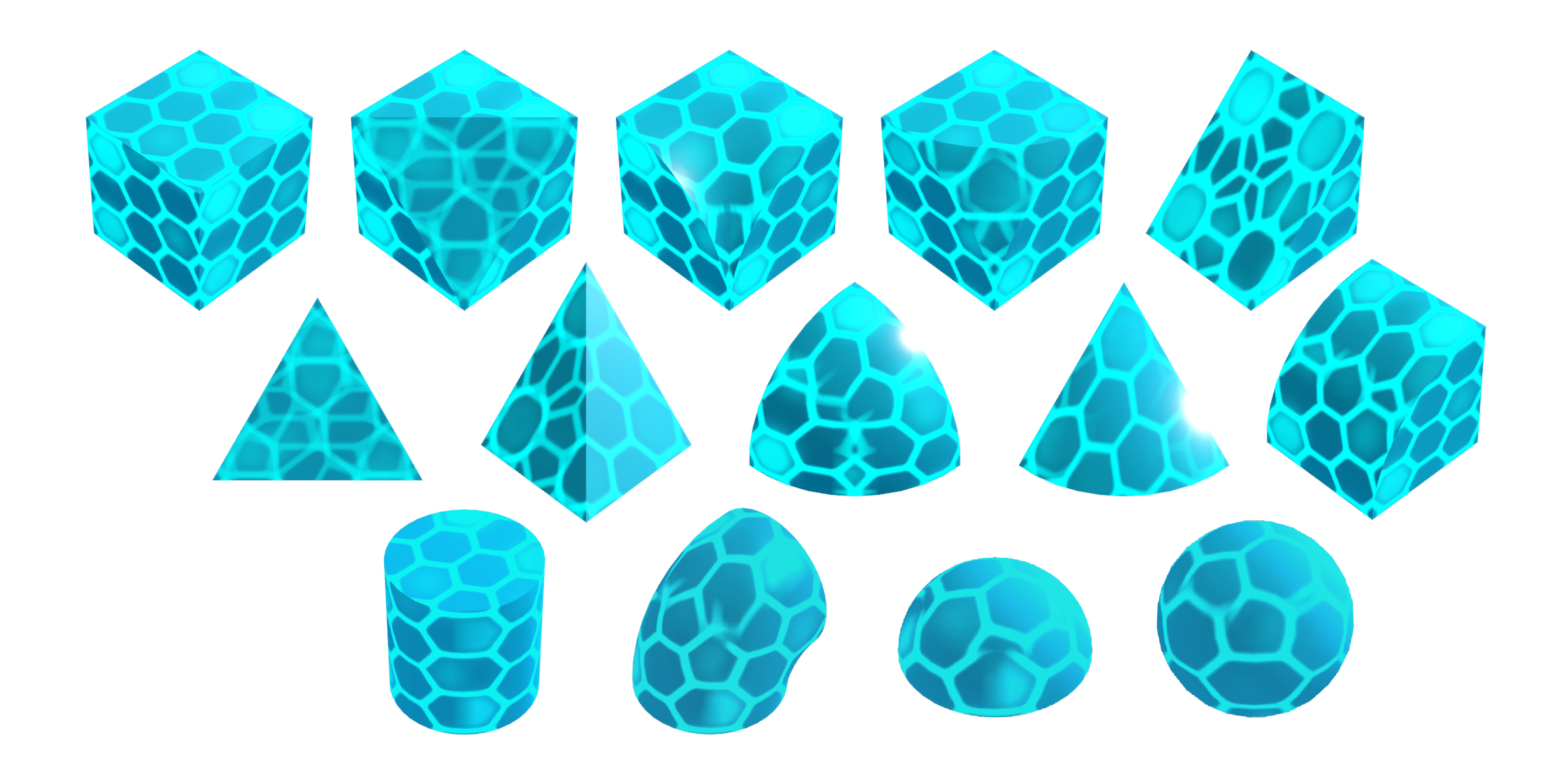
The second is HexNet. These blocks can be attached to moving objects (or placed freely on their own) and deal considerably more damage.
Damage in Seats
Lastly we’ll cover some changes that allow Leo to take damage while seated and how those changes affect seats in general.
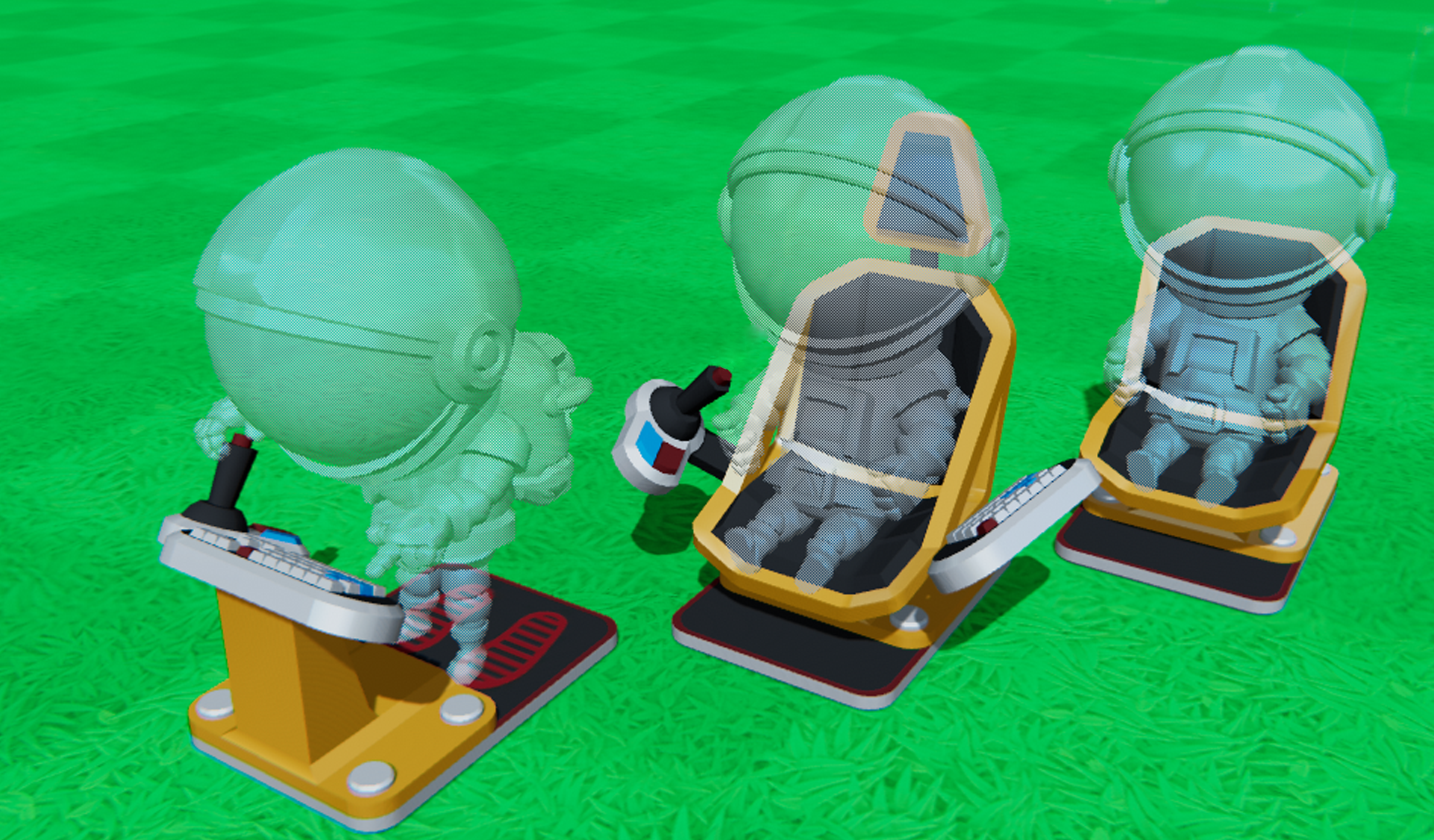
To start with, we’ve changed the collision of the seats slightly to make them a bit less restricting. Instead of one large grid-like box around the seat you’ll notice a little holo-Leo! The collision of the seat now matches the space required to visually fit the seat, holo-Leo included.
As you can see, we’ve also cut the size of the footplates for the seats and the space required for the bulky part of the Pilot Controls. These are now down from 6x3 to 4x3. Any existing seats will be shifted forwards to have the front 4 rows remain where the old footplates were. Pilot Controls will be shifted towards the back as these had different connection points. Fundamentally most creations should behave the same but there will be a slight weight shift on smaller builds to consider.
The main reason for this change is so that we can now split Leo and the Seat out as separate objects, so things can now hit ‘the seat’ as well as Leo himself. If Leo is hit by a block, or if he has an unfortunate run in with a low platform, he’ll take damage. The amount of damage is the same as if you were walking around. If Leo runs out of health while in a seat, he’ll be neatly ejected before collapsing. With the footplates removed Leo will now exit a seat in a crouching state on top of it, roughly matching the size of holo-Leo.
Another notable change to the seats is that Leo will now have his weight taken into consideration while seated. Up until now Leo had virtually no weight while seated. He will now be treated as a separate body of the vehicle he’s sat in, similar to how blocks separated by joints work, which may affect some lighter builds slightly.
Sound and Music Blocks
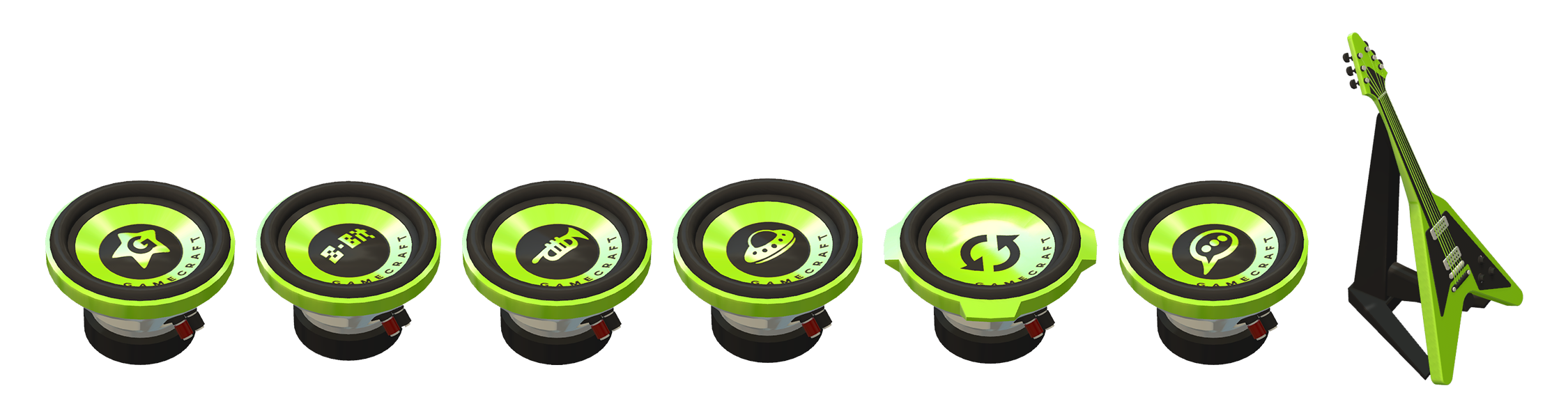
Up next we have the SFX andMusic blocks. These wonderful little blocks allow you to add a host of hand picked sound effects and BGM tracks to your games. We have over 100 SFX and 11 music tracks to choose from already!
SFX Blocks
These are split into 6 separate categories: Gameplay, 8-Bit, Instrument, Sci-Fi, Loops and Vocal.
Other than the sounds in the Loops SFX Block, these are all fairly short clips that will play once per input, like clicking a button or entering a Trigger. Loops will continue to play as long as they receive a signal greater than +0.5 and come with a short start up and wind down clip.
All of these SFX blocks can be set to play in 2D or 3D space. 2D means you’ll hear it at the same volume no matter where you are in relation to the block. 3D will play the sound from the block itself,so it would sound like you were listening to sound coming from a speaker. You can also tweak the volume and pitch of these sounds too.
Music Block
The music block provides a set of background music tracks which will replace usual BGM that you’ve all grown to love. If a music block is present, the default BGM will not play at all while time is running. The Gamecrafter can control the volume and start/stop the music as needed. These will always play in “2D” but can be set to player per player or team with our Multi-channel wiring system. This applies to the SFX block too!
Here is a short video of a game with added sounds that we took a little earlier.
https://youtu.be/dr5PqHj_XSI
Building UX Improvements - Step 1
Based on a lot of feedback that we gathered from the community regarding the biggest problem areas when it came to building, wiring and playing in general. We compiled a bullet point list of things to fix and came up with a plan to address all of the problems identified. This has been split up into more manageable chunks as there is a huge amount of work there. Step 1, which mainly focuses on the feel of building, iterating and testing, is now ready to go!
The biggest change here is that we’ve split some of the existing tools, like Box Selection and even wiring/configuring parts into their own “modes”, each with a specific focus and a new, unique crosshair!
Block Mode
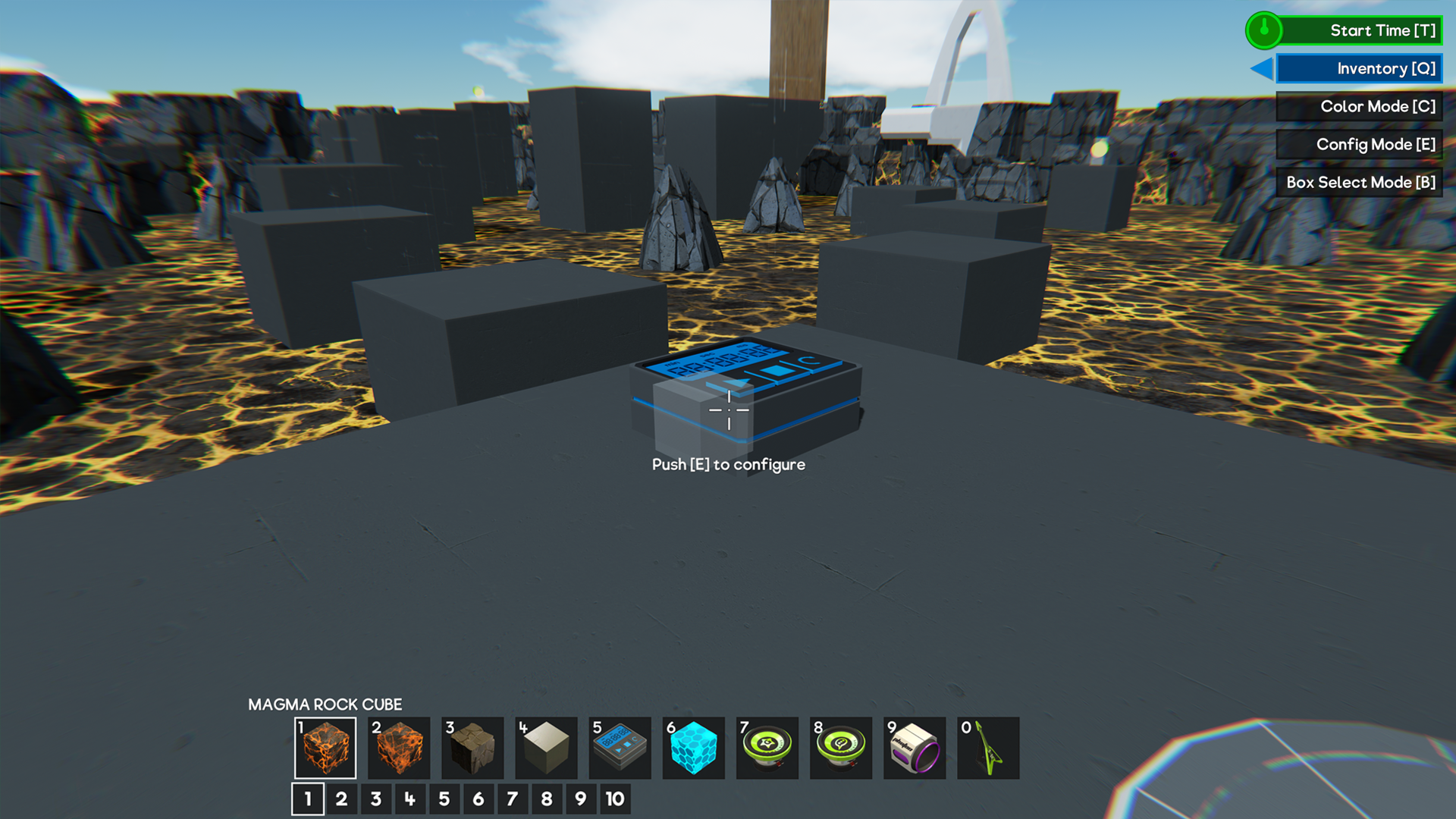
This is the default mode and it works almost exactly the same as how you’re used to building. In this mode, you can swap between parts on the hotbar, place, delete and scale cubes. The key difference here is that you won't see the little blue dots for wirable parts at all, clearing up the screen to make “building” the focus here. While in this mode, pressing [Q] again will open the Inventory and you also won’t have an “Empty Hand” slot anymore or be able to access the clipboard.
Color Mode
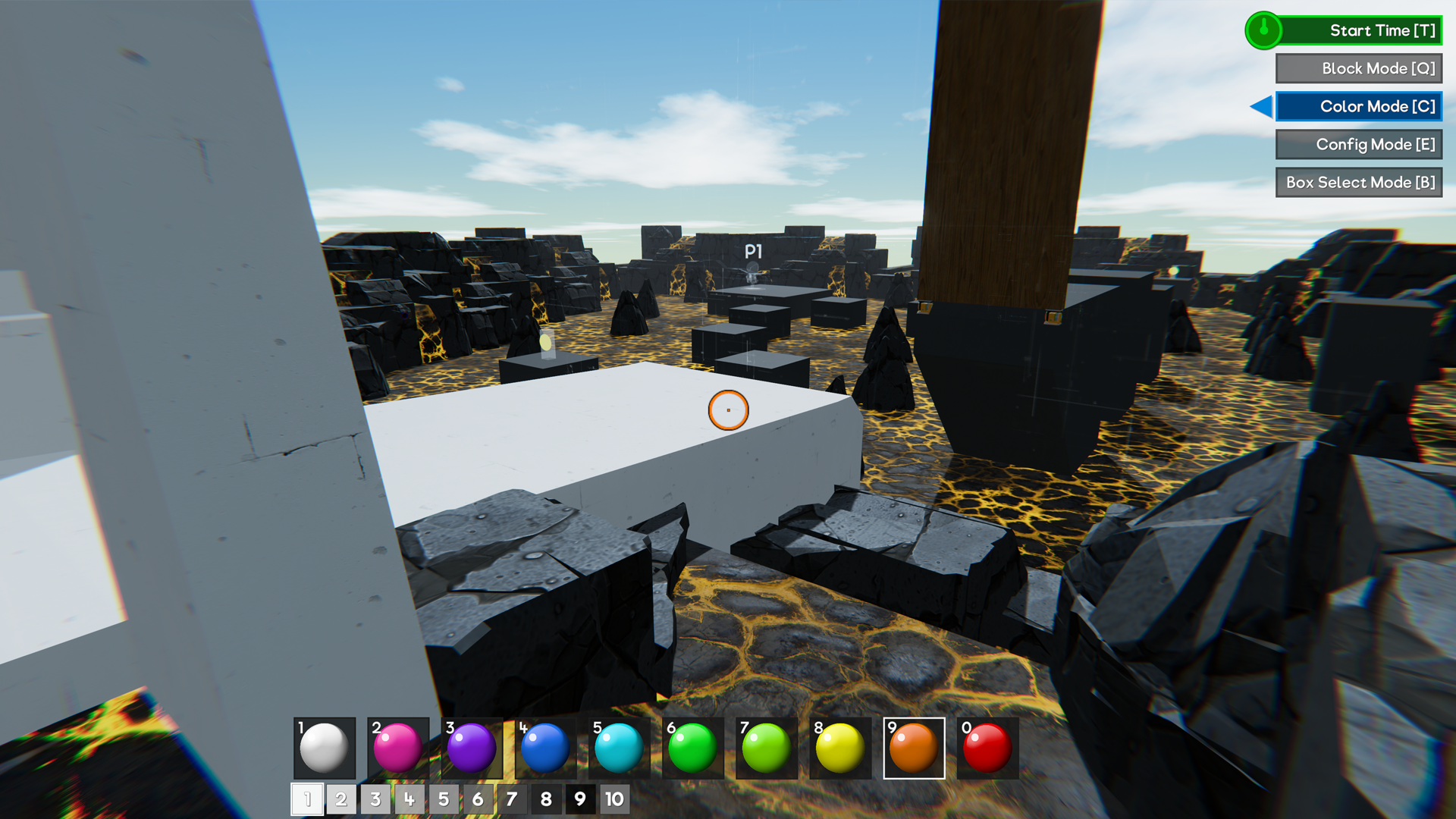
This mode is exactly the same as selecting the old ‘color slot’ in the hotbar. In this mode you’ll only be able to paint parts that are present, no deleting or tweaking of parts.
Config Mode
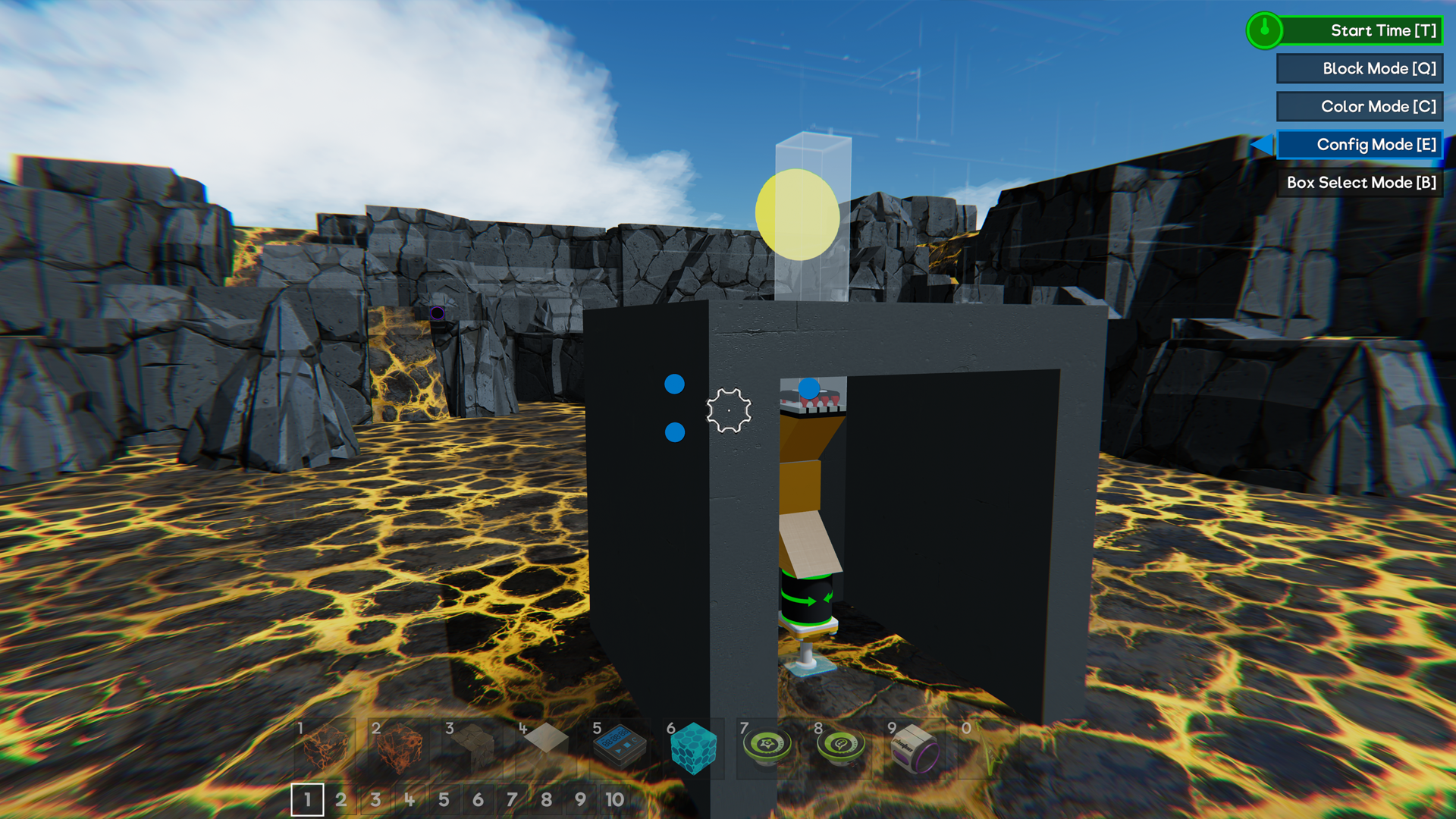
This new mode specializes in wiring and tweaking parts. While in this mode, you won’t be able to place or delete cubes. If you aim near a part that can be wired or configured, you’ll see the little blue dot appear, much like you would with the Empty Hand previously.
Everything else in this mode works as you would expect. You can tweak the stats of parts and create wires without fiddling around with the ghost cube.
Box Select Mode
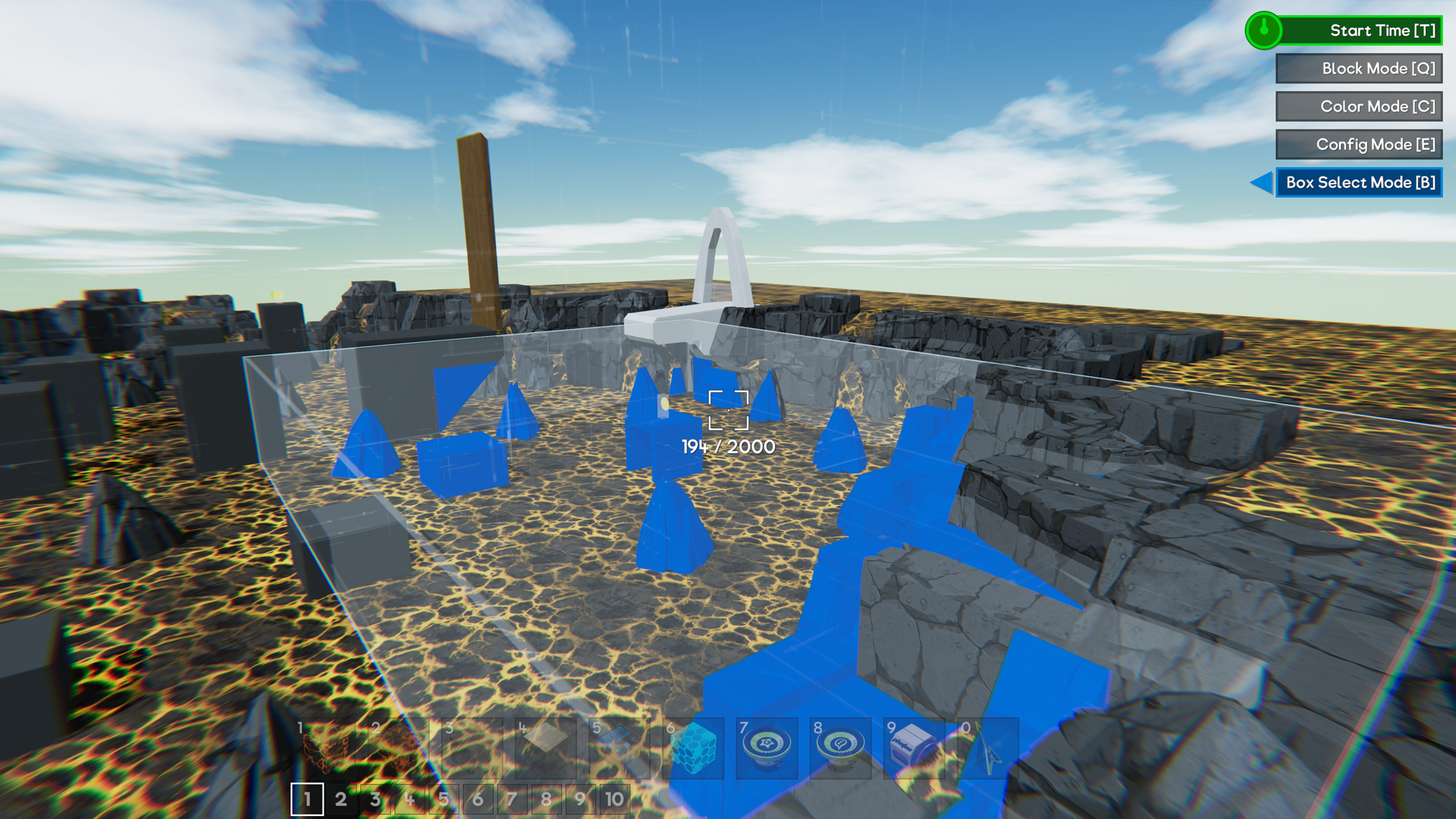
The Box Selection tool wasn’t the most obvious being tucked away behind the Empty Hand. We’ve brought that tool into its own mode to make it easier to find and work with. In this mode, you won’t be able to place or delete regular parts, but you’ll be able to highlight a selection of parts, copy it and place the copy as normal.
Other Changes
Another bit of feedback was that having [E] to exit seats and start/stop time was a bit of a nuisance, especially when quite a few players are used to pressing [E] to use things. We’ve made a couple of changes there with the big two being [T] used as the default for Time Start/Stop and [E] now being to interact with Seats! These can be changed if you’d prefer other keys and other interaction with Buttons, switches etc. will resin on Left-Click.
We’ve also added some extra prompts under the crosshair to help message things like this. For example, aiming at a Motor while in Block Mode will show a little prompt “Press [E] to configure”. There are also prompts for the actions available when using Box Selection, deselecting the current clipboard and interacting with Pilot Seats.
Another handy change is that we’ve adjusted the interaction range for Color, Box Select and Config mode to be much further. These would force you to be quite close, which can be a bit annoying when you want to paint something far away or create a selection around something large.
This is just the first step towards addressing some of the issues raised. Wiring and tweakable stat improvements are still on the list for future updates.
Other Changes
Preview Changes Going Live
In the last update we also made some tweaks to the weights of joints and the power of Servo parts that we kept in a separate preview branch build. The feedback we receive on these was overwhelmingly in favor of keeping them so we’re putting those live with this update.
Please note that these were some quite big changes that had a noticeable impact on certain games and builds. Generally things should perform better but there are definitely a few cases where things will need to be tweaked.
Those changes are:
- Joints are now around 80% lighter. A few larger builds will definitely behave differently with this change but we believe any issues can be resolved with a little tweaking and redistribution of weight.
- Servos and Pistons that have been scaled should now be around 50% more powerful. We’ve increased their maximum force overall and made some tweaks to the power curve as the scale increases.
HUD Feedback Monitor
To help us out with identifying areas for ongoing optimisation we’ve added a bit more feedback to show you, and us, when things are starting to go wrong while playing.
At the top of the screen you’ll now occasionally (hopefully rarely) see a small amber/red warning pop up. This helps identify what area is struggling, whether that’s the CPU being overloaded or just too much data being lost over the network. When reporting issues it will help to know if any of these warnings are present.
Min Spec Check
In the last update we changed the minimum spec check that runs at the start to prevent CPU’s with less than 4 cores from playing. In hindsight this was a bit of a drastic change that affected some current players so we’ve instead reduced this dialogue to a warning. You’ll be able to play again but we’d expect more issues to affect anyone running below the min spec.
Low memory has also been downgraded to a warning but the rest of our checks remain in place as these are either required to work at all or are far more likely to cause critical issues if they are not met.
SetSkyColor Command
We know that having clouds floating around in space isn’t really ideal so we’ve made a small change here to darken the clouds to match the sky color. This gives the space skybox a nicer feel, while still letting you create dark, but not full on space atmospheres.
SetCharacterRunSpeed Command
We’ve made a small change to this command as it didn’t feel quite right when trying to navigate around as you build larger creations. This command now sets the acceleration/deceleration of Leo to match. We know a few games have been built around the idea of running around at insane speeds and these are going to behave a little differently now, but they should be easy to fix by lowering the speed to something a bit more reasonable.
Tire Audio
We’ve also made a few small tweaks to the way tires sound when driving around on various surfaces. Vehicles should no longer sound like they are constantly ‘bumping’ along the ground when driving on flat surfaces. Instead, you’ll hear some new audio that sounds more like tires driving along gravel or dirt.
Bug Fixes
- Fixed an error when clicking both mouse buttons during wiring
- Fixed a bug that caused the saved clipboard’s collision to be present when you take one into another save, blocking some valid placements
- Fixed incorrect behaviour with parts that were set to “Player” or “Team” channels not having the same unwired default as the “All” channel
- Fixed some inconsistent damage calculations where blocks made of individual parts would do less damage than a single scaled one of the same size
- Fixed a bug that caused Leo to take unintended damage when walking into large objects causing them to move ever so slightly - We’re still investigating other cases of unintended damage so please do let us you if you run into any.
- Fixed some errors/crashes that could occur when connecting to a server
- Fixed some crashes that could occur if the host of a server is scaling cubes when another player connects
- Fixed a bug where the host’s ghost cube would not reposition when uniformly scaled after a player connects
- Fixed a bug that allowed players to respawn with the command overlay open, leading to a black screen
- Fixed a bug with unpowered door audio not playing correctly at smaller scales
- Fixed a bug with the number of lives sometimes overflowing on to a second line
- Fixed various incorrect names, descriptions and other bits of text
There’s certainly a lot of new things to work with in this massive update so we can’t wait to see some amazing new games that make use of all of these powerful new parts.
The Gamecraft Team