
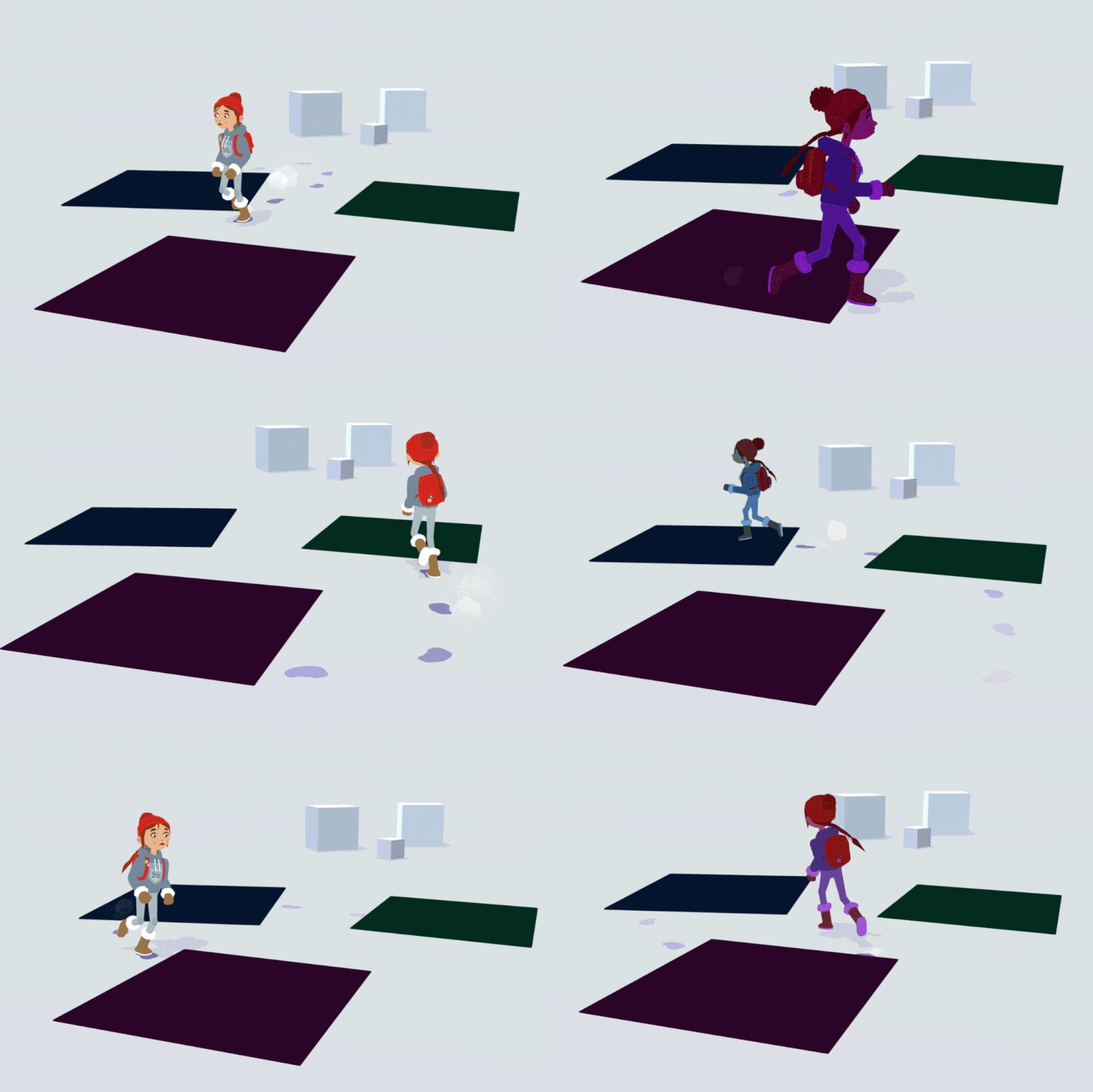
Last week, we revealed to you our method for texturing everything in the game. Today we want to show you how we used our lighting systems in the process of creating neat shadows. Grab something to drink and enjoy reading!
As you may or may not be aware, Röki isn’t rendered in the traditional 3D way. Our game environment receives no lighting (but does receive shadows), but appears with the exact colors we specify when we create it (in the swatch texture). The characters are similarly unlit, but in their case are tinted by ‘Unlit lights‘ that we place in the scene to bed them into the background.
WHY SHADOW VOLUMES?
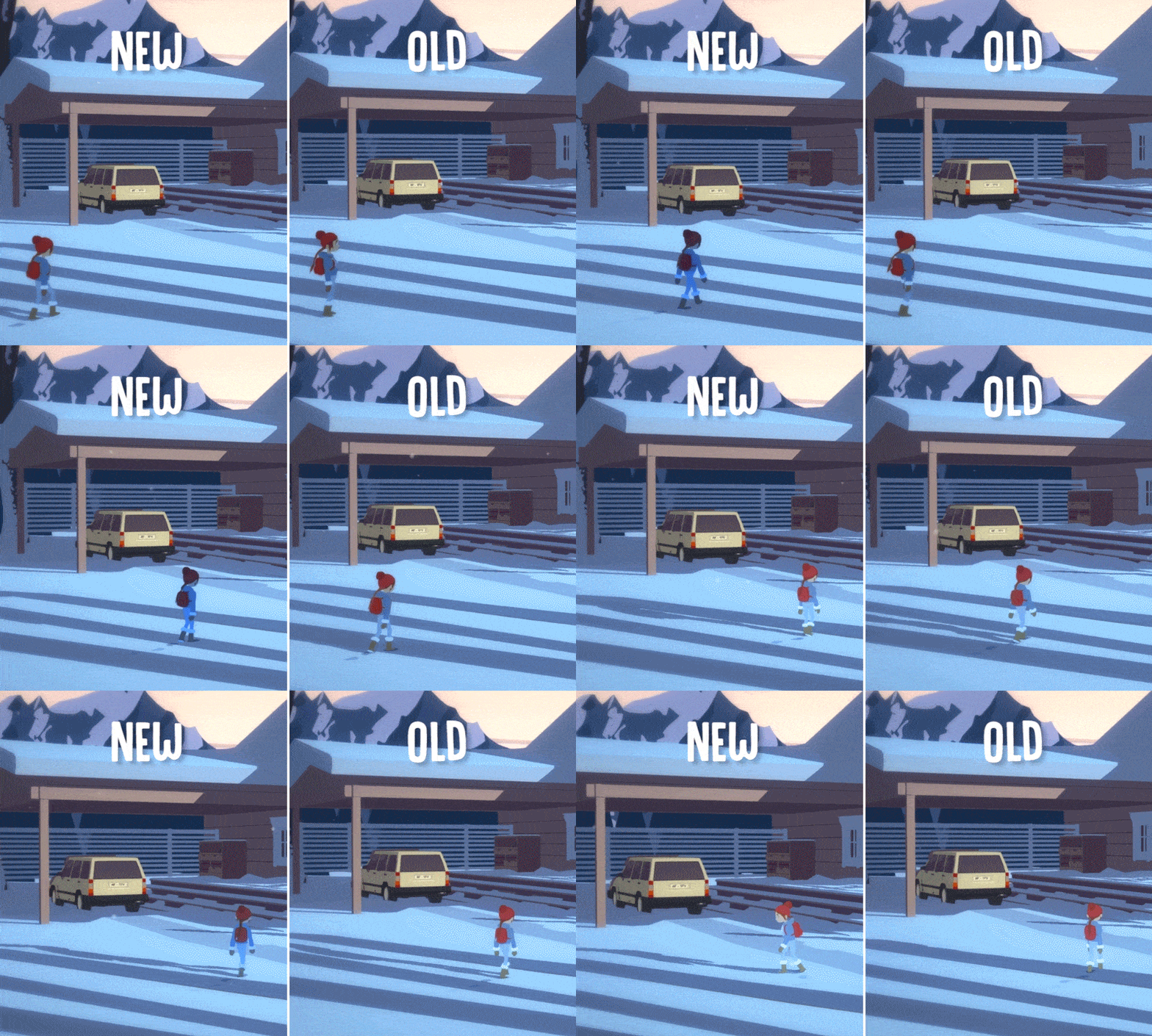
Our existing lighting system is working well, it allows us to bed the characters into the scenes, and we can have smooth interpolation of lighting on our characters as they move around the scene. It’s great for soft broad changes as you move around (see a before and after of how it beds characters into our scenes below).
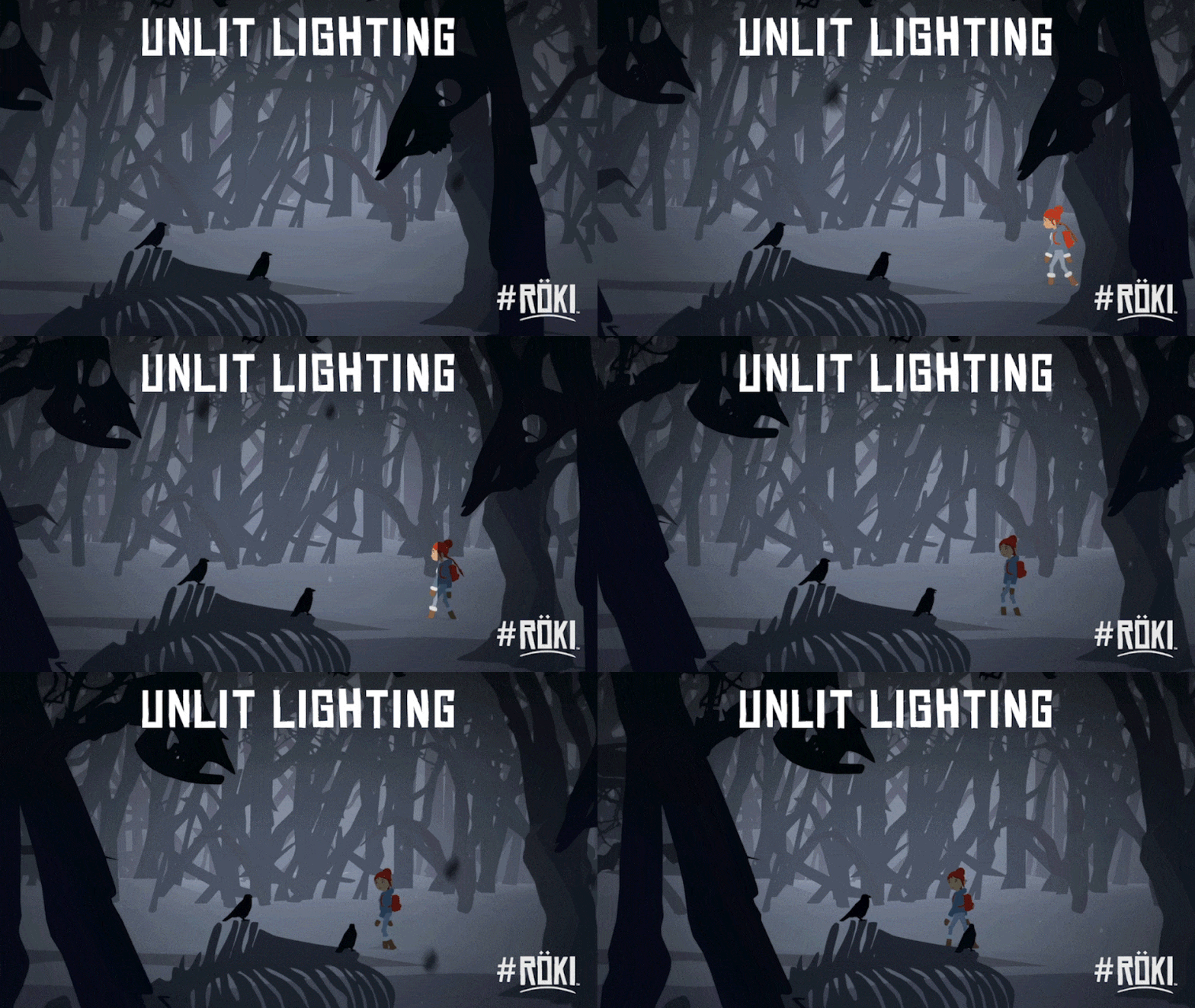
So why add a new element? Well, Tom created a scene with some hard defined shadow areas. We tried to light the characters to reflect this with our standard ‘unlit lights‘ and it was kinda tricky. As I said, they’re good for broad soft lighting changes but any sudden change of lighting was not easy to achieve.
We didn’t want to rule out having these stark and dramatic shadow areas in our scenes so went thinking about how we might achieve the desired effect by building upon our lighting system.
HOW DO THEY WORK?
In fact the result was actually pretty simple. It builds on a couple of existing things we already have in the game: trigger volumes and pick-up fades.
We use trigger volumes for all kinds of things in Röki. They are essentially an intelligent box. The box can tell if a certain objects enters its volume, if something does, it can then trigger an action. We use these for gameplay, but we realized we could also use them for some kind of shadow volume.
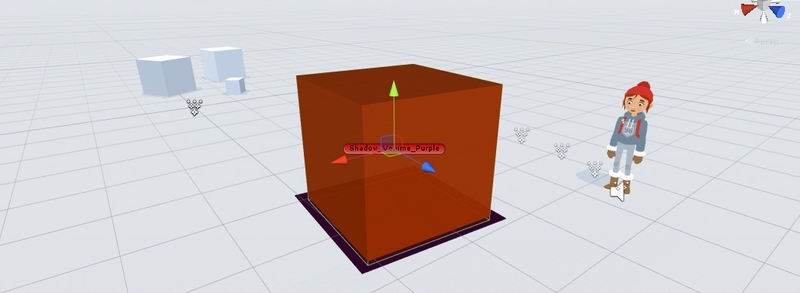
The other elements we had already was simple time-based shader transitions. We’d done these for fading out objects when you pick the up (rather than them vanishing with an unsightly ‘pop').
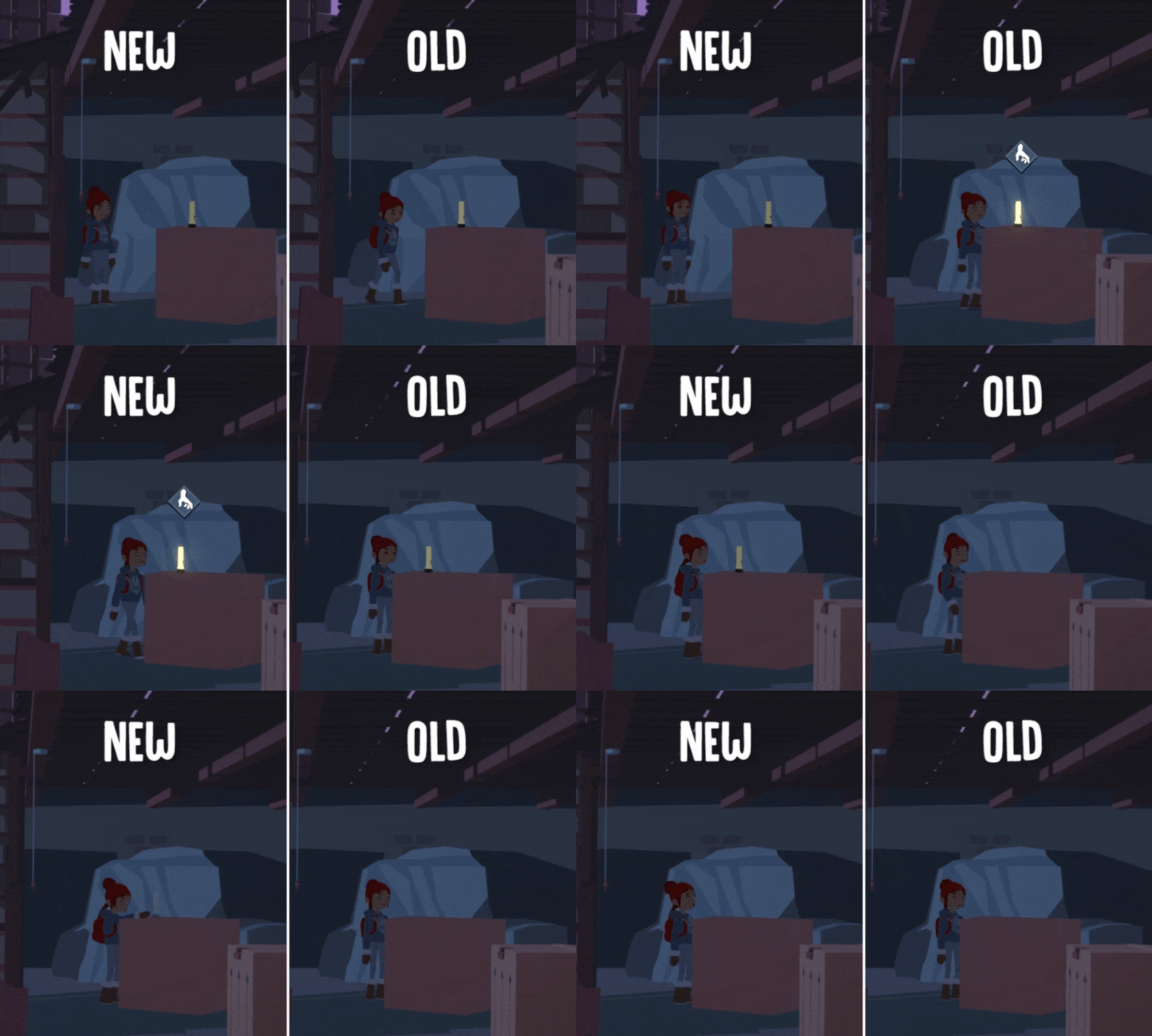
We realized that in combining these two elements we could use the trigger volume to talk to the character’s shader, telling the character to ‘go dark‘ when they enter, and ‘go back to normal‘ when they exit. We would use the simple fade to soften the transition into shadow when entering the volume, and to gently come out of shadow when they exit the volume, to avoid an instant ‘pop’.
The only thing left to do was to add an extra ‘shadow volume‘ color parameter to our character shader. This would be used to tint the character’s shader darker when they enter the shadow area. This change in the character’s shader would be driven by the volume interactions and the fade.
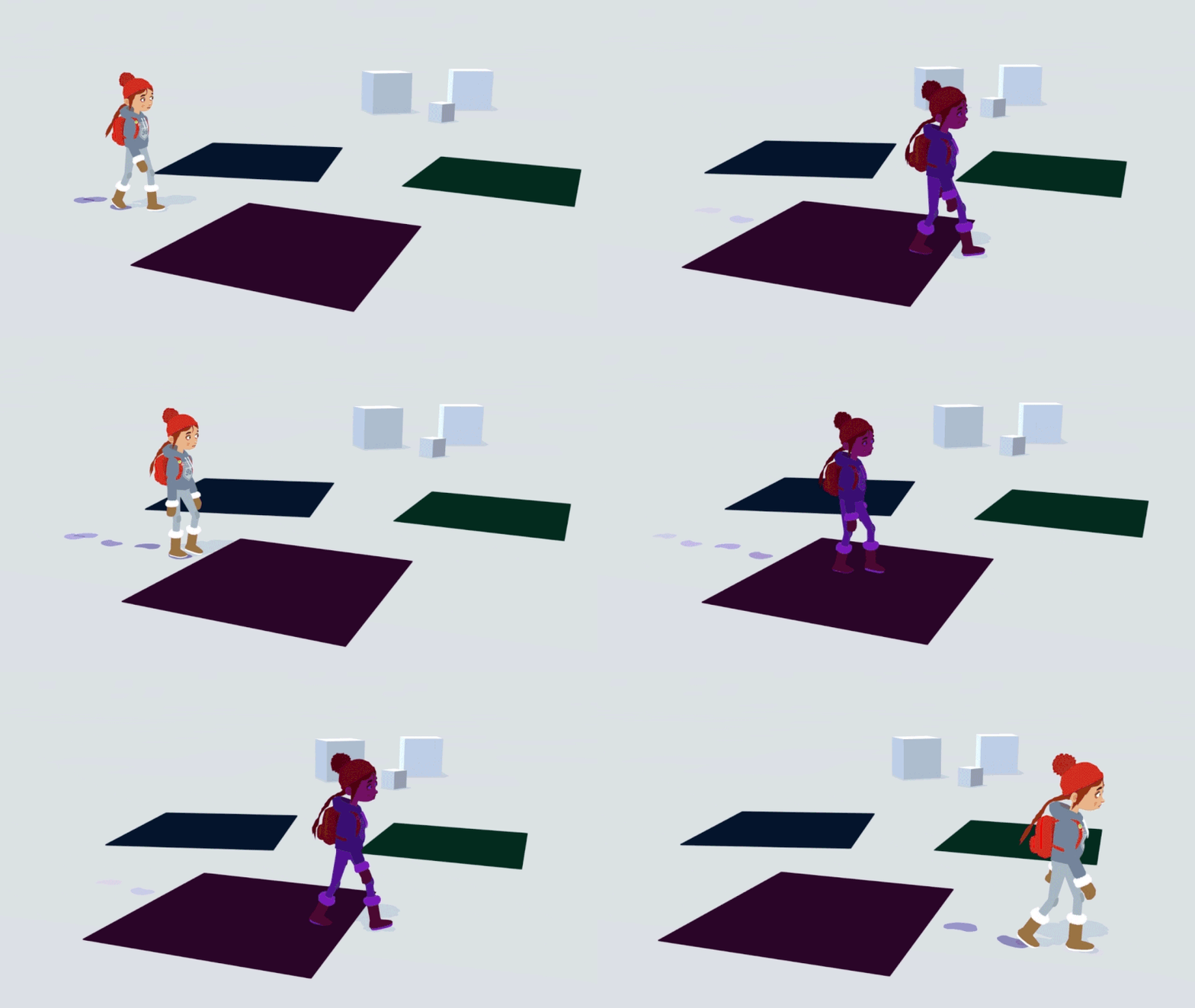
And that’s all the ingredients we used. It does build on the underlying system, but is in itself pretty simple. So to recap:
- Character enters a trigger volume, game recognizes this and sends and tell the character to ‘Enter Shadow‘
- This then tells the character’s shader material to begin fading up the shadow color (over a short specified time, currently 0.25 seconds but tweakable).
- The shadow color (specified in the volume itself) is multiplied over the top of the underlying character color. As the shadow color is faded in, the shadow appears stronger on the character.
- When the character leaves the shadow volume the same thing happens in reverse.
As stated above we set it up so each volume had its own shadow color. This allows for different shadow color for different scenes, or even within the same scene (some might want blue tinted shadows and others green for example).
FURTHER TWEAKS
We’re gonna work with the system and see how it feels but have had a few suggestions already on how to improve it further that we’ll take a look at. For now, we achieved what we wanted, the ability to have Tove and her pals walk into dark shadow with a nice transition (and no ‘pop‘). This is quite a good example of how you can achieve something quite quickly with elements from elsewhere in your game.
Until next time,
Alex
https://store.steampowered.com/app/1067540/Rki/